Product Recognition | |
|---|
Certification Number | ZC10-17105822 |
|---|
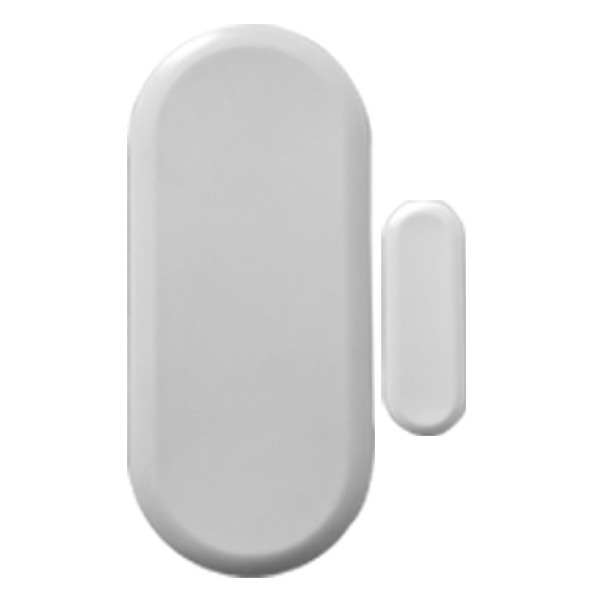
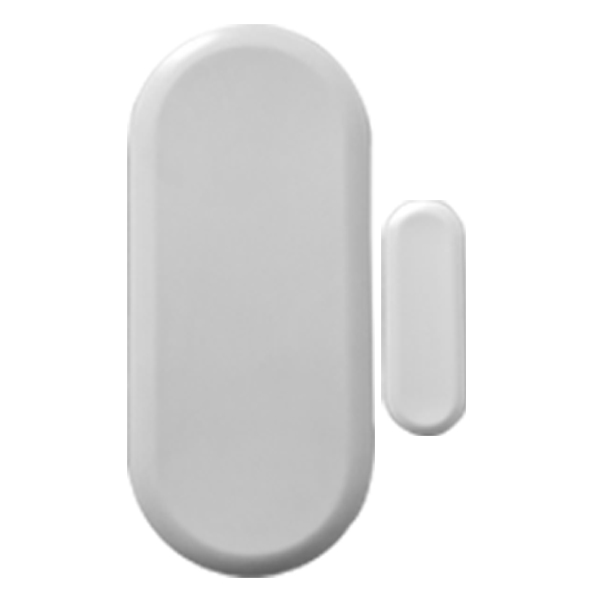
Name | Door/Window Sensor |
|---|
Short Description | Door & Window + Temperature Z-Wave Plus Sensor. |
|---|
Long Description | Inovelli's Door/Window + Temperature Sensor brings the best of both worlds. Monitor your door or window as well as the temperature!
This smart sensor is one of the smallest Z-Wave Plus sensors on the market and comes with a battery (CR14250) as well as adhesive to mount. In addition, step by step video and written instructions can be found on our website for easy installation.
Simplifying lives, one smart home product at a time... that's Inovelli.
*Please see our Amazon or our website for compatible HUB's (not all HUB's support temperature reading). |
|---|
Brand | Inovelli |
|---|
Product Identifier | NZW1201 |
|---|
OEM Version | HW: 1 FW: 20.15 |
|---|
Hardware Platform | ZM5202 |
|---|
Z-Wave Version | 6.51.06 |
|---|
Library Type | SLAVE_ROUTING |
|---|
Device Type | Notification Sensor |
|---|
Role Type | ROLE_TYPE_SLAVE_SLEEPING_REPORTING |
|---|
Manufacturer ID | 0x015D |
|---|
Product Type ID | 0xB003 |
|---|
Product ID | 0xC11C |
|---|
User Icon | 0x0C00 |
|---|
Installer Icon | 0x0C07 |
|---|
Frequency Plans | US: 916.00MHz, 908.40MHz |
|---|
Categories | Sensors |
|---|
Countries / Regions | United States of America |
|---|
Supported Command Classes | Identifier | Name | Key | Version |
|---|
COMMAND_CLASS_POWERLEVEL | Powerlevel | 0x73 | 1 | COMMAND_CLASS_BATTERY | Battery | 0x80 | 1 | COMMAND_CLASS_VERSION_V2 | Version V2 | 0x86 | 2 | COMMAND_CLASS_WAKE_UP_V2 | Wake Up V2 | 0x84 | 2 | COMMAND_CLASS_DEVICE_RESET_LOCALLY | Device Reset Locally | 0x5A | 1 | COMMAND_CLASS_ZWAVEPLUS_INFO_V2 | Z-Wave Plus Info V2 | 0x5E | 2 | COMMAND_CLASS_ASSOCIATION_V2 | Association V2 | 0x85 | 2 | COMMAND_CLASS_ASSOCIATION_GRP_INFO | Association Group Info | 0x59 | 1 | COMMAND_CLASS_MANUFACTURER_SPECIFIC_V2 | Manufacturer Specific V2 | 0x72 | 2 | COMMAND_CLASS_NOTIFICATION_V4 | Notification V4 | 0x71 | 4 |
|
|---|
Documents | Category | Description | File |
|---|
Manual_Primary_Lang | Product or Owner's Manual | |
|
|---|
Features | Feature | Values |
|---|
Battery Quantity | | Battery Type | | Color | | Sensors | Value |
|---|
Air Temperature | Open/Closed (Binary) |
| Supported Notification Types | |
|
|---|
Association Groups | Group Number | Maximum Nodes Supported | End Point ID | Description |
|---|
2 | 5 | 0 | Send Basic Set | 1 | 5 | 0 | Z-Wave Plus Lifeline |
|
|---|
Texts | ID | Description | Value |
|---|
5 | Factory Reset | Please use a certified controller to remove the device from your network to factory default. Or, to manually remove your device, hold down the button for 5 seconds. Only use this procedure in the event that the network primary controller is missing or otherwise inoperable. | 4 | Device Wake-Up | Press the button just above the battery. | 6 | Additional Special Features | Manually set the polling time (see instructions for more details). | 1 | Inclusion | First put your Z-Wave enabled HUB in inclusion mode. Next, insert the battery and it will automatically connect to your HUB. If it does not automatically connect after 30 seconds, press the manual button three (3) times. | 2 | Exclusion | Put your HUB in exclusion mode and press the manual button three (3) times. |
|
|---|
Supported Notification Types | Notification Type | Event / State |
|---|
Home Security | (Refer to parameters): State idle |
|
|---|
Supported Multilevel Sensors | Multilevel Sensor Type |
|---|
Air temperature | General purpose |
|
|---|
Supports NWI | Yes |
|---|
Supports Explorer Frames | Yes |
|---|