Product Recognition | |
|---|
Certification Number | ZC10-18026011 |
|---|
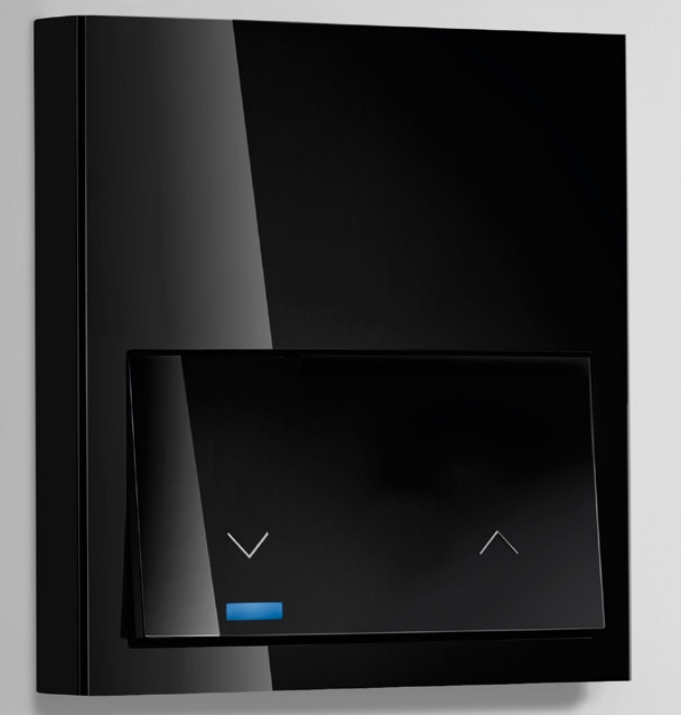
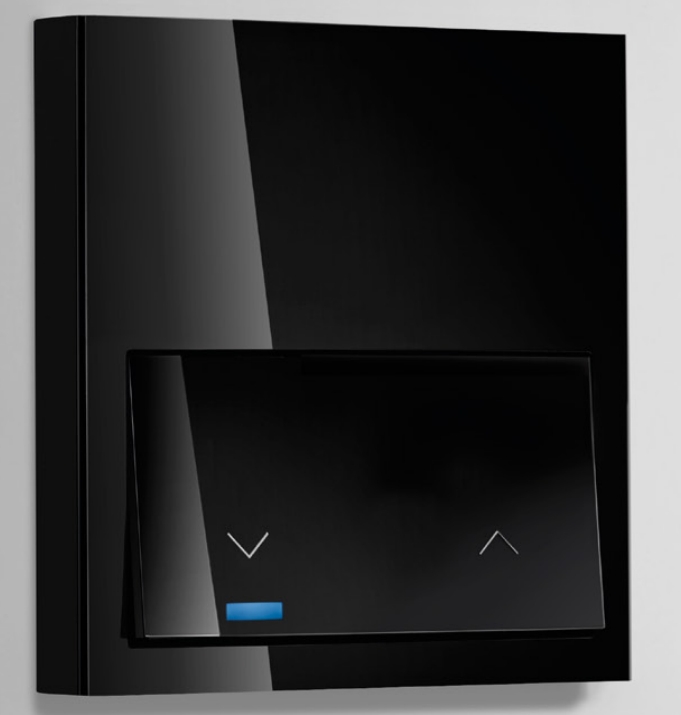
Name | S100 Rocker iO for Roller Blind |
|---|
Short Description | Simon Electronic Roller Blind iO is integrated by Electronic Roller Blind and a Rocker, that provides Z-Wave communication attributes.
The touch area allows select which action is desired to act over the blind. |
|---|
Long Description | Roller Blind IO is ready to operate with Z-Wave controllers and configured to be managed by Simon100 IO APP using the HUB plug IO for getting a better user experience. Sending the Blind Up/Down or setting a specific position. |
|---|
Brand | Simon |
|---|
Product Identifier | 10002080-13X |
|---|
OEM Version | HW: 1 FW: 4.24:75.53:66.47 |
|---|
Hardware Platform | ZM5202 |
|---|
Z-Wave Version | 6.51.07 |
|---|
Library Type | SLAVE_ENHANCED |
|---|
Device Type | Window Covering - Pos/End Aware |
|---|
Role Type | ROLE_TYPE_SLAVE_ALWAYS_ON |
|---|
Manufacturer ID | 0x0267 |
|---|
Product Type ID | 0x0004 |
|---|
Product ID | 0x0000 |
|---|
User Icon | 0x1A00 |
|---|
Installer Icon | 0x1A00 |
|---|
Frequency Plans | EU: 869.85MHz, 868.40MHz |
|---|
Categories | Window Covering |
|---|
Countries / Regions | European Union |
|---|
Supported Command Classes | Identifier | Name | Key | Version |
|---|
COMMAND_CLASS_FIRMWARE_UPDATE_MD_V4 | Firmware Update Meta-Data V4 | 0x7A | 4 | COMMAND_CLASS_POWERLEVEL | Powerlevel | 0x73 | 1 | COMMAND_CLASS_SWITCH_BINARY | Switch Binary | 0x25 | 1 | COMMAND_CLASS_BASIC | Basic | 0x20 | 1 | COMMAND_CLASS_VERSION_V2 | Version V2 | 0x86 | 2 | COMMAND_CLASS_DEVICE_RESET_LOCALLY | Device Reset Locally | 0x5A | 1 | COMMAND_CLASS_ZWAVEPLUS_INFO_V2 | Z-Wave Plus Info V2 | 0x5E | 2 | COMMAND_CLASS_SWITCH_MULTILEVEL_V3 | Switch Multilevel V3 | 0x26 | 3 | COMMAND_CLASS_ASSOCIATION_V2 | Association V2 | 0x85 | 2 | COMMAND_CLASS_ASSOCIATION_GRP_INFO_V3 | Association Group Information V3 | 0x59 | 3 | COMMAND_CLASS_CONFIGURATION_V2 | Configuration V2 | 0x70 | 2 | COMMAND_CLASS_MANUFACTURER_SPECIFIC_V2 | Manufacturer Specific V2 | 0x72 | 2 |
|
|---|
Documents | Category | Description | File |
|---|
Manual_Primary_Lang | Product or Owner's Manual | |
|
|---|
Features | Feature | Values |
|---|
Switch Load Capacity Volt-Ampere | | Neutral Wire Required | | Window Covering Control Features | Value |
|---|
Automatic Calibration |
| Firmware Updatable | Value |
|---|
Updatable by Professional/Technician |
|
|
|---|
Association Groups | Group Number | Maximum Nodes Supported | End Point ID | Description |
|---|
1 | 3 | 0 | Z-Wave Plus Lifeline |
|
|---|
Configuration Parameters | Parameter Number | Name | Description | Format | Size | Min Value | Max Value | Default Value | Parameter Values |
|---|
5 | DOWN Time | Sets the DOWN time In seconds in order to calculate the sunblind position. | 0 | 1 | 0 | 0 | 60 | From | To | Description |
|---|
1 | 120 | Sets DOWN time of Sunblind |
| 23 | Calibration Required | Read only Value that informs that UP/DOWN times have not been adjusted and position percentage will not be adequate. | 0 | 1 | 0 | 0 | 0 | From | To | Description |
|---|
0 | 0 | Calibration is not required. | 255 | 255 | It is necessary to calibrate the device to work properly. |
| 1 | Association LED | Activates the Central LED. Configuration Used by Masters iO in order to identify the devices associated to their Group2 during manual association process. | 0 | 1 | 0 | 0 | 0 | From | To | Description |
|---|
1 | 255 | Turns the LED ON | 0 | 0 | Turns the LED OFF |
| 4 | Up Time | Sets the UP time In seconds in order to calculate the sunblind position. | 0 | 1 | 0 | 0 | 60 | From | To | Description |
|---|
1 | 120 | Sets UP time of Sunblind |
| 9 | Callibration | Write only configuration used to request the automatic adjust of UP and DOWN times. | 0 | 1 | 0 | 0 | 0 | From | To | Description |
|---|
255 | 255 | Sunblind starts its callibration process |
|
|
|---|
Texts | ID | Description | Value |
|---|
5 | Factory Reset | When the pushbutton is released after a press of (30sec<T) the device will perform a factory default values operation, excluding it from network and reset the configuration parameters.
Main LED will perform 1 Blink with 5 sec.
Please use this procedure only when the network primary controller is missing or otherwise inoperable. | 1 | Inclusion | When the pushbutton is released after a press of (2sec<T<10sec) the device will send a NIF to include from Z-Wave network or perform an association with other Z-Wave device.
Central LED will Blink with 0,3 sec period to inform that NIF can be send after release of pushbutton.
This process does not perform a default reset of configurations.
Main LED will Blink with 0,3 sec period to inform that NIF can be send after release of pushbutton. | 2 | Exclusion | When the pushbutton is released after a press of (2sec<T<10sec) the device will send a NIF to exclude from Z-Wave network or perform an association with other Z-Wave device.
Main LED will Blink with 0,3 sec period to inform that NIF can be send after release of pushbutton.
This process does not perform a default reset of configurations.
Main LED will Blink with 0,3 sec period to inform that NIF can be send after release of pushbutton. | 6 | Additional Special Features | When the pushbutton is released after a press of (10sec<T<15sec) the device will perform an automatic callibration of times of Up and Down.
Left and Right LEDs will Blink with 0,3 sec period to inform that callibration is going to be performed.
After release and during the callibration LED will Blink with 0,3 sec period to inform that callibration process is being performed.
When the pushbutton is released after a press of (15sec<T<30sec) the device will change from blind and awning.
The 3 LEDs will Blink with 0,3 sec period to inform that awing/sunblind function is being switched.
If Roller blind is working as awing the system will invert the report values. |
|
|---|
Supports NWI | Yes |
|---|
Supports Explorer Frames | Yes |
|---|