Product Recognition | |
|---|
Certification Number | ZC10-18056106 |
|---|
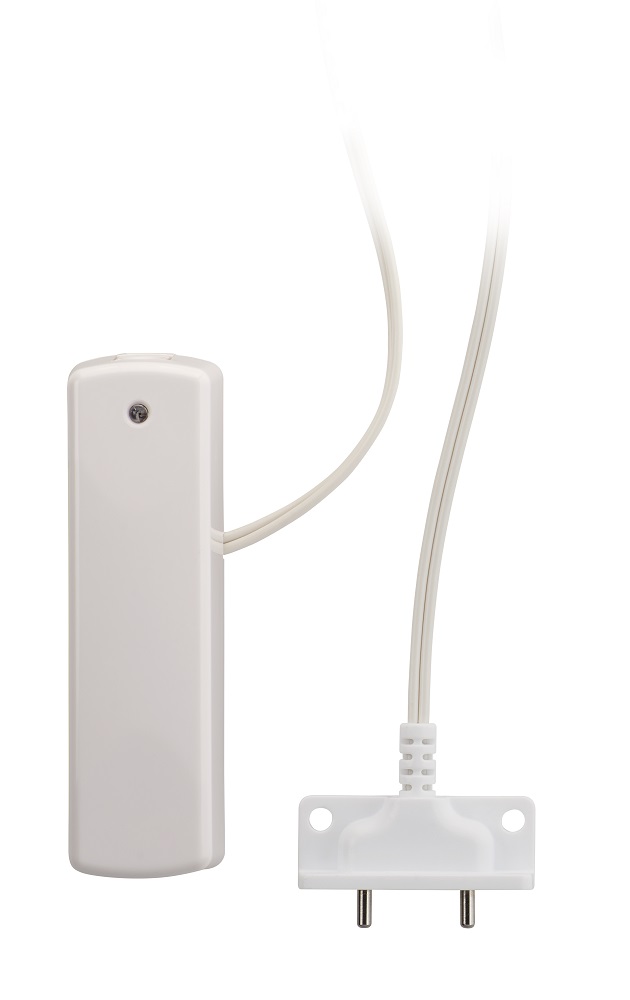
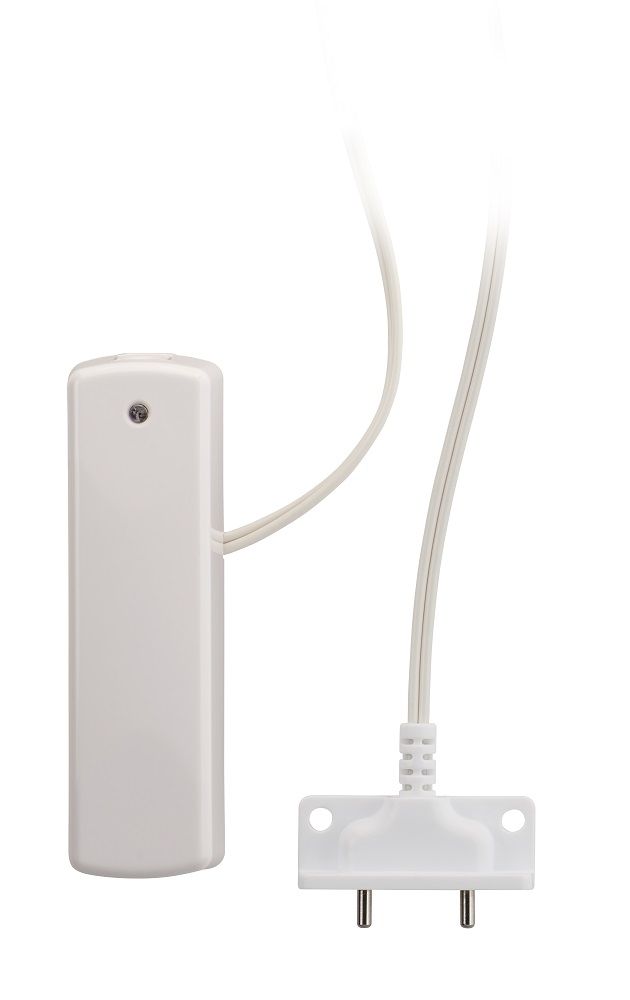
Name | EU Z-WAVE FLOOD FREEZE SENSOR |
|---|
Short Description | The Ecolink Flood and Freeze Sensor is the perfect solution to alert you in case of flood or extreme low temperatures. Using this compact designed sensor you can receive notifications when temperatures drop or moisture levels rise to dangerous levels in your home. |
|---|
Long Description | Z-Wave Plus Wireless Flood/Freeze Sensor.
Product Overview
-Z-Wave Plus enabled device which detects flood and freeze.
-Reports tamper condition when cover is open.
Product Specifications
-For indoor use only
-Operating frequency: 868.2 MHz
-Operating temperature: 0° – 49°C, 32° – 120°F (ambient temperature)
-Operating humidity 5-95% non-condensing
-Battery type required: 3V Lithium CR123A
-Battery life approximately 5 years |
|---|
Brand | Ecolink Intelligent Technology |
|---|
Product Identifier | H214104 |
|---|
OEM Version | HW: 255 FW: 10.09 |
|---|
Hardware Platform | ZM5202 |
|---|
Z-Wave Version | 6.51.09 |
|---|
Library Type | SLAVE_ENHANCED_232 |
|---|
Device Type | Notification Sensor |
|---|
Role Type | ROLE_TYPE_SLAVE_SLEEPING_REPORTING |
|---|
Manufacturer ID | 0x014A |
|---|
Product Type ID | 0x0005 |
|---|
Product ID | 0x0010 |
|---|
User Icon | 0x0C05 |
|---|
Installer Icon | 0x0C05 |
|---|
Frequency Plans | EU: 869.85MHz, 868.40MHz |
|---|
Categories | Sensors, Water Valves & Irrigation |
|---|
Countries / Regions | European Union |
|---|
Supported Command Classes | Identifier | Name | Key | Version |
|---|
COMMAND_CLASS_POWERLEVEL | Powerlevel | 0x73 | 1 | COMMAND_CLASS_BATTERY | Battery | 0x80 | 1 | COMMAND_CLASS_SENSOR_BINARY_V2 | Sensor Binary V2 | 0x30 | 2 | COMMAND_CLASS_VERSION_V2 | Version V2 | 0x86 | 2 | COMMAND_CLASS_WAKE_UP_V2 | Wake Up V2 | 0x84 | 2 | COMMAND_CLASS_ZWAVEPLUS_INFO_V2 | Z-Wave Plus Info V2 | 0x5E | 2 | COMMAND_CLASS_ASSOCIATION_V2 | Association V2 | 0x85 | 2 | COMMAND_CLASS_ASSOCIATION_GRP_INFO | Association Group Info | 0x59 | 1 | COMMAND_CLASS_MANUFACTURER_SPECIFIC | Manufacturer Specific | 0x72 | 1 | COMMAND_CLASS_NOTIFICATION_V4 | Notification V4 | 0x71 | 4 |
|
|---|
Documents | Category | Description | File |
|---|
Manual_Primary_Lang | Product or Owner's Manual | |
|
|---|
Features | Feature | Values |
|---|
Supported Notification Types | | Battery Quantity | | Battery Type | | Color | | Sensors | Value |
|---|
Open/Closed (Binary) | Freeze |
|
|
|---|
Association Groups | Group Number | Maximum Nodes Supported | End Point ID | Description |
|---|
1 | 5 | 0 | Z-Wave Plus Lifeline |
|
|---|
Texts | ID | Description | Value |
|---|
2 | Exclusion | 1) Any sensor can be removed from any Z-Wave Plus controller. Follow the directions to put your Z-Wave Plus Controller into exclusion mode. Please use this procedure only when the network primary controller is missing or otherwise inoperable.
2) Open the Flood Freeze case and remove the battery for 1 seconds. Replace the battery and the controller should remove the device from the Z-Wave network. | 5 | Factory Reset | The Flood Freeze sensor factory defaults on network exclusion. Please use this procedure only when the network primary controller is missing or otherwise inoperable."" - You may use wording of your own choosing as long as it effectively means the same thing | 4 | Device Wake-Up | This device is asleep most of the time but can respond to queries on a Wake Up Notification; however for test purposes, the device will stay awake while tampered for testing Z-Wave Plus command class functionality. | 1 | Inclusion | The sensor must be added to a Z-Wave network prior to use. To include the sensor in a network both the sensor and the network controller must be in inclusion mode at the same time. Refer to the instructions provided by the manufacturer of your specific controller for details on initiating the controller’s inclusion mode.
1) Verify that the Z-Wave Plus controller you are using is compatible with the Flood Freeze sensor.
2) Either mount or move the Flood Freeze sensor as close as possible to the location the sensor will remain. See installation section below.
3) Put your Z-Wave Plus Controller into add (inclusion) mode.
4) To add the sensor to an existing Z-Wave network, follow the directions to put your Z-Wave Controller into add (inclusion) mode. The Flood Freeze enters add and remove (inclusion/exclusion) when powered on (when battery is added). If the LED starts blinking continuously, the sensor has no node ID and was not successfully added, so start step C over again. Make sure to remove the battery for 10 seconds if adding to a Z-Wave network fails.
5) If after 5 seconds the LED is not blinking, look on the Z-Wave controller’s interface for feedback on whether the sensor was added successfully. If you do not see any feedback that the sensor was added, follow directions for removing the sensor from a Z-Wave network, and then try adding the sensor again. If you are still having problems, you may need to add additional Z-Wave listening devices in-between the controller and the sensor. |
|
|---|
Supported Notification Types | Notification Type | Event / State |
|---|
Water Alarm | (Refer to parameters): State idle |
|
|---|
Supported Multilevel Sensors | Multilevel Sensor Type |
|---|
Air temperature | General purpose |
|
|---|
Supports NWI | Yes |
|---|
Supports Explorer Frames | Yes |
|---|
Radio Range Z-Wave (m) | 40 |
|---|