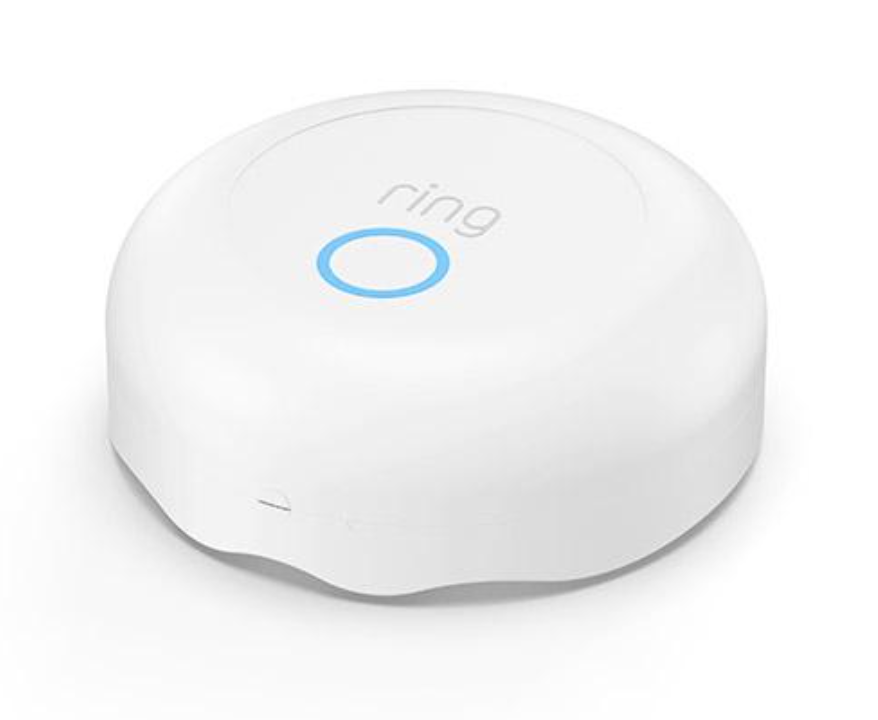
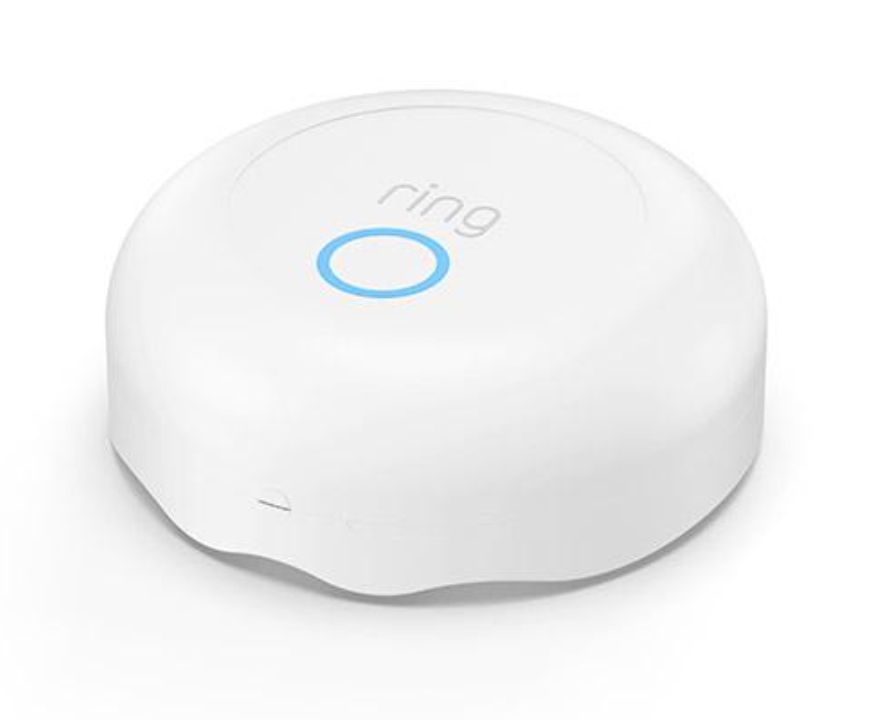
Product Recognition | |
|---|
Certification Number | ZC10-19016344 |
|---|
Name | Ring Flood Freeze Sensor |
|---|
Short Description | Ring Flood/Freeze Sensor is a smart sensor for your Ring Alarm system. Place it anywhere you want to monitor for flooding or freezing conditions. |
|---|
Long Description | Ring Flood/Freeze Sensor is a smart sensor for your Ring Alarm system. Place the Alarm Flood and Freeze Sensor on the floor or any flat surface near a sink, refrigerator or any other water source, and get alerts when water or low temperatures are detected. |
|---|
Brand | Ring |
|---|
Product Identifier | 4SF1S80EN0 |
|---|
OEM Version | HW: 1 FW: 10.12 |
|---|
Hardware Platform | ZM5101 |
|---|
Z-Wave Version | 6.81.02 |
|---|
Library Type | SLAVE_ENHANCED |
|---|
Device Type | Notification Sensor |
|---|
Role Type | ROLE_TYPE_SLAVE_SLEEPING_REPORTING |
|---|
Manufacturer ID | 0x0346 |
|---|
Product Type ID | 0x0501 |
|---|
Product ID | 0x0101 |
|---|
User Icon | 0x0C05 |
|---|
Installer Icon | 0x0C05 |
|---|
Frequency Plans | US: 916.00MHz, 908.40MHz |
|---|
Categories | Sensors |
|---|
Countries / Regions | United States of America |
|---|
Supported Command Classes | Identifier | Name | Key | Version |
|---|
COMMAND_CLASS_POWERLEVEL | Powerlevel | 0x73 | 1 | COMMAND_CLASS_BATTERY | Battery | 0x80 | 1 | COMMAND_CLASS_CONFIGURATION | Configuration | 0x70 | 1 | COMMAND_CLASS_TRANSPORT_SERVICE_V2 | Transport Service V2 | 0x55 | 2 | COMMAND_CLASS_WAKE_UP_V2 | Wake Up V2 | 0x84 | 2 | COMMAND_CLASS_DEVICE_RESET_LOCALLY | Device Reset Locally | 0x5A | 1 | COMMAND_CLASS_ZWAVEPLUS_INFO_V2 | Z-Wave Plus Info V2 | 0x5E | 2 | COMMAND_CLASS_ASSOCIATION_V2 | Association V2 | 0x85 | 2 | COMMAND_CLASS_ASSOCIATION_GRP_INFO | Association Group Info | 0x59 | 1 | COMMAND_CLASS_NOTIFICATION_V8 | Notification V8 | 0x71 | 8 | COMMAND_CLASS_SECURITY_2 | Security S2 | 0x9F | 1 | COMMAND_CLASS_VERSION_V3 | Version V3 | 0x86 | 3 | COMMAND_CLASS_SUPERVISION | Supervision | 0x6C | 1 | COMMAND_CLASS_MANUFACTURER_SPECIFIC_V2 | Manufacturer Specific V2 | 0x72 | 2 |
|
|---|
Controlled Command Classes | Identifier | Name | Key | Version |
|---|
COMMAND_CLASS_SUPERVISION | Supervision | 0x6C | 1 |
|
|---|
S2 Classes | S2_UNAUTHENTICATED, S2_AUTHENTICATED |
|---|
Documents | Category | Description | File |
|---|
Manual_Primary_Lang | Product or Owner's Manual | |
|
|---|
Features | Feature | Values |
|---|
Color | | Battery Type | | Battery Quantity | | Firmware Updatable | Value |
|---|
Updatable by Consumer via Internet |
| Supported Notification Types | |
|
|---|
Association Groups | Group Number | Maximum Nodes Supported | End Point ID | Description |
|---|
1 | 5 | 0 | Z-Wave Plus Lifeline |
|
|---|
Configuration Parameters | Parameter Number | Name | Description | Format | Size | Min Value | Max Value | Default Value | Parameter Values |
|---|
2 | One shot timer | Writing to this parameter prompts the sensor to send a wakeup notification one time after this parameter's number of seconds. After which it is reset back to 0. | 0 | 2 | 0 | 0 | 0 | From | To | Description |
|---|
1 | 32767 | One shot timer |
| 3 | Application level retries | Number of application level retries of messages either not ACKed or messages encapsulated via supervision get that did not receive a report. | 0 | 1 | 0 | 0 | 5 | From | To | Description |
|---|
0 | 5 | application level retries of messages |
| 4 | Retry Base Wait Time Period | Application Level Retry Base Wait Time Period: The number base seconds used in the calculation for sleeping between retry messages. | 0 | 1 | 0 | 0 | 6 | From | To | Description |
|---|
1 | 60 | Application Level Retry Base Wait Time Period |
| 5 | Supervisory Report response time | The number of milliseconds waiting for a Supervisory Report response to a Supervisory Get encapsulated command from the sensor. | 0 | 2 | 0 | 0 | 1500 | From | To | Description |
|---|
500 | 5000 | The number of milliseconds waiting for a Supervisory Report response to a Supervisory Get encapsulated command from the sensor |
| 1 | Heartbeats | This parameter is the number seconds between heartbeats. Heartbeats are automatic battery reports on a timer after the last event. | 0 | 2 | 0 | 0 | 4200 | From | To | Description |
|---|
255 | 4200 | Heartbeats |
|
|
|---|
Texts | ID | Description | Value |
|---|
4 | Device Wake-Up | The sensor will wake up every so often and when the case is closed to send a Wake-Up Notification to allow the life line master node controller that the sensor is now available for any queued messages that the controller may have for the sensor. The time between Wake-Up Notifications can be configured with the Wake-Up Notification command class to be between 1 and 24 hours with interval steps of 1 minute. | 5 | Factory Reset | To factory reset, press and hold the Setup button for 10 seconds. When the LED ring stops blinking, the Sensor has reset.
This process disconnects the Sensor from Ring Alarm. To begin using the Sensor again, repeat the setup process in the Ring app.
Note; ""Use this procedure only in the event that the network primary controller is missing or otherwise inoperable."" | 1 | Inclusion | To include begin the setup process near your Ring Alarm Base Station.
- In the Ring app, tap Set Up a Device. Choose Security Devices, then Sensors,
then Ring Flood/Freeze Sensor, then tap Add Device.
- To complete the setup process, follow the in-app instructions.
- When prompted, scan the QR Code or enter the PIN.
- This begins the pairing process.
- When prompted, open the lid and pull out the clear tab.
- Twist the lid to the left to unlock, then lift it to remove. Next, pull out the clear battery tab. This turns on the Sensor.
- Your Base Station finds it automatically.
Note: The QR Code and PIN are on the back of your sensor and in the product packaging. | 2 | Exclusion | To remove this Sensor from your system:
- Open the side menu in the Ring app and tap Devices, then Base Station.
- Next, select your Sensor, then tap the gear- shaped icon, and tap Remove Device.
- When prompted, open the sensor and remove and reinstall the battery to complete the removal. |
|
|---|
Supported Notification Types | Notification Type | Event / State |
|---|
Water Alarm | (Refer to parameters): State idle |
|
|---|
Supports NWI | Yes |
|---|
Supports Explorer Frames | Yes |
|---|
Supports SmartStart | Yes |
|---|
Radio Range Z-Wave (m) | 40 |
|---|