Product Recognition | |
|---|
Certification Number | ZC10-19036386 |
|---|
Name | Digital Door Lock |
|---|
Short Description | Digital Doorlock with RF connection built in and optional Z-Wave connection available |
|---|
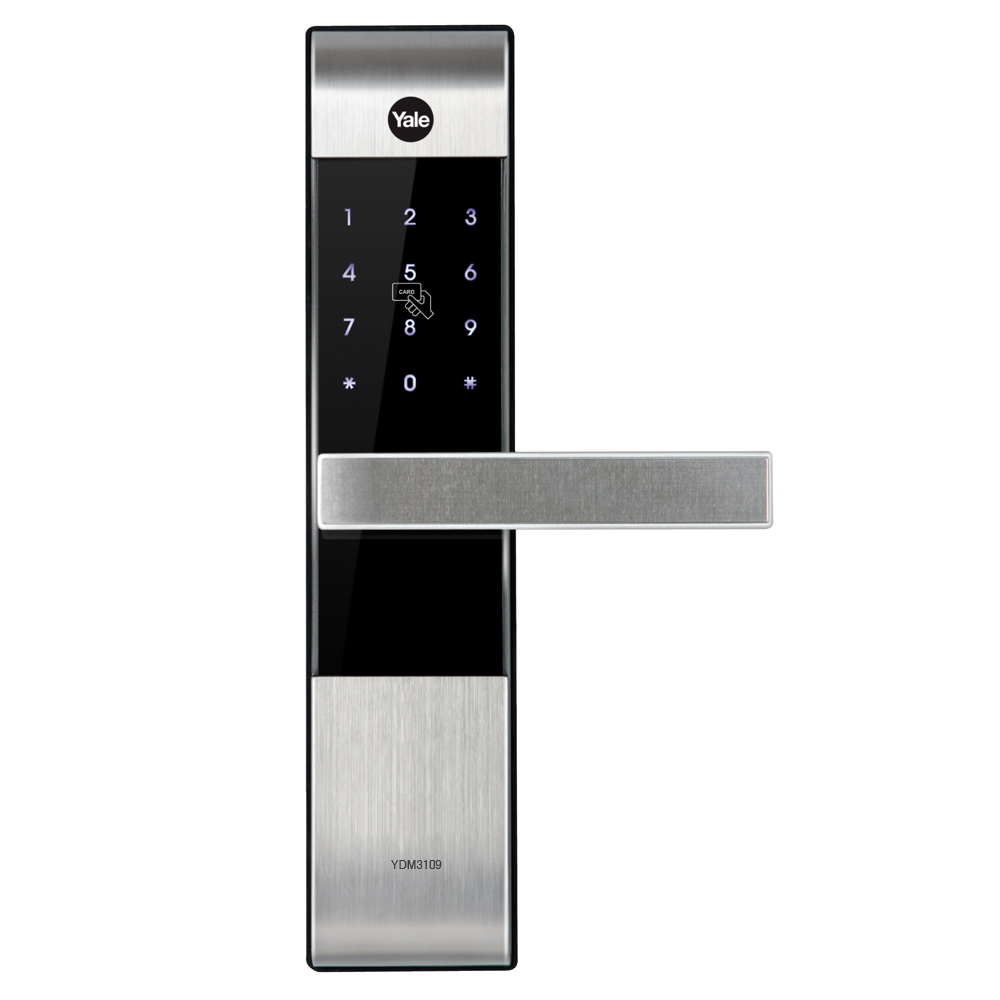
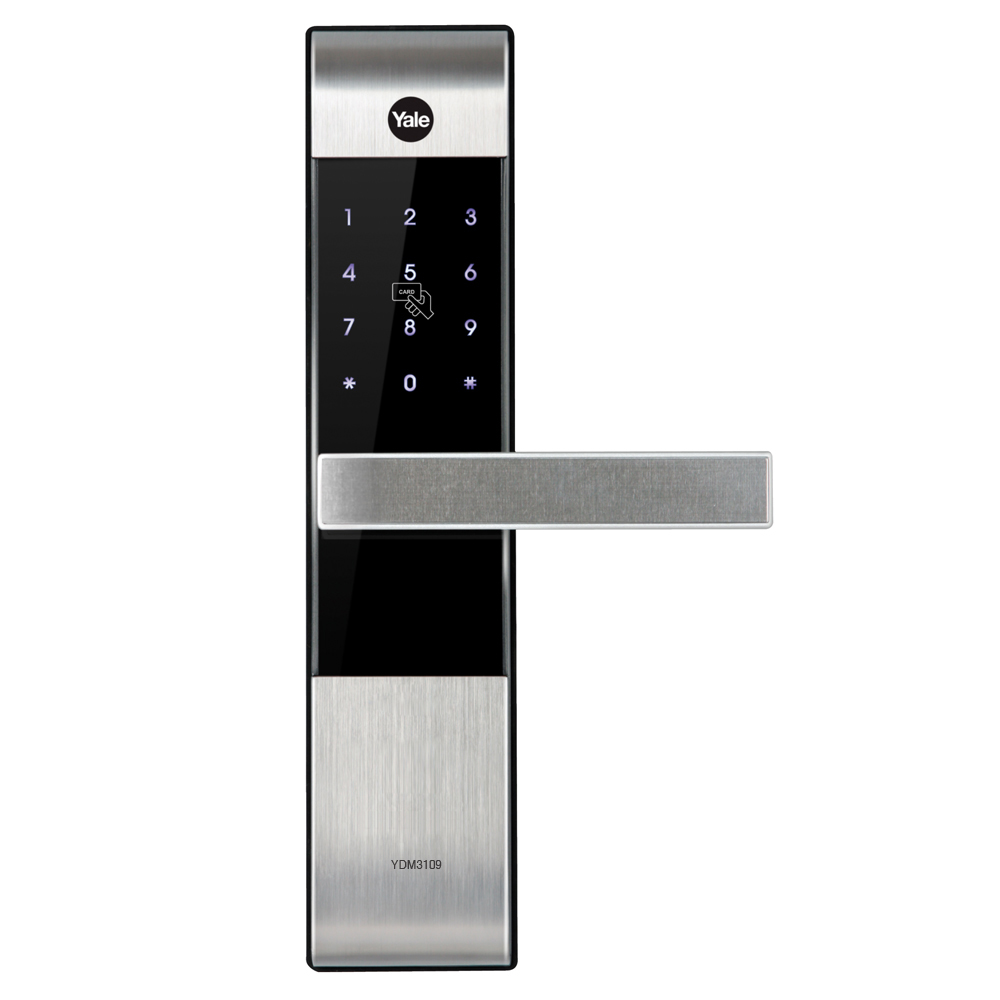
Long Description | Digital Doorlock by Yale
Manufacturer: iRevo, ASSA ABLOY
Combining high security with cutting edge technology, the Yale 3109+ Digital Door Lock is a high quality Security solution for the contemporary home.
Suitable for both timber and aluminium applications, the Yale 3109+ Digital Door Lock can be used with PIN code, proximity cards or key.
There are also a range of accessories available for easy, keyfree access to your home.
Touch Screen Proximity Card Digital Lock (Mortise Lock)
1. Access solutions
- Cards : 4 (Up to 40 Cards)
- Pin code : 4-10 digits
- Mechanical keys : 2
2. Product Key Features
- Smart Touchpad
- Various Access
- Operation Status Notification
- Mechanical Key Override
- Missing Card Key Invalidation
- Automatic Locking
- Anti-Panic Egress with Safe Handle
- Alarm (Break / Damage)
- Low Battery Alarm and Emergency Power Supply Terminal
3. Technical
- Front Body : 27(D) X 68.8(W) X 306.6(H) mm
- Back Body : 377(D) X 72.8(W) X 306.6(H) mm |
|---|
Brand | Yale |
|---|
Product Identifier | YDM3109+ |
|---|
OEM Version | HW: 32 FW: 33.17:13.16 |
|---|
Hardware Platform | ZM5202 |
|---|
Z-Wave Version | 6.71.03 |
|---|
Library Type | SLAVE_ENHANCED_232 |
|---|
Device Type | Door Lock - Keypad |
|---|
Role Type | ROLE_TYPE_SLAVE_SLEEPING_LISTENING |
|---|
Manufacturer ID | 0x0129 |
|---|
Product Type ID | 0xC600 |
|---|
Product ID | 0x0300 |
|---|
User Icon | 0x0300 |
|---|
Installer Icon | 0x0300 |
|---|
Frequency Plans | ANZ: 919.80MHz, 921.40MHz |
|---|
Categories | Locks, Security Add-Ons |
|---|
Countries / Regions | Australia |
|---|
Supported Command Classes | Identifier | Name | Key | Version |
|---|
COMMAND_CLASS_POWERLEVEL | Powerlevel | 0x73 | 1 | COMMAND_CLASS_USER_CODE | User Code | 0x63 | 1 | COMMAND_CLASS_DOOR_LOCK_V2 | Door Lock V2 | 0x62 | 2 | COMMAND_CLASS_ALARM | Alarm | 0x71 | 1 | COMMAND_CLASS_BATTERY | Battery | 0x80 | 1 | COMMAND_CLASS_TIME_PARAMETERS | Time Parameters | 0x8B | 1 | COMMAND_CLASS_SECURITY | Security S0 | 0x98 | 1 | COMMAND_CLASS_TIME_V2 | Time V2 | 0x8A | 2 | COMMAND_CLASS_TRANSPORT_SERVICE_V2 | Transport Service V2 | 0x55 | 2 | COMMAND_CLASS_VERSION_V2 | Version V2 | 0x86 | 2 | COMMAND_CLASS_DEVICE_RESET_LOCALLY | Device Reset Locally | 0x5A | 1 | COMMAND_CLASS_ZWAVEPLUS_INFO_V2 | Z-Wave Plus Info V2 | 0x5E | 2 | COMMAND_CLASS_ASSOCIATION_V2 | Association V2 | 0x85 | 2 | COMMAND_CLASS_ASSOCIATION_GRP_INFO | Association Group Info | 0x59 | 1 | COMMAND_CLASS_DOOR_LOCK_LOGGING | Door Lock Logging | 0x4C | 1 | COMMAND_CLASS_SECURITY_2 | Security S2 | 0x9F | 1 | COMMAND_CLASS_SUPERVISION | Supervision | 0x6C | 1 | COMMAND_CLASS_MANUFACTURER_SPECIFIC_V2 | Manufacturer Specific V2 | 0x72 | 2 | COMMAND_CLASS_SCHEDULE_ENTRY_LOCK_V3 | Schedule Entry Lock V3 | 0x4E | 3 |
|
|---|
S2 Classes | S2_ACCESS_CONTROL |
|---|
Documents | Category | Description | File |
|---|
Manual_Primary_Lang | Product or Owner's Manual | |
|
|---|
Features | Feature | Values |
|---|
Battery Quantity | | Battery Type | | Color | | Communications Connections | Value |
|---|
Bluetooth | Manufacturer Proprietary |
| Door Lock Type | | Gateway Has Preferred Partners | | Supported Notification Types | Value |
|---|
Access Control | Home Security | Power Management | Emergency Alarm |
|
|
|---|
Association Groups | Group Number | Maximum Nodes Supported | End Point ID | Description |
|---|
1 | 1 | 0 | Z-Wave Plus Lifeline |
|
|---|
Texts | ID | Description | Value |
|---|
1 | Inclusion | To include:
1. Touch keypad with palm
2. Enter User code(Normal Mode only. Enter Master code if operating Master Mode.)
3. Press 'I' button [Registration] from the inside of battery cover.
4. Press 9,#,1,# on the keypad (by sequence)
5. Wait until 'Ding dong dang' melody play then press 'I' button | 2 | Exclusion | To exclude:
1. Touch keypad with palm
2. Enter User code(Normal Mode only. Enter Master code if operating Master Mode.)
3. Press 'I' button [Registration] from the inside of battery cover.
4. Press 9,#,3,# on the keypad (by sequence)
5. Wait until 'Ding dong dang' melody play then press 'I' button | 4 | Device Wake-Up | The lock is always in 'Wake up status'.
However, touch with palm to begin and end action. | 5 | Factory Reset | To reset to factory defaults:
※ Use this procedure only in the event that the network primary controller is missing or otherwise inoperable. (User code or master code remains the same. Only network settings reset to factory defaults.)
1. Touch keypad with palm
2. Enter User code(Normal Mode only. Enter Master code if operating Master Mode.)
3. Press 'I' button [Registration] from the inside of battery cover.
4. Press 9,#,9,# on the keypad (by sequence)
5. Wait until 'Ding dong dang' melody play then press 'I' button |
|
|---|
Supported Notification Types | Notification Type | Event / State |
|---|
Access Control | (Refer to parameters): State idle | Home Security | (Refer to parameters): State idle | Power Management | (Refer to parameters): State idle | Emergency Alarm | (Refer to parameters): State idle |
|
|---|
Supports NWI | Yes |
|---|
Supports Explorer Frames | Yes |
|---|
Is Flirs | Yes |
|---|
Radio Range Z-Wave (m) | 40 |
|---|