Product Recognition | |
|---|
Certification Number | ZC10-19066528 |
|---|
Name | Z-WAVE_BLE_Converter |
|---|
Short Description | Z-Wave Bridge product for MIWA Lock product |
|---|
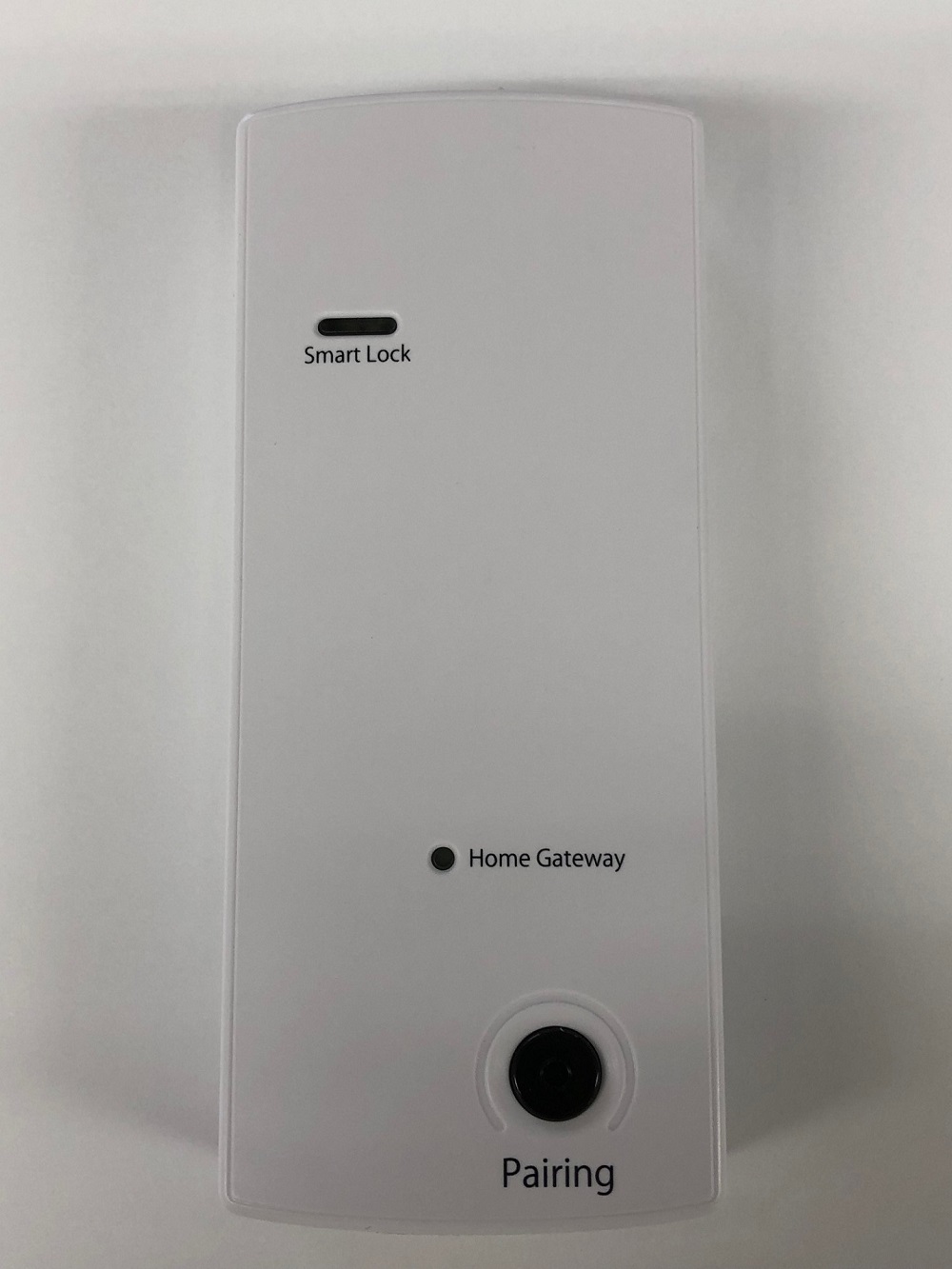
Long Description | This is the Z-Wave Bridge product to convert BLE into Z-Wave. There has not been such item in Japan and this item is the first item in Japan. This item can bridge our IoT system “TAGURI” and MIWA Lock’s electric lock (such as PiACK ǁ and DTRS) and allows to open/lock electric lock. |
|---|
Brand | TAGURI |
|---|
Product Identifier | LTA-ML |
|---|
OEM Version | HW: 255 FW: 1.00 |
|---|
Hardware Platform | ZM5202 |
|---|
Z-Wave Version | 6.81.03 |
|---|
Library Type | SLAVE_ENHANCED_232 |
|---|
Device Type | Door Lock - Keypad |
|---|
Role Type | ROLE_TYPE_SLAVE_ALWAYS_ON |
|---|
Manufacturer ID | 0x0412 |
|---|
Product Type ID | 0x0001 |
|---|
Product ID | 0x0001 |
|---|
User Icon | 0x0300 |
|---|
Installer Icon | 0x0300 |
|---|
Frequency Plans | JP: 922.50MHz, 923.90MHz, 926.30MHz |
|---|
Categories | Locks |
|---|
Countries / Regions | Japan |
|---|
Supported Command Classes | Identifier | Name | Key | Version |
|---|
COMMAND_CLASS_POWERLEVEL | Powerlevel | 0x73 | 1 | COMMAND_CLASS_DOOR_LOCK_V2 | Door Lock V2 | 0x62 | 2 | COMMAND_CLASS_BATTERY | Battery | 0x80 | 1 | COMMAND_CLASS_APPLICATION_STATUS | Application Status | 0x22 | 1 | COMMAND_CLASS_SECURITY | Security S0 | 0x98 | 1 | COMMAND_CLASS_TRANSPORT_SERVICE_V2 | Transport Service V2 | 0x55 | 2 | COMMAND_CLASS_DEVICE_RESET_LOCALLY | Device Reset Locally | 0x5A | 1 | COMMAND_CLASS_ZWAVEPLUS_INFO_V2 | Z-Wave Plus Info V2 | 0x5E | 2 | COMMAND_CLASS_ASSOCIATION_V2 | Association V2 | 0x85 | 2 | COMMAND_CLASS_ASSOCIATION_GRP_INFO | Association Group Info | 0x59 | 1 | COMMAND_CLASS_NOTIFICATION_V8 | Notification V8 | 0x71 | 8 | COMMAND_CLASS_SECURITY_2 | Security S2 | 0x9F | 1 | COMMAND_CLASS_VERSION_V3 | Version V3 | 0x86 | 3 | COMMAND_CLASS_SUPERVISION | Supervision | 0x6C | 1 | COMMAND_CLASS_MANUFACTURER_SPECIFIC_V2 | Manufacturer Specific V2 | 0x72 | 2 |
|
|---|
S2 Classes | S2_ACCESS_CONTROL |
|---|
Documents | Category | Description | File |
|---|
Manual_Primary_Lang | Product or Owner's Manual | |
|
|---|
Features | Feature | Values |
|---|
Supported Notification Types | | Controller Supports Multiple Z-Wave Interfaces | | Door Lock Type | Value |
|---|
Deadbolt Motor Attachment |
| Firmware Updatable | Value |
|---|
Updatable by Manufacturer |
| Gateway Has Preferred Partners | | Neutral Wire Required | | Outdoor Use | | IP (Ingress Protection) Rated | | Color | | Communications Connections | | Communications Protocol | Value |
|---|
Manufacturer's Open/Documented Protocol |
| Controller Supports Multiple Networks | |
|
|---|
Association Groups | Group Number | Maximum Nodes Supported | End Point ID | Description |
|---|
1 | 1 | 0 | Z-Wave Plus Lifeline |
|
|---|
Texts | ID | Description | Value |
|---|
1 | Inclusion | To add or include the LTA-ML into a Z-Wave network:
After installing LTA-ML near the PiACK II, and then connecting to the AC Adapter which is included in the same package:
1. Set the controller in inclusion mode.
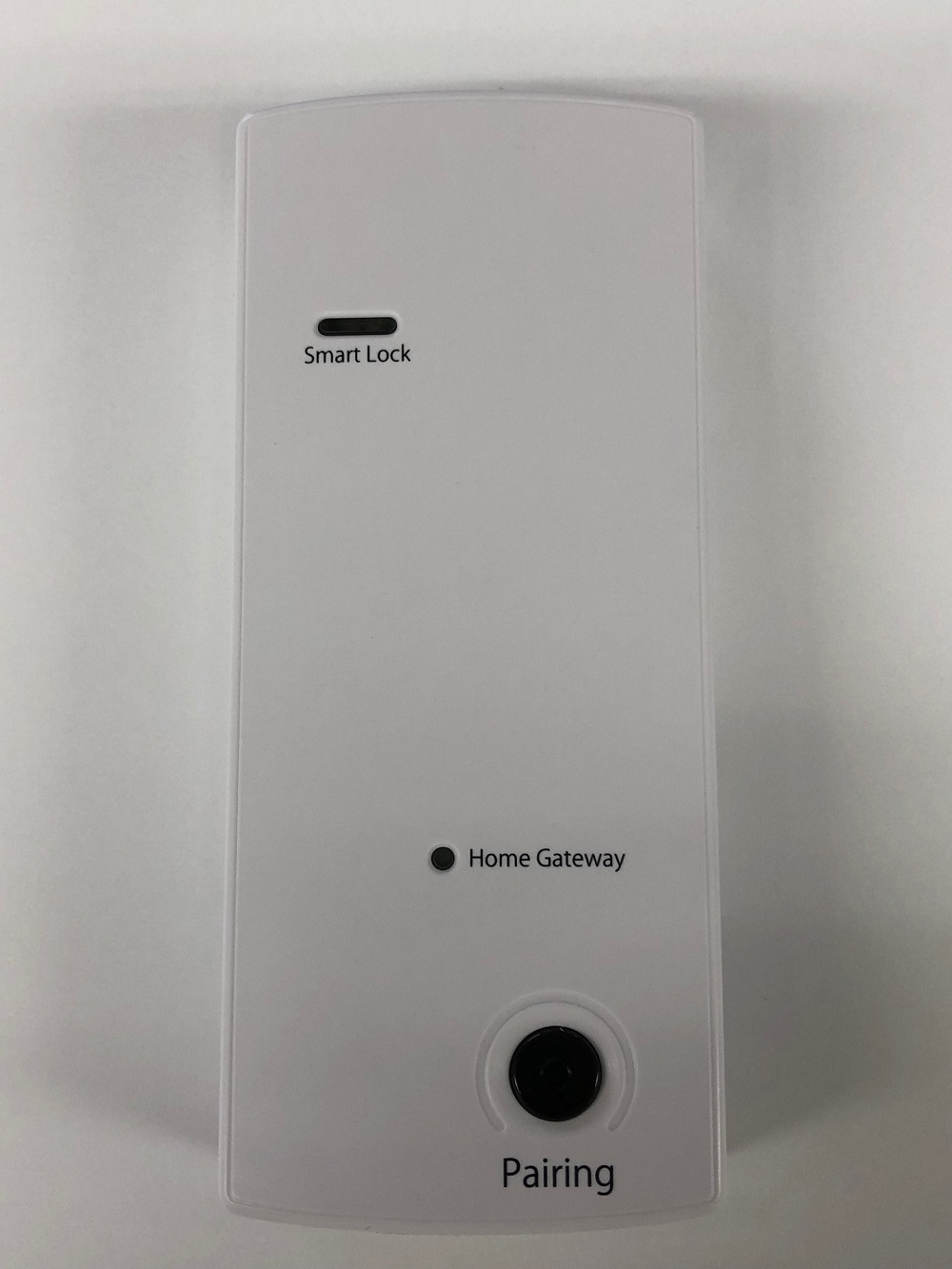
2. Push the “pairing” button once.
3. Wait 5 seconds.
4. Confirm the “Home Gateway” LED of the front panel is on. | 2 | Exclusion | To remove or exclude the LTA-ML from a Z-Wave network:
1. Set the controller in exclusion mode.
2. Push the “pairing” button 3 times.
3. Confirm the “Home Gateway” LED of the front panel is off. | 5 | Factory Reset | To factory reset the LTA-ML:
1. Confirm the LTA-ML has been already included into a Z-Wave network.
2. Remove the AC adapter’s plug and turn off the LTA-ML.
3. Set the AC adapter’s plug again and wait more than 15 seconds but no longer than 75 seconds.
4. Push the “pairing” button for 10 seconds and the “Home Gateway” LED turns off.
※Please use this procedure only when the primary controller is missing or otherwise inoperable. |
|
|---|
Supported Notification Types | Notification Type | Event / State |
|---|
Access Control | (Refer to parameters): State idle |
|
|---|
Supports NWI | Yes |
|---|
Supports Explorer Frames | Yes |
|---|
Radio Range Z-Wave (m) | 40 |
|---|