Product Recognition | |
|---|
Certification Number | ZC10-19126807 |
|---|
Name | ABUS Z-Wave Door-/Window Sensor |
|---|
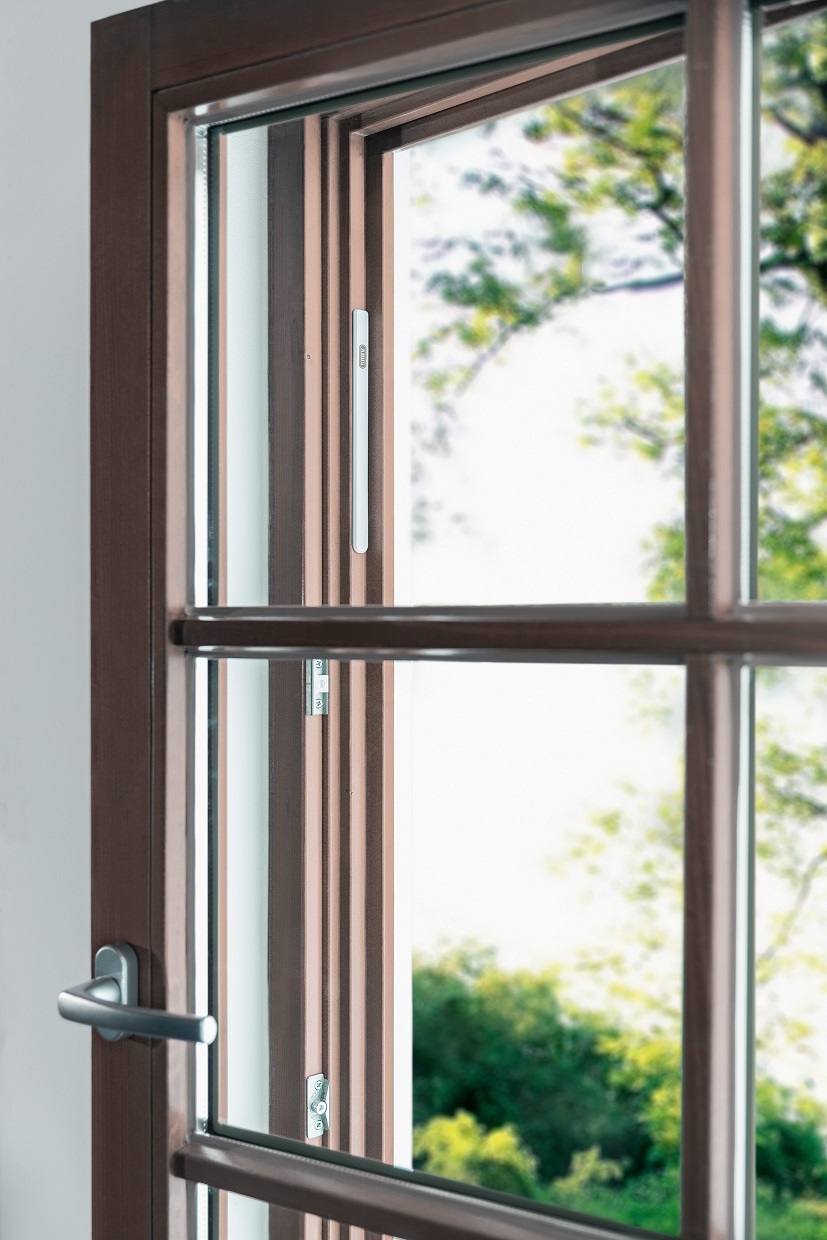
Short Description | The Door-/window Sensor impresses by its height of less than 3 mm which makes it ideal for invisible mounting in Door-/Window frames |
|---|
Long Description | The Z-Wave Door- / Window Sensor detects the opening of windows and doors and informs your smart home gateway. Thanks to an overall height of only 3 mm, installation in door or window frames is possible – simply by adhesive mounting. When closed, the detector cannot be seen from the outside or inside. |
|---|
Brand | ABUS |
|---|
Product Identifier | PLMK10000 |
|---|
Product Line | Performance Line |
|---|
OEM Version | HW: 3 FW: 4.04:00.03 |
|---|
Hardware Platform | ZM5101 |
|---|
Z-Wave Version | 6.81.03 |
|---|
Library Type | SLAVE_ROUTING |
|---|
Device Type | Notification Sensor |
|---|
Role Type | ROLE_TYPE_SLAVE_SLEEPING_REPORTING |
|---|
Manufacturer ID | 0x0403 |
|---|
Product Type ID | 0x0003 |
|---|
Product ID | 0x0006 |
|---|
User Icon | 0x0C06 |
|---|
Installer Icon | 0x0C06 |
|---|
Frequency Plans | EU: 869.85MHz, 868.40MHz |
|---|
Categories | Sensors, Security Add-Ons |
|---|
Countries / Regions | European Union |
|---|
Supported Command Classes | Identifier | Name | Key | Version |
|---|
COMMAND_CLASS_SENSOR_BINARY | Sensor Binary | 0x30 | 1 | COMMAND_CLASS_POWERLEVEL | Powerlevel | 0x73 | 1 | COMMAND_CLASS_BATTERY | Battery | 0x80 | 1 | COMMAND_CLASS_CONFIGURATION | Configuration | 0x70 | 1 | COMMAND_CLASS_TRANSPORT_SERVICE_V2 | Transport Service V2 | 0x55 | 2 | COMMAND_CLASS_WAKE_UP_V2 | Wake Up V2 | 0x84 | 2 | COMMAND_CLASS_DEVICE_RESET_LOCALLY | Device Reset Locally | 0x5A | 1 | COMMAND_CLASS_ZWAVEPLUS_INFO_V2 | Z-Wave Plus Info V2 | 0x5E | 2 | COMMAND_CLASS_ASSOCIATION_V2 | Association V2 | 0x85 | 2 | COMMAND_CLASS_ASSOCIATION_GRP_INFO | Association Group Info | 0x59 | 1 | COMMAND_CLASS_NOTIFICATION_V8 | Notification V8 | 0x71 | 8 | COMMAND_CLASS_SECURITY_2 | Security S2 | 0x9F | 1 | COMMAND_CLASS_MANUFACTURER_SPECIFIC | Manufacturer Specific | 0x72 | 1 | COMMAND_CLASS_VERSION_V3 | Version V3 | 0x86 | 3 | COMMAND_CLASS_SUPERVISION | Supervision | 0x6C | 1 |
|
|---|
S2 Classes | S2_UNAUTHENTICATED, S2_AUTHENTICATED |
|---|
Documents | Category | Description | File |
|---|
Adv_Manual | Advanced Information Product Manual in English | | Manual_English | Product Manual in English | | Manual_Primary_Lang | Product Manual in German | |
|
|---|
Features | Feature | Values |
|---|
Battery Quantity | | Outdoor Use | | Color | | Battery Type | Value |
|---|
Built in 3.0V LiMnO2 |
|
|
|---|
Association Groups | Group Number | Maximum Nodes Supported | End Point ID | Group Name | Profile | Description |
|---|
1 | 1 | 0 | Lifeline | 0x0001 | Z-Wave Plus Lifeline Notification Report |
|
|---|
Configuration Parameters | Parameter Number | Name | Format | Size | Min Value | Max Value | Default Value | Parameter Values |
|---|
1 | notification type (Door Open/Door Close) | 1 | 1 | 0 | 2 | 1 | From | To | Description |
|---|
2 | 2 | Basic Report | 1 | 1 | Notification Report | 0 | 0 | Binary Sensor Report |
| 2 | LED indication | 1 | 1 | 0 | 1 | 1 | From | To | Description |
|---|
1 | 1 | On | 0 | 0 | Specific event indication detected (means: specific event detected(e.g. door opened) |
| 3 | Activate Supervision | 1 | 1 | 0 | 2 | 0 | From | To | Description |
|---|
2 | 2 | Unsolicited Reports | 0 | 0 | Off | 1 | 1 | Alarm Reports (means: specific event detected e.g. door opened) |
|
|
|---|
Texts | ID | Description | Value |
|---|
4 | Wake-Up Procedure | 1.) Place the round magnet on the upper rounded edge and remove it as soon as the LED Lights up.
2.) Repeat this procedure 3 times within 10 seconds | 1 | Classic Inclusion | 1.) Activate the inlcusion mode at your Gateway
2.) keep the device within range of the gateway and remove both magnets from the device.
3.) Successfull inclusion is displayed at the Gateway (or app) and the status LED of device lights up for several seconds
4.) If the inclusion was not successfull, repeat it again. | 2 | Classic Exclusion | 1.) Activate the exclusion mode at the Gateway
2.) Place the round magnet on he upper rounded edge of device and remove it as soon as the LED lights up. Repeat this 3 times within 10 seconds.
3.) Successfull exclusion is displayed in the App or at the gateway and the status LED on device lights up one time.
4.) Repeat the exclusion process again if it was unsuccessfull. | 5 | Factory Reset Procedure | 1.) Place the round magnet on the upper rounded edge and remove it as soon as the LED lights up. Repeat the procedure 3 x ... and leave the magnet on the rounded edge for 10 seconds at the third time.
2.) The LED now flashes 1 x long to confirm the process.
The unit is now reset to factory settings.
Important:
This procedure should only be used if the primary gateway is not capable of acting. If the device is set to factory default, the status is set to "not included", the association settings and possible configurations are reset to default. | 8 | Where to find S2 DSK on product | chapter 1.6 DSK Code (Page 7) ... "The DSK Code (Device-Specific-Key) is the device-specific key of your device and is required for Security Inclusion (teach-in) via S2 to the gateway. The first 5 digits of the DSK code can be found on the rear side of the product. Please enter them in the inclusion process when prompted. Alternatively, you can enter the entire DSK code found on the enclosed DSK card to the gateway via QR Code Scan. Please keep the DSK card in a safe place!" |
|
|---|
Supported Notification Types | Notification Type | Event / State |
|---|
Access Control | Door state: Window/door is open | Access Control | Door state: Window/door is closed | Home Security | Magnetic interference status: Magnetic field interference detected |
|
|---|
Supports NWI | Yes |
|---|
Supports Explorer Frames | Yes |
|---|
Radio Range Z-Wave (m) | 40 |
|---|