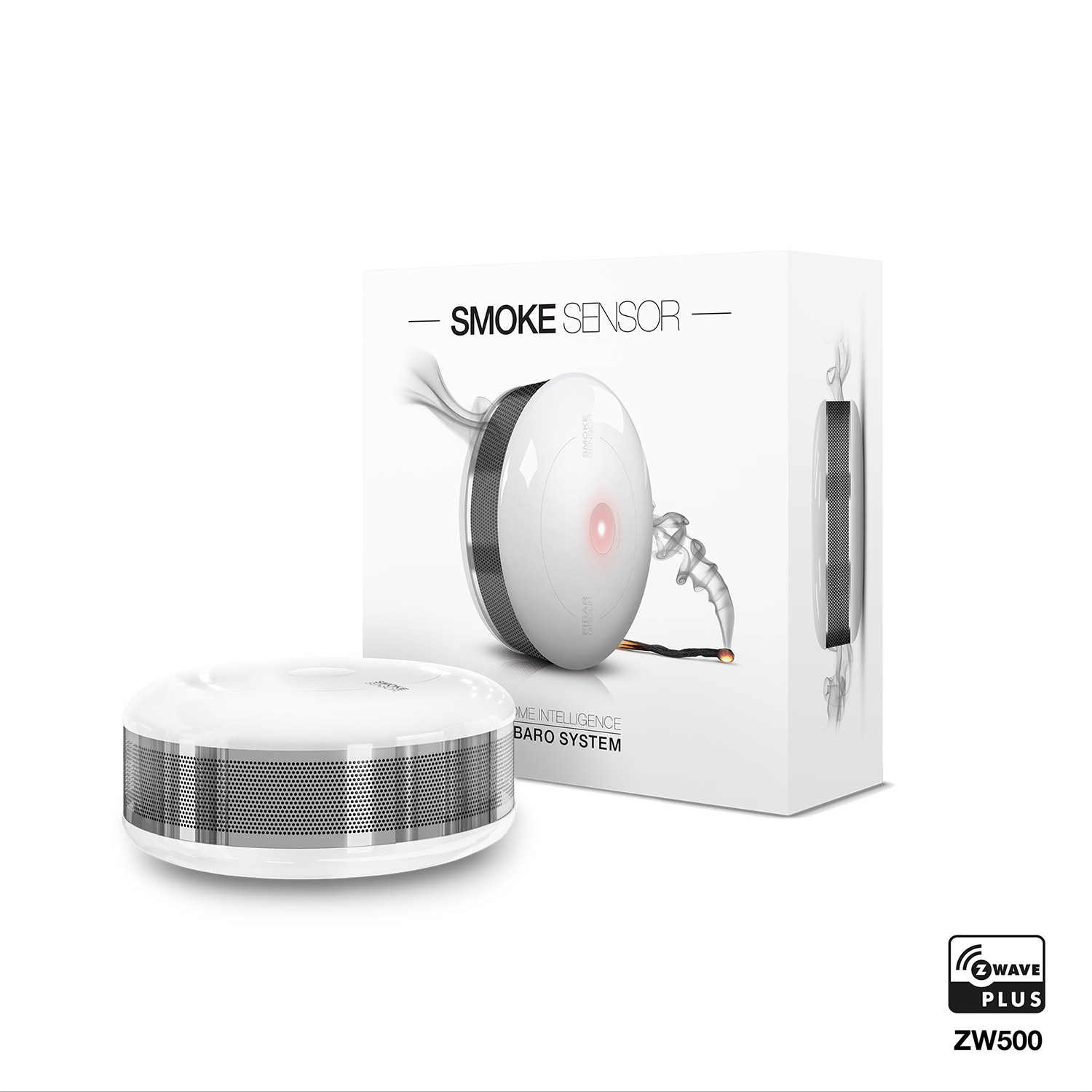
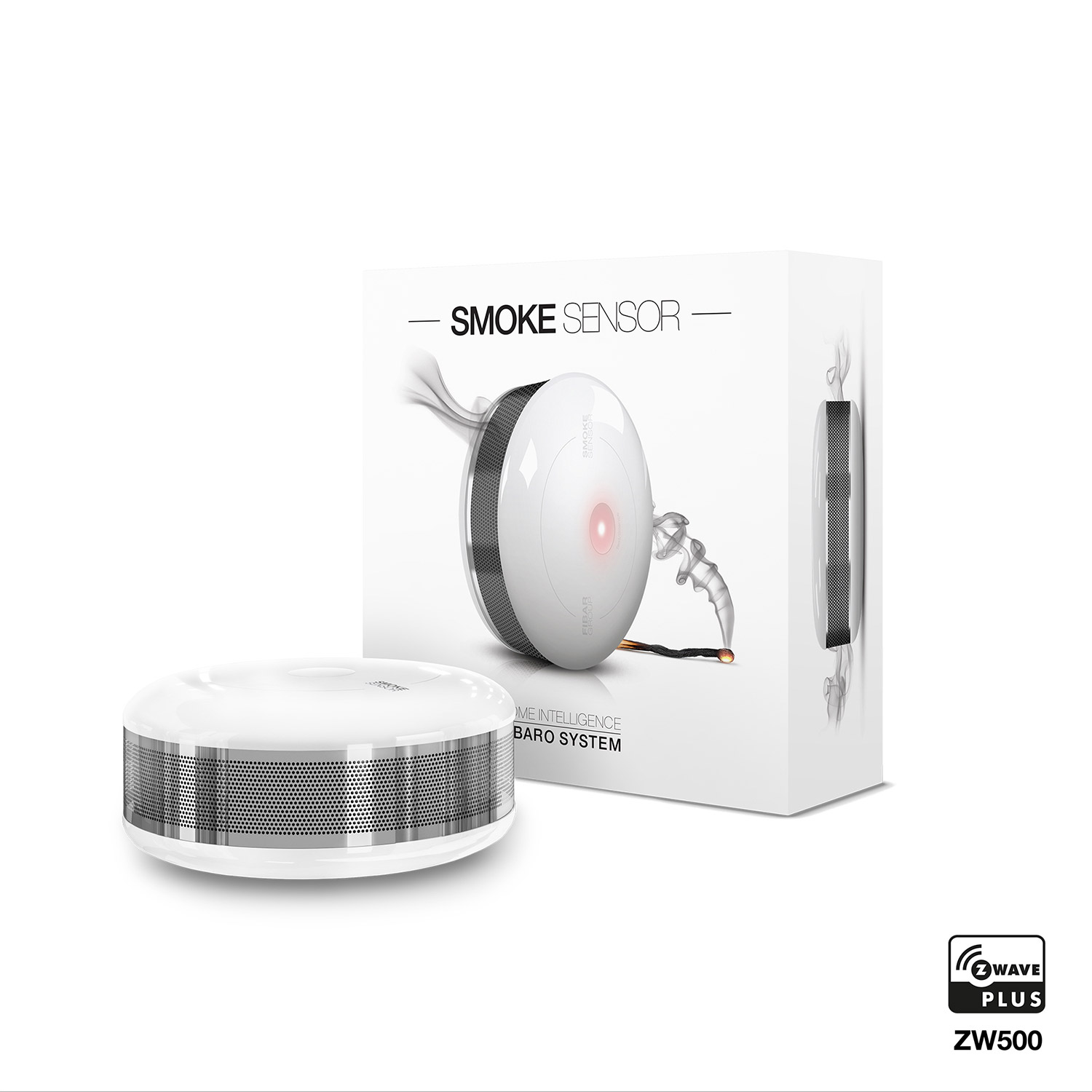
Product Recognition | |
|---|
Certification Number | ZC10-19076595 |
|---|
Name | FIBARO Smoke Sensor |
|---|
Short Description | A battery powered smoke detector which gives protection from flaming and smoldering fires. |
|---|
Long Description | The FIBARO Smoke Sensor is a universal, ultra-light, perfectly designed, optical Z-Wave smoke detector. Fire alarm is signalled by sound, visual indicator blinking and alarm reports sent to the other devices within Z-wave network. The optical sensor detects smoke at an early stage of fire, often before flames appear and temperature starts to rise significantly. Moreover, the device has a built-in temperature sensor, which is adjustable to allow detection of fire by exceeding given temperature threshold. The FIBARO Smoke Sensor is a battery powered device designed to be placed on the wall or ceiling. Visual indicator signals fire, operating mode and it is used to check if the device is within the Z-wave network using a built-in Z-Wave range tester. The Smoke Sensor is designed to operate in confined spaces, under normal conditions (lacking of smoke, dust or condensed water vapor).
Product video:
https://www.youtube.com/watch?v=50QGfkdUtns |
|---|
Brand | FIBARO |
|---|
Product Identifier | FGSD-002 |
|---|
OEM Version | HW: 2 FW: 3.03:03.03 |
|---|
Hardware Platform | ZM5202 |
|---|
Z-Wave Version | 6.51.07 |
|---|
Library Type | SLAVE_ENHANCED_232 |
|---|
Device Type | Notification Sensor |
|---|
Role Type | ROLE_TYPE_SLAVE_SLEEPING_REPORTING |
|---|
Manufacturer ID | 0x010F |
|---|
Product Type ID | 0x0C02 |
|---|
Product ID | 0xB003 |
|---|
User Icon | 0x0C01 |
|---|
Installer Icon | 0x0C01 |
|---|
Frequency Plans | KR: 920.90MHz, 921.70MHz, 923.10MHz |
|---|
Categories | Sensors |
|---|
Countries / Regions | Republic of Korea |
|---|
Supported Command Classes | Identifier | Name | Key | Version |
|---|
COMMAND_CLASS_SENSOR_ALARM | Sensor Alarm | 0x9C | 1 | COMMAND_CLASS_SENSOR_MULTILEVEL_V8 | Sensor Multilevel V8 | 0x31 | 8 | COMMAND_CLASS_POWERLEVEL | Powerlevel | 0x73 | 1 | COMMAND_CLASS_BATTERY | Battery | 0x80 | 1 | COMMAND_CLASS_APPLICATION_STATUS | Application Status | 0x22 | 1 | COMMAND_CLASS_BASIC | Basic | 0x20 | 1 | COMMAND_CLASS_CONFIGURATION | Configuration | 0x70 | 1 | COMMAND_CLASS_CRC_16_ENCAP | CRC16 Encapsulation | 0x56 | 1 | COMMAND_CLASS_SECURITY | Security S0 | 0x98 | 1 | COMMAND_CLASS_VERSION_V2 | Version V2 | 0x86 | 2 | COMMAND_CLASS_WAKE_UP_V2 | Wake Up V2 | 0x84 | 2 | COMMAND_CLASS_DEVICE_RESET_LOCALLY | Device Reset Locally | 0x5A | 1 | COMMAND_CLASS_ZWAVEPLUS_INFO_V2 | Z-Wave Plus Info V2 | 0x5E | 2 | COMMAND_CLASS_ASSOCIATION_V2 | Association V2 | 0x85 | 2 | COMMAND_CLASS_ASSOCIATION_GRP_INFO | Association Group Info | 0x59 | 1 | COMMAND_CLASS_NOTIFICATION_V5 | Notification V5 | 0x71 | 5 | COMMAND_CLASS_FIRMWARE_UPDATE_MD_V3 | Firmware Update Meta-Data V3 | 0x7A | 3 | COMMAND_CLASS_MANUFACTURER_SPECIFIC_V2 | Manufacturer Specific V2 | 0x72 | 2 | COMMAND_CLASS_MULTI_CHANNEL_ASSOCIATION_V2 | Multi Channel Association V2 | 0x8E | 2 |
|
|---|
Controlled Command Classes | Identifier | Name | Key | Version |
|---|
COMMAND_CLASS_BASIC | Basic | 0x20 | 1 |
|
|---|
Documents | Category | Description | File |
|---|
Manual_Primary_Lang | Product or Owner's Manual | |
|
|---|
Features | Feature | Values |
|---|
Battery Quantity | | Color | | Sensors | | Supported Notification Types | | Battery Type | |
|
|---|
Association Groups | Group Number | Maximum Nodes Supported | End Point ID | Description |
|---|
2 | 5 | 0 | 2nd group – Smoke Alarm. Sending the BASIC SET control command once smoke is
detected. Its value may be modified in advanced parameters (see section XVI). Group
may control up to five on/off devices. | 3 | 5 | 0 | 3rd group – Tamper. Sending the notification NOTIFICATION REPORT (TYPE =
BURGLAR, EVENT = PRODUCT COVERING REMOVED) to associated devices once
casing opening is detected. Up to five devices supporting casing opening command
(NOTIFICATION REPORT) may be included in this group. | 4 | 5 | 0 | 4th group – Smoke Alarm. Sending the notification SENSOR ALARM REPORT (TYPE
= SMOKE ALARM) to associated devices once smoke is detected. Up to five devices
supporting SMOKE ALARM command may be included in this group | 5 | 5 | 0 | 5th group – Tamper. Sending SENSOR ALARM REPORT notification (TYPE =
GENERAL) to associated devices once casing opening is detected. Up to five devices
supporting SENSOR ALARM REPORT command may be included in this group. | 1 | 1 | 0 | 1st group – Lifeline. Reporting device state. Only one device - Z-Wave network
controller may be set in this group. It’s not recommended to modify this association
group. |
|
|---|
Configuration Parameters | Parameter Number | Name | Description | Format | Size | Min Value | Max Value | Default Value | Parameter Values |
|---|
3 | Visual indicator notifications status | This parameter allows to activate visual indications but does not apply to major alarms, such as Fire, Trouble and Low battery alarm. Parameter values may be combined, e.g. 1+2+4=7, means that all notifications are enabled. | 0 | 1 | 0 | 0 | 0 | From | To | Description |
|---|
0 | 0 | all notifications disabled | 1 | 1 | casing opening notification enabled | 2 | 2 | exceeding temperature threshold notification enabled | 4 | 4 | lack of Z-Wave range notification |
| 4 | Sound notifications status | This parameter allows to activate sound signals but does not apply to major alarms, such as Fire, Trouble and Low battery alarm. Parameter values may be combined, e.g. 1+2+4=7, means that all notifications are enabled. | 0 | 1 | 0 | 0 | 0 | From | To | Description |
|---|
1 | 1 | casing opening notification enabled | 2 | 2 | exceeding temperature threshold notification enabled | 4 | 4 | lack of Z-Wave range notification | 0 | 0 | all notifications disabled |
| 10 | Configuration of control frames in BASIC command class | This parameter defines which frames will be sent in the 2-nd Association Group (SMOKE ALARM). The values of BASIC ON and BASIC OFF frames may be defined as described in further parameters. | 0 | 1 | 0 | 0 | 0 | From | To | Description |
|---|
0 | 0 | BASIC ON & BASIC OFF enabled | 1 | 1 | BASIC ON enabled | 2 | 2 | BASIC OFF enabled |
| 11 | BASIC ON frame value | BASIC ON frame is sent in case of smoke presence detection and Fire Alarm triggering. Its value is defined by the parameter. | 0 | 2 | 0 | 0 | 255 | From | To | Description |
|---|
0 | 0 | turn off the device | 1 | 99 | set the device to 1-99% | 255 | 255 | set the last status |
| 31 | Excess temperature signaling interval | Time interval of signaling (visual indication/sound) excess temperature level | 0 | 2 | 0 | 0 | 1 | From | To | Description |
|---|
1 | 8640 | [10s-24h] |
| 2 | Z-Wave notifications status | This parameter allows to activate excess temperature and/or casing opening notifications sent to the main controller. Parameter values may be combined, e.g. 1+2=3, means that all notifications are enabled. | 0 | 1 | 0 | 0 | 0 | From | To | Description |
|---|
0 | 0 | all notifications disabled | 1 | 1 | casing opening notification enabled | 2 | 2 | exceeding temperature threshold notification enabled |
| 1 | Fibaro Smoke Sensor sensitivity | There are 3 levels of sensitivity to smoke presence. Level 1 means the highest sensitivity. Rising the parameter value lowers the sensitivity to smoke presence. | 0 | 1 | 0 | 0 | 2 | From | To | Description |
|---|
3 | 3 | LOW Sensitivity | 2 | 2 | MEDIUM Sensitivity | 1 | 1 | HIGH Sensitivity |
|
|
|---|
Texts | ID | Description | Value |
|---|
1 | Inclusion | 1) Install the battery. Visual indicator will signal the Z-Wave network adding status (green - device added, red - device not added).
2) Make sure the device is located within direct range of the Z-Wave controller.
3) Set the main controller in add mode (see main controller’s operating manual).
4) Quickly, triple click the B-button, located on FIBARO Smoke Sensor enclosure.
5) FIBARO Smoke Sensor will be detected and added to the Z-Wave network. | 2 | Exclusion | 1) Make sure there is a battery installed.
2) Set the main controller in remove mode (see main controller’s operating manual).
3) Quickly, triple click the B-button, located on FIBARO Smoke Sensor enclosure. | 5 | Factory Reset | Please use this procedure only in the event that the system primary controller is missing or otherwise inoperable.
FIBARO Smoke Sensor reset procedure:
1) Make sure the device is powered.
2) Press and hold the B-button for 3 seconds. Visual indicator will glow white.
3) You will hear a short signal.
4) Release the B-button. | 4 | Device Wake-Up | The Smoke Sensor will wake up at defined time interval and will ALWAYS try to communicate with the main controller. There is a possibility to wake the device up manually by triple-clicking the B-button. |
|
|---|
Supported Notification Types | Notification Type | Event / State |
|---|
Smoke Alarm | (Refer to parameters): State idle |
|
|---|
Supported Multilevel Sensors | Multilevel Sensor Type |
|---|
Smoke density |
|
|---|
Supports NWI | Yes |
|---|
Supports Explorer Frames | Yes |
|---|
Radio Range Z-Wave (m) | 40 |
|---|