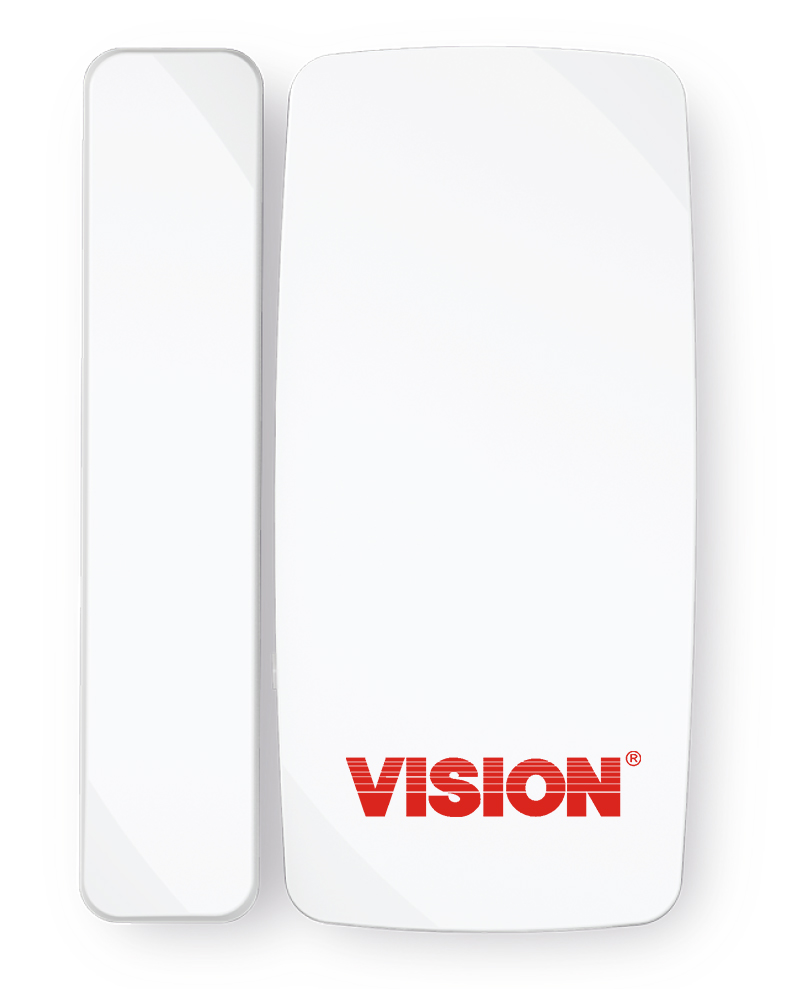
Product Recognition | |
|---|
Certification Number | ZC12-20040052 |
|---|
Name | Door/Window Sensor |
|---|
Short Description | Battery-powered door and window sensor with a magnetic reed switch for monitoring the door/window's open and close. |
|---|
Long Description | The ZD2106 Door and Window sensor is used in any Z-Wave network to detect the opening or closing of a door or window. The Slim design is very attractive. The ZD2106 is powered by one coin battery (CR2032), the battery life is more than 3 years. The ZD2106 features tamper-proof switch, low battery warning and can be firmware updated over the air. |
|---|
Brand | Vision |
|---|
Product Identifier | ZD2106EU-7 |
|---|
Product Line | Home Security |
|---|
OEM Version | HW: 2 FW: 32.04 |
|---|
Hardware Platform | ZGM130 |
|---|
Library Type | SLAVE_ENHANCED_232 |
|---|
Device Type | Notification Sensor |
|---|
Role Type | ROLE_TYPE_SLAVE_SLEEPING_REPORTING |
|---|
Manufacturer ID | 0x0109 |
|---|
Product Type ID | 0x2001 |
|---|
Product ID | 0x01D1 |
|---|
User Icon | 0x0C06 |
|---|
Installer Icon | 0x0C06 |
|---|
Frequency Plans | EU: 869.85MHz, 868.40MHz |
|---|
Categories | Sensors |
|---|
Countries / Regions | European Union |
|---|
Supported Command Classes | Identifier | Name | Key | Version |
|---|
COMMAND_CLASS_POWERLEVEL | Powerlevel | 0x73 | 1 | COMMAND_CLASS_MULTI_CHANNEL_ASSOCIATION_V3 | Multi-Channel Association V3 | 0x8E | 3 | COMMAND_CLASS_INDICATOR_V3 | Indicator V3 | 0x87 | 3 | COMMAND_CLASS_BATTERY | Battery | 0x80 | 1 | COMMAND_CLASS_SECURITY | Security S0 | 0x98 | 1 | COMMAND_CLASS_TRANSPORT_SERVICE_V2 | Transport Service V2 | 0x55 | 2 | COMMAND_CLASS_WAKE_UP_V2 | Wake Up V2 | 0x84 | 2 | COMMAND_CLASS_DEVICE_RESET_LOCALLY | Device Reset Locally | 0x5A | 1 | COMMAND_CLASS_ZWAVEPLUS_INFO_V2 | Z-Wave Plus Info V2 | 0x5E | 2 | COMMAND_CLASS_ASSOCIATION_V2 | Association V2 | 0x85 | 2 | COMMAND_CLASS_FIRMWARE_UPDATE_MD_V5 | Firmware Update Meta-Data V5 | 0x7A | 5 | COMMAND_CLASS_ASSOCIATION_GRP_INFO_V3 | Association Group Information V3 | 0x59 | 3 | COMMAND_CLASS_NOTIFICATION_V8 | Notification V8 | 0x71 | 8 | COMMAND_CLASS_SECURITY_2 | Security S2 | 0x9F | 1 | COMMAND_CLASS_VERSION_V3 | Version V3 | 0x86 | 3 | COMMAND_CLASS_SUPERVISION | Supervision | 0x6C | 1 | COMMAND_CLASS_MANUFACTURER_SPECIFIC_V2 | Manufacturer Specific V2 | 0x72 | 2 |
|
|---|
S2 Classes | S2_UNAUTHENTICATED, S2_AUTHENTICATED |
|---|
Documents | Category | Description | File |
|---|
Manual_Primary_Lang | Product Manual | |
|
|---|
Features | Feature | Values |
|---|
Color | | Battery Type | | Battery Quantity | | Firmware Updatable | Value |
|---|
Updatable by Manufacturer Representative |
|
|
|---|
Association Groups | Group Number | Maximum Nodes Supported | End Point ID | Group Name | Profile | Description |
|---|
1 | 5 | 0 | Lifeline | 0x0001 | * Group 1 = Lifeline | 2 | 5 | 0 | On/Off Control | 0x7107 | * Group 2 = On/Off Control |
|
|---|
Configuration Parameters | Parameter Number | Name | Description | Format | Size | Min Value | Max Value | Default Value |
|---|
1 | Temperature type | 0:Celsius/1:Fahrenheit, default:0 | 2 | 1 | 0 | 1 | 0 | 4 | Light scale | Set 0/5~50 is OFF/5~50%, default:25 | 2 | 1 | 0 | 50 | 25 | 5 | Motion re-trigger duration | Set 1~127 minutes, default:3 | 2 | 1 | 1 | 127 | 3 | 6 | Motion sensitivity level | Set 1~7 sensitivity level, default:4 | 2 | 1 | 1 | 7 | 4 | 7 | LED mode | Set 1~3 LED mode, default:1 | 2 | 1 | 1 | 3 | 1 |
|
|---|
Texts | ID | Description | Value |
|---|
1 | Classic Inclusion | For “Inclusion” in (adding to) a network: Put the Z-Wave™ Interface Controller into “inclusion” mode, and following its instruction to add the ZD2106 to your controller. To get in the “inclusion” mode, make sure the rear cover has been closed firmly and trigger the reed switch (close & open) 3 times within 5 seconds for sending the NIF. After sending NIF, Z-Wave will send the auto inclusion; otherwise, ZD2106 will go to sleep after 30 seconds. | 2 | Classic Exclusion | For “Exclusion” from (removing from) a network: Put the Z-Wave™ Interface Controller into “exclusion” mode, and following its instruction to delete the ZD2106 from your controller. Make sure the rear cover has been closed firmly and trigger the reed switch (close & open) 3 times within 5 seconds for sending the NIF to be excluded.
Note: All user and network settings will be cleared and the device reset to factory defaults when the device is excluded. | 4 | Wake-Up Procedure | Wake Up Notification:
Remove the rear cover, ZD2106 will be “Wake Up Mode” for receiving all the command class from controller and waiting for 10 seconds to send Wake Up Notification. If ZD2106 received “Wake Up No More Information” command then the ZD2106 will go to sleep mode or it will wait 10 seconds then go sleep mode. It will proceed all the commands after sending the “Wake Up Notification” | 5 | Factory Reset Procedure | Factory Default Reset:
Open the rear cover to trigger the rear cover switch for sending the Alarm Report and trigger the reed switch (close & open) 10 times in 10 seconds, ZD2106 will send the “Device Reset Locally Notification” command and reset to the factory default.
(Remark: This is to be used only in the case of primary controller being inoperable or otherwise unavailable.) | 6 | Other Special Features | PowerLevel Control, Battery Votlage Detection(Auto report low battery),OTA function | 8 | Where to find S2 DSK on product | The DSK label will on the backside of ZD2106-7, Scan the DSK label to access the SmartStart if gateway 's UI supports SmartStart |
|
|---|
Supported Notification Types | Notification Type | Event / State |
|---|
Access Control | Door state: Window/door is open | Access Control | Door state: Window/door is closed | Home Security | (Refer to parameters): State idle | Home Security | Cover status: Tampering, product cover removed |
|
|---|
Supports NWI | Yes |
|---|
Supports Explorer Frames | Yes |
|---|
Supports SmartStart | Yes |
|---|
Radio Range Z-Wave (m) | 40 |
|---|

.jpg)