Product Recognition | |
|---|
Certification Number | ZC12-20050058 |
|---|
Name | Contact Sensor |
|---|
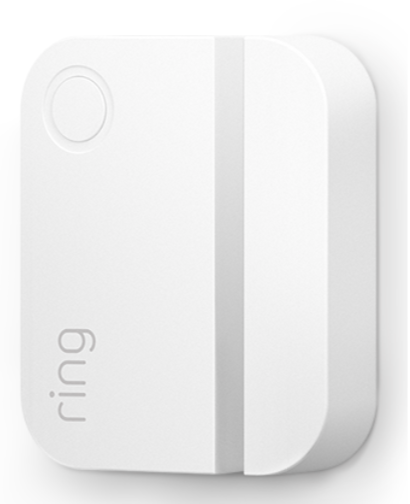
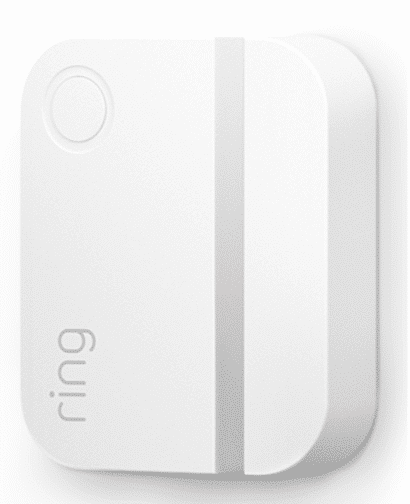
Short Description | Ring Alarm Contact Sensor is a wireless sensor for the Ring Alarm system which provides users the ability to know when a door or window is open or closed. |
|---|
Long Description | Ring Alarm Contact Sensor is a wireless sensor for the Ring Alarm system which provides users the ability to know when a door or window is open or closed. After installing the sensor on a door or window and setting up the sensor in the Ring app, monitor and receive notifications when the door or window opens or closes. The Ring Alarm Base Station is required to enable Contact Sensor features and functions within the Ring app. |
|---|
Brand | Ring |
|---|
Product Identifier | Contact Sensor v2 |
|---|
Product Line | Ring Alarm |
|---|
OEM Version | HW: 1 FW: 1.10 |
|---|
Hardware Platform | EFR32Z |
|---|
Z-Wave Version | 7.12.2 |
|---|
Library Type | SLAVE_ENHANCED_232 |
|---|
Device Type | Notification Sensor |
|---|
Role Type | ROLE_TYPE_SLAVE_SLEEPING_REPORTING |
|---|
Manufacturer ID | 0x0346 |
|---|
Product Type ID | 0x0201 |
|---|
Product ID | 0x0301 |
|---|
User Icon | 0x0C07 |
|---|
Installer Icon | 0x0C07 |
|---|
Frequency Plans | US: 916.00MHz, 908.40MHz |
|---|
Categories | Sensors |
|---|
Countries / Regions | United States of America |
|---|
Supported Command Classes | Identifier | Name | Key | Version |
|---|
COMMAND_CLASS_CONFIGURATION_V4 | Configuration V4 | 0x70 | 4 | COMMAND_CLASS_POWERLEVEL | Powerlevel | 0x73 | 1 | COMMAND_CLASS_MULTI_CHANNEL_ASSOCIATION_V3 | Multi-Channel Association V3 | 0x8E | 3 | COMMAND_CLASS_INDICATOR_V3 | Indicator V3 | 0x87 | 3 | COMMAND_CLASS_BATTERY | Battery | 0x80 | 1 | COMMAND_CLASS_TRANSPORT_SERVICE_V2 | Transport Service V2 | 0x55 | 2 | COMMAND_CLASS_WAKE_UP_V2 | Wake Up V2 | 0x84 | 2 | COMMAND_CLASS_DEVICE_RESET_LOCALLY | Device Reset Locally | 0x5A | 1 | COMMAND_CLASS_ZWAVEPLUS_INFO_V2 | Z-Wave Plus Info V2 | 0x5E | 2 | COMMAND_CLASS_ASSOCIATION_V2 | Association V2 | 0x85 | 2 | COMMAND_CLASS_FIRMWARE_UPDATE_MD_V5 | Firmware Update Meta-Data V5 | 0x7A | 5 | COMMAND_CLASS_ASSOCIATION_GRP_INFO_V3 | Association Group Information V3 | 0x59 | 3 | COMMAND_CLASS_NOTIFICATION_V8 | Notification V8 | 0x71 | 8 | COMMAND_CLASS_SECURITY_2 | Security S2 | 0x9F | 1 | COMMAND_CLASS_VERSION_V3 | Version V3 | 0x86 | 3 | COMMAND_CLASS_SUPERVISION | Supervision | 0x6C | 1 | COMMAND_CLASS_MANUFACTURER_SPECIFIC_V2 | Manufacturer Specific V2 | 0x72 | 2 |
|
|---|
S2 Classes | S2_UNAUTHENTICATED, S2_AUTHENTICATED |
|---|
Documents | Category | Description | File |
|---|
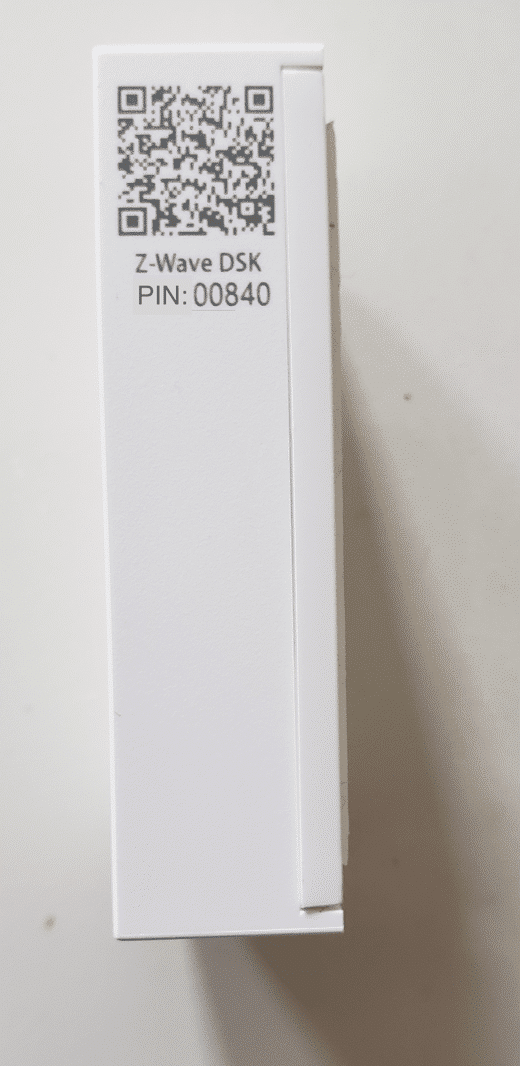
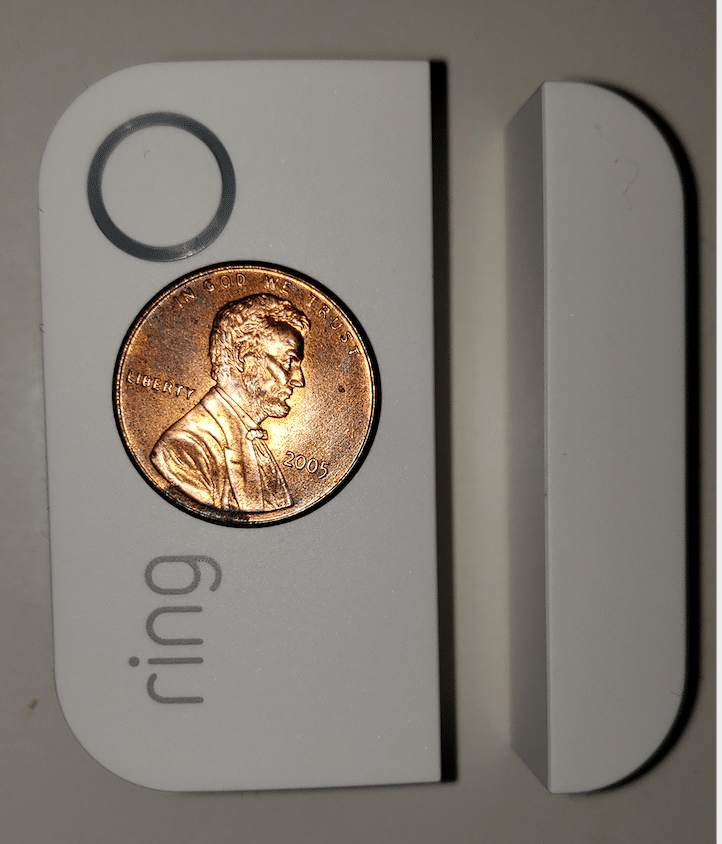
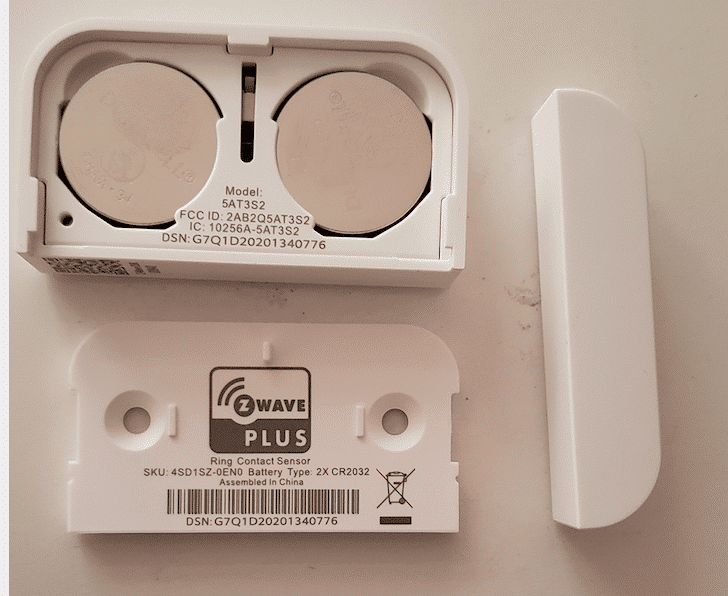
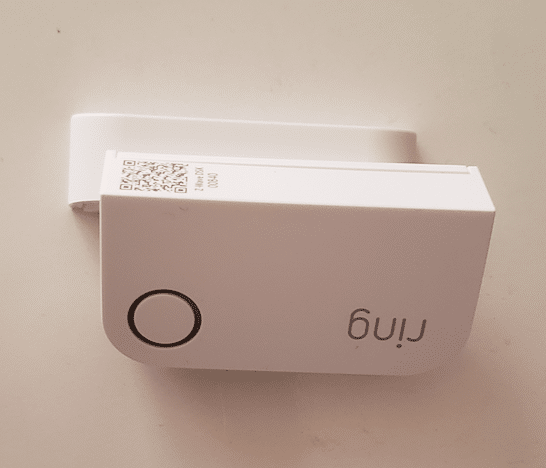
Image_Product_Supplemental_3 | QR Code on the product | | Image_Product_Supplemental_4 | Product size reference | | Manual_Primary_Lang | Product Manual | |
|
|---|
Features | Feature | Values |
|---|
Battery Quantity | | Color | | Battery Type | |
|
|---|
Association Groups | Group Number | Maximum Nodes Supported | End Point ID | Group Name | Profile | Description |
|---|
1 | 5 | 0 | Lifeline | 0x0001 | This is the Lifeline group and the following are the supported Command Classes-
1. Notification Report
a. See notification CC section for notifications that are sent
2. Battery Report
3. Device Reset Locally Notification |
|
|---|
Configuration Parameters | Parameter Number | Name | Description | Format | Flag Advanced | Size | Min Value | Max Value | Default Value | Parameter Values |
|---|
5 | One Shot Timer | Writing to this parameter prompts the sensor to send a wakeup notification one time after this parameter's number of seconds. After which it is reset back to 0. | 2 | Yes | 2 | 5 | 65535 | 0 | From | To | Description |
|---|
5 | 65535 | This parameter prompts the sensor to send a wakeup notification. |
| 1 | Heartbeat Interval | Heartbeats are automatic battery reports on a timer after the last event. | 2 | Yes | 1 | 1 | 70 | 70 | From | To | Description |
|---|
1 | 70 | This parameter is the number of minutes between heartbeats. |
| 6 | Supervisory Report Timeout | The number of milliseconds waiting for a Supervisory Report response to a Supervisory Get encapsulated command from the sensor before attempting a retry. | 2 | Yes | 2 | 500 | 5000 | 1500 | From | To | Description |
|---|
500 | 5000 | This parameter is the number of milliseconds waiting for a Supervisory Report response to a Supervisory Get. |
| 4 | LED Indicator Enable | This parameter allows a user, via software, to configure the various LED indications on the device. 0 == Don't show green 1 == Show green after Supervision Report Intrusion (Fault) 2 == Show green after Supervision Report both Intrusion and Intrusion clear | 2 | Yes | 1 | 0 | 2 | 1 | From | To | Description |
|---|
0 | 2 | This parameter is used to configure the various LED indications on the device. |
| 3 | Application Level Retry Base Wait Time Period | The number base seconds used in the calculation for sleeping between retry messages. | 2 | Yes | 1 | 1 | 96 | 5 | From | To | Description |
|---|
1 | 96 | This parameter is the number base seconds used in the calculation for sleeping between retry messages. |
| 2 | Application Retriess | Number of application level retries attempted for messages either not ACKed or messages encapsulated via supervision get that did not receive a report. | 2 | Yes | 1 | 0 | 5 | 1 | From | To | Description |
|---|
0 | 5 | This parameter is the number of application level retries. |
|
|
|---|
Texts | ID | Description | Value |
|---|
8 | Where to find S2 DSK on product | The 5-digit DSK pin found on the package of the Ring Alarm Contact Sensor or the 5-digit DSK pin found under the QR code on the device. | 4 | Wake-Up Procedure | The sensor will wake up every so often to send a Wake-Up Notification to allow the life line master node controller that the sensor is now available for any queued messages that the controller may have for the sensor. The time between Wake-Up Notifications can be configured with the Wake-Up Notification command class according to the following configurable values:
• Min Value 1 hr
• Max Value 24 hr
• Default Value 12 hours (12 * 60 * 60 seconds)
• Wake Up Interval Step Seconds 1 hour (3600 seconds) | 5 | Factory Reset Procedure | Factory Default Instructions
1. To restore Ring Alarm Contact Sensor to factory default settings, locate the pinhole reset button on the device. This is found inside the battery compartment on the back of the device after removing the back bracket.
2. Using a paperclip or similar object, insert it into the pinhole, press and hold the button down for 10 seconds.
3. The device will rapidly blink green continuously for 10 seconds. After about 10 seconds, when the green blinking stops, release the button. The red LED will turn on solid to indicate the device was removed from the network.
Note: Use this procedure only in the event that the network primary controller is missing or otherwise inoperable. | 1 | Classic Inclusion | After powering on the device, press and hold the button on the front of the device for ~3 seconds. Release the button and the device will enter Classic inclusion mode which implements both classic inclusion with a Node Information Frame, and Network Wide Inclusion. During Classic Inclusion mode, the green LED will blink three times followed by a brief pause, repeatedly. When Classic inclusion times-out, the device will blink alternating red and green a few times. | 2 | Classic Exclusion | Exclusion Instructions:
1. Initiate remove “Ring Alarm Contact Sensor” flow in the Ring Alarm mobile application – Select the settings icon from device details page and choose “Remove Device” to remove the device. This will place the controller into Remove or “Z-Wave Exclusion” mode.
2. With the controller in Remove (Z-Wave Exclusion) mode, use a paper clip or similar object and tap the pinhole button. The device’s red LED turns on solid to indicate the device was removed from the network. |
|
|---|
Supported Notification Types | Notification Type | Event / State |
|---|
Home Security | (Refer to parameters): State idle | Home Security | Sensor status: Intrusion | Home Security | Cover status: Tampering, product cover removed | Power Management | Power status: Power has been applied | Power Management | Voltage drop/drift | System | SW status: System software failure (manufacturer proprietary failure code provided) | System | Heartbeat |
|
|---|
Supports NWI | Yes |
|---|
Supports Explorer Frames | Yes |
|---|
Supports SmartStart | Yes |
|---|
Radio Range Z-Wave (m) | 40 |
|---|