Product Recognition | |
|---|
Certification Number | ZC12-20060078 |
|---|
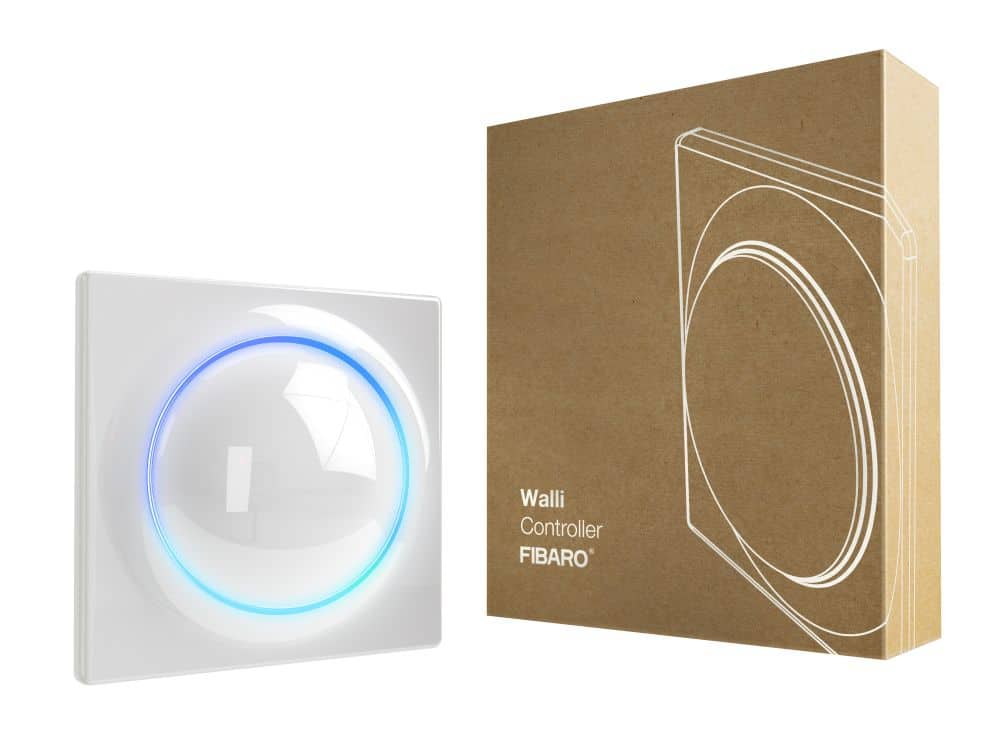
Name | WALLI CONTROLLER |
|---|
Short Description | FIBARO Walli Controller is a smart wall-mounted Z-Wave remote controller that can activate scenes or control other Z-Wave devices via associations. |
|---|
Long Description | FIBARO Walli Controller is a smart wall-mounted Z-Wave remote controller that can activate scenes or control other Z-Wave devices via associations.
Main features:
• Can be used for controlling various types of Z-Wave devices, e.g. switches, dimmers, roller shutters.
• Is a part of FIBARO Walli line of smart devices.
• Pre-set configurations allow to easily adjust operation for specific type of controlled devices.
• May be installed on a smooth surface or on a mounting box.
• Can be powered using battery or VDC power supply.
• Is equipped with a built-in temperature sensor.
• Supports Z-Wave network Security Modes: S0 with AES-128 encryption and S2 Authenticated with PRNG-based encryption.
• Works as a Z-Wave signal repeater when VDC powered. |
|---|
Brand | Fibar Group S.A. |
|---|
Product Identifier | FGWCEU-201 |
|---|
Product Line | FIBARO WALLI CONTROLLER |
|---|
OEM Version | HW: 1 FW: 7.00 |
|---|
Hardware Platform | ZGM130 |
|---|
Library Type | SLAVE_ENHANCED_232 |
|---|
Device Type | Central Scene Device |
|---|
Role Type | ROLE_TYPE_SLAVE_ALWAYS_ON |
|---|
Manufacturer ID | 0x010F |
|---|
Product Type ID | 0x2301 |
|---|
Product ID | 0x1000 |
|---|
User Icon | 0x1600 |
|---|
Installer Icon | 0x1600 |
|---|
Frequency Plans | EU: 869.85MHz, 868.40MHz |
|---|
Categories | All Lighting Devices, On/Off Switches/Devices, Lighting Accessories |
|---|
Countries / Regions | European Union |
|---|
Supported Command Classes | Identifier | Name | Key | Version |
|---|
COMMAND_CLASS_CONFIGURATION_V4 | Configuration V4 | 0x70 | 4 | COMMAND_CLASS_POWERLEVEL | Powerlevel | 0x73 | 1 | COMMAND_CLASS_MULTI_CHANNEL_ASSOCIATION_V3 | Multi-Channel Association V3 | 0x8E | 3 | COMMAND_CLASS_INDICATOR_V3 | Indicator V3 | 0x87 | 3 | COMMAND_CLASS_BATTERY | Battery | 0x80 | 1 | COMMAND_CLASS_APPLICATION_STATUS | Application Status | 0x22 | 1 | COMMAND_CLASS_SECURITY | Security S0 | 0x98 | 1 | COMMAND_CLASS_TRANSPORT_SERVICE_V2 | Transport Service V2 | 0x55 | 2 | COMMAND_CLASS_WAKE_UP_V2 | Wake Up V2 | 0x84 | 2 | COMMAND_CLASS_DEVICE_RESET_LOCALLY | Device Reset Locally | 0x5A | 1 | COMMAND_CLASS_ZWAVEPLUS_INFO_V2 | Z-Wave Plus Info V2 | 0x5E | 2 | COMMAND_CLASS_ASSOCIATION_V2 | Association V2 | 0x85 | 2 | COMMAND_CLASS_FIRMWARE_UPDATE_MD_V5 | Firmware Update Meta-Data V5 | 0x7A | 5 | COMMAND_CLASS_ASSOCIATION_GRP_INFO_V3 | Association Group Information V3 | 0x59 | 3 | COMMAND_CLASS_SECURITY_2 | Security S2 | 0x9F | 1 | COMMAND_CLASS_SENSOR_MULTILEVEL_V11 | Sensor Multilevel V11 | 0x31 | 11 | COMMAND_CLASS_VERSION_V3 | Version V3 | 0x86 | 3 | COMMAND_CLASS_CENTRAL_SCENE_V3 | Central Scene V3 | 0x5B | 3 | COMMAND_CLASS_SUPERVISION | Supervision | 0x6C | 1 | COMMAND_CLASS_PROTECTION | Protection | 0x75 | 1 | COMMAND_CLASS_MANUFACTURER_SPECIFIC_V2 | Manufacturer Specific V2 | 0x72 | 2 |
|
|---|
S2 Classes | S2_UNAUTHENTICATED, S2_AUTHENTICATED |
|---|
Documents | Category | Description | File |
|---|
Manual_Primary_Lang | Product Manual | |
|
|---|
Features | Feature | Values |
|---|
Battery Type | | Color | | Firmware Updatable | Value |
|---|
Updatable by Consumer by RF |
| Z-Wave Scene Type | | Battery Quantity | |
|
|---|
Association Groups | Group Number | Maximum Nodes Supported | End Point ID | Group Name | Description |
|---|
6 | 5 | 0 | Multidevice | “Multidevice” is used to control different
type of devices. | 5 | 5 | 0 | Dimmer (2) | “Dimmer (2)” is used to change level of associated
devices. | 7 | 5 | 0 | Slats | “Slats” is used to move slats of venetian
blinds. | 3 | 5 | 0 | Dimmer (1) | “Dimmer (1)” is used to change level of associated
devices. | 4 | 5 | 0 | On/Off (2) | “On/Off (2)” is used to turn the associated
devices on/off. | 1 | 1 | 0 | Lifeline | "Lifeline" reports the device status and allows
for assigning single device only (main controller by default). | 2 | 5 | 0 | On/Off (1) | “On/Off (1)” is used to turn the associated
devices on/off. |
|
|---|
Configuration Parameters | Parameter Number | Name | Description | Format | Flag Advanced | Size | Min Value | Max Value | Default Value | Parameter Values |
|---|
150 | LED ring – first button | This parameter defines the colour of first button indicator (upper part of the LED ring) for indications using Indicator CC. | 2 | Yes | 2 | 0 | 8 | 1 | From | To | Description |
|---|
0 | 0 | LED disabled | 1 | 1 | White | 2 | 2 | Red | 3 | 3 | Green | 4 | 4 | Blue | 5 | 5 | Yellow | 6 | 6 | Cyan | 7 | 7 | Magenta | 8 | 8 | LAPD (blinking red-white-blue) |
| 151 | LED ring – second button | This parameter defines the colour of second button indicator (lower part of the LED ring) for indications using Indicator CC. | 2 | Yes | 2 | 0 | 8 | 1 | From | To | Description |
|---|
1 | 1 | White | 2 | 2 | Red | 3 | 3 | Green | 4 | 4 | Blue | 5 | 5 | Yellow | 6 | 6 | Cyan | 7 | 7 | Magenta | 0 | 0 | LED disabled | 8 | 8 | LAPD (blinking red-white-blue) |
| 152 | 1st button - double click value | This parameter defines value of Basic Set or Multilevel Set frame (depending on selected mode) sent to associated devices after double click. This parameter is not relevant for Scene Controller Mode. | 2 | | 2 | 0 | 255 | 99 | From | To | Description |
|---|
0 | 99 | value of Basic Set | 255 | 255 | Multilevel Set frame |
| 153 | 2nd button - double click value | This parameter defines value of Basic Set or Multilevel Set frame (depending on selected mode) sent to associated devices after double click. This parameter is not relevant for Scene Controller Mode. | 2 | Yes | 2 | 0 | 255 | 99 | From | To | Description |
|---|
0 | 99 | value of Basic Set | 255 | 255 | Multilevel Set frame |
|
|
|---|
Texts | ID | Description | Value |
|---|
5 | Factory Reset Procedure | 1. Quickly, three times click, then press and hold one of the buttons
for 21 seconds.
2. Release the button when the device glows yellow.
3. Quickly click the button to confirm.
4. After a few seconds the device will be restarted, which is signalled
with red LED colour. | 17 | Dynamic Capabilities | The device will select the powering mode during adding
to the Z-Wave network, prioritizing external power supply
if connected. To change the mode after adding, you must
change the installation accordingly, then remove and add
the device again. | 8 | Where to find S2 DSK on product | If you are adding in Security S2 Authenticated, input the underlined
part of the DSK (label on the bottom of the box). | 2 | Classic Exclusion | 1. Set the main controller into remove mode (see the controller’s
manual).
2. Quickly, three times click, then press and hold one of the buttons
for 12 seconds.
3. Release the button when the device glows green.
4. Quickly click the button to confirm.
5. LED will start blinking yellow, wait for the removing process to
end.
6. Successful removing will be confirmed by the Z-Wave controller’s
message and red LED colour. | 4 | Wake-Up Procedure | 1. Quickly, three times click, then press and hold one of the buttons.
2. After 3 seconds LED ring signals adding status:
• Blinking green – entering the menu (added as non-secure, S0,
S2 non-authenticated)
• Blinking magenta – entering the menu (added as Security S2
Authenticated)
• Blinking red – entering the menu (not added to a Z-Wave
network)
3. The LED ring will turn off for 3 seconds, then start signalling menu
positions.
4. Release the button when device signals desired position with
colour:
• WHITE – wake up the device
5. Quickly click the button to confirm. | 1 | Classic Inclusion | 1. Set the main controller in (Security/non-Security Mode) add mode
(see the controller’s manual).
2. Quickly, three times click one of the buttons.
3. If you are adding in Security S2 Authenticated, input the underlined
part of the DSK (label on the bottom of the box).
4. LED will start blinking yellow, wait for the adding process to end.
5. Adding result will be confirmed by the Z-Wave controller’s message
and the LED frame:
• Green – successful (non-secure, S0, S2 non-authenticated),
• Magenta – successful (Security S2 Authenticated),
• Red – not successful. |
|
|---|
Supported Multilevel Sensors | Multilevel Sensor Type |
|---|
Air temperature |
|
|---|
Supports NWI | Yes |
|---|
Supports Explorer Frames | Yes |
|---|
Supports SmartStart | Yes |
|---|
Radio Range Z-Wave (m) | 40 |
|---|