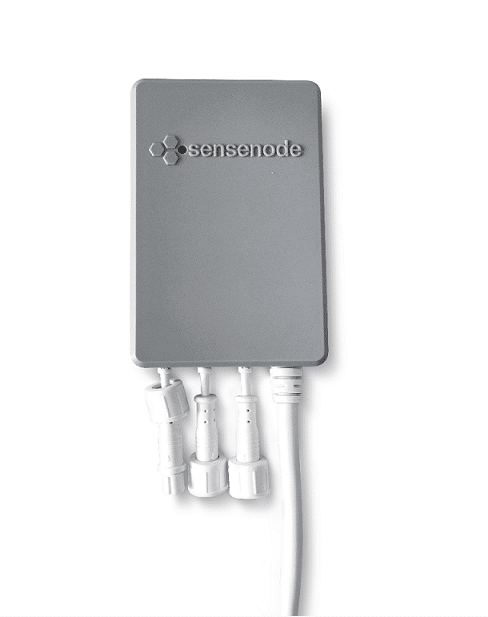
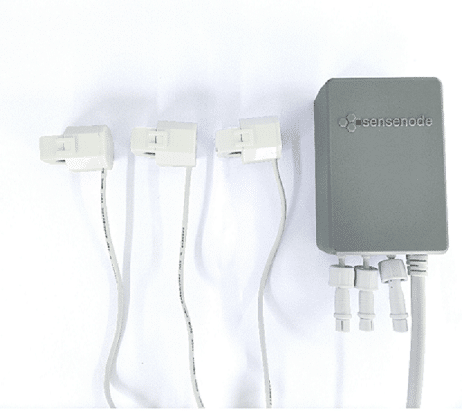
Product Recognition | |
|---|
Certification Number | ZC10-20116998 |
|---|
Name | Home Energy Meter Gen5 |
|---|
Short Description | Aeon Labs Home Energy Meter is a energy meter for the entire home. It can wirelessly report instantaneous Power, KWH, Voltage and Amperage measurements to Z-Wave gateway/controller. |
|---|
Long Description | The HEM can be setup to send automatic reports to any associated nodes in association group 1 at an interval time.
It can be included and operated in any Z-Wave network with other Z-Wave certified devices from other manufacturers and/or other applications. All non-battery operated nodes within the network will act as repeaters regardless of vendor to increase reliability of the network.
It is a security enabled Z-Wave plus device supports the Security Command Class and has the AES-128 bit security encryption built right in. While a Security enabled Controller is needed in order to fully use the security feature.
It also supports the Over The Air (OTA) feature for the product’s firmware upgrade. |
|---|
Brand | Aeotec |
|---|
Product Identifier | ZW095-C |
|---|
Product Line | Z-Wave Plus Device |
|---|
OEM Version | HW: 95 FW: 1.05 |
|---|
Hardware Platform | ZM5202 |
|---|
Z-Wave Version | 6.51.09 |
|---|
Library Type | SLAVE_ENHANCED_232 |
|---|
Device Type | Sub Energy Meter |
|---|
Role Type | ROLE_TYPE_SLAVE_ALWAYS_ON |
|---|
Manufacturer ID | 0x0086 |
|---|
Product Type ID | 0x0002 |
|---|
Product ID | 0x005F |
|---|
User Icon | 0x1000 |
|---|
Installer Icon | 0x1000 |
|---|
Frequency Plans | EU: 869.85MHz, 868.40MHz |
|---|
Categories | Energy Meters |
|---|
Countries / Regions | European Union |
|---|
Supported Command Classes | Identifier | Name | Key | Version |
|---|
COMMAND_CLASS_POWERLEVEL | Powerlevel | 0x73 | 1 | COMMAND_CLASS_MULTI_CHANNEL_ASSOCIATION_V3 | Multi-Channel Association V3 | 0x8E | 3 | COMMAND_CLASS_CRC_16_ENCAP | CRC16 Encapsulation | 0x56 | 1 | COMMAND_CLASS_SECURITY | Security S0 | 0x98 | 1 | COMMAND_CLASS_VERSION_V2 | Version V2 | 0x86 | 2 | COMMAND_CLASS_DEVICE_RESET_LOCALLY | Device Reset Locally | 0x5A | 1 | COMMAND_CLASS_ZWAVEPLUS_INFO_V2 | Z-Wave Plus Info V2 | 0x5E | 2 | COMMAND_CLASS_ASSOCIATION_V2 | Association V2 | 0x85 | 2 | COMMAND_CLASS_ASSOCIATION_GRP_INFO | Association Group Info | 0x59 | 1 | COMMAND_CLASS_MULTI_CHANNEL_V4 | Multi-Channel V4 | 0x60 | 4 | COMMAND_CLASS_MANUFACTURER_SPECIFIC_V2 | Manufacturer Specific V2 | 0x72 | 2 | COMMAND_CLASS_METER_V4 | Meter V4 | 0x32 | 4 |
|
|---|
Documents | Category | Description | File |
|---|
Manual_Primary_Lang | Home Energy Meter Gen5 Product Manual.pdf | | Manual_English | Home Energy Meter Gen5 Product Manual.pdf | | Adv_Manual | Advanced Information Product Manual.pdf | |
|
|---|
Features | Feature | Values |
|---|
Firmware Updatable | Value |
|---|
Updatable by Consumer by RF |
|
|
|---|
Association Groups | Group Number | Maximum Nodes Supported | End Point ID | Group Name | Profile | Description |
|---|
1 | 5 | 0 | Lifeline | 0x0001 | Lifeline Group.
Device Reset Locally Notification:
Issued when Factory Reset is performed.
Meter Report:
Issued when Automatic reporting is set. |
|
|---|
Texts | ID | Description | Value |
|---|
1 | Classic Inclusion | 1. Power on the HEM, the LED will blink slowly.
2. Let the primary controller into inclusion mode (If you don’t know how to do this, refer to its manual).
3. Click or double-click the Action Button.
4. If the inclusion is success, the LED will be solid. If the LED still blinks slowly,please repeat the process from step
2 | 2 | Classic Exclusion | 1. Power on the HEM, the LED will be solid.
2. Let the primary controller of existing Z-Wave network into remove mode (If you don’t know how to do this, refer to its manual).
3. Press the Action Button.
4. If the removing is success, the LED will blink slowly. If the LED is still solid,please repeat the process from step 2 | 5 | Factory Reset Procedure | 1. Make sure the HEM G5 has been connected to the power supply.
2. Press and hold the Action Button for 10 seconds.
3. If the LED starts slow blinking, which indicates the reset is success, otherwise please repeat the process from step 2 |
|
|---|
Supported / Controlled Meter Types | Meter Type | Rate Type | Description |
|---|
Electric meter | Import | Electric Meter Consumption |
|
|---|
Supports NWI | Yes |
|---|
Supports Explorer Frames | Yes |
|---|
Radio Range Z-Wave (m) | 40 |
|---|