| Product Recognition | |
|---|
| Certification Number | ZC12-21020177 |
|---|
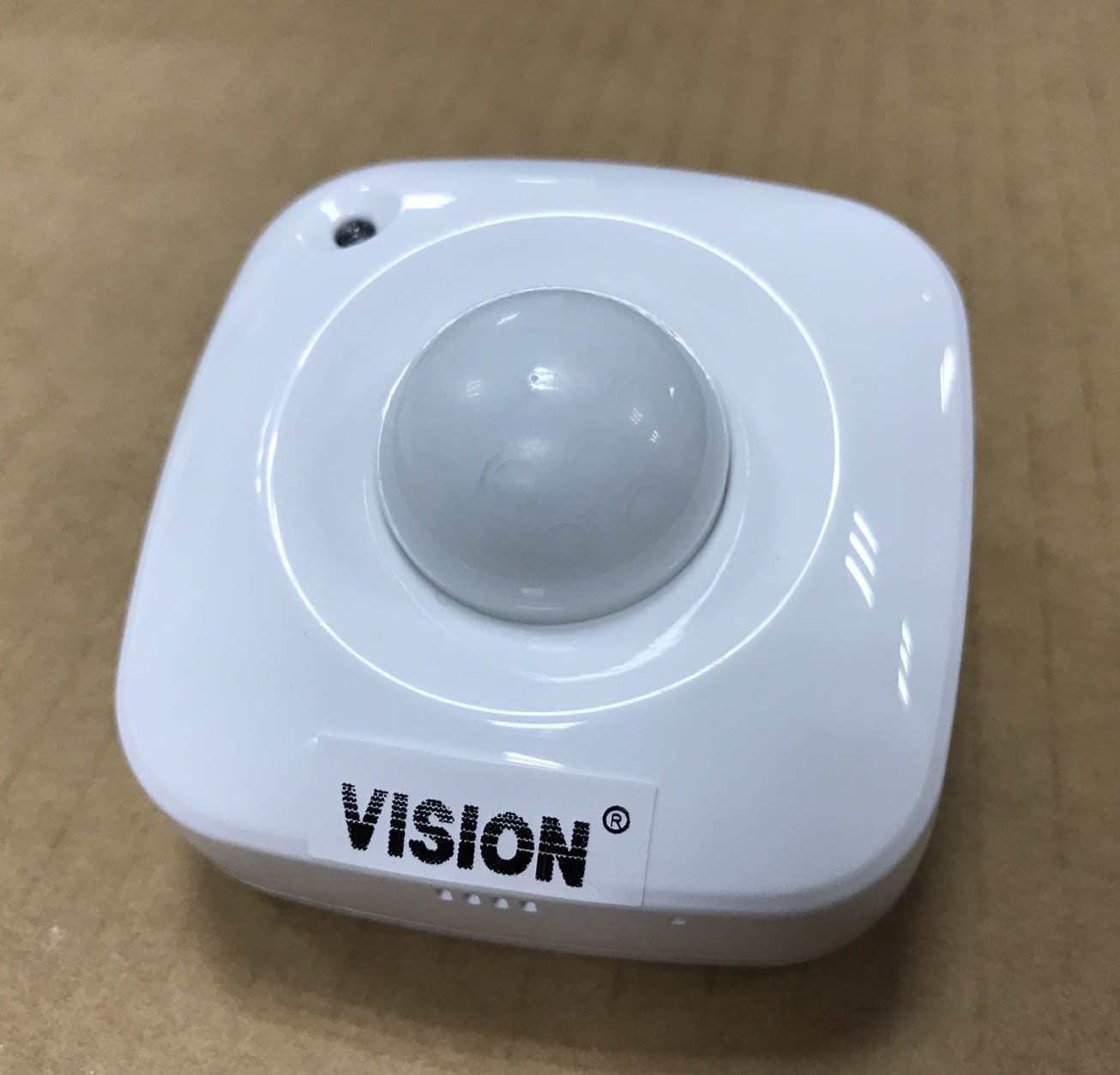
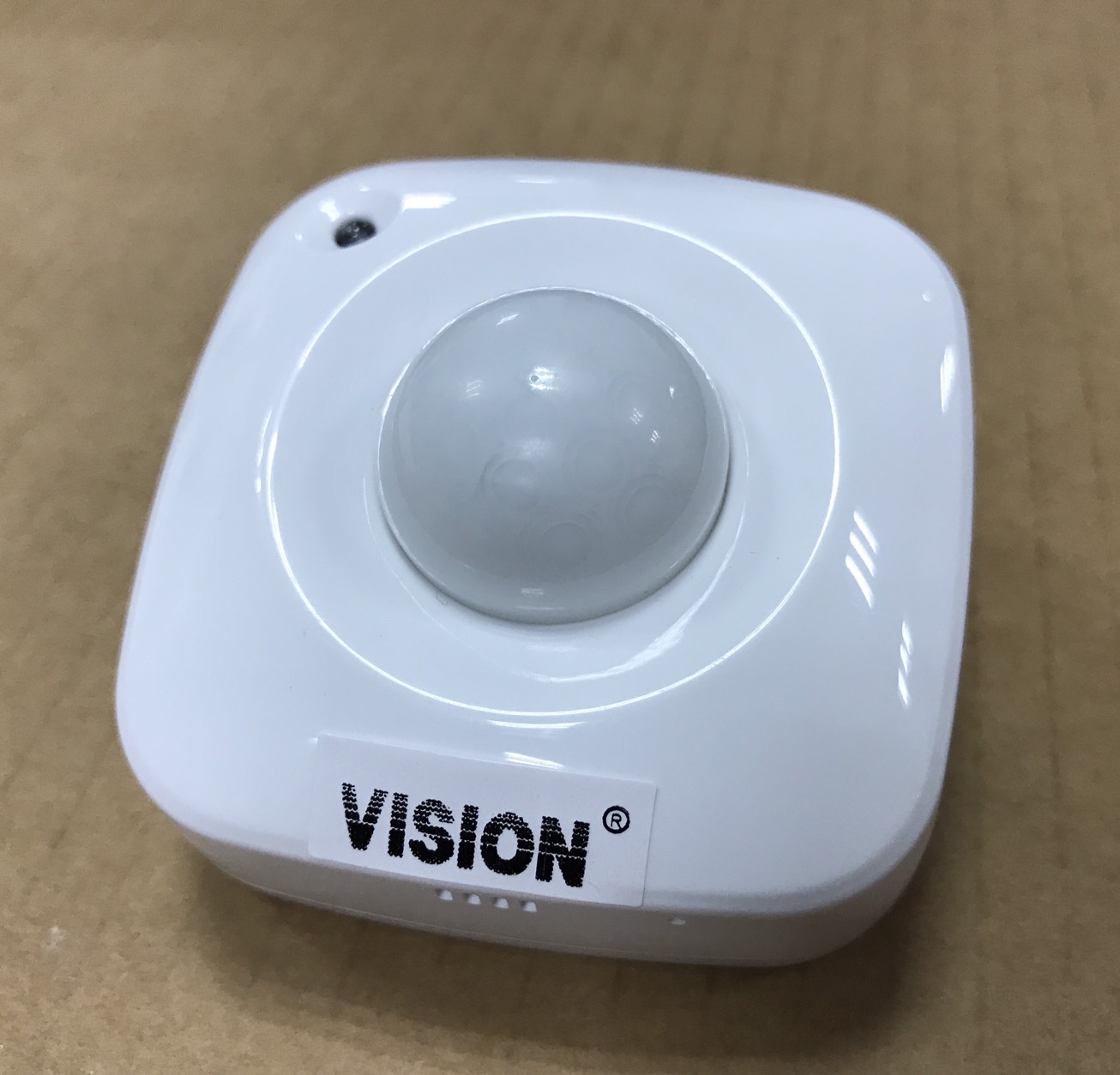
| Name | 4 in 1 PIR Sensor |
|---|
| Short Description | This sensor monitors movement, and send Z-Wave™ signal when movement is detected inside the building. With Temperature, Humidity & Light sensor built inside, it will send the signal out when temperature, humidity & Lightness changed. |
|---|
| Long Description | * Includes Motion, Temperature, Humidity, and Light sensor
* 360-degree detection (suitable for ceiling fixture)
* Compact Size: 59*59*41mm
* 1 x CR123Battery
* Low Battery Detection
* LED Status Indicator
* 100feet line of sight |
|---|
| Brand | Vision |
|---|
| Product Identifier | ZP3113JP-7 |
|---|
| Product Line | Home Security |
|---|
| OEM Version | HW: 1 FW: 32.32 |
|---|
| Hardware Platform | ZGM130 |
|---|
| Z-Wave Version | 7.13.6 |
|---|
| Library Type | SLAVE_ENHANCED_232 |
|---|
| Device Type | Notification Sensor |
|---|
| Role Type | ROLE_TYPE_SLAVE_SLEEPING_REPORTING |
|---|
| Manufacturer ID | 0x0109 |
|---|
| Product Type ID | 0x2021 |
|---|
| Product ID | 0x2112 |
|---|
| User Icon | 0x0C07 |
|---|
| Installer Icon | 0x0C07 |
|---|
| Frequency Plans | JP: 922.50MHz, 923.90MHz, 926.30MHz |
|---|
| Categories | Sensors |
|---|
| Countries / Regions | Japan |
|---|
| Supported Command Classes | | Identifier | Name | Key | Version |
|---|
| COMMAND_CLASS_CONFIGURATION_V4 | Configuration V4 | 0x70 | 4 | | COMMAND_CLASS_POWERLEVEL | Powerlevel | 0x73 | 1 | | COMMAND_CLASS_MULTI_CHANNEL_ASSOCIATION_V3 | Multi-Channel Association V3 | 0x8E | 3 | | COMMAND_CLASS_INDICATOR_V3 | Indicator V3 | 0x87 | 3 | | COMMAND_CLASS_BATTERY | Battery | 0x80 | 1 | | COMMAND_CLASS_APPLICATION_STATUS | Application Status | 0x22 | 1 | | COMMAND_CLASS_SECURITY | Security S0 | 0x98 | 1 | | COMMAND_CLASS_TRANSPORT_SERVICE_V2 | Transport Service V2 | 0x55 | 2 | | COMMAND_CLASS_WAKE_UP_V2 | Wake Up V2 | 0x84 | 2 | | COMMAND_CLASS_DEVICE_RESET_LOCALLY | Device Reset Locally | 0x5A | 1 | | COMMAND_CLASS_ZWAVEPLUS_INFO_V2 | Z-Wave Plus Info V2 | 0x5E | 2 | | COMMAND_CLASS_ASSOCIATION_V2 | Association V2 | 0x85 | 2 | | COMMAND_CLASS_FIRMWARE_UPDATE_MD_V5 | Firmware Update Meta-Data V5 | 0x7A | 5 | | COMMAND_CLASS_ASSOCIATION_GRP_INFO_V3 | Association Group Information V3 | 0x59 | 3 | | COMMAND_CLASS_NOTIFICATION_V8 | Notification V8 | 0x71 | 8 | | COMMAND_CLASS_SECURITY_2 | Security S2 | 0x9F | 1 | | COMMAND_CLASS_SENSOR_MULTILEVEL_V11 | Sensor Multilevel V11 | 0x31 | 11 | | COMMAND_CLASS_VERSION_V3 | Version V3 | 0x86 | 3 | | COMMAND_CLASS_SUPERVISION | Supervision | 0x6C | 1 | | COMMAND_CLASS_MANUFACTURER_SPECIFIC_V2 | Manufacturer Specific V2 | 0x72 | 2 |
|
|---|
| S2 Classes | S2_UNAUTHENTICATED, S2_AUTHENTICATED |
|---|
| Documents | |
|---|
| Association Groups | | Group Number | Maximum Nodes Supported | End Point ID | Group Name | Profile | Description |
|---|
| 1 | 5 | 0 | Lifeline | 0x0001 | Group 1 = Lifeline (Battery, Reset Locally, Indicator, Notification) | | 2 | 5 | 0 | On/Off | 0x7107 | Group 2 = ON/OFF Control (Basic Set) |
|
|---|
| Configuration Parameters | | Parameter Number | Name | Description | Format | Size | Min Value | Max Value | Default Value | Parameter Values |
|---|
| 4 | Auto Light Report Interval | 0,5~50 (Set up from 0 for Off or 5%~50%) | 0 | 1 | 0 | 50 | 25 | | From | To | Description |
|---|
| 0 | 50 | Auto Light Report Interval from off or 5%~50% |
| | 5 | Motion Re-triggering Duration | 1 ~ 127 (unsigned decimal) Minutes (default: 3 minutes) | 0 | 1 | 1 | 127 | 3 | | From | To | Description |
|---|
| 1 | 127 | Motion Re-triggering Duration (in 1 ~ 127 minutes) |
| | 6 | Motion Sensitivity | 1 ~ 7 (default: 4) | 0 | 1 | 1 | 7 | 4 | | From | To | Description |
|---|
| 1 | 7 | Motion Sensitivity from level 1 ~ level 7 |
| | 7 | LED Flash Mode Selection | 1 ~ 3 (Mode 1 ~ Mode 3) Mode 1: LED Turn Off (Both Temp/PIR Trigger) Mode 2: LED Quick Flash (Temp. / PIR Trigger) Mode 3: PIR Trigger (Quick Flash) Temp. Trigger (LED Off) | 0 | 1 | 1 | 3 | 1 | | From | To | Description |
|---|
| 1 | 3 | LED Flash Mode Selection |
| | 8 | PIR Trigger Notification Re-sending Times | 0 ~ 10 (unsigned decimal) Times (default: 3 Times) | 1 | 1 | 0 | 10 | 3 | | From | To | Description |
|---|
| 0 | 10 | PIR Trigger Notification Re-sending Times from 0 time to 10 times |
| | 1 | Temperature Unit Selection | 0x00 = °C 0x01 = °F | 0 | 1 | 0 | 1 | 0 | | From | To | Description |
|---|
| 0 | 1 | Choose °F |
|
|
|---|
| Texts | | ID | Description | Value |
|---|
| 17 | Dynamic Capabilities | Parameter1: Choose Temperature Unit (C or F)
Parameter2: Temperature changed interval for the notification report.
Parameter3: Humidity changed interval for the notification report.
Parameter4: Lightness changed interval for the notification report.
Parameter5: PIR retriggering interval for power saving.
Parameter6: PIR Sensitivity
Parameter7: LED Mode Selection for power saving.
Parameter8: PIR Trigger Notification Re-sending Times | | 1 | Classic Inclusion | For “Inclusion” in (adding to) a network: To add the ZP3113 to your Z-Wave network (inclusion), place your Z-Wave primary controller into inclusion mode. Press the Program Switch of ZP3113 once for sending the NIF. After sending NIF, Z-Wave will send the auto inclusion, otherwise, ZP3113 will go to sleep after 30 seconds. The LED indicator will be flashing while the inclusion is continued. | | 2 | Classic Exclusion | For “Exclusion” from (removing from) a network: To remove the ZP3113 from your Z-Wave network (exclusion), place your Z-Wave primary controller into “exclusion” mode, and following its instruction to delete the ZP3113 to your controller. Press the Program Switch of ZP3113 once to be excluded. | | 4 | Wake-Up Procedure | Wake Up Notification:
Press “Program SW” once to send NIF and LED will flash once, it takes around 10 seconds to send “Wake Up Notification” for receiving all command classes or go to sleep mode after 10 seconds without receiving any command. | | 5 | Factory Reset Procedure | Factory Default Reset:
Remove cover to trigged tamper switch, LED flash once & send out Alarm Report. Press Program Switch 10 times within 10 seconds, ZP3113 will send the “Device Reset Locally Notification” command and reset to the factory default. (Remark: This is to be used only in the case of primary controller being inoperable or otherwise unavailable.) | | 8 | Where to find S2 DSK on product | (1) The DSK label is on the backside of ZP3113-7
(2) Scan the DSK label to access the SmartStart if gateway 's UI supports SmartStart |
|
|---|
| Supported Notification Types | | Notification Type | Event / State |
|---|
| Home Security | (Refer to parameters): State idle | | Home Security | Cover status: Tampering, product cover removed | | Home Security | Motion sensor status: Motion detection |
|
|---|
| Supported Multilevel Sensors | | Multilevel Sensor Type |
|---|
| Air temperature | | Illuminance | | Humidity |
|
|---|
| Supports NWI | Yes |
|---|
| Supports Explorer Frames | Yes |
|---|
| Supports SmartStart | Yes |
|---|