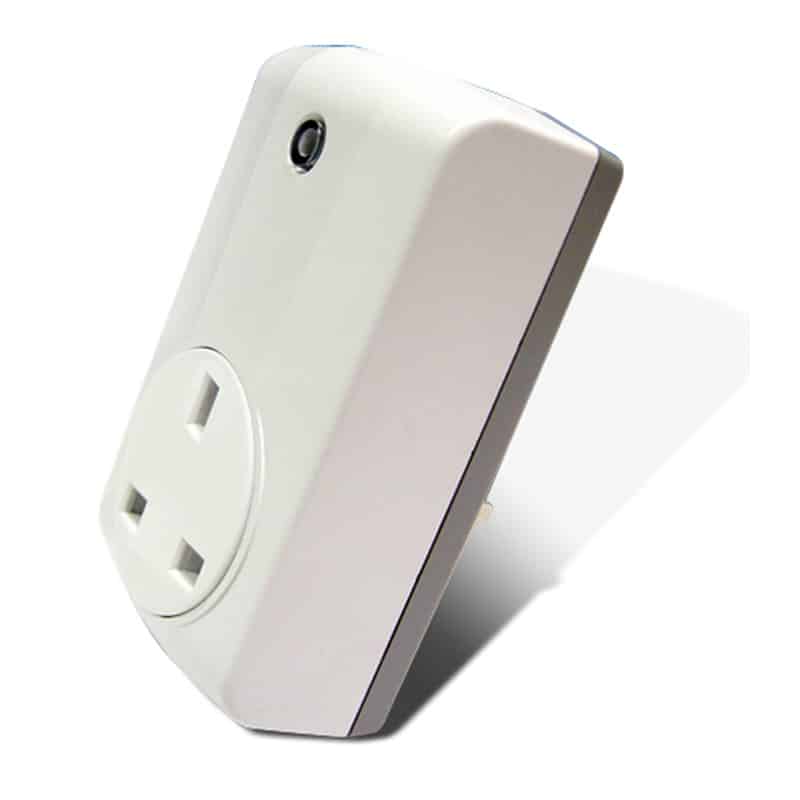
Product Recognition | |
|---|
Certification Number | ZC13-21080001 |
|---|
Name | On/Off Plug |
|---|
Short Description | This AN301 plug-in ON/OFF Module is a transceiver which is a Z-WaveTM enabled device and is fully compatible with any Z-WaveTM enabled network. |
|---|
Long Description | This AN301 plug-in ON/OFF Module is a transceiver which is a Z-WaveTM enabled device and is fully compatible with any Z-WaveTM enabled network. Z-WaveTM enabled devices displaying the Z-WaveTM logo can also be used with it regardless of the manufacturer, |
|---|
Brand | Everspring |
|---|
Product Identifier | AN301-3 |
|---|
Product Line | Z-Wave 500 series |
|---|
OEM Version | HW: 01 FW: 01.01:00.01 |
|---|
Hardware Platform | SD3502A-CNE3 |
|---|
Z-Wave Version | 6.82.01 |
|---|
Library Type | END_NODE_ENHANCED_232 |
|---|
Device Type | On/Off Power Switch |
|---|
Role Type | ROLE_TYPE_SLAVE_ALWAYS_ON |
|---|
Manufacturer ID | 0x0060 |
|---|
Product Type ID | 0x0004 |
|---|
Product ID | 0x000F |
|---|
User Icon | 0x0701 |
|---|
Installer Icon | 0x0700 |
|---|
Frequency Plans | EU: 869.85MHz, 868.40MHz |
|---|
Categories | All Lighting Devices, On/Off Switches/Devices |
|---|
Countries / Regions | European Union |
|---|
Supported Command Classes | Identifier | Name | Key | Version |
|---|
COMMAND_CLASS_ASSOCIATION_V2 | Association V2 | 0x85 | 2 | COMMAND_CLASS_ASSOCIATION_GRP_INFO | Association Group Information (AGI) | 0x59 | 1 | COMMAND_CLASS_MANUFACTURER_SPECIFIC_V2 | Manufacturer Specific V2 | 0x72 | 2 | COMMAND_CLASS_POWERLEVEL | Powerlevel | 0x73 | 1 | COMMAND_CLASS_VERSION_V3 | Version V3 | 0x86 | 3 | COMMAND_CLASS_ZWAVEPLUS_INFO_V2 | Z-Wave Plus Info V2 | 0x5E | 2 | COMMAND_CLASS_SECURITY_2 | Security 2 | 0x9F | 1 | COMMAND_CLASS_SUPERVISION | Supervision | 0x6C | 1 | COMMAND_CLASS_TRANSPORT_SERVICE_V2 | Transport Service V2 | 0x55 | 2 | COMMAND_CLASS_DEVICE_RESET_LOCALLY | Device Reset Locally | 0x5A | 1 | COMMAND_CLASS_BASIC | Basic | 0x20 | 1 | COMMAND_CLASS_CONFIGURATION | Configuration | 0x70 | 1 | COMMAND_CLASS_NOTIFICATION_V8 | Notification V8 | 0x71 | 8 | COMMAND_CLASS_FIRMWARE_UPDATE_MD_V4 | Firmware Update Meta Data V4 | 0x7A | 4 | COMMAND_CLASS_SWITCH_BINARY | Binary Switch | 0x25 | 1 | COMMAND_CLASS_MULTI_CHANNEL_ASSOCIATION_V3 | Multi Channel Association V3 | 0x8E | 3 |
|
|---|
Controlled Command Classes | Identifier | Name | Key | Version |
|---|
COMMAND_CLASS_BASIC | Basic | 0x20 | 1 |
|
|---|
S2 Classes | S2_AUTHENTICATED, S2_UNAUTHENTICATED |
|---|
Documents | Category | File |
|---|
Manual_English | |
|
|---|
Features | Feature | Values |
|---|
Firmware Updatable | Value |
|---|
Updatable by Consumer by RF |
| Switch Load Capacity Watts | Value |
|---|
Resistive load: Max 2990W |
| Electric Load Type | |
|
|---|
Association Groups | Group Number | Maximum Nodes Supported | End Point ID | Group Name | Profile |
|---|
1 | 5 | 0 | Lifeline | 0x0001 | 2 | 5 | 0 | On/Off control | 0x2001 |
|
|---|
Configuration Parameters | Parameter Number | Name | Description | Format | Size | Min Value | Max Value | Default Value |
|---|
1 | Remember the last status | 1: remember (0: do not remember) | 0 | 1 | 0 | 0 | 0x01 |
|
|---|
Texts | ID | Description | Value |
|---|
8 | Where to find S2 DSK on product | If you are connecting this unit to a Z-WaveTM Controller that utilizes the S2 security protocol, you may be asked to enter a 5 digit Device Specific Key (DSK) that is unique to each unit by your controller. This can be found in one of two places:
- on th | 1 | Classic Inclusion | 1. Put the Z-WaveTM Controller into inclusion mode.
2. Press the link key three times within 1.5 seconds to put the unit into inclusion mode. | 2 | Classic Exclusion | 1. Put the Z-WaveTM Controller into exclusion mode.
2. Press the link key three times within 1.5 seconds to put the unit into exclusion mode. | 5 | Factory Reset Procedure | 1. Press the link key three times within 1.5 seconds to put the unit into exclusion mode.
2. Within 1 second of step 1, press link key again and hold until LED is off (about 5 seconds).
3. Node ID is excluded. The device reverts to factory default stat |
|
|---|
Supported Notification Types | Notification Type | Event / State |
|---|
Power Management | Power status: Power has been applied |
|
|---|
Supports NWI | Yes |
|---|
Supports Explorer Frames | Yes |
|---|
Supports SmartStart | Yes |
|---|
Radio Range Z-Wave (m) | 40 |
|---|