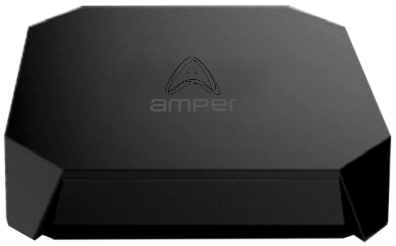
Product Recognition | |
|---|
Certification Number | ZC10-22057086 |
|---|
Name | Smart Home Gateway |
|---|
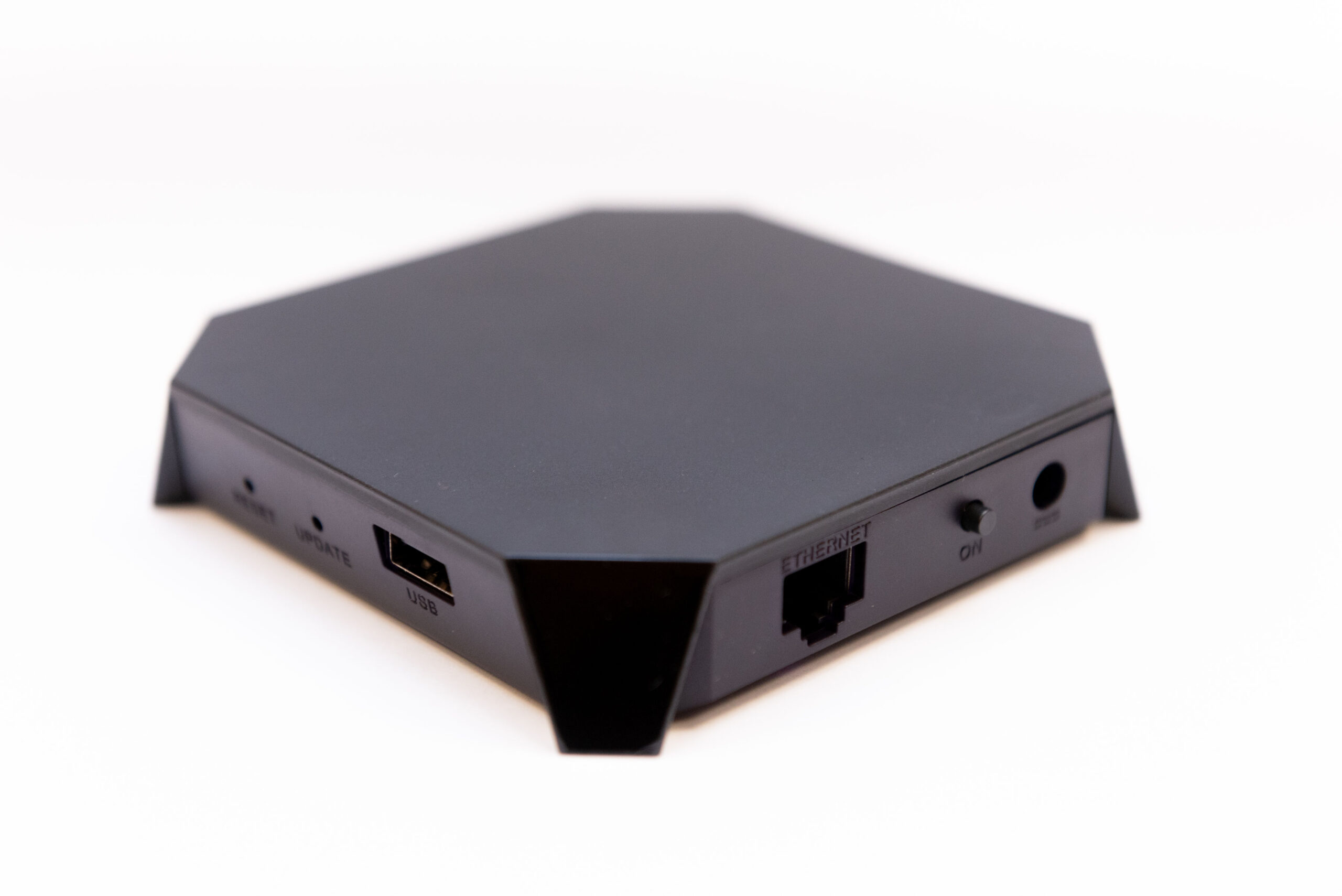
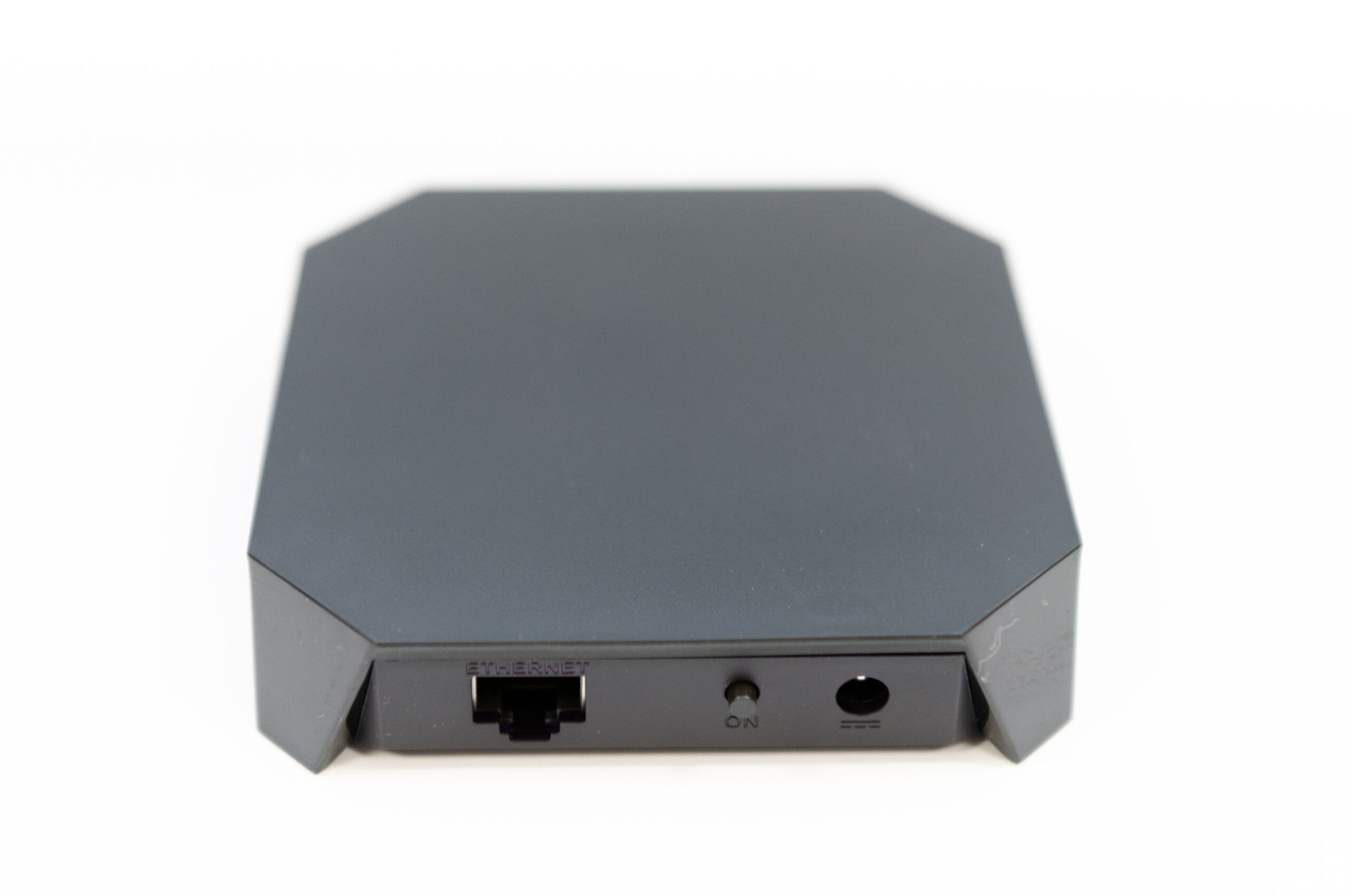
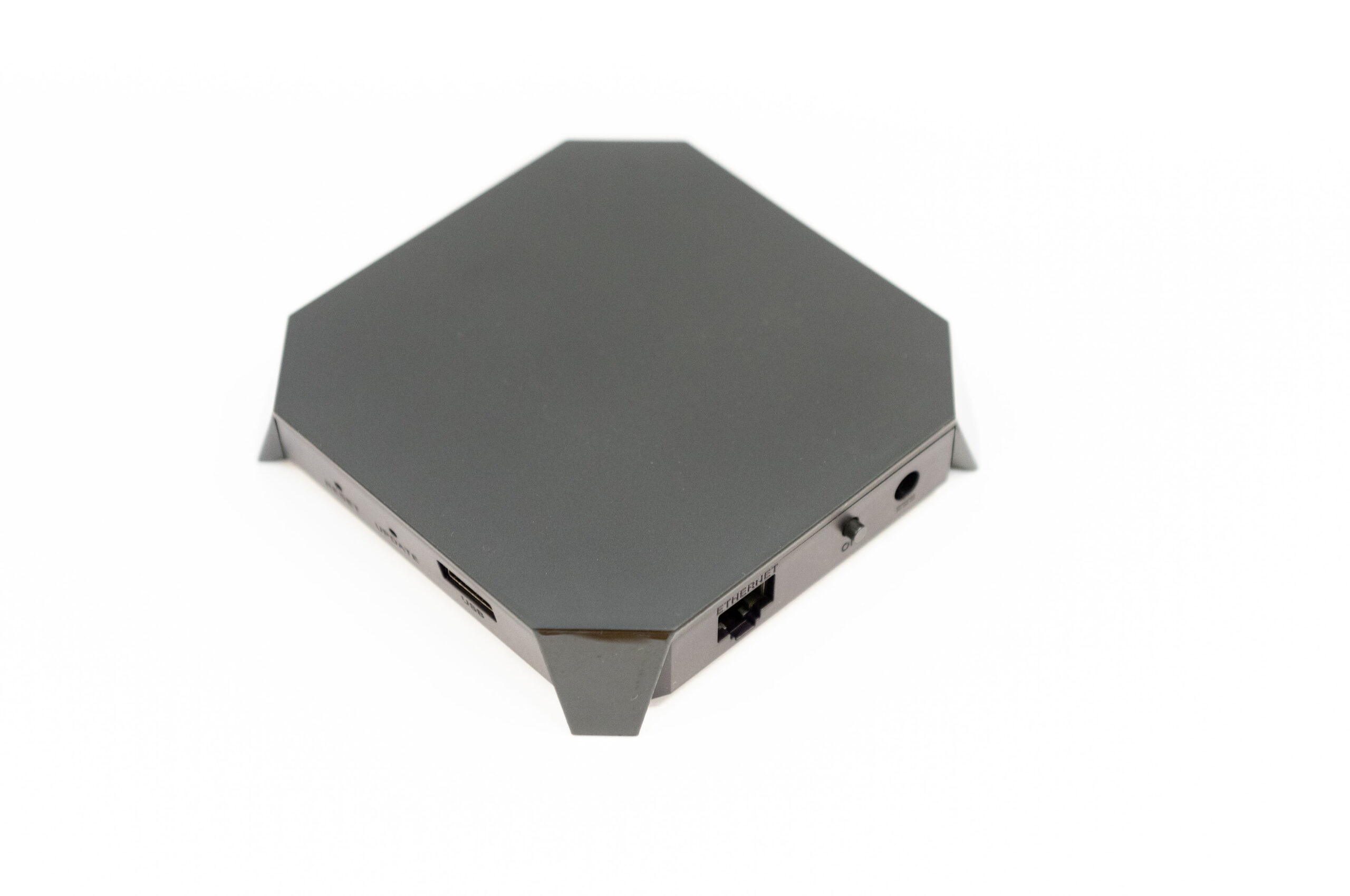
Short Description | Amper Smart Home Gateway AM-GZ80x-US is a platform and an interface, through which devices are compatible with one another and also offers a frontend for the user so that it can perform intelligent home control. Intended for US market. |
|---|
Long Description | AM-GZ80x-US Smart Home Gateway makes every home smart by using advanced technology to hide the complexity of home networking and delivering data, voice and video services to a home or customer premises. Automatically communicates with all connected devices and the cloud so users can control those using tablets, smart phones, computers or TVs from everywhere.
AM-GZ80x-US Smart Home Gateway is the new brain of the smart home. It brings real value to consumers and service providers. It represents a platform to connected services and service support. Consumers use it to manage their homes, and service providers use it to activate new services and capabilities on demand. Moreover, it allows service providers to remotely diagnose and troubleshoot issues, meaning faster, better support and less hassle for all.
It is compatible with different communication standards such as Z-Wave Plus™, RF 433MHz, WiFi, IP, Ethernet.
RF433, WiFi and Z-Wave Plus protocol are used to communicate with different sensors and WiFi or Ethernet to connect to a broadband internet router. Once configured, the gateway works independently, but it also has cloud support for advanced monitoring, messaging, and scheduling services.
The intuitive graphical user interface allows customers to program their own house rules without any previous programming experience. |
|---|
Brand | AMPER |
|---|
Product Identifier | AM-GZ80x-US |
|---|
Product Line | SMART HOME |
|---|
OEM Version | HW: 1 FW: 6.09:07.13:02.03 |
|---|
Hardware Platform | ZM5202 |
|---|
Z-Wave Version | 6.82.01 |
|---|
Library Type | CONTROLLER_BRIDGE |
|---|
Device Type | Gateway |
|---|
Role Type | ROLE_TYPE_CONTROLLER_CENTRAL_STATIC |
|---|
Manufacturer ID | 0x0448 |
|---|
Product Type ID | 0x0010 |
|---|
Product ID | 0x19F2 |
|---|
User Icon | 0x0500 |
|---|
Installer Icon | 0x0500 |
|---|
Frequency Plans | US: 916.00MHz, 908.40MHz |
|---|
Categories | All Controllers, Gateway Controller |
|---|
Countries / Regions | United States of America, Colombia, Argentina, Bahamas, Barbados, Bermuda, Bolivia, British Virgin Islands, Canada, Mexico, Cayman Islands, Ecuador, Guatemala, Haiti, Honduras, Jamaica, Nicaragua, Panama, Saint Kitts and Nevis, Suriname, Trinidad and Tobago, Turks and Caicos Islands |
|---|
Supported Command Classes | Identifier | Name | Key | Version |
|---|
COMMAND_CLASS_NODE_PROVISIONING | Node Provisioning | 0x78 | 1 | COMMAND_CLASS_NETWORK_MANAGEMENT_INSTALLATION_MAINTENANCE_V2 | Network Management Installation and Maintenance V2 | 0x67 | 2 | COMMAND_CLASS_POWERLEVEL | Powerlevel | 0x73 | 1 | COMMAND_CLASS_INCLUSION_CONTROLLER | Inclusion Controller | 0x74 | 1 | COMMAND_CLASS_ASSOCIATION_GRP_INFO_V3 | Association Group Information (AGI) V3 | 0x59 | 3 | COMMAND_CLASS_INDICATOR_V3 | Indicator V3 | 0x87 | 3 | COMMAND_CLASS_APPLICATION_STATUS | Application Status | 0x22 | 1 | COMMAND_CLASS_TIME | Time | 0x8A | 1 | COMMAND_CLASS_FIRMWARE_UPDATE_MD_V5 | Firmware Update Meta Data V5 | 0x7A | 5 | COMMAND_CLASS_MULTI_CHANNEL_ASSOCIATION_V3 | Multi Channel Association V3 | 0x8E | 3 | COMMAND_CLASS_SECURITY_2 | Security 2 | 0x9F | 1 | COMMAND_CLASS_CRC_16_ENCAP | CRC-16 Encapsulation | 0x56 | 1 | COMMAND_CLASS_MULTI_CMD | Multi Command | 0x8F | 1 | COMMAND_CLASS_SECURITY | Security 0 | 0x98 | 1 | COMMAND_CLASS_TRANSPORT_SERVICE_V2 | Transport Service V2 | 0x55 | 2 | COMMAND_CLASS_DEVICE_RESET_LOCALLY | Device Reset Locally | 0x5A | 1 | COMMAND_CLASS_ZWAVEPLUS_INFO_V2 | Z-Wave Plus Info V2 | 0x5E | 2 | COMMAND_CLASS_ASSOCIATION_V2 | Association V2 | 0x85 | 2 | COMMAND_CLASS_NETWORK_MANAGEMENT_INCLUSION_VERSION_3 | Network Management Inclusion V3 | 0x34 | 0 | COMMAND_CLASS_NETWORK_MANAGEMENT_PROXY_V2 | Network Management Proxy V2 | 0x52 | 2 | COMMAND_CLASS_NETWORK_MANAGEMENT_BASIC_V2 | Network Management Basic Node V2 | 0x4D | 2 | COMMAND_CLASS_VERSION_V3 | Version V3 | 0x86 | 3 | COMMAND_CLASS_SUPERVISION | Supervision | 0x6C | 1 | COMMAND_CLASS_MANUFACTURER_SPECIFIC_V2 | Manufacturer Specific V2 | 0x72 | 2 |
|
|---|
Controlled Command Classes | Identifier | Name | Key | Version |
|---|
COMMAND_CLASS_SWITCH_MULTILEVEL | Switch Multilevel | 0x26 | 1 | COMMAND_CLASS_NODE_PROVISIONING | Node Provisioning | 0x78 | 1 | COMMAND_CLASS_SENSOR_ALARM | Sensor Alarm | 0x9C | 1 | COMMAND_CLASS_DOOR_LOCK | Door Lock | 0x62 | 1 | COMMAND_CLASS_NO_OPERATION | No Operation | 0x00 | 1 | COMMAND_CLASS_POWERLEVEL | Powerlevel | 0x73 | 1 | COMMAND_CLASS_THERMOSTAT_OPERATING_STATE_V2 | Thermostat Operating State V2 | 0x42 | 2 | COMMAND_CLASS_USER_CODE | User Code | 0x63 | 1 | COMMAND_CLASS_ASSOCIATION_GRP_INFO_V3 | Association Group Information (AGI) V3 | 0x59 | 3 | COMMAND_CLASS_PROTECTION_V2 | Protection V2 | 0x75 | 2 | COMMAND_CLASS_ZIP_V4 | Z/IP V4 | | 0 | COMMAND_CLASS_CLOCK | Clock | 0x81 | 1 | COMMAND_CLASS_BATTERY | Battery | 0x80 | 1 | COMMAND_CLASS_BASIC | Basic | 0x20 | 1 | COMMAND_CLASS_CONFIGURATION | Configuration | 0x70 | 1 | COMMAND_CLASS_LOCK | Lock | 0x76 | 1 | COMMAND_CLASS_MULTI_CHANNEL_ASSOCIATION_V3 | Multi Channel Association V3 | 0x8E | 3 | COMMAND_CLASS_SECURITY_2 | Security 2 | 0x9F | 1 | COMMAND_CLASS_CRC_16_ENCAP | CRC-16 Encapsulation | 0x56 | 1 | COMMAND_CLASS_SECURITY | Security 0 | 0x98 | 1 | COMMAND_CLASS_MULTI_CHANNEL_V4 | Multi Channel V4 | 0x60 | 4 | COMMAND_CLASS_SWITCH_COLOR_V3 | Color Switch V3 | 0x33 | 3 | COMMAND_CLASS_THERMOSTAT_FAN_MODE_V2 | Thermostat Fan Mode V2 | 0x44 | 2 | COMMAND_CLASS_THERMOSTAT_FAN_STATE_V2 | Thermostat Fan State V2 | 0x45 | 2 | COMMAND_CLASS_THERMOSTAT_MODE_V2 | Thermostat Mode V2 | 0x40 | 2 | COMMAND_CLASS_THERMOSTAT_SETPOINT_V2 | Thermostat Setpoint V2 | 0x43 | 2 | COMMAND_CLASS_TRANSPORT_SERVICE_V2 | Transport Service V2 | 0x55 | 2 | COMMAND_CLASS_WAKE_UP_V2 | Wake Up V2 | 0x84 | 2 | COMMAND_CLASS_ZIP_ND | Z/IP-ND | 0x58 | 1 | COMMAND_CLASS_ZWAVEPLUS_INFO_V2 | Z-Wave Plus Info V2 | 0x5E | 2 | COMMAND_CLASS_ASSOCIATION_V2 | Association V2 | 0x85 | 2 | COMMAND_CLASS_SWITCH_BINARY | Binary Switch | 0x25 | 1 | COMMAND_CLASS_SENSOR_BINARY_V2 | Binary Sensor V2 | 0x30 | 2 | COMMAND_CLASS_METER_V3 | Meter V3 | 0x32 | 3 | COMMAND_CLASS_SENSOR_MULTILEVEL_V10 | Sensor Multilevel V10 | 0x31 | 10 | COMMAND_CLASS_NETWORK_MANAGEMENT_INCLUSION_VERSION_3 | Network Management Inclusion V3 | 0x34 | 0 | COMMAND_CLASS_NETWORK_MANAGEMENT_PROXY_V2 | Network Management Proxy V2 | 0x52 | 2 | COMMAND_CLASS_NOTIFICATION_V8 | Notification V8 | 0x71 | 8 | COMMAND_CLASS_NETWORK_MANAGEMENT_BASIC_V2 | Network Management Basic Node V2 | 0x4D | 2 | COMMAND_CLASS_VERSION_V3 | Version V3 | 0x86 | 3 | COMMAND_CLASS_CENTRAL_SCENE_V3 | Central Scene V3 | 0x5B | 3 | COMMAND_CLASS_ZIP_GATEWAY | Z/IP Gateway | 0x5F | 1 | COMMAND_CLASS_SUPERVISION | Supervision | 0x6C | 1 | COMMAND_CLASS_MANUFACTURER_SPECIFIC_V2 | Manufacturer Specific V2 | 0x72 | 2 |
|
|---|
S2 Classes | S2_UNAUTHENTICATED, S2_AUTHENTICATED, S2_ACCESS_CONTROL |
|---|
Documents | Category | File | Description |
|---|
Image_Product_Supplemental_3 | | | Adv_Manual | | Advanced Information Product Manual | Manual_Primary_Lang | | Product Manual | Installer_Guide | | Installation Guide |
|
|---|
Features | Feature | Values |
|---|
Color | | Controller Supports Multiple Z-Wave Interfaces | | Electric Load Type | Value |
|---|
Dimmable ELV (Magnetic) |
| Communications Connections | Value |
|---|
Ethernet (Wired) | Ethernet (Wireless/WiFi) |
| Communications Protocol | | Controller Supports Multiple Networks | | Firmware Updatable | Value |
|---|
Updatable by Manufacturer |
| Gateway Has Preferred Partners | | Z-Wave Scene Type | Value |
|---|
Scene & Central Scene |
|
|
|---|
Association Groups | Group Number | Maximum Nodes Supported | End Point ID | Group Name | Profile | Description |
|---|
1 | 5 | 0 | Lifeline | 0x0001 | Lifeline, group association number 1 for basic list |
|
|---|
Texts | ID | Description | Value |
|---|
2 | Classic Exclusion | In order to remove a Z-Wave device from your network navigate to “Administration”->”Installations” menu option. By clicking on the Z-Wave icon, the System will guide you through the process, please follow the instructions online.
To start removing devices, click the “-” icon. After that just set your Z-Wave device in exclusion mode (see device’s user manual, sometimes it’s also called learn mode).
When the process completes the timer will disappear and a message will confirm successful removal (only if the device previously belonged to your Z-Wave network). | 5 | Factory Reset Procedure | This Factory resets the gateway. This will perform a factory reset and remove every Z-Wave device from your Gateway and reset Zwave module.
If everything goes right a pop up will show up after a few seconds and the gateway will reboot so it might take a few extra seconds to be ready again (Z-Wave network will have been reset and all devices removed from the gateway). Otherwise a pop up with an error description will appear. | 8 | Where to find S2 DSK on product | DSK label is placed in the bottom of the devide and in the giftbox.
In the UI of encontrol app can also be read the DSK number | 1 | Classic Inclusion | In order to include a Z-Wave device from your network navigate to “Administration”->”Installations”.
Click in the “Add Device” Icon, screen shown different protocols will appear.
By clicking on the Z-Wave icon you can start adding devices
The System will guide you through the process, please follow the instructions online.
To start adding devices, click the “+” icon. |
|
|---|
Supported / Controlled Meter Types | Meter Type | Rate Type | Description |
|---|
Electric meter | Import | Electric Meter Consumption | Electric meter | Export | Electric Meter Production | Gas meter | Import | Gas Meter Consumption | Gas meter | Export | Gas Meter Production | Water meter | Import | Water Meter Consumption | Water meter | Export | Water Meter Production | Heating meter | Import | Heating Meter Consumption | Heating meter | Export | Heating Meter Production | Cooling meter | Import | Cooling Meter Consumption | Cooling meter | Export | Cooling Meter Production |
|
|---|
Supports NWI | Yes |
|---|
Supports Explorer Frames | Yes |
|---|
Supports SmartStart | Yes |
|---|
Radio Range Z-Wave (m) | 40 |
|---|