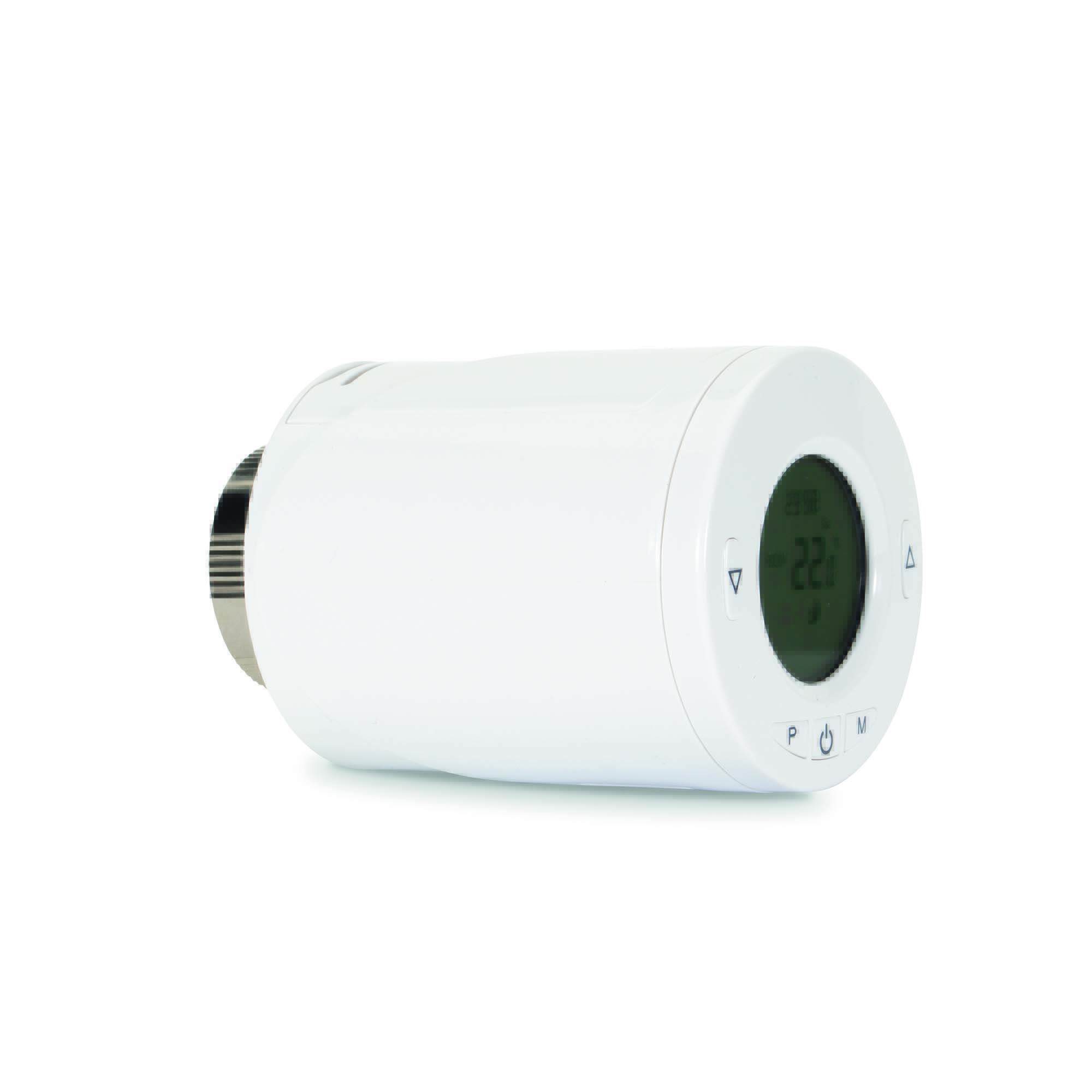
Product Recognition | |
|---|
Certification Number | ZC10-22067099 |
|---|
Name | Thermostatic Radiator Valve |
|---|
Short Description | Thermostatic Radiator Valves (TRVs) sense the air temperature around them and regulate the flow of water through the radiator which they are fitted to. |
|---|
Long Description | Thermostatic Radiator Valves (TRVs) sense the air temperature around them and regulate the flow of water through the radiator which they are fitted to.
They can be set at a level that gives you the room temperature you want. These settings may have to be different in each room, and you can set the TRVs to suit each room and then leave them to do their job.
The device can be set temperature by manual or by gateway. |
|---|
Brand | Nexa |
|---|
Product Identifier | ZRT-106 |
|---|
Product Line | Z-Wave Plus 500 series |
|---|
OEM Version | HW: 1 FW: 1.01:00.00 |
|---|
Hardware Platform | SD3502 |
|---|
Z-Wave Version | 6.81.03 |
|---|
Library Type | SLAVE_ENHANCED_232 |
|---|
Device Type | Thermostat - HVAC |
|---|
Role Type | ROLE_TYPE_SLAVE_SLEEPING_LISTENING |
|---|
Manufacturer ID | 0x0060 |
|---|
Product Type ID | 0x0015 |
|---|
Product ID | 0x0001 |
|---|
User Icon | 0x1200 |
|---|
Installer Icon | 0x1200 |
|---|
Frequency Plans | EU: 869.85MHz, 868.40MHz |
|---|
Categories | Sensors, Thermostats |
|---|
Countries / Regions | European Union |
|---|
Supported Command Classes | Identifier | Name | Key | Version |
|---|
COMMAND_CLASS_POWERLEVEL | Powerlevel | 0x73 | 1 | COMMAND_CLASS_CLOCK | Clock | 0x81 | 1 | COMMAND_CLASS_BATTERY | Battery | 0x80 | 1 | COMMAND_CLASS_BASIC | Basic | 0x20 | 1 | COMMAND_CLASS_CONFIGURATION | Configuration | 0x70 | 1 | COMMAND_CLASS_SECURITY_2 | Security 2 | 0x9F | 1 | COMMAND_CLASS_SECURITY | Security 0 | 0x98 | 1 | COMMAND_CLASS_THERMOSTAT_MODE_V3 | Thermostat Mode V3 | 0x40 | 3 | COMMAND_CLASS_THERMOSTAT_SETPOINT_V3 | Thermostat Setpoint V3 | 0x43 | 3 | COMMAND_CLASS_TRANSPORT_SERVICE_V2 | Transport Service V2 | 0x55 | 2 | COMMAND_CLASS_DEVICE_RESET_LOCALLY | Device Reset Locally | 0x5A | 1 | COMMAND_CLASS_ZWAVEPLUS_INFO_V2 | Z-Wave Plus Info V2 | 0x5E | 2 | COMMAND_CLASS_ASSOCIATION_V2 | Association V2 | 0x85 | 2 | COMMAND_CLASS_FIRMWARE_UPDATE_MD_V4 | Firmware Update Meta Data V4 | 0x7A | 4 | COMMAND_CLASS_ASSOCIATION_GRP_INFO | Association Group Info | 0x59 | 1 | COMMAND_CLASS_NOTIFICATION_V8 | Notification V8 | 0x71 | 8 | COMMAND_CLASS_SENSOR_MULTILEVEL_V5 | Multilevel Sensor V5 | 0x31 | 5 | COMMAND_CLASS_VERSION_V3 | Version V3 | 0x86 | 3 | COMMAND_CLASS_SUPERVISION | Supervision | 0x6C | 1 | COMMAND_CLASS_PROTECTION | Protection | 0x75 | 1 | COMMAND_CLASS_MANUFACTURER_SPECIFIC_V2 | Manufacturer Specific V2 | 0x72 | 2 |
|
|---|
S2 Classes | S2_UNAUTHENTICATED, S2_AUTHENTICATED |
|---|
Documents | Category | Description | File |
|---|
Manual_Primary_Lang | Product Manual | | Manual_English | Product Manual in English | |
|
|---|
Features | Feature | Values |
|---|
Battery Quantity | | Battery Type | | Firmware Updatable | Value |
|---|
Updatable by Consumer by RF |
| Thermostat HVAC Systems Supported | | Thermostat Modes | Value |
|---|
Heat | Energy Save Heat |
| Thermostat Power Source | |
|
|---|
Association Groups | Group Number | Maximum Nodes Supported | End Point ID | Group Name | Description |
|---|
1 | 1 | 0 | Lifeline | -When the unit is powered up first time, the unit will send a Notification Report and Clock report to the node of Group 1.
-When the battery level of the unit drops to an unacceptable level, the unit will emit Battery report to the nodes of Group 1.
-When performing Factory Reset the unit will send Device Reset Locally Notification to the node of Group1.
-The unit will send Sensor Multilevel Report to the node of Group 1 every two hours.
-When changing mod of the unit, it will send Thermostat Mode Report to the node of Group 1.
-When changing target value of temperature, the unit will send Thermostat Setpoint Report to the node of Group 1.
-When changing the state of button lock, the unit will send Protection Report to the node of Group
|
|
|---|
Configuration Parameters | Parameter Number | Name | Description | Format | Size | Min Value | Max Value | Default Value | Parameter Values |
|---|
1 | Parameter 1 | Temperature Auto Report period setting | 1 | 2 | 1 | 255 | 120 | From | To | Description |
|---|
1 | 255 | minutes |
| 2 | Parameter 2 | Temperature offset for internal sensor | 1 | 1 | -80 | 80 | 0 | From | To | Description |
|---|
-80 | 80 | -80~+80 Offsets the measured temperature by -8.0℃~+8.0℃ |
| 6 | Parameter 6 | Open window detect function | 1 | 1 | 0 | 1 | 0 | From | To | Description |
|---|
0 | 1 | 0: Disable 1: Enable |
| 8 | Parameter 8 | Open window detect temperature drop setting | 1 | 1 | 4 | 8 | 4 | From | To | Description |
|---|
4 | 8 | 4=2℃ , 5=2.5℃ 6= 3℃, 7=3.5℃, 8=4℃ |
| 10 | Parameter 10 | Manual Override takeover period | 1 | 1 | 1 | 48 | 8 | From | To | Description |
|---|
1 | 48 | 1~48, means 30mins to 24hrs (8=4hrs) |
|
|
|---|
Texts | ID | Description | Value |
|---|
8 | Where to find S2 DSK on product | Page 4
Note: If you are connecting this unit to a Z-Wave Controller that utilizes the S2 security protocol, you may be asked by your controller to enter a 5 digit Device Specific Key (DSK) that is unique to each unit. This can be found in one of two places:
- on the QR code label on the back of the unit | 1 | Classic Inclusion | 1. Put the Z-Wave Controller into inclusion mode.
2. Press the P button 3 times within 1.5 seconds to put the unit into inclusion mode. | 2 | Classic Exclusion | 1. Put the Z-Wave Controller into exclusion mode.
2. Press the P button 3 times within 1.5 seconds to put the unit into exclusion mode. | 4 | Wake-Up Procedure | NA | 5 | Factory Reset Procedure | 1. Press the P button 3 times within 1.5 seconds to put the unit into exclusion mode.
2. Within 1 second of step 1, press the button P again and hold for 5 seconds.
3. Node ID is excluded. The device reverts to factory default state. |
|
|---|
Supported Notification Types | Notification Type | Event / State |
|---|
Power Management | Power status: Power has been applied |
|
|---|
Supported Multilevel Sensors | Multilevel Sensor Type |
|---|
Air temperature |
|
|---|
Supports NWI | Yes |
|---|
Supports Explorer Frames | Yes |
|---|
Is Flirs | Yes |
|---|
Supports SmartStart | Yes |
|---|
Radio Range Z-Wave (m) | 40 |
|---|