Product Recognition | |
|---|
Certification Number | ZC14-22100148 |
|---|
Name | ZPAD V3.4 |
|---|
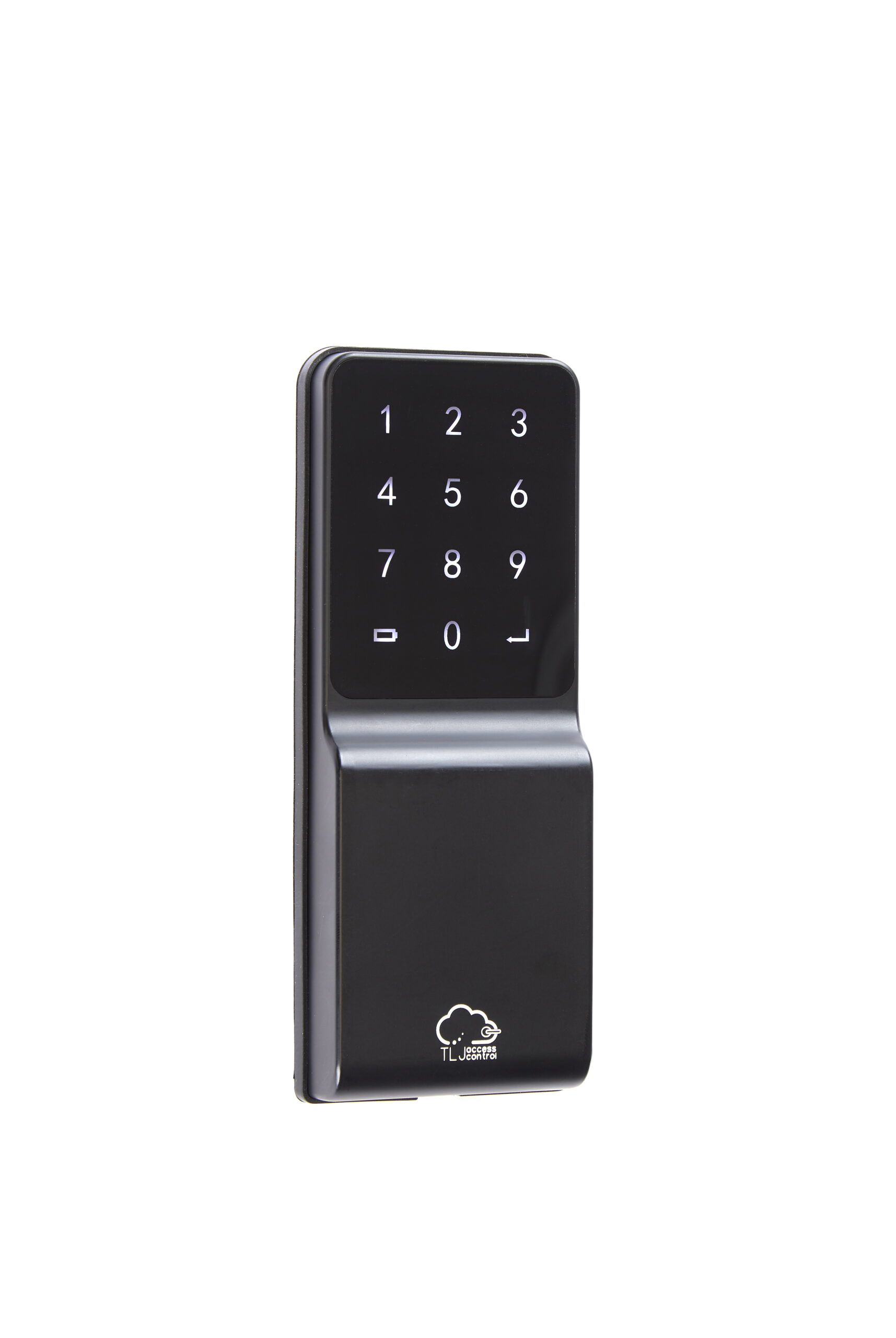
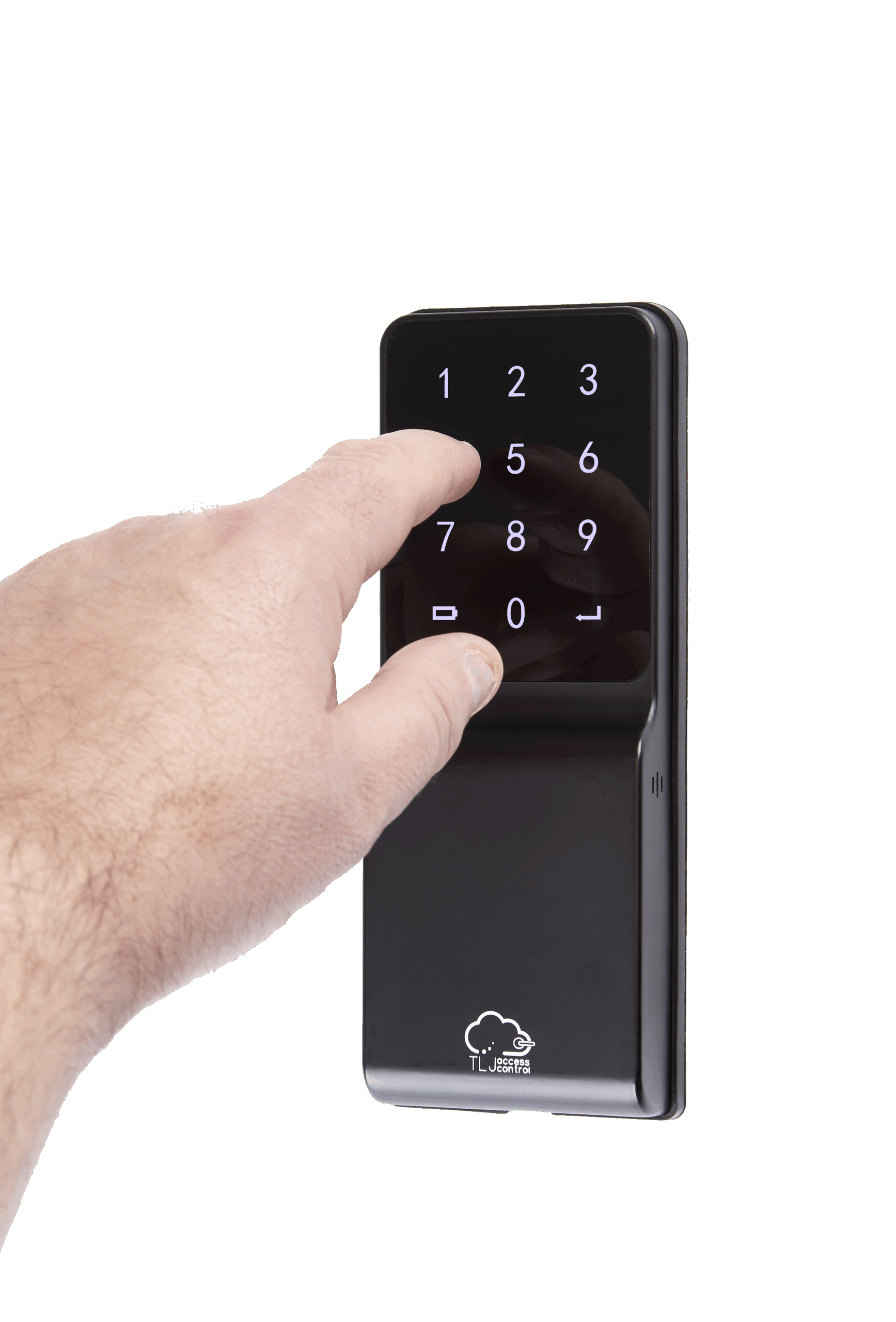
Short Description | Digital Keypad, which wirelessly pairs to a compatible TLJ battery powered lock set. Totally wire-free & battery powered , with embedded Z-Wave™ capabilities for remote control and compatible with RFID tags too. |
|---|
Long Description | Digital Keypad, which wirelessly pairs to a compatible TLJ battery powered lock set. Totally wire-free & battery powered , with embedded Z-Wave™ capabilities for remote control.
The Zpad has 2 embedded modes of operation; DIY mode or Z-Wave™ mode. Essentially, DIY mode allows the Zpad to be managed and configured using the onboard menu, utilizing the keypad digits as navigation. It is a very comprehensive menu, aimed to offer the same level of configuration as the Z-Wave™ operational mode. For example, the Zpad administrator can choose from 3 different volume options, 2 different user types, 2 different styles of one touch locking & 3 different types of factory reset.
In addition to the DIY mode, the Zpad can be operated by a gateway and thus allowing for remote control. The Zpad has an integrators guide which is very comprehensive, and offers lots of configurations and notifications for those integrators needing a deep level of control but with a personal feel. |
|---|
Brand | TLJ Access Control |
|---|
Product Identifier | TLJ ZPAD |
|---|
Product Line | Digital Keypads |
|---|
OEM Version | HW: 01 FW: 01.28:03.30 |
|---|
Hardware Platform | ZGM130S037HGN2 / ZGM130S037HGN1 |
|---|
Z-Wave Version | 7.16.3 |
|---|
Library Type | END_NODE_ENHANCED_232 |
|---|
Device Type | Lock DT |
|---|
Role Type | ROLE_TYPE_SLAVE_SLEEPING_LISTENING |
|---|
Manufacturer ID | 0x0449 |
|---|
Product Type ID | 0x0004 |
|---|
Product ID | 0x0001 |
|---|
User Icon | 0x0300 |
|---|
Installer Icon | 0x0300 |
|---|
Frequency Plans | EU: 869.85MHz, 868.40MHz |
|---|
Categories | Locks, Security Add-Ons, Security Systems |
|---|
Countries / Regions | Algeria, Armenia, Bahrain, European Union, Cyprus, Moldova, Egypt, French Guiana, Georgia, Iraq, Jordan, Kazakhstan, Kuwait, Lebanon, Libya, Maldives, Mauritius, Nigeria, Oman, Philippines, Qatar, Saudi Arabia, South Africa, Turkmenistan, United Arab Emirates, ZU, Yemen |
|---|
Supported Command Classes | Identifier | Name | Key | Version |
|---|
COMMAND_CLASS_ASSOCIATION_V2 | Association V2 | 0x85 | 2 | COMMAND_CLASS_ASSOCIATION_GRP_INFO_V3 | Association Group Information (AGI) V3 | 0x59 | 3 | COMMAND_CLASS_DEVICE_RESET_LOCALLY | Device Reset Locally | 0x5A | 1 | COMMAND_CLASS_FIRMWARE_UPDATE_MD_V5 | Firmware Update Meta Data V5 | 0x7A | 5 | COMMAND_CLASS_INDICATOR_V3 | Indicator V3 | 0x87 | 3 | COMMAND_CLASS_MANUFACTURER_SPECIFIC_V2 | Manufacturer Specific V2 | 0x72 | 2 | COMMAND_CLASS_MULTI_CHANNEL_ASSOCIATION_V3 | Multi Channel Association V3 | 0x8E | 3 | COMMAND_CLASS_VERSION_V3 | Version V3 | 0x86 | 3 | COMMAND_CLASS_ZWAVEPLUS_INFO_V2 | Z-Wave Plus Info V2 | 0x5E | 2 | COMMAND_CLASS_SECURITY_2 | Security 2 | 0x9F | 1 | COMMAND_CLASS_SUPERVISION | Supervision | 0x6C | 1 | COMMAND_CLASS_TRANSPORT_SERVICE_V2 | Transport Service V2 | 0x55 | 2 | COMMAND_CLASS_POWERLEVEL | Powerlevel | 0x73 | 1 | COMMAND_CLASS_DOOR_LOCK_V4 | Door Lock V4 | 0x62 | 4 | COMMAND_CLASS_BASIC_V2 | Basic V2 | 0x20 | 2 | COMMAND_CLASS_SECURITY | Security 0 | 0x98 | 1 | COMMAND_CLASS_BATTERY | Battery | 0x80 | 1 | COMMAND_CLASS_USER_CODE | User Code | 0x63 | 1 | COMMAND_CLASS_NOTIFICATION_V8 | Notification V8 | 0x71 | 8 | COMMAND_CLASS_SCHEDULE | Schedule | 0x53 | 1 | COMMAND_CLASS_SCHEDULE_ENTRY_LOCK_V3 | Schedule Entry Lock V3 | 0x4E | 3 | COMMAND_CLASS_TIME_V2 | Time V2 | 0x8A | 2 | COMMAND_CLASS_TIME_PARAMETERS | Time Parameters | 0x8B | 1 | COMMAND_CLASS_CONFIGURATION_V4 | Configuration V4 | 0x70 | 4 | COMMAND_CLASS_DOOR_LOCK_LOGGING | Door Lock Logging | 0x4C | 1 |
|
|---|
S2 Classes | S2_ACCESS_CONTROL |
|---|
Documents | Category | File |
|---|
Adv_Manual | | Manual_English | |
|
|---|
Features | Feature | Values |
|---|
Battery Quantity | | Battery Type | | Color | | Communications Connections | | Communications Protocol | Value |
|---|
Manufacturer Proprietary Protocol |
| Door Lock Type | | Firmware Updatable | Value |
|---|
Updatable by Professional/Technician |
| IP (Ingress Protection) Rated | | Outdoor Use | |
|
|---|
Association Groups | Group Number | Maximum Nodes Supported | End Point ID | Group Name | Profile |
|---|
1 | 5 | 0 | Lifeline | 0x0001 |
|
|---|
Configuration Parameters | Parameter Number | Name | Description | Format | Size | Min Value | Max Value | Default Value |
|---|
1 | SilentOnOff | ControlSound | 1 | 1 | 0 | 0 | 0x00 | 2 | RelockOnOff | AutoRelock | 2 | 1 | 0 | 0 | 0xff | 3 | RelockTimer | RelockTimer | 1 | 1 | 0 | 0 | 0x03 | 4 | WrongCode | EntryLimit | 1 | 1 | 0 | 0 | 0x05 | 6 | PressRandom | WakeupZpad | 2 | 1 | 0 | 0 | 0xff | 7 | LockOutTime | LockOutTime | 1 | 1 | 0 | 0 | 0x1e | 8 | OpreatingMode | OpreatingMode | 1 | 1 | 0 | 0 | 0x01 | 9 | DoorLockPair9 | DoorLockPair9 | 1 | 4 | 0 | 0 | 0x00FFFFFF | 10 | DoorLockPair10 | DoorLockPair10 | 1 | 4 | 0 | 0 | 0x00FFFFFF | 11 | OneTouchLock | OneTouchLock | 2 | 1 | 0 | 0 | 0x00 | 17 | DeadblotFunc | DeadblotFunc | 2 | 1 | 0 | 0 | 0x00 | 24 | BLEInterface | Support | 2 | 1 | 0 | 0 | 0x00 | 25 | BleKeyUid25 | BleKeyUid25 | 1 | 4 | 0 | 0 | 0x00ffffff | 48 | LowBatPercent | LowBatAlarm | 1 | 1 | 0 | 0 | 0x0a |
|
|---|
Texts | ID | Description | Value |
|---|
8 | Where to find S2 DSK on product | DSK usually print on the main body | 1 | Classic Inclusion | Operating Mode 1 (Z-Wave)
Enter Menu Mode (press and hold Enter key for 3 secs & enter the Master PIN). Then choose option 2 by pressing digit 2. The Zpad is now in inclusion/exclusion mode, please follow gateway guidance to include/exclude Zpad into network. Please note the Zpad will time out after 60 seconds if no gateway inclusion/exclusion requests are received. When a request is recieved the Zpad will sound an audible beep, and all LED's will being to flash, once complete the Zpad will exit inclusion/exclusion mode, returning to Menu mode. Press Return (bottom left key) to exit Meu mode.
Operating Mode 2 (DIY)
Enter Menu Mode (press and hold Enter key for 3 secs & enter the Master PIN). Then choose option 4 by pressing digit 4. The Zpad is now in inclusion/exclusion mode, please follow gateway guidance to include/exclude Zpad into network. Please note the Zpad will time out after 60 seconds if no gateway inclusion/exclusion requests are received. When a request is received the Zpad will sound an audible beep, and all LED's will being to flash, once complete the Zpad will exit inclusion/exclusion mode, returning to Menu mode. Press Return (bottom left key) to exit Meu mode. | 2 | Classic Exclusion | Operating Mode 1 (Z-Wave)
Enter Menu Mode (press and hold Enter key for 3 secs & enter the Master PIN). Then choose option 2 by pressing digit 2. The Zpad is now in inclusion/exclusion mode, please follow gateway guidance to include/exclude Zpad into network. Please note the Zpad will time out after 60 seconds if no gateway inclusion/exclusion requests are received. When a request is recieved the Zpad will sound an audible beep, and all LED's will being to flash, once complete the Zpad will exit inclusion/exclusion mode, returning to Menu mode. Press Return (bottom left key) to exit Meu mode.
Operating Mode 2 (DIY)
Enter Menu Mode (press and hold Enter key for 3 secs & enter the Master PIN). Then choose option 4 by pressing digit 4. The Zpad is now in inclusion/exclusion mode, please follow gateway guidance to include/exclude Zpad into network. Please note the Zpad will time out after 60 seconds if no gateway inclusion/exclusion requests are received. When a request is received the Zpad will sound an audible beep, and all LED's will being to flash, once complete the Zpad will exit inclusion/exclusion mode, returning to Menu mode. Press Return (bottom left key) to exit Meu mode. | 4 | Wake-Up Procedure | Simply by touching the front main panel touch screen keypad, anywhere will wake-up the Zpad. | 5 | Factory Reset Procedure | Remove the Zpad from the wall, and locate the "SET" button on the backside. Press & Hold this button for the required duration to perform the factory reset A, B or C. Please note regarding reset type C - Please use this procedure only when the network primary controller is missing or otherwise inoperable. | 6 | Other Special Features | Pairing to TLJ door lock, wirelessly using BLE - see pages 6 & 7 of the user guide. This requires the 'Owner Card' which can be created using any RFID card and having access to the secure side of the door lock or metal over-ride key. |
|
|---|
Supported Notification Types | Notification Type | Event / State |
|---|
Access Control | Manual lock operation | Access Control | Manual unlock operation | Access Control | RF lock operation | Access Control | RF unlock operation | Access Control | Keypad lock operation | Access Control | Keypad unlock operation | Access Control | Auto lock locked operation | Access Control | All user codes deleted | Access Control | Single user code deleted | Access Control | New user code added | Access Control | New user code not added due to duplicate code | Access Control | Keypad state: Keypad temporary disabled | Power Management | Battery maintenance status: Replace battery soon | Power Management | Battery maintenance status: Replace battery now |
|
|---|
Supports NWI | Yes |
|---|
Supports Explorer Frames | Yes |
|---|
Is Flirs | Yes |
|---|
Supports SmartStart | Yes |
|---|
Radio Range Z-Wave (m) | 40 |
|---|