Product Recognition | |
|---|
Certification Number | ZC10-22127119 |
|---|
Name | Venture WISE Heat Controller |
|---|
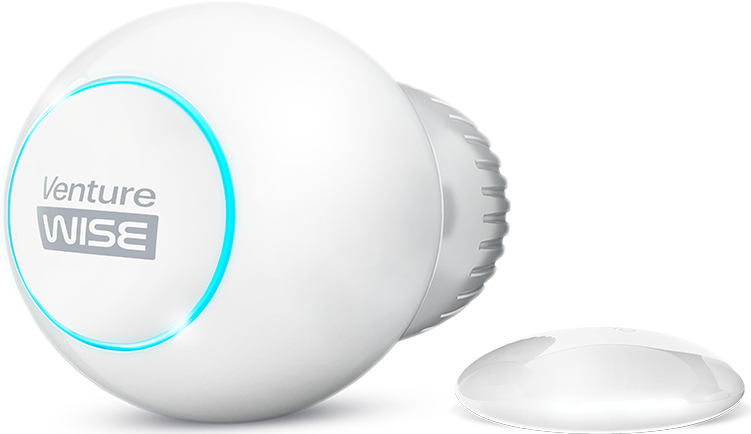
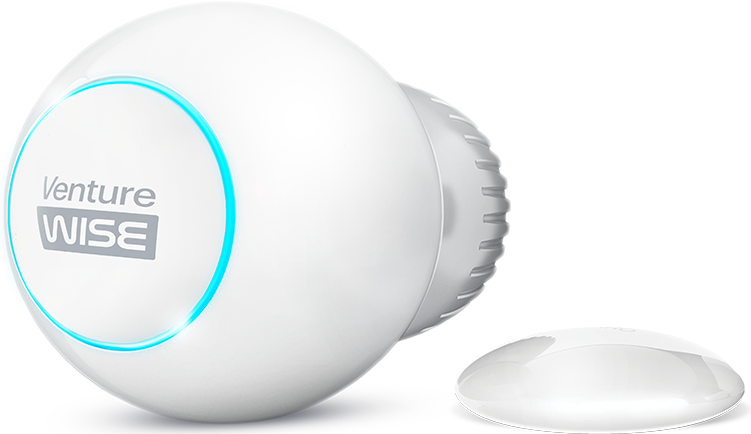
Short Description | Venture WISE Heat Controller is a remotely controlled thermostatic head to control the
temperature in your room. It measures the temperature and
automatically adjusts the heat level. |
|---|
Long Description | Venture WISE Heat Controller is a remotely controlled thermostatic head to control the temperature in your room. It measures the temperature and
automatically adjusts the heat level.
It can be mounted without tools on three types of thermostatic
radiator valves.
You can create schedules via an app to easily manage temperature
throughout the week.
Main features of the Device:
- to be installed on three types of valves: M30 x 1.5, Danfoss RTD-N
and Danfoss RA-N,
- compatible with any certified Z-Wave™ Controller,
- supports Z-Wave™ network Security Modes: S0 with AES-128
encryption and S2 with PRNG-based encryption,
- built-in battery recharged through standard micro-USB port,
- easy installation - no tools required,
- can use a dedicated temperature sensor,
- supports heating schedules,
- automatic calibration,
- anti-freeze function,
- descaling function,
- unconstrained rotation spherical knob to set the desired temperature. |
|---|
Brand | Venture WISE |
|---|
Product Identifier | FGT-001 |
|---|
Product Line | WISE |
|---|
OEM Version | HW: 1 FW: 4.09:02.21 |
|---|
Hardware Platform | ZM5101 |
|---|
Z-Wave Version | 6.71.01 |
|---|
Library Type | SLAVE_ENHANCED_232 |
|---|
Device Type | Thermostat - HVAC |
|---|
Role Type | ROLE_TYPE_SLAVE_SLEEPING_LISTENING |
|---|
Manufacturer ID | 0x010F |
|---|
Product Type ID | 0x1301 |
|---|
Product ID | 0x1001 |
|---|
User Icon | 0x1200 |
|---|
Installer Icon | 0x1200 |
|---|
Frequency Plans | EU: 869.85MHz, 868.40MHz |
|---|
Categories | Thermostats |
|---|
Countries / Regions | European Union |
|---|
Supported Command Classes | Identifier | Name | Key | Version |
|---|
COMMAND_CLASS_POWERLEVEL | Powerlevel | 0x73 | 1 | COMMAND_CLASS_CLOCK | Clock | 0x81 | 1 | COMMAND_CLASS_BATTERY | Battery | 0x80 | 1 | COMMAND_CLASS_APPLICATION_STATUS | Application Status | 0x22 | 1 | COMMAND_CLASS_SCHEDULE | Schedule | 0x53 | 1 | COMMAND_CLASS_BASIC | Basic | 0x20 | 1 | COMMAND_CLASS_CONFIGURATION | Configuration | 0x70 | 1 | COMMAND_CLASS_MULTI_CHANNEL_ASSOCIATION_V3 | Multi Channel Association V3 | 0x8E | 3 | COMMAND_CLASS_SECURITY_2 | Security 2 | 0x9F | 1 | COMMAND_CLASS_CRC_16_ENCAP | CRC-16 Encapsulation | 0x56 | 1 | COMMAND_CLASS_SECURITY | Security 0 | 0x98 | 1 | COMMAND_CLASS_MULTI_CHANNEL_V4 | Multi Channel V4 | 0x60 | 4 | COMMAND_CLASS_THERMOSTAT_MODE_V3 | Thermostat Mode V3 | 0x40 | 3 | COMMAND_CLASS_THERMOSTAT_SETPOINT_V3 | Thermostat Setpoint V3 | 0x43 | 3 | COMMAND_CLASS_TRANSPORT_SERVICE_V2 | Transport Service V2 | 0x55 | 2 | COMMAND_CLASS_VERSION_V2 | Version V2 | 0x86 | 2 | COMMAND_CLASS_DEVICE_RESET_LOCALLY | Device Reset Locally | 0x5A | 1 | COMMAND_CLASS_ZWAVEPLUS_INFO_V2 | Z-Wave Plus Info V2 | 0x5E | 2 | COMMAND_CLASS_ASSOCIATION_V2 | Association V2 | 0x85 | 2 | COMMAND_CLASS_FIRMWARE_UPDATE_MD_V4 | Firmware Update Meta Data V4 | 0x7A | 4 | COMMAND_CLASS_NOTIFICATION_V8 | Notification V8 | 0x71 | 8 | COMMAND_CLASS_SENSOR_MULTILEVEL_V5 | Multilevel Sensor V5 | 0x31 | 5 | COMMAND_CLASS_SUPERVISION | Supervision | 0x6C | 1 | COMMAND_CLASS_PROTECTION | Protection | 0x75 | 1 | COMMAND_CLASS_MANUFACTURER_SPECIFIC_V2 | Manufacturer Specific V2 | 0x72 | 2 | COMMAND_CLASS_ASSOCIATION_GRP_INFO_V2 | Association Group Information V2 | 0x59 | 2 |
|
|---|
S2 Classes | S2_UNAUTHENTICATED, S2_AUTHENTICATED |
|---|
Documents | Category | Description | File |
|---|
Manual_Primary_Lang | Product Manual | |
|
|---|
Features | Feature | Values |
|---|
Firmware Updatable | Value |
|---|
Updatable by Consumer by RF |
| Thermostat HVAC Systems Supported | | Thermostat Modes | | Thermostat Power Source | |
|
|---|
Association Groups | Group Number | Maximum Nodes Supported | End Point ID | Group Name | Profile | Description |
|---|
1 | 1 | 1 | Lifeline | 0x0001 | "Lifeline" reports the device status and allows for assigning single device only (main controller by default). |
|
|---|
Configuration Parameters | Parameter Number | Name | Description | Format | Size | Min Value | Max Value | Default Value | Parameter Values |
|---|
1 | Override Schedule duration | This parameter determines duration of Override Schedule after turning the knob while normal schedule is active (set by Schedule CC). | 1 | 4 | 10 | 10000 | 240 | From | To | Description |
|---|
10 | 10000 | in minutes |
|
|
|---|
Texts | ID | Description | Value |
|---|
8 | Where to find S2 DSK on product | If you are adding in S2 authenticated mode, type in the device pin
code (underlined part of the public key on the label). | 1 | Classic Inclusion | Adding (Inclusion) - Z-Wave device learning mode, allowing to add
the device to existing Z-Wave network.
To add the device to the Z-Wave network:
1. Make sure the device is within the direct range of your Z-Wave
controller.
2. Set the main controller in (security/non-security) add mode (see
the controller’s manual)
3. Quickly triple click the button on the thermostatic head (A) or use
the included key (B).
4. The LED ring will start blinking white.
5. If you are adding in S2 authenticated mode, type in the device pin
code (underlined part of the public key on the label).
6. Wait for the adding process to end.
7. Successful adding will be confirmed by the Z-Wave controller and
green LED colour. | 2 | Classic Exclusion | Removing (Exclusion) - Z-Wave device learning mode, allowing to
remove the device from existing Z-Wave network.
To remove the device from the Z-Wave network:
1. Make sure the device is within the direct range of your Z-Wave
controller.
2. Set the main controller into remove mode (see the controller’s
manual).
3. Quickly triple click the button on the thermostatic head (A) or use
the included key (B).
4. The LED ring will start blinking white.
5. Wait for the removing process to end.
6. Successful removing will be confirmed by the Z-Wave controller
and red LED colour. | 4 | Wake-Up Procedure | NOTE: The product manual doesn't contain the following information.
This device is a Z-Wave FLiRS device, so it doesn't need to be woken up by the user. | 5 | Factory Reset Procedure | Reset procedure allows to restore the device back to its factory settings,
which means all information about the network and user configuration
will be deleted.
To perform factory reset:
1. Press and hold the button (A) or use the included key (B).
2. Release the button when you see yellow LED colour.
3. Click the button to confirm the selection.
4. After finishing resetting the device will be put in Standby Mode.
Click the button to activate it again. |
|
|---|
Supported Notification Types | Notification Type | Event / State |
|---|
Power Management | Battery load status: Battery is charging | Power Management | Battery level status: Battery is fully charged | Power Management | Battery level status: Charge battery soon | Power Management | Battery level status: Charge battery now | System | HW status: System hardware failure (manufacturer proprietary failure code provided) |
|
|---|
Supported Multilevel Sensors | Multilevel Sensor Type |
|---|
Air temperature |
|
|---|
Supports NWI | Yes |
|---|
Supports Explorer Frames | Yes |
|---|
Is Flirs | Yes |
|---|
Radio Range Z-Wave (m) | 40 |
|---|