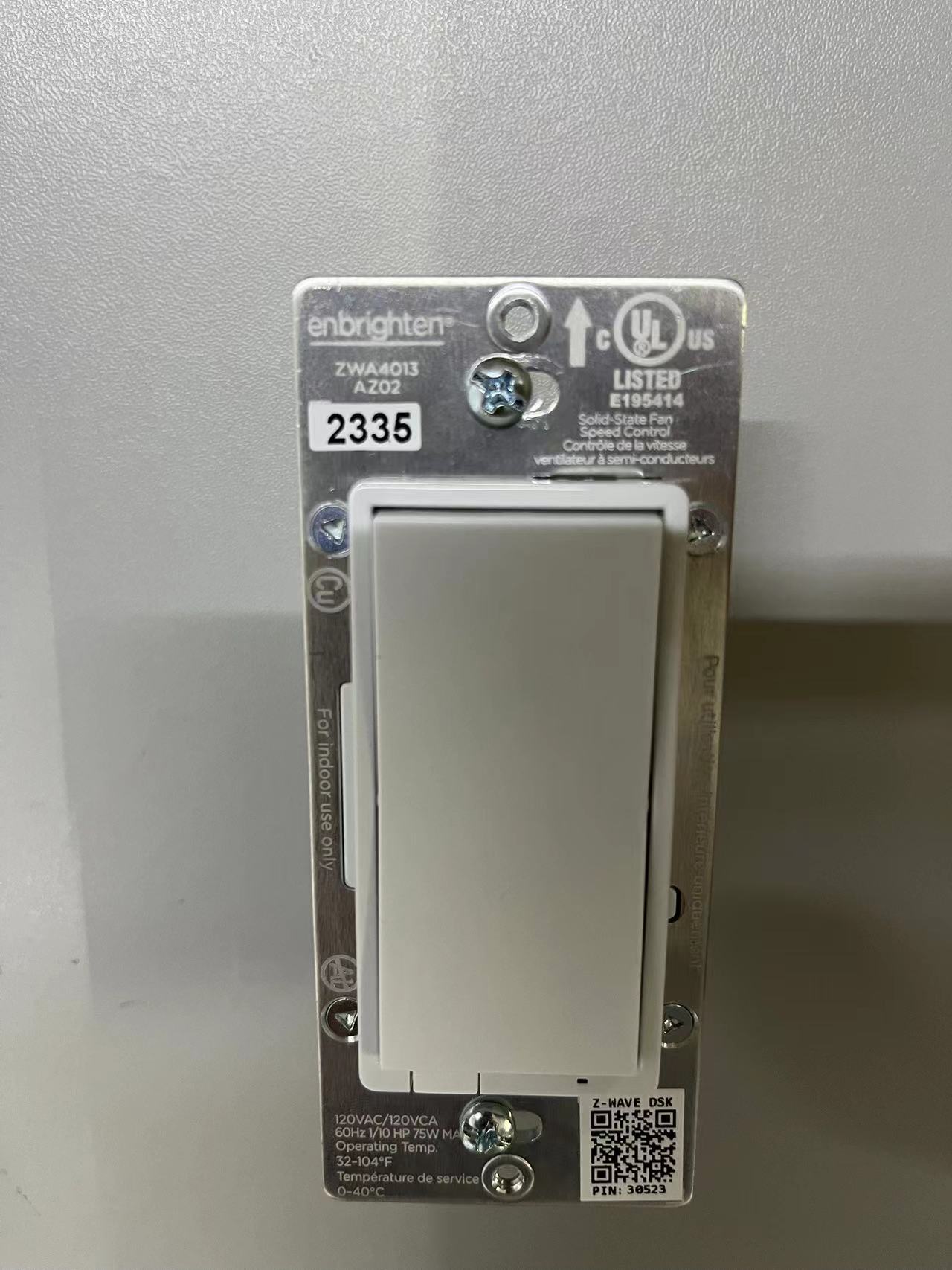
Product Recognition | |
|---|
Certification Number | ZC14-23090332 |
|---|
Name | Enbrighten Z-Wave In-Wall Smart Fan Control,White and Light Almond Paddles, 700S |
|---|
Short Description | Experience the latest generation of Z-Wave™ smart fan controls for in-wall configurations with paddle-style switches to accommodate any home. |
|---|
Long Description | Transform any home into a smart home with the Enbrighten Z-Wave™ Smart Fan Control. The in-wall fan control easily replaces any standard in-wall switch remotely controls a ceiling fan in your home and features a three-speed control system. Your home will be equipped with ultimate flexibility with the Enbrighten Z-Wave™ Smart Fan Control, capable of being used by itself or with up to four Enbrighten add-on switches. Screw terminal installation provides improved space efficiency when replacing existing switches and the integrated LED indicator light allows you to easily locate the switch in a dark room. The Enbrighten Z-Wave™ Smart Fan Control is compatible with any Z-Wave™ certified gateway, providing access to many popular home automation systems. Take control of your home lighting with Enbrighten Z-Wave™ Smart Lighting Controls! |
|---|
Brand | Enbrighten |
|---|
Product Identifier | 58446/ZWA4013 |
|---|
Product Line | Wireless Lighting Controls |
|---|
OEM Version | HW: 01 FW: 01.06 |
|---|
Hardware Platform | ZGM130S037HGN2 / ZGM130S037HGN1 |
|---|
Z-Wave Version | 7.18.1 |
|---|
Library Type | END_NODE_ENHANCED_232 |
|---|
Device Type | Multilevel Switch DT |
|---|
Role Type | ROLE_TYPE_SLAVE_ALWAYS_ON |
|---|
Manufacturer ID | 0x0063 |
|---|
Product Type ID | 0x4944 |
|---|
Product ID | 0x3533 |
|---|
User Icon | 0x0400 |
|---|
Installer Icon | 0x0400 |
|---|
Frequency Plans | US: 916.00MHz, 908.40MHz |
|---|
Categories | Fan Control |
|---|
Countries / Regions | Canada, Mexico, United States of America |
|---|
Supported Command Classes | Identifier | Name | Key | Version |
|---|
COMMAND_CLASS_ASSOCIATION_V2 | Association V2 | 0x85 | 2 | COMMAND_CLASS_ASSOCIATION_GRP_INFO_V3 | Association Group Information (AGI) V3 | 0x59 | 3 | COMMAND_CLASS_DEVICE_RESET_LOCALLY | Device Reset Locally | 0x5A | 1 | COMMAND_CLASS_FIRMWARE_UPDATE_MD_V5 | Firmware Update Meta Data V5 | 0x7A | 5 | COMMAND_CLASS_INDICATOR_V3 | Indicator V3 | 0x87 | 3 | COMMAND_CLASS_MANUFACTURER_SPECIFIC_V2 | Manufacturer Specific V2 | 0x72 | 2 | COMMAND_CLASS_MULTI_CHANNEL_ASSOCIATION_V3 | Multi Channel Association V3 | 0x8E | 3 | COMMAND_CLASS_VERSION_V3 | Version V3 | 0x86 | 3 | COMMAND_CLASS_ZWAVEPLUS_INFO_V2 | Z-Wave Plus Info V2 | 0x5E | 2 | COMMAND_CLASS_SECURITY_2 | Security 2 | 0x9F | 1 | COMMAND_CLASS_SUPERVISION | Supervision | 0x6C | 1 | COMMAND_CLASS_TRANSPORT_SERVICE_V2 | Transport Service V2 | 0x55 | 2 | COMMAND_CLASS_POWERLEVEL | Powerlevel | 0x73 | 1 | COMMAND_CLASS_SWITCH_MULTILEVEL_V4 | Multilevel Switch V4 | 0x26 | 4 | COMMAND_CLASS_BASIC_V2 | Basic V2 | 0x20 | 2 | COMMAND_CLASS_CENTRAL_SCENE_V3 | Central Scene V3 | 0x5B | 3 | COMMAND_CLASS_CONFIGURATION_V4 | Configuration V4 | 0x70 | 4 | COMMAND_CLASS_APPLICATION_STATUS | Application Status | 0x22 | 1 |
|
|---|
S2 Classes | S2_AUTHENTICATED, S2_UNAUTHENTICATED |
|---|
Documents | Category | File |
|---|
Manual_English | |
|
|---|
Features | Feature | Values |
|---|
Firmware Updatable | Value |
|---|
Updatable by Consumer by RF |
| Neutral Wire Required | | Switch Load Capacity Volt-Ampere | | Z-Wave Scene Type | |
|
|---|
Association Groups | Group Number | Maximum Nodes Supported | End Point ID | Group Name | Profile |
|---|
1 | 5 | 0 | Lifeline | 0x0001 | 2 | 5 | 0 | Single Press | 0x2001 | 3 | 5 | 0 | Double Press | 0x2002 |
|
|---|
Configuration Parameters | Parameter Number | Name | Description | Format | Size | Min Value | Max Value | Default Value |
|---|
3 | LED Light Mode | Set the LED Light Mode | 1 | 1 | 0 | 0 | 0x00 | 4 | Invert Switch | Reverse the default ON/OFF Paddle switch setting | 1 | 1 | 0 | 0 | 0x00 | 5 | Select 3-Way Type | Configure between standard 3-Way Switch or Add-On Switch is being used | 1 | 1 | 0 | 0 | 0x00 | 84 | Reset Factory Default | Reset Fan to Factory Defaults | 1 | 1 | 0 | 0 | 0x00 |
|
|---|
Texts | ID | Description | Value |
|---|
5 | Factory Reset Procedure | To return your switch to factory defaults:
Pull the airgap switch. Press and hold the bottom button, push the airgap switch in and continue holding the bottom button for 10 seconds. The LED will flash once each of the 8 colors then stop. | 8 | Where to find S2 DSK on product | Page 1 | 1 | Classic Inclusion | Adding your device to a Z-Wave network
1. Follow the instructions for your Z-Wave certified Controller to add a device to the Z-Wave network.
2. Once the controller is ready to add your device, press the top of bottom of the wireless smart Fan controller | 2 | Classic Exclusion | To remove and reset the device
1. Follow the instructions for your Z-Wave certified controller to remove a device from the Z-wave network
2. Once the controller is ready to remove your device, press the top or bottom of the wireless smart Fan controller |
|
|---|
Supports NWI | Yes |
|---|
Supports Explorer Frames | Yes |
|---|
Supports SmartStart | Yes |
|---|
Radio Range Z-Wave (m) | 40 |
|---|