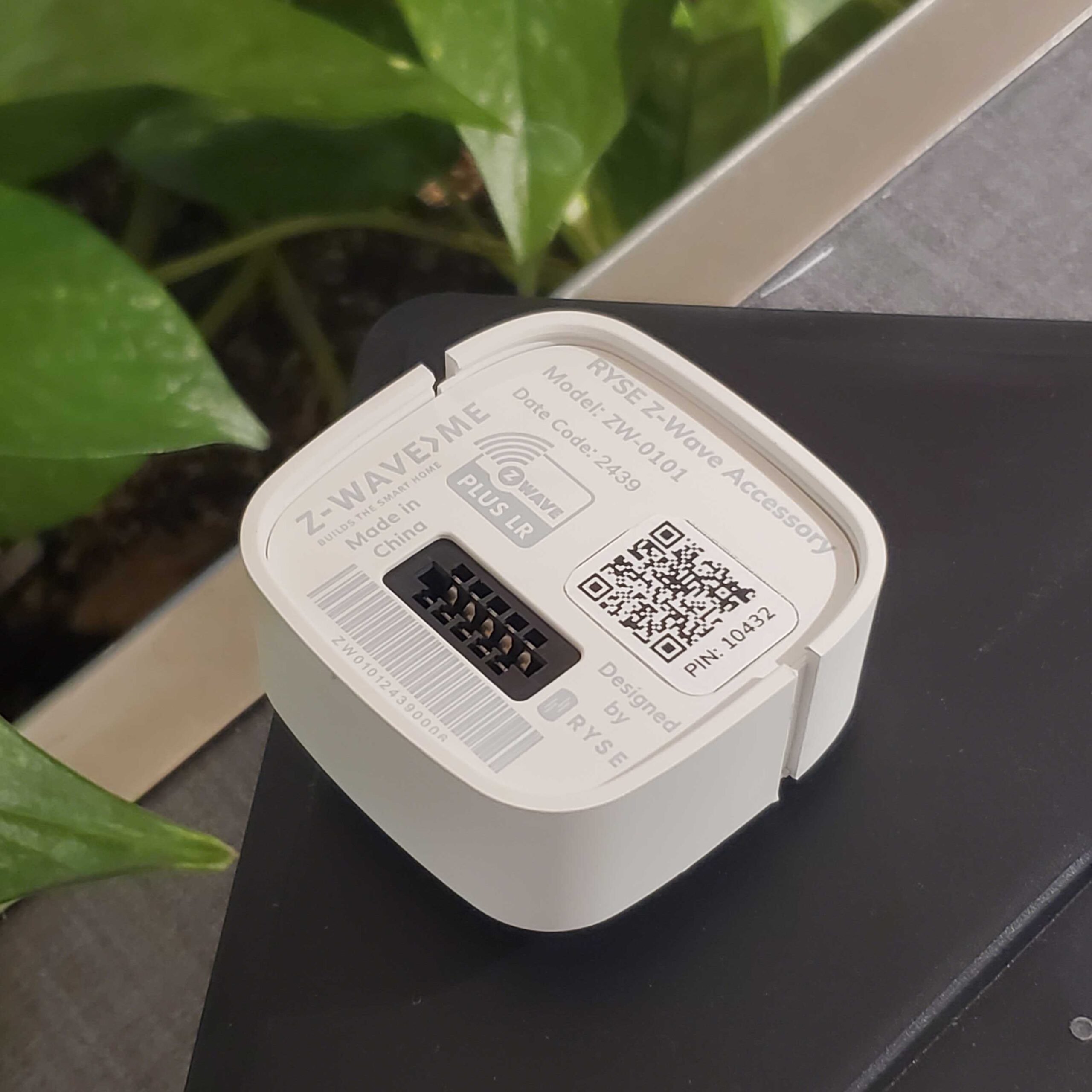
Product Recognition | |
|---|
Certification Number | ZC14-25020500 |
|---|
Name | Z-Wave Accessory |
|---|
Short Description | RYSE SmartShade + Z-Wave Accessory it is a motorized Z-Wave device is easy to install onto your window shades. |
|---|
Long Description | The SmartShade + Z-Wave Accessory + BatteryPack Bundle contains everything you need for a completely wireless retrofit smart shading setup. With a simple installation process and innovative design, the RYSE SmartShade can turn any window shade controlled by a looped, beaded chain into a motorized smart shade! Designed to fit seamlessly into the RYSE SmartShade, the BatteryPack is a wireless, rechargeable power source, lasting 3-6 months per charge.
Lifts shades up to 10lbs with ease In-app or on-device control
Built-in sensors to stop your shade at your ideal percentage
Completely wireless |
|---|
Brand | Ryse |
|---|
Product Identifier | ZW-0101 |
|---|
Product Line | SmartShade |
|---|
OEM Version | HW: 03 FW: 03.13:01.01 |
|---|
Hardware Platform | ZGM130S037HGN2 / ZGM130S037HGN1 |
|---|
Z-Wave Version | 7.19.1 |
|---|
Library Type | END_NODE_ENHANCED_232 |
|---|
Device Type | Window Covering DT |
|---|
Role Type | ROLE_TYPE_END_NODE_SLEEPING_LISTENING |
|---|
Manufacturer ID | 0x0115 |
|---|
Product Type ID | 0x0211 |
|---|
Product ID | 0x0010 |
|---|
User Icon | 0x1A00 |
|---|
Installer Icon | 0x1A00 |
|---|
Frequency Plans | US: 916.00MHz, 908.40MHz, US_LR: 912.00MHz, 920.00MHz |
|---|
Categories | Hospitality, Sensors, Security Add-Ons, Security Systems |
|---|
Countries / Regions | Argentina, Bahamas, Barbados, Bermuda, Bolivia, British Virgin Islands, Canada, Cayman Islands, Colombia, Guatemala, Haiti, Honduras, Jamaica, Mexico, Panama, Saint Kitts and Nevis, Suriname, Trinidad and Tobago, Turks and Caicos Islands, United States of America |
|---|
Supported Command Classes | Identifier | Name | Key | Version |
|---|
COMMAND_CLASS_BASIC_V2 | Basic V2 | 0x20 | 2 | COMMAND_CLASS_CONFIGURATION_V4 | Configuration V4 | 0x70 | 4 | COMMAND_CLASS_SWITCH_MULTILEVEL_V4 | Multilevel Switch V4 | 0x26 | 4 | COMMAND_CLASS_ASSOCIATION_V3 | Association V3 | 0x85 | 3 | COMMAND_CLASS_ASSOCIATION_GRP_INFO_V3 | Association Group Information (AGI) V3 | 0x59 | 3 | COMMAND_CLASS_DEVICE_RESET_LOCALLY | Device Reset Locally | 0x5A | 1 | COMMAND_CLASS_FIRMWARE_UPDATE_MD_V5 | Firmware Update Meta Data V5 | 0x7A | 5 | COMMAND_CLASS_INDICATOR_V4 | Indicator V4 | 0x87 | 4 | COMMAND_CLASS_MANUFACTURER_SPECIFIC_V2 | Manufacturer Specific V2 | 0x72 | 2 | COMMAND_CLASS_MULTI_CHANNEL_ASSOCIATION_V4 | Multi Channel Association V4 | 0x8E | 4 | COMMAND_CLASS_VERSION_V3 | Version V3 | 0x86 | 3 | COMMAND_CLASS_ZWAVEPLUS_INFO_V2 | Z-Wave Plus Info V2 | 0x5E | 2 | COMMAND_CLASS_SECURITY | Security 0 | 0x98 | 1 | COMMAND_CLASS_SECURITY_2 | Security 2 | 0x9F | 1 | COMMAND_CLASS_SUPERVISION_V2 | Supervision V2 | 0x6C | 2 | COMMAND_CLASS_TRANSPORT_SERVICE_V2 | Transport Service V2 | 0x55 | 2 | COMMAND_CLASS_POWERLEVEL | Powerlevel | 0x73 | 1 | COMMAND_CLASS_APPLICATION_STATUS | Application Status | 0x22 | 1 | COMMAND_CLASS_WINDOW_COVERING | Window Covering | 0x6A | 1 | COMMAND_CLASS_BATTERY_V3 | Battery V3 | 0x80 | 3 |
|
|---|
S2 Classes | S2_AUTHENTICATED, S2_UNAUTHENTICATED |
|---|
Documents | Category | File |
|---|
Manual_English | |
|
|---|
Features | Feature | Values |
|---|
Firmware Updatable | Value |
|---|
Updatable by Consumer by RF |
| Color | |
|
|---|
Association Groups | Group Number | Maximum Nodes Supported | End Point ID | Group Name | Profile |
|---|
1 | 5 | 0 | Lifeline | 0x0001 |
|
|---|
Configuration Parameters | Parameter Number | Name | Description | Format | Flag Advanced | Size | Min Value | Max Value | Default Value |
|---|
2 | Activity LED | Turns on/off activity led. | 1 | Yes | 1 | 0 | 0 | 0x01 |
|
|---|
Texts | ID | Description | Value |
|---|
8 | Where to find S2 DSK on product | Inside the box | 1 | Classic Inclusion | Power up the device, switch the Z-Wave controller to the "Inclusion" mode and one time press Pair button. The Learn mode is active for 30 seconds. | 2 | Classic Exclusion | To remove device from a Z-Wave network switch the Z-Wave controller to the "Exclusion" mode and one time press Pair button. | 5 | Factory Reset Procedure | - Look for the pinhole on top of the SmartShade right above the Stop button. This is the Factory Reset button. See image below.
- Using any object with a pointed end (i.e. a pen or a pencil), press and hold the Factory Reset button for a few seconds. Once the lights on the SmartShade flash RED momentarily, you can release the button. It will then flash BLUE before becoming a solid BLUE. |
|
|---|
Supports NWI | Yes |
|---|
Supports Explorer Frames | Yes |
|---|
Is Flirs | Yes |
|---|
Supports SmartStart | Yes |
|---|
Radio Range Z-Wave (m) | 40 |
|---|
Radio Range Z-Wave LR (m) | 400 |
|---|