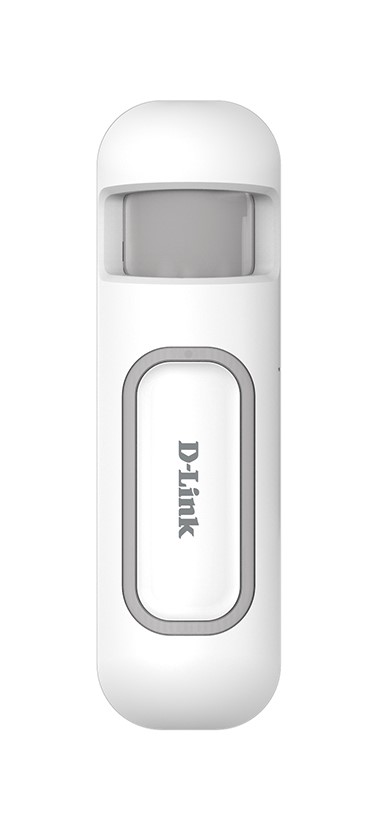
| Product Recognition | |
|---|
| Certification Number | ZC10-14100002 |
|---|
| Name | D-Link Z-Wave Motion Sensor |
|---|
| Short Description | mydlink Z-Wave Motion Sensor 3 in 1 (PIR, Temperature and Illumination) |
|---|
| Long Description | The mydlink Z-Wave Motion Sensor DCH-Z120 has PIR, temperature and illumination, 3 sensors function in one,based on Z-Wave technology. |
|---|
| Brand | D-Link Corporation |
|---|
| Product Identifier | DCH-Z120 |
|---|
| OEM Version | 01 |
|---|
| Hardware Platform | SD3502 |
|---|
| Z-Wave Version | 6.51.02 |
|---|
| Library Type | SLAVE_ENHANCED_232 |
|---|
| Device Type | Notification Sensor |
|---|
| Role Type | ROLE_TYPE_SLAVE_SLEEPING_REPORTING |
|---|
| Manufacturer ID | 0x0108 |
|---|
| Product Type ID | 0x0002 |
|---|
| Product ID | 0x000D |
|---|
| Frequency Plans | EU: 869.85MHz, 868.40MHz |
|---|
| Categories | Sensors |
|---|
| Countries / Regions | European Union |
|---|
| Controlled Command Classes | | Identifier | Name | Key | Version |
|---|
| COMMAND_CLASS_BASIC | Basic | 0x20 | 1 |
|
|---|
| Documents | |
|---|
| Association Groups | | Group Number | Maximum Nodes Supported | End Point ID | Description |
|---|
| 2 | 8 | 0 | Using the "Basic Set" for lighting control. | | 1 | 8 | 0 | Z-Wave Plus Lifeline |
|
|---|
| Configuration Parameters | | Parameter Number | Name | Description | Format | Size | Min Value | Max Value | Default Value | Parameter Values |
|---|
| 9 | Turn Off Light Time | After turn on the lighting, setting the delay time to turn off the lighting when the PIR motion is not detected. 8 seconds per tick, default tick is 4 (32 seconds). 0 means never send turn off light command. | 0 | 1 | 0 | 0 | 4 | | From | To | Description |
|---|
| 0 | 127 | Turn Off Light Time |
| | 6 | Mult-Sensor Function Switch | Multisensor function switch. Using bit to control. Bit0: Reserve. Bit1: Disable PIR integrate Illumination to turn ON the lighting nodes in the association group 2. (1:Disable, 0:Enable) Bit2: Reserve. Bit3: Reserve. Bit4: Reserve. Bit5: Reserve. Bit6: Reserve. Bit7: Reserve. Notice: The reserve bit is allowed any value, but no effect. | 0 | 1 | 0 | 0 | 4 | | From | To | Description |
|---|
| 2 | 2 | Disable PIR integrate Illumination to turn ON the lighting nodes in the association group 2. (1:Disable, 0:Enable) |
| | 3 | PIR Sensitivity | PIR sensitivity settings. 0 means disable the PIR motion. 1 means the lowest sensitivity, 99 means the highest sensitivity. High sensitivity means can detected long distance, but if there is more noise signal in the environment, it will re-trigger too frequency. | 0 | 1 | 0 | 0 | 80 | | From | To | Description |
|---|
| 0 | 99 | PIR Level |
| | 8 | PIR Re-Detect Interval Time | In the normal mode, after the PIR motion detected, setting the re-detect time. 8 seconds per tick, default tick is 3 (24 seconds). Setting the suitable value to prevent received the trigger signal too frequently. Also can save the battery energy. Notice: If this value bigger than the configuration setting NO. 9. There is a period after the light turned off and the PIR not start detecting. | 0 | 1 | 0 | 0 | 3 | | From | To | Description |
|---|
| 1 | 127 | PIR Re-Detect Interval Time |
| | 2 | Basic Set Level | Setting the BASIC command value to turn on the light. The 0xFF(-1) means turn on the light. For dimmer equipment 1 to 100 means the light strength. 0 means turn off the light. | 0 | 1 | 0 | 0 | 255 | | From | To | Description |
|---|
| 0 | 255 | Basic Set Value |
| | 4 | Light Threshold | Setting the illumination threshold to turn on the light. When the event triggered and the environment illumination lower then the threshold, the device will turn on the light. 0 means turn off illumination detected function. And never turn on the light. 1 means darkest. 99 means brightest. 100 means turn off illumination detected function. And always turn on the light. Notice: In none test mode, only the value in 1 to 99 will enable the illumination detected function and update the illumination value. | 0 | 1 | 0 | 0 | 99 | | From | To | Description |
|---|
| 0 | 100 | Light Threshold |
|
|
|---|
| Texts | | ID | Description | Value |
|---|
| 1 | Inclusion | There are two tamper keys in the device, one is in the back side, another is in the front side. Both of them can add, remove, reset or association from Z-Wave network.
To add into a Z-Wave network:
1. Have Z-Wave Controller entered inclusion mode.
2. Pressing tamper key three times within 1.5 seconds to enter the inclusion mode.
3. After add successful, the device will wake to receive the setting command from Z-Wave Controller about 20 seconds. | | 2 | Exclusion | There are two tamper keys in the device, one is in the back side, another is in the front side. Both of them can add, remove, reset or association from Z-Wave network.
To remove the device from a Z-Wave network:
1. Have Z-Wave Controller entered exclusion mode.
2. Pressing tamper key three times within 1.5 seconds to enter the exclusion mode.
Node ID has been excluded. | | 4 | Device Wake-Up | There are two tamper keys in the device, one is in the back side, another is in the front side. Both of them can add, remove, reset or association from Z-Wave network.
Press any key once, the device will awake 10 seconds. | | 5 | Factory Reset | There are two tamper keys in the device, one is in the back side, another is in the front side. Both of them can add, remove, reset or association from Z-Wave network.
To reset the device:
Notice: Use this procedure only in the event that the primary controller is lost or otherwise inoperable.
1. Pressing tamper key four times within 1.5 seconds and do not release the tamper key in the 4th pressed, and the LED will light ON.
2. After 3 seconds the LED will turn OFF, after that within 2 seconds, release the tamper key. If successful, the LED will light ON one second. Otherwise, the LED will flash once.
3. IDs are excluded and all settings will reset to factory default. |
|
|---|
| Supports NWI | Yes |
|---|
| Supports Explorer Frames | Yes |
|---|

.jpg)