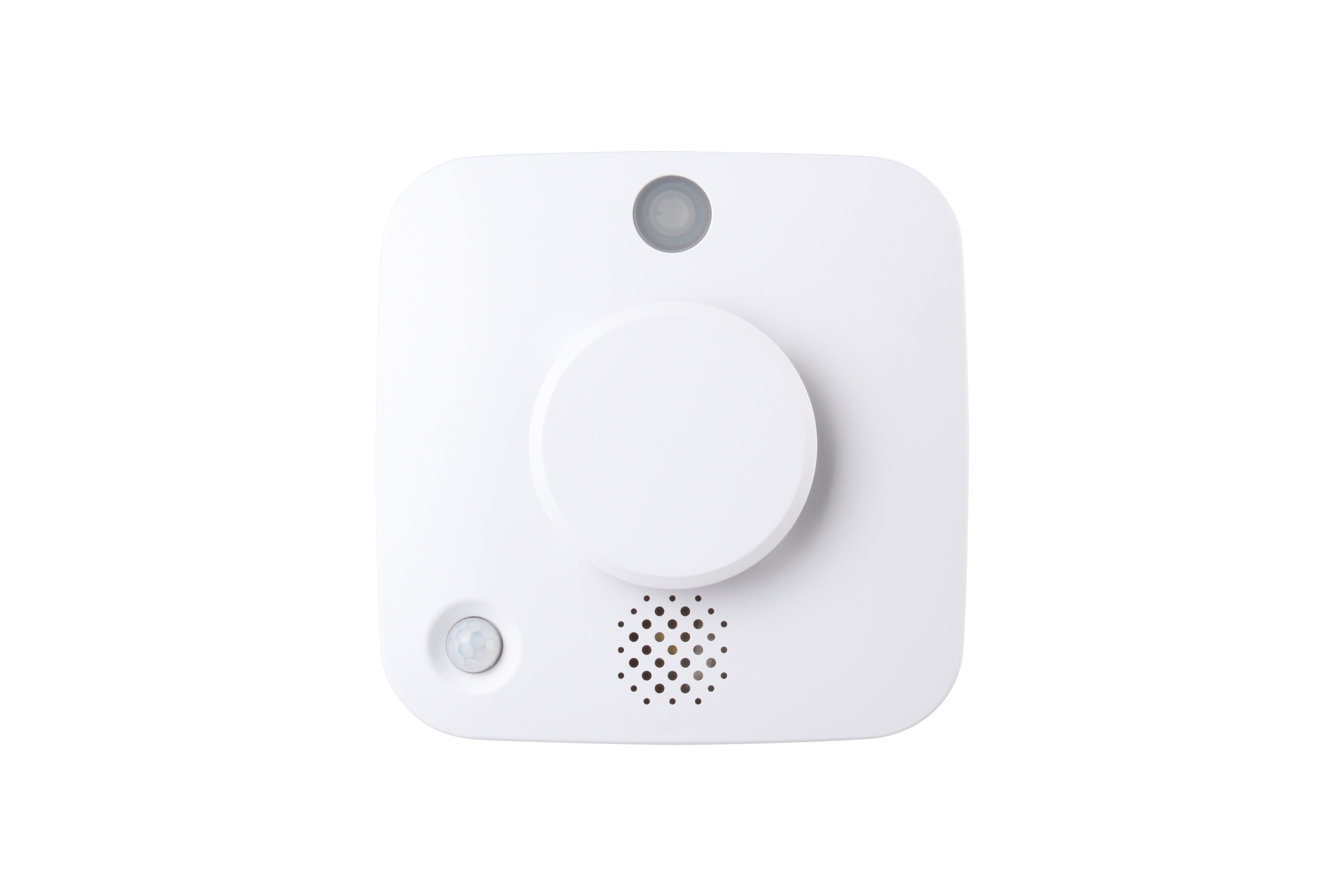
Product Recognition | |
|---|
Certification Number | ZC14-25060525 |
|---|
Name | Smoke Detector |
|---|
Short Description | The SD-32ZW wireless smoke detector uses multi-criteria sensor technology to detect fast-burning and slow-smoldering fires, and intelligent system to minimize false alarms from cooking smoke. |
|---|
Description | SD-32ZW is a wireless smoke detector designed to protect you against potential fire hazards. The Smoke Detector uses multi-criteria sensor technology to distinguish between fast-burning flames and slow-smoldering fires, while at the same time incorporates intelligent technology to differentiate between cooking smoke and actual life-threatening house-fire emergencies, virtually eliminating nuisance alarms.
In addition to its smoke detection capabilities, the Smoke Detector also features heat detection and temperature report to users.
The Smoke Detector is a Z-Wave enabled device and is fully compatible with any Z-Wave enabled network. Z-Wave is a wireless communication protocol that uses a low-power RF radio. By taking advantage of the Z-Wave mesh network, commands can be transmitted to their destination via Z-Wave products. The Z-wave Smoke Detector allows access to the “S2 Unauthenticated” class.
The Smoke Detector’s alarm situations, battery condition, operating conditions, supervisory data and general fault information are sent to the Z-Wave Gateway/Control Panel wirelessly. The device can also be serially connected with other sensors in the Z-Wave gateway to serve as an extra siren. When any other sensor in the Z-Wave network is activated and sends an alarm signal, the Smoke Detector will also raise alarm with its built-in buzzer as a siren to help sound warning. |
|---|
Brand | CLIMAX TECHNOLOGY |
|---|
Identifier | SD-32ZW |
|---|
Product Line | Z-Wave Accessories |
|---|
OEM Version | HW: 255 FW: 04.07 |
|---|
Hardware Platform | ZM5202AE-CME3 |
|---|
Z-Wave Version | 6.85.02 |
|---|
Library Type | END_NODE_ENHANCED_232 |
|---|
Device Type | Notification Sensor DT |
|---|
Role Type | ROLE_TYPE_END_NODE_SLEEPING_LISTENING |
|---|
Manufacturer ID | 0x018E |
|---|
Product Type ID | 0x0003 |
|---|
Product ID | 0x0028 |
|---|
User Icon | 0x0C01 |
|---|
Installer Icon | 0x0C01 |
|---|
Radio Range Z-Wave (m) | 40 |
|---|
Frequency Plans | EU: 869.85MHz, 868.40MHz |
|---|
Categories | Sensors |
|---|
Countries / Regions | European Union |
|---|
Supported Command Classes | Identifier | Name | Key | Version |
|---|
COMMAND_CLASS_SENSOR_MULTILEVEL_V11 | Multilevel Sensor V11 | 0x31 | 11 | COMMAND_CLASS_NOTIFICATION_V8 | Notification V8 | 0x71 | 8 | COMMAND_CLASS_ASSOCIATION_V2 | Association V2 | 0x85 | 2 | COMMAND_CLASS_ASSOCIATION_GRP_INFO | Association Group Information (AGI) | 0x59 | 1 | COMMAND_CLASS_BATTERY | Battery | 0x80 | 1 | COMMAND_CLASS_DEVICE_RESET_LOCALLY | Device Reset Locally | 0x5A | 1 | COMMAND_CLASS_FIRMWARE_UPDATE_MD_V5 | Firmware Update Meta Data V5 | 0x7A | 5 | COMMAND_CLASS_INDICATOR_V3 | Indicator V3 | 0x87 | 3 | COMMAND_CLASS_MANUFACTURER_SPECIFIC_V2 | Manufacturer Specific V2 | 0x72 | 2 | COMMAND_CLASS_MULTI_CHANNEL_ASSOCIATION_V3 | Multi Channel Association V3 | 0x8E | 3 | COMMAND_CLASS_VERSION_V2 | Version V2 | 0x86 | 2 | COMMAND_CLASS_ZWAVEPLUS_INFO_V2 | Z-Wave Plus Info V2 | 0x5E | 2 | COMMAND_CLASS_SECURITY_2 | Security 2 | 0x9F | 1 | COMMAND_CLASS_SUPERVISION | Supervision | 0x6C | 1 | COMMAND_CLASS_TRANSPORT_SERVICE_V2 | Transport Service V2 | 0x55 | 2 | COMMAND_CLASS_POWERLEVEL | Powerlevel | 0x73 | 1 |
|
|---|
S2 Classes | S2_AUTHENTICATED, S2_UNAUTHENTICATED |
|---|
Documents | Category | File |
|---|
Manual_English | |
|
|---|
Features | Feature | Values |
|---|
Battery Quantity | | Battery Type | | Firmware Updatable | Value |
|---|
Updatable by Consumer by RF |
|
|
|---|
Association Groups | Group Number | Maximum Nodes Supported | End Point ID | Group Name | Profile |
|---|
1 | 10 | 0 | Lifeline | 0x0001 | 2 | 10 | 0 | Sensor Basic set | 0x7101 |
|
|---|
Texts | ID | Description | Value |
|---|
8 | Where to find S2 DSK on product | The DSK information is stored in the QR code format on the device. | 1 | Classic Inclusion | Step 1 Put the Z-Wave gateway or control panel into Inclusion or Learning mode (please refer to the Z-Wave gateway or control panel manual).
Step 2 Within 1.5 seconds, press the Function Button 3 times. The Smoke Detector will emit a 2-tone beep and the LED will turn on for about 0.2 seconds. Refer to the operation manual of the Z-Wave gateway or control panel to complete the learn-in process.
If the Detector has already been included (learnt) into another Z-Wave Gateway/Control Panel, or if it is unable to be learnt into the current Z-Wave Gateway/Control Panel, please exclude it first (see Exclusion) before attempting to include it into the current Z-Wave Gateway/Control Panel. | 2 | Classic Exclusion | Step 1 Put the Z-Wave gateway or control panel into Exclusion mode (please refer to the Z-Wave gateway or control panel manual).
Step 2 Within 1.5 seconds, press the Function button 3 times and the Smoke Detector will be removed from the Z-wave network. | 5 | Factory Reset Procedure | Factory Reset
(Only use factory reset when network Control Panel/Gateway is missing or inoperable.)
Step 1 Press and hold the Function Button for 20 seconds.
Step 2 Release the Button after 3 beeps to factory reset |
|
|---|
Supported Notification Types | Notification Type | Event / State |
|---|
Smoke Alarm | Sensor status: Smoke detected | Smoke Alarm | (Refer to parameters): State idle | Smoke Alarm | Alarm status: Alarm silenced | Smoke Alarm | Dust in device status: Maintenance required, dust in device | Heat Alarm | (Refer to parameters): State idle | Heat Alarm | Heat sensor status: Overheat detected | Heat Alarm | Alarm status: Alarm silenced | Home Security | (Refer to parameters): State idle | Home Security | Cover status: Tampering, product cover removed |
|
|---|
Supported Multilevel Sensors | Multilevel Sensor Type |
|---|
Air temperature |
|
|---|
Supports NWI | Yes |
|---|
Supports Explorer Frames | Yes |
|---|
Is Flirs | Yes |
|---|
Supports SmartStart | Yes |
|---|