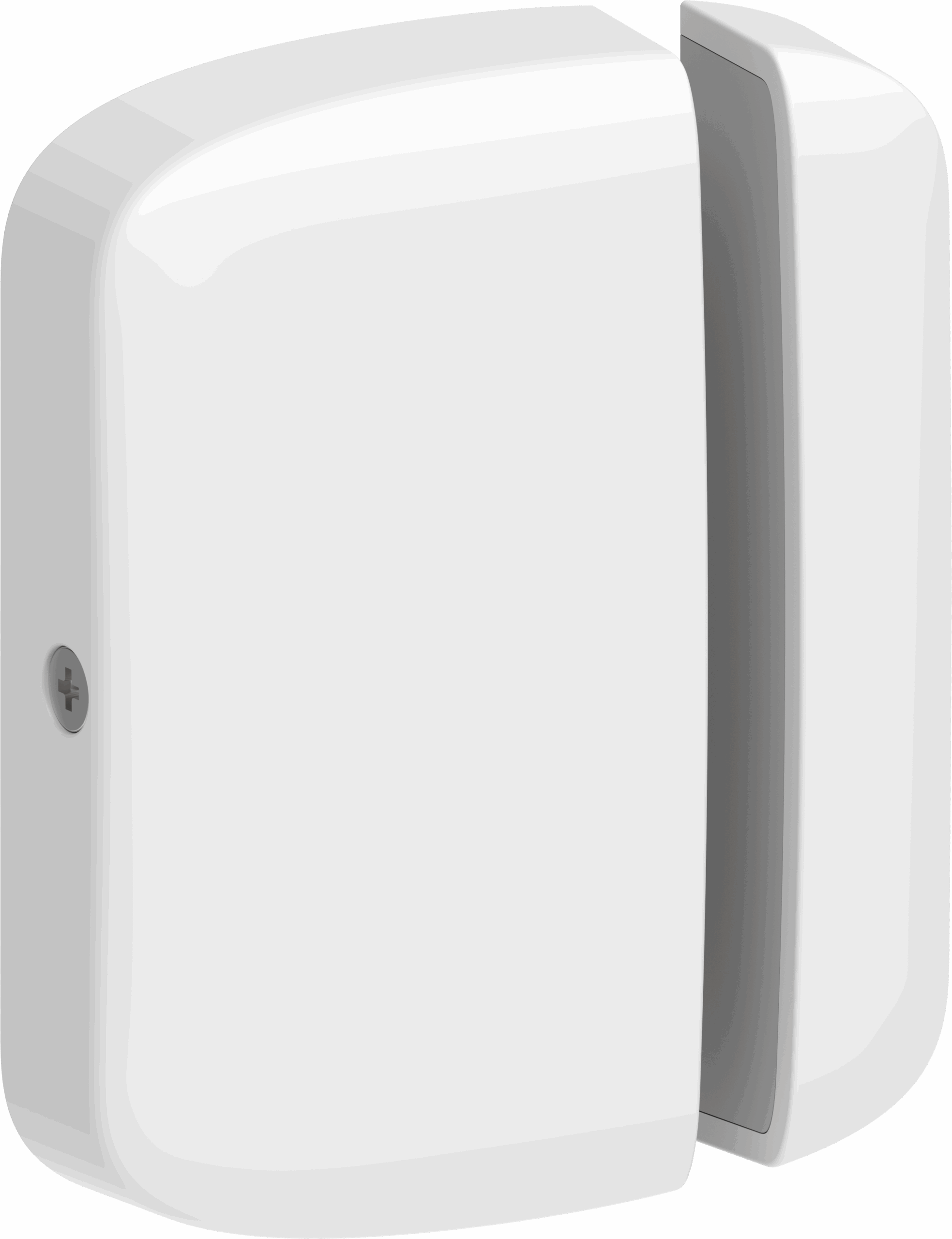
Product Recognition | |
|---|
Certification Number | ZC14-25120563 |
|---|
Name | Z-Wave Long Range Contact Sensor |
|---|
Short Description | This is a compact form factor indoor Z-Wave contact sensor for security and home automation applications for use on doors and windows. |
|---|
Description | The Ecolink Contact Sensor features a small, low profile, stylish design that is easy to mount and blends in with any residential décor. The sensor monitors the opening and closing of doors, windows or other contact points. The sensor supports Z-Wave Long Range and Z-Wave Plus®, features S2 encryption, and is designed for indoor use only. There are a few methods to add a device to a Z-Wave® network: SmartStart. The contact sensor also compatible with Z-Wave 300, 500 and 700 series panels. |
|---|
Brand | Ecolink |
|---|
Brand Owner | Universal Electronics Inc |
|---|
Identifier | DWZW8-ECO |
|---|
Product Line | Z-Wave Long Range |
|---|
Product URL | https://discoverecolink.com/product/z-wave-long-range-door-window-sensor/ |
|---|
OEM Version | HW: 01 FW: 01.02:02.03 |
|---|
Hardware Platform | EFR32ZG23B |
|---|
Z-Wave Version | 7.19.3 |
|---|
Library Type | END_NODE_ENHANCED_232 |
|---|
Device Type | Notification Sensor DT |
|---|
Role Type | ROLE_TYPE_END_NODE_SLEEPING_REPORTING |
|---|
Manufacturer ID | 0x014A |
|---|
Product Type ID | 0x0004 |
|---|
Product ID | 0x07EB |
|---|
User Icon | 0x0C07 |
|---|
Installer Icon | 0x0C07 |
|---|
Radio Range Z-Wave (m) | 40 |
|---|
Radio Range Z-Wave LR (m) | 400 |
|---|
Frequency Plans | US_LR: 912.00MHz, 920.00MHz, US: 916.00MHz, 908.40MHz |
|---|
Categories | Sensors, Security Systems |
|---|
Countries / Regions | Canada, United States of America |
|---|
Supported Command Classes | Identifier | Name | Key | Version |
|---|
COMMAND_CLASS_ASSOCIATION_V2 | Association V2 | 0x85 | 2 | COMMAND_CLASS_ASSOCIATION_GRP_INFO_V3 | Association Group Information (AGI) V3 | 0x59 | 3 | COMMAND_CLASS_DEVICE_RESET_LOCALLY | Device Reset Locally | 0x5A | 1 | COMMAND_CLASS_FIRMWARE_UPDATE_MD_V5 | Firmware Update Meta Data V5 | 0x7A | 5 | COMMAND_CLASS_INDICATOR_V3 | Indicator V3 | 0x87 | 3 | COMMAND_CLASS_MANUFACTURER_SPECIFIC_V2 | Manufacturer Specific V2 | 0x72 | 2 | COMMAND_CLASS_MULTI_CHANNEL_ASSOCIATION_V3 | Multi Channel Association V3 | 0x8E | 3 | COMMAND_CLASS_VERSION_V3 | Version V3 | 0x86 | 3 | COMMAND_CLASS_ZWAVEPLUS_INFO_V2 | Z-Wave Plus Info V2 | 0x5E | 2 | COMMAND_CLASS_SECURITY_2 | Security 2 | 0x9F | 1 | COMMAND_CLASS_SUPERVISION_V2 | Supervision V2 | 0x6C | 2 | COMMAND_CLASS_TRANSPORT_SERVICE_V2 | Transport Service V2 | 0x55 | 2 | COMMAND_CLASS_POWERLEVEL | Powerlevel | 0x73 | 1 | COMMAND_CLASS_NOTIFICATION_V8 | Notification V8 | 0x71 | 8 | COMMAND_CLASS_WAKE_UP_V3 | Wake Up V3 | 0x84 | 3 | COMMAND_CLASS_BATTERY_V3 | Battery V3 | 0x80 | 3 | COMMAND_CLASS_CONFIGURATION_V4 | Configuration V4 | 0x70 | 4 | COMMAND_CLASS_SECURITY | Security 0 | 0x98 | 1 |
|
|---|
S2 Classes | S2_AUTHENTICATED, S2_UNAUTHENTICATED |
|---|
Documents | Category | File |
|---|
Manual_English | | Adv_Manual | |
|
|---|
Features | Feature | Values |
|---|
Battery Quantity | | Battery Type | | Color | | Firmware Updatable | Value |
|---|
Updatable by Manufacturer Representative |
|
|
|---|
Association Groups | Group Number | Maximum Nodes Supported | End Point ID | Group Name | Profile |
|---|
1 | 5 | 0 | Lifeline | 0x0001 |
|
|---|
Configuration Parameters | Parameter Number | Name | Description | Format | Flag Advanced | Size | Min Value | Max Value | Default Value |
|---|
1 | COM Attempts | Attempts sensor makes to reach gateway | 1 | Yes | 1 | 0 | 0 | 0x03 | 2 | Message Supervision Report Wait | (ms) to wait for a superv. report | 1 | Yes | 2 | 0 | 0 | 0x01F4 | 3 | Battery-Low Threshold | Low battery threshold (mv) | 1 | | 2 | 0 | 0 | 0x0898 | 4 | Battery-Dead Threshold | Dead battery threshold (mv) | 1 | Yes | 2 | 0 | 0 | 0x07D0 | 5 | Battery Hysteresis | Consecutive readings past threshold needed | 1 | Yes | 1 | 0 | 0 | 0x03 | 6 | Battery Averaging | Samples to average across | 1 | Yes | 1 | 0 | 0 | 0x08 | 7 | Heartbeat Time | Minutes between heartbeats | 1 | Yes | 2 | 0 | 0 | 0x003C | 9 | Single Wake-Up | Timer to trigger wake-up | 1 | Yes | 4 | 0 | 0 | 0x00000000 | 8 | Heartbeat Report Config | This configures which reports are enabled to be bundled with the heartbeat. Bit 0: Battery Health Report. Bit1: Notification Command Class for case-tamper. Bit 2: Basic Report of contact status | 3 | Yes | 1 | 0 | 0 | 0x00 |
|
|---|
Texts | ID | Description | Value |
|---|
8 | Where to find S2 DSK on product | If your Z-Wave controller supports S2 encryption, locate the PIN Code (DSK) which will enable S2 communication. It is located below the SmartStart QR-Code that is included in the box, and on the device itself. | 1 | Classic Inclusion | Adding via Classic Inclusion / Network-Wide Inclusion
1. If your Z-Wave controller supports S2 encryption, locate the PIN Code (DSK) which will enable S2 communication. It is located below the SmartStart QR-Code that is included in the box, and on the device itself.
2. Follow the instructions of the Z-Wave controller to enter manual or classic Z-Wave inclusion mode.
3. Press the recessed learn button on the sensor (Figure 3). The sensor will attempt to add itself.
4. If prompted, enter the Pin Code (DSK) into the Controller’s user interface which enables S2 communication. | 2 | Classic Exclusion | Removing from a Z-wave® Network:
1. Follow the Z-Wave controller’s instructions on putting the Z-Wave controller into removal/exclusion mode.
2. Remove the sensor’s cover (Figure 2), Then press the sensor’s recessed learn button (Figure 3).
3. Upon successful removal, the sensor’s Status LED will turn red for 1 second. Then the Status LED will continuously “breathe” green three times every three seconds to indicate that it is ready to be added again.
4. If not successful, exclusion will timeout after 5 seconds. After which time, you may try again. | 4 | Wake-Up Procedure | When included in a Z-Wave network, the sensor sends a Wake-Up Notification to the controller, enabling the controller to configure the sensor, check status, or perform firmware updates. These notifications occur at regular intervals, once with a single-shot timer, when the case is removed, or if requested via a Supervision Report. | 5 | Factory Reset Procedure | RESET TO FACTORY DEFAULTS
Factory resetting the sensor will default all configurations and remove the device from the previous Z-Wave network. After factory reset, it is possible that the sensor will still appear as an orphaned node on a previously paired Z-Wave controller, so you would need to follow that Hub/Panels instructions on force removing the orphaned node. Note: Factory reset only works when the device is already added into a Z-Wave network. If the sensor is not included in a network, then it cannot be factory reset.
1. Hold the recessed learn button for 3 seconds. The LED will blink red rapidly during this time.
2. When the sensor’s LED lights turn green for five seconds, release the button. The sensor is now ready to be added to a Z-Wave network. |
|
|---|
Supported Notification Types | Notification Type | Event / State |
|---|
Home Security | (Refer to parameters): State idle | Home Security | Sensor status: Intrusion | Home Security | Cover status: Tampering, product cover removed | System | SW status: System software failure (manufacturer proprietary failure code provided) | System | (Refer to parameters): State idle |
|
|---|
Supports NWI | Yes |
|---|
Supports Explorer Frames | Yes |
|---|
Supports SmartStart | Yes |
|---|