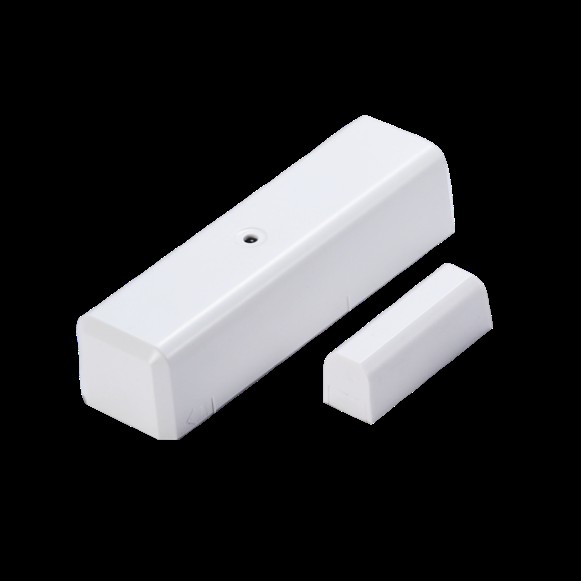
Product Recognition | |
|---|
Certification Number | ZC14-26100645 |
|---|
Name | Door Window Sensor |
|---|
Short Description | ZD2102-8 monitors states of door / window, and sends Z-Wave signal when door / window is open or close. |
|---|
Description | The sensor monitors states of the door / window and sends Z-Wave signal when door / window is open or close. It features LED indicator, lower power consumption, longer operating distance and better battery life, improved RF communication. When the sensor is securely included into Z-Wave network, its communication will be encrypted. |
|---|
Brand | Vision |
|---|
Brand Owner | Vision |
|---|
Identifier | ZD2102USLR-8 |
|---|
Product Line | Home security |
|---|
Product URL | https://www.visionsecurity.com.tw/index.php?option=product&lang=en&task=pageinfo&id=289&belongid=312&index=0 |
|---|
OEM Version | HW: 11 FW: 20.26:03.01 |
|---|
Hardware Platform | EFR32ZG23B |
|---|
Z-Wave Version | 7.24.3 |
|---|
Library Type | END_NODE_ENHANCED_232 |
|---|
Device Type | Notification Sensor DT |
|---|
Role Type | ROLE_TYPE_END_NODE_SLEEPING_REPORTING |
|---|
Manufacturer ID | 0x0109 |
|---|
Product Type ID | 0x2001 |
|---|
Product ID | 0x0110 |
|---|
User Icon | 0x0C06 |
|---|
Installer Icon | 0x0C06 |
|---|
Radio Range Z-Wave (m) | 75 |
|---|
Radio Range Z-Wave LR (m) | 700 |
|---|
Frequency Plans | US: 916.00MHz, 908.40MHz, US_LR: 912.00MHz, 920.00MHz |
|---|
Categories | Sensors |
|---|
Countries / Regions | Canada, United States of America |
|---|
Supported Command Classes | Identifier | Name | Key | Version |
|---|
COMMAND_CLASS_CONFIGURATION_V4 | Configuration V4 | 0x70 | 4 | COMMAND_CLASS_NOTIFICATION_V8 | Notification V8 | 0x71 | 8 | COMMAND_CLASS_APPLICATION_STATUS | Application Status | 0x22 | 1 | COMMAND_CLASS_ASSOCIATION_V2 | Association V2 | 0x85 | 2 | COMMAND_CLASS_ASSOCIATION_GRP_INFO_V3 | Association Group Information (AGI) V3 | 0x59 | 3 | COMMAND_CLASS_BATTERY | Battery | 0x80 | 1 | COMMAND_CLASS_DEVICE_RESET_LOCALLY | Device Reset Locally | 0x5A | 1 | COMMAND_CLASS_FIRMWARE_UPDATE_MD_V5 | Firmware Update Meta Data V5 | 0x7A | 5 | COMMAND_CLASS_INDICATOR_V3 | Indicator V3 | 0x87 | 3 | COMMAND_CLASS_MANUFACTURER_SPECIFIC_V2 | Manufacturer Specific V2 | 0x72 | 2 | COMMAND_CLASS_MULTI_CHANNEL_ASSOCIATION_V3 | Multi Channel Association V3 | 0x8E | 3 | COMMAND_CLASS_VERSION_V3 | Version V3 | 0x86 | 3 | COMMAND_CLASS_WAKE_UP_V2 | Wake Up V2 | 0x84 | 2 | COMMAND_CLASS_ZWAVEPLUS_INFO_V2 | Z-Wave Plus Info V2 | 0x5E | 2 | COMMAND_CLASS_SECURITY_2 | Security 2 | 0x9F | 1 | COMMAND_CLASS_SUPERVISION | Supervision | 0x6C | 1 | COMMAND_CLASS_TRANSPORT_SERVICE_V2 | Transport Service V2 | 0x55 | 2 | COMMAND_CLASS_POWERLEVEL | Powerlevel | 0x73 | 1 |
|
|---|
S2 Classes | S2_AUTHENTICATED, S2_UNAUTHENTICATED |
|---|
Documents | Category | File | Description |
|---|
Manual_Primary_Lang | | | Manual_English | | The updated manual is updated to registered trademark ® with "Z-Wave®" and "Z-Wave Plus®" |
|
|---|
Association Groups | Group Number | Maximum Nodes Supported | End Point ID | Group Name | Profile |
|---|
1 | 5 | 0 | Lifeline | 0x0001 | 2 | 5 | 0 | Basic Set | 0x7106 |
|
|---|
Configuration Parameters | Parameter Number | Name | Description | Format | Size | Min Value | Max Value | Default Value |
|---|
1 | External Switch Work | Set 0:Disable(default) / 0xFF:Enable | 1 | 1 | 0 | 0 | 0x00 | 2 | Retry Count | Set 0~5 Retry Count, default:0 | 1 | 1 | 0 | 0 | 0x00 | 3 | Supervision Timeout | Set 500~10000 ms, default:500 | 1 | 2 | 0 | 0 | 0x01F4 | 224 | Wake Up TestMode | Set 0:Disable(default) / 0xFF:Enable | 1 | 1 | 0 | 0 | 0x00 |
|
|---|
Texts | ID | Description | Value |
|---|
8 | Where to find S2 DSK on product | The DSK label is on the device side. Scan the DSK label to access the SmartStart if gateway 's UI supports SmartStart | 1 | Classic Inclusion | To add the ZD2102 to your Z-Wave network (inclusion), place your Z-Wave primary controller into inclusion mode.
Press the Program / Tamper Switch of ZD2102 once for sending the NIF. After sending NIF, Z-Wave will send the auto inclusion, otherwise, ZD2102 will go to sleep
after 30 seconds. The LED indicator will be flashing while the inclusion is continued. | 2 | Classic Exclusion | On manual page 3 no#1 | 4 | Wake-Up Procedure | Remove the rear cover, ZD2102 will be “Wake Up Mode” for receiving all the command class from controller and waiting for 10 seconds to send Wake Up Notification. If ZD2102 received “Wake Up No More Information” command then the ZD2102 will go to sleep mode or it will wait 10 seconds then go sleep mode. It will proceed all the commands after sending the “Wake Up Notification”. | 5 | Factory Reset Procedure | Open the rear cover to trigger the rear cover switch for sending the Notification Report and trigger the reed switch (close & open) 10 or more times in 10 seconds, ZD2102 will send the “Device Reset Locally Notification” command and reset to the factory default. |
|
|---|
Supported Notification Types | Notification Type | Event / State |
|---|
Access Control | Door state: Window/door is open | Access Control | Door state: Window/door is closed | Home Security | Cover status: Tampering, product cover removed |
|
|---|
Supports NWI | Yes |
|---|
Supports Explorer Frames | Yes |
|---|
Supports SmartStart | Yes |
|---|