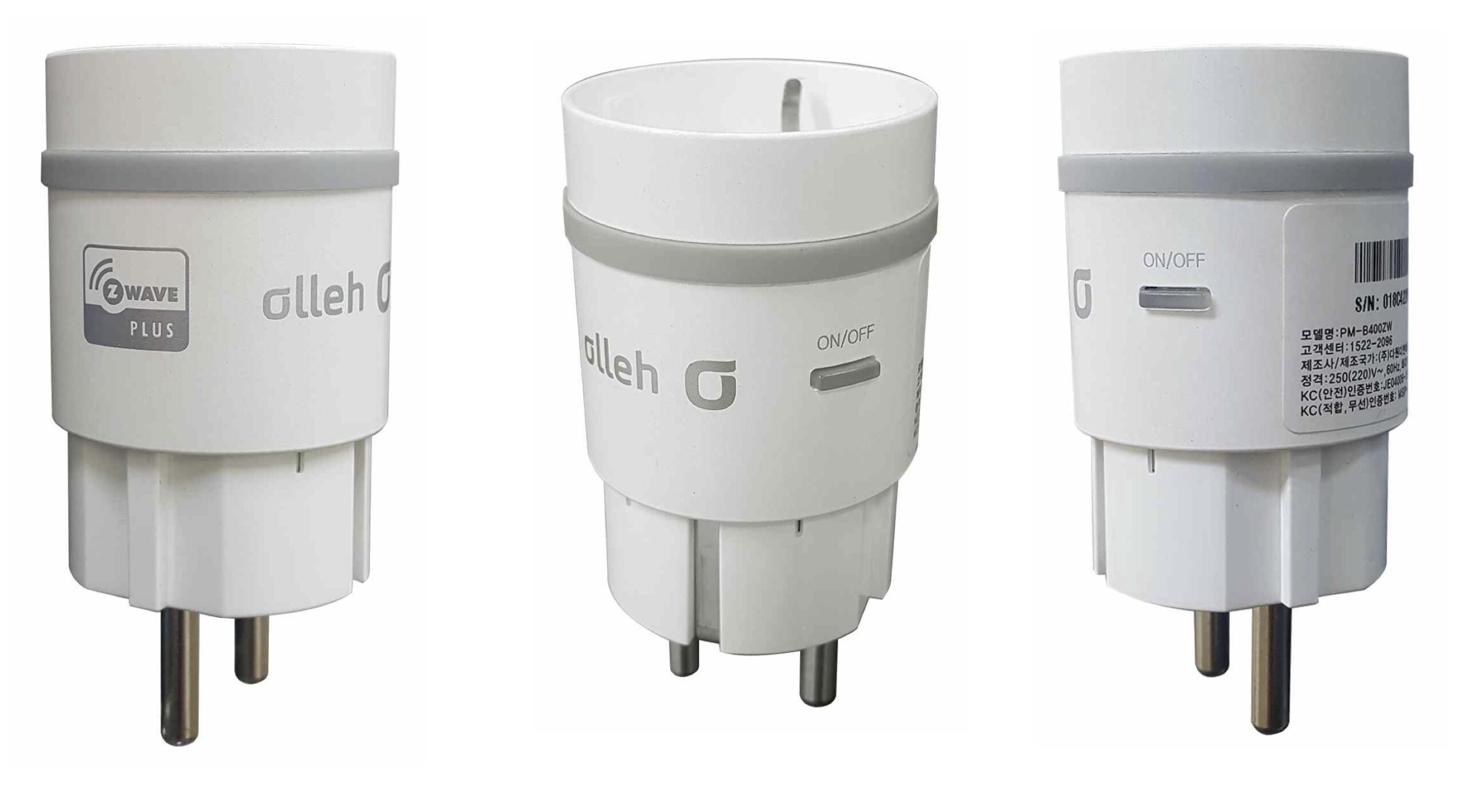
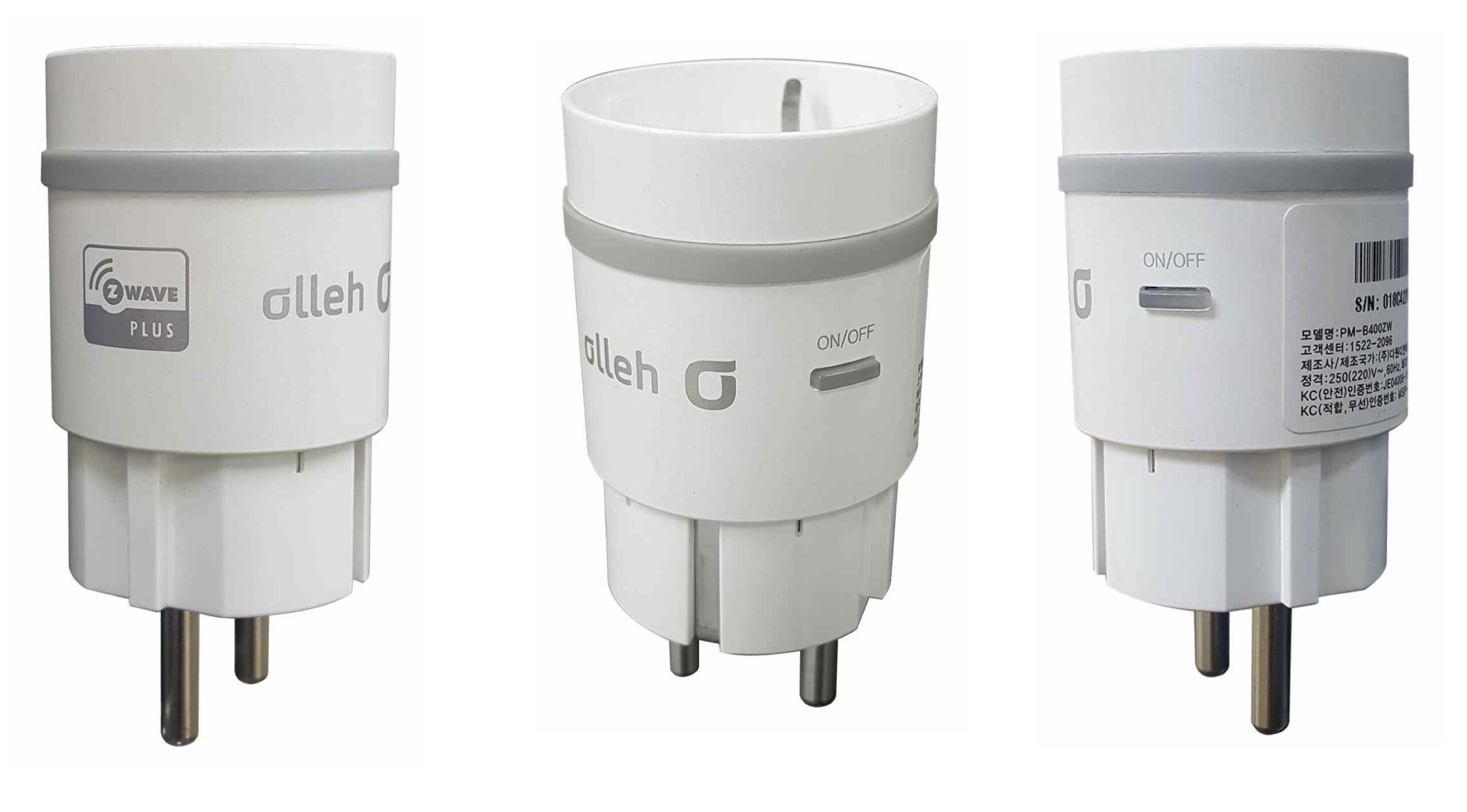
Product Recognition | |
|---|
Certification Number | ZC10-16010011 |
|---|
Name | Power Manager |
|---|
Short Description | This device measures the total amout of accumulated electricity and the amount currently amount of electricity and has the ability to power on or off the connected load.(ex. electric home appliances) |
|---|
Long Description | The apparatus can remotely power on/off to the load connected and will inform you of the electricity usage of your load. You can use it to measure the power of the load connected to the device (currently instantaneous power & accumulated power). |
|---|
Brand | Dawon DNS |
|---|
Product Identifier | PM-B400ZW |
|---|
OEM Version | 11 |
|---|
Hardware Platform | WML-C85 |
|---|
Z-Wave Version | 6.51.06 |
|---|
Library Type | SLAVE_ENHANCED_232 |
|---|
Device Type | On/Off Power Switch |
|---|
Role Type | ROLE_TYPE_SLAVE_ALWAYS_ON |
|---|
Manufacturer ID | 0x018C |
|---|
Product Type ID | 0x0042 |
|---|
Product ID | 0x0005 |
|---|
Frequency Plans | KR: 920.90MHz, 921.70MHz, 923.10MHz |
|---|
Categories | Energy Meters, All Lighting Devices, On/Off Switches/Devices |
|---|
Countries / Regions | Republic of Korea |
|---|
Documents | Category | Description | File |
|---|
Manual_Primary_Lang | Product or Owner's Manual | |
|
|---|
Association Groups | Group Number | Maximum Nodes Supported | End Point ID | Description |
|---|
1 | 5 | 0 | Z-Wave Plus Lifeline, see attatched manual. |
|
|---|
Configuration Parameters | Parameter Number | Name | Description | Format | Size | Min Value | Max Value | Default Value | Parameter Values |
|---|
5 | Periodic Time Intervals | Minimum time interval : 10minutes Value : 1 (10minutes * 1) = 10minutes interval Value : 2 (10minutes * 2) = 20minutes interval …….. …….. Value : 144(10m * 144) = 24 hours interval =>MAX ( Default : 6 = One hour ) | 0 | 1 | 0 | 0 | 6 | | 4 | Connected Device Use/Not Use | Value : 0 Connected Device Not Use Value : 1 Connected Device Use - Before setting the standby power it does not report. (This configuration value is used only 0 and 1.) | 0 | 1 | 0 | 0 | 0 | | 2 | Peridic Measurement Value Transmission | Value : 1 Periodic Measurement Value Transmission Enable Value : 0 Periodic Measurement Value Transmission disable ( Default : Periodic Measurement Value Transmission Enable ) | 0 | 1 | 0 | 0 | 1 | | 3 | Accumulation Start/Stop | Value : 0 Accumulation Stop Value : 1 Accumulation Start ( Default : Accumulation Start ) (This configuration value is used only 0 and 1.) | 0 | 1 | 0 | 0 | 0 | | 1 | Standy Power Setting Value | 3 Byte, Standby Power Enable/Disble : 1 Byte) Value : if the value is set by 300, standby power equals 3.00w (0x00012C) and standby power enable is 1. total 0x00012C01 ( Default : 0 – 0.00W, StandbyPower Disable) | 0 | 4 | 0 | 0 | 0 | |
|
|---|
Texts | ID | Description | Value |
|---|
1 | Inclusion | After mounting the UZB controller to your PC and running the PC Controller program, click the Add button in the PC Controller program. Press the button on the Smart Plug for more than five seconds after you plug the Smart Plug into a power outlet and it will include to the network controller, while flashing the red button on the LED Smart Plug. | 2 | Exclusion | After mounting the UZB controller to your PC and run the PC Controller program you can click the Remove button in the PC Controller program. Press the button on the Smart Plug for more than five seconds after you plug the Smart Plug into a power outlet will Exclusion in the network controller, while the flashing red button LED Smart Plug. | 5 | Factory Reset | Press the button on the Smart Plug for more than 10 seconds after you plug the Smart Plug into a power outlet will make a Exclusion in the network controller, while the flashing red button LED Smart Plug. And all the variables are initialized.
※ Please use this procedure only in the event that the network primary
controller is missing or otherwise inoperable |
|
|---|
Supports NWI | Yes |
|---|
Supports Explorer Frames | Yes |
|---|