
Product Recognition | |
|---|---|
Certification Number | ZC10-16045045 |
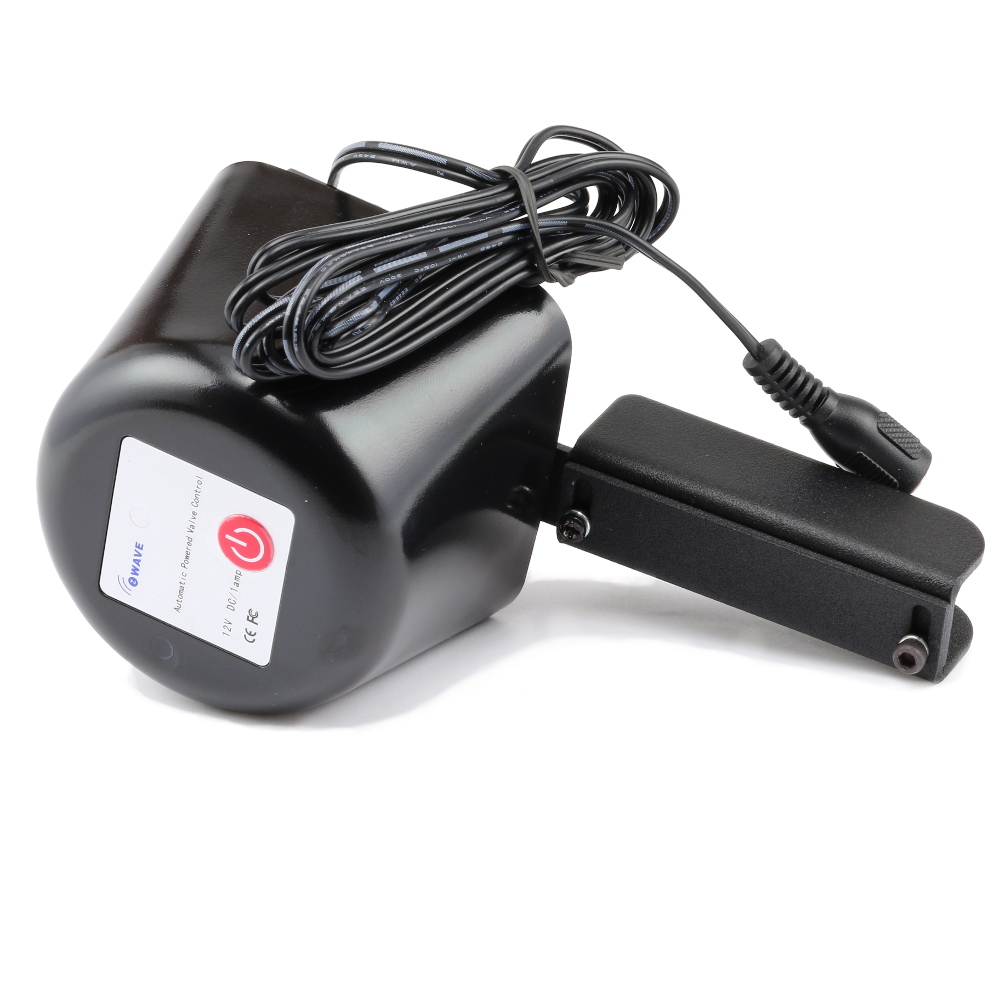
Name | Valve Control |
Short Description | Z-Wave water / gas valve controller for home automation systems (Z-Wave gateway controller needed). DIY, easy installation, no plumbing required. |
Long Description | Once the Z-Wave valve control is added to your network, you are able to close and open the valve from your mobile device or a computer. Depending on your Z-Wave gateway's home automation software you may be able to associate Z-Wave valve control device in groups with other Z-Wave devices to schedule scenes or create events. Example: if a water sensor detects water your gateway will send a signal to shut the water valve off. Or, you'll be able to turn your vacation home water valve on or off remotely.
- Indoor installation only!
- Adjustable bracket fits all standard ball valves.
- Compatible with standard Z-Wave home automation systems supporting binary switch command.
- Z-Wave Plus with improved 500 chip for faster and safer wireless communication.
- Built-in Z-Wave signal repeater. |
Brand | Zooz |
Product Identifier | ZAC03 |
OEM Version | HW: 2 FW: 0.02 |
Hardware Platform | ZM5202 |
Z-Wave Version | 6.51.06 |
Library Type | SLAVE_ROUTING |
Device Type | Valve - Open/Close |
Role Type | ROLE_TYPE_SLAVE_ALWAYS_ON |
Manufacturer ID | 0x027A |
Product Type ID | 0x0003 |
Product ID | 0x0512 |
User Icon | 0x1500 |
Installer Icon | 0x1500 |
Frequency Plans | US: 916.00MHz, 908.40MHz |
Categories | Water Valves & Irrigation |
Countries / Regions | United States of America |
Documents | |
Association Groups | |
Texts | |
Supports NWI | Yes |
Supports Explorer Frames | Yes |
Radio Range Z-Wave (m) | 40 |