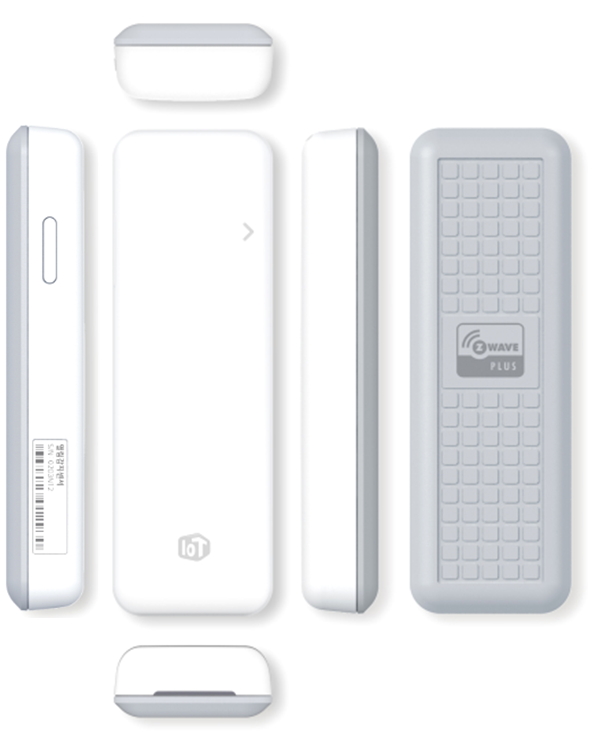
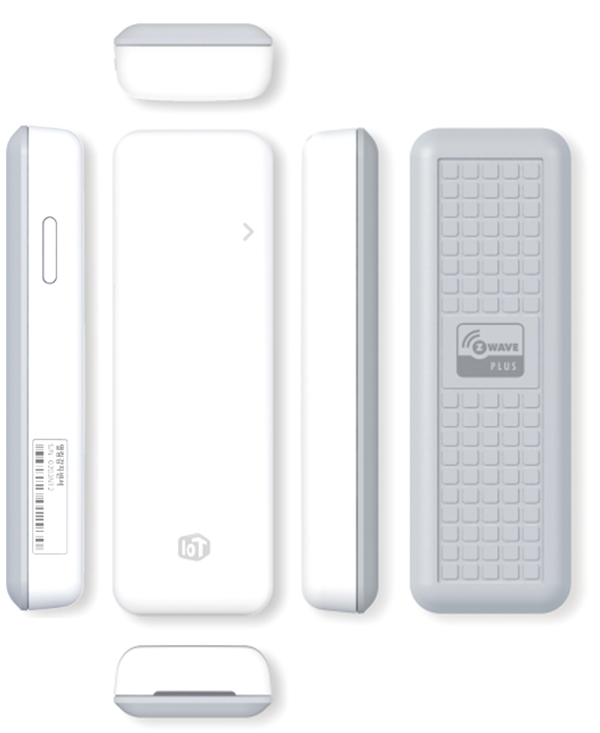
Product Recognition | |
|---|
Certification Number | ZC10-16055077 |
|---|
Name | Open Sensor |
|---|
Short Description | Window & door open sensor |
|---|
Long Description | Detecting the status of Door or Windows equipped with Z-Wave Open Sensor and notifying the status to a customer via smart phone application. |
|---|
Brand | LG Uplus |
|---|
Product Identifier | OSLI-01 |
|---|
OEM Version | HW: 1 FW: 27.18 |
|---|
Hardware Platform | ZM5101 |
|---|
Z-Wave Version | 6.51.07 |
|---|
Library Type | SLAVE_ENHANCED_232 |
|---|
Device Type | Notification Sensor |
|---|
Role Type | ROLE_TYPE_SLAVE_SLEEPING_REPORTING |
|---|
Manufacturer ID | 0x0273 |
|---|
Product Type ID | 0x0003 |
|---|
Product ID | 0x0001 |
|---|
User Icon | 0x0C06 |
|---|
Installer Icon | 0x0C06 |
|---|
Frequency Plans | KR: 920.90MHz, 921.70MHz, 923.10MHz |
|---|
Categories | Sensors |
|---|
Countries / Regions | Republic of Korea |
|---|
Documents | Category | Description | File |
|---|
Manual_Primary_Lang | Product or Owner's Manual | |
|
|---|
Features | Feature | Values |
|---|
Sensors | Value |
|---|
Open/Closed (Binary) |
|
|
|---|
Association Groups | Group Number | Maximum Nodes Supported | End Point ID | Description |
|---|
1 | 1 | 0 | Z-Wave Plus Lifeline |
|
|---|
Configuration Parameters | Parameter Number | Name | Description | Format | Size | Min Value | Max Value | Default Value | Parameter Values |
|---|
1 | Battery report Period | Wake Up period x Configuration value = Battery report Period | 0 | 1 | 0 | 0 | 0 | From | To | Description |
|---|
0 | 255 | Default 24 (0x18), 0x01~0xFF in 15 minute increments |
|
|
|---|
Texts | ID | Description | Value |
|---|
1 | Inclusion | 1. Press & hold inclusion/Exclusion button during 5 seconds when Open Sensor is exclusion status.
2. Press for 5 seconds, LED is turn on.
3. Open sensor will try inclusion for 30 seconds when button is released. | 2 | Exclusion | 1. Receiver will stay exclusion waiting mode.
2. Press & hold inclusion/Exclusion button during 5 seconds when Open Sensor is exclusion status.
3. Press for 5 seconds, LED is turn on.
4. Open sensor will try exclusion when button is released.
5. If exclusion is successful, LED will blink 3 times with 250ms interval. | 5 | Factory Reset | 1. Press & hold inclusion/Exclusion button during 10 seconds.
2. LED will blink while holding the button.
3. Factory reset will be done in 10 seconds after releasing button and blink 5 times with 100ms interval.
※ Please use factory reset only when the network primary controller is missing or otherwise inoperable. | 6 | Additional Special Features | Firmware auto update via over the air | 4 | Device Wake-Up | 1. Device sends Wake up Notification by every 15 minutes.
2. Devices also sends Wake up Notification when inclusion/exclusion button is shortly pressed regardless of 15minutes interval. |
|
|---|
Supported Multilevel Sensors | Multilevel Sensor Type |
|---|
General purpose |
|
|---|
Supports NWI | Yes |
|---|
Supports Explorer Frames | Yes |
|---|
Radio Range Z-Wave (m) | 40 |
|---|