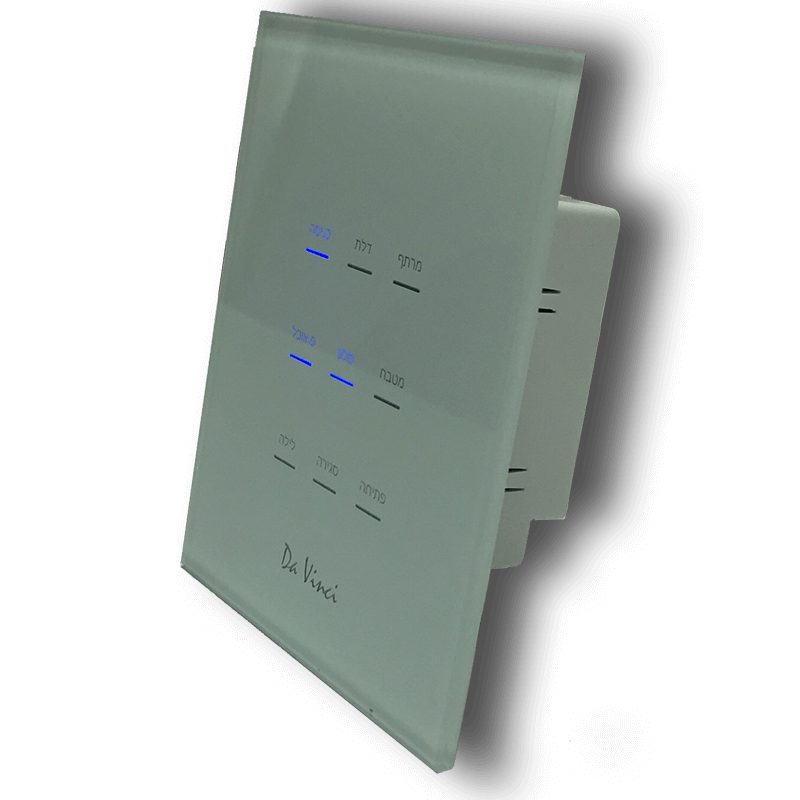
Product Recognition | |
|---|
Certification Number | ZC10-16055069 |
|---|
Name | Da Vinci Wall Controller |
|---|
Short Description | High voltage in wall controller |
|---|
Long Description | The Da Vinci wall controller is a Multi Chanel Z-Wave device that contains up to 6 relays and up to 9 touch buttons that can be set to control either the relays or any other on/off (SWITCH_BINARY) Z-Wave device. |
|---|
Brand | Contec - intelligent housing |
|---|
Product Identifier | Da Vinci v3 |
|---|
OEM Version | HW: 1 FW: 1.00 |
|---|
Hardware Platform | ZM5202 |
|---|
Z-Wave Version | 6.51.06 |
|---|
Library Type | SLAVE_ENHANCED_232 |
|---|
Device Type | Wall Controller |
|---|
Role Type | ROLE_TYPE_SLAVE_ALWAYS_ON |
|---|
Manufacturer ID | 0x025D |
|---|
Product Type ID | 0x0100 |
|---|
Product ID | 0x0100 |
|---|
User Icon | 0x1600 |
|---|
Installer Icon | 0x1600 |
|---|
Frequency Plans | US: 916.00MHz, 908.40MHz |
|---|
Categories | All Lighting Devices, Lighting Accessories |
|---|
Countries / Regions | United States of America |
|---|
Controlled Command Classes | Identifier | Name | Key | Version |
|---|
COMMAND_CLASS_SWITCH_BINARY | Switch Binary | 0x25 | 1 | COMMAND_CLASS_CENTRAL_SCENE | Central Scene | 0x5B | 1 |
|
|---|
Documents | Category | Description | File |
|---|
Manual_Primary_Lang | Product or Owner's Manual | |
|
|---|
Association Groups | Group Number | Maximum Nodes Supported | End Point ID | Description |
|---|
4 | 5 | 0 | Sends a SWITCH_BINARY_SET command to all group members | 7 | 5 | 0 | Sends a SWITCH_BINARY_REPORT command to all group members | 8 | 5 | 0 | Sends a SWITCH_BINARY_SET command to all group members | 9 | 5 | 0 | Sends a SWITCH_BINARY_REPORT command to all group members | 10 | 5 | 0 | Sends a SWITCH_BINARY_SET command to all group members | 1 | 5 | 0 | Z-Wave Plus Lifeline | 2 | 5 | 0 | Sends a SWITCH_BINARY_SET command to all group members | 3 | 5 | 0 | Sends a SWITCH_BINARY_REPORT command to all group members | 5 | 5 | 0 | Sends a SWITCH_BINARY_REPORT command to all group members | 6 | 5 | 0 | Sends a SWITCH_BINARY_SET command to all group members | 11 | 5 | 0 | Sends a SWITCH_BINARY_REPORT command to all group members | 17 | 5 | 0 | Sends a SWITCH_BINARY_REPORT command to all group members |
|
|---|
Texts | ID | Description | Value |
|---|
1 | Inclusion | To Add (Include) to the network:
Press the #1 button 3 times. | 2 | Exclusion | To Remove (Exclude) from the network:
Press the #1 button 3 times. | 5 | Factory Reset | Double Press the following buttons in the
following order 8,1,3.
Use the reset procedure only when the primary controller is missing or inoperable. |
|
|---|
Supports NWI | Yes |
|---|
Supports Explorer Frames | Yes |
|---|
Radio Range Z-Wave (m) | 40 |
|---|