Product Recognition | |
|---|
Certification Number | ZC10-16080001 |
|---|
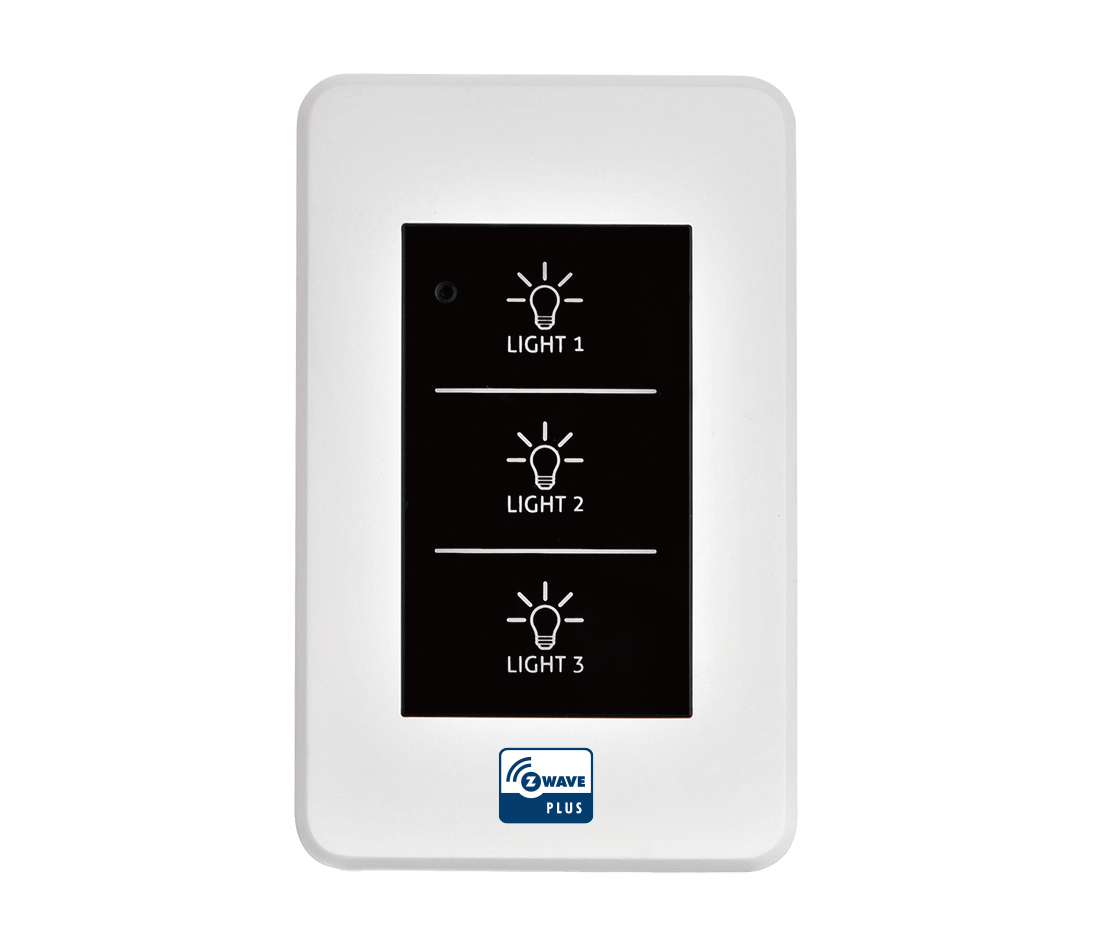
Name | Wall Switch |
|---|
Short Description | Z-Wave Wall Switch provides on/off control of a light by smartphone or manual. |
|---|
Long Description | Z-Wave Wall Switch provides on/off control of a light by smartphone or manual.
Adds local and Z-Wave On/Off control to a wired light or appliance and can replace a traditional On/Off switch. |
|---|
Brand | Winytechnology |
|---|
Product Identifier | WTR-1210-11 |
|---|
OEM Version | 1.01 |
|---|
Hardware Platform | ZM5101 |
|---|
Z-Wave Version | 6.51.06 |
|---|
Library Type | SLAVE_ENHANCED_232 |
|---|
Device Type | On/Off Power Switch |
|---|
Manufacturer ID | 0x0242 |
|---|
Product Type ID | 0x0003 |
|---|
Product ID | 0x0012 |
|---|
Frequency Plans | KR: 920.90MHz, 921.70MHz, 923.10MHz |
|---|
Categories | All Lighting Devices, On/Off Switches/Devices |
|---|
Countries / Regions | Republic of Korea |
|---|
Documents | Category | Description | File |
|---|
Manual_Primary_Lang | Product or Owner's Manual | |
|
|---|
Features | Feature | Values |
|---|
Switch Load Capacity Volt-Ampere | | Switch Load Capacity Current | | Switch Load Capacity Watts | | Neutral Wire Required | | Firmware Updatable | Value |
|---|
Updatable by Consumer by RF |
| Color | |
|
|---|
Association Groups | Group Number | Maximum Nodes Supported | End Point ID | Description |
|---|
1 | 5 | 0 | Z-Wave Plus Lifeline | 2 | 5 | 0 | Button1 Nomary Switch Report | 3 | 5 | 0 | Button1 Binary Switch Set | 4 | 5 | 0 | Button2 Binary Switch Report | 5 | 5 | 0 | Button2 Binary Switch Set | 6 | 5 | 0 | Button3 Binary Switch Report | 7 | 5 | 0 | Button3 Binary Switch Set |
|
|---|
Configuration Parameters | Parameter Number | Name | Description | Format | Size | Min Value | Max Value | Default Value | Parameter Values |
|---|
2 | Automatic Key Report Control (AKRC) | This option determines when the reporting of the key is performed, at press or at release. | 0 | 1 | 0 | 0 | 1 | From | To | Description |
|---|
1 | 1 | Report at the press of a button | 0 | 0 | Release report set at the press of a button |
| 255 | Reset | Initialize a select configuration parameter, or reset all configuration parameters to their default values. | 0 | 1 | 0 | 0 | 255 | From | To | Description |
|---|
3 | 3 | Initialize Parameter 3 to default | 101 | 101 | Initialize Parameter 101 to default | 255 | 255 | Reset to the default full Parameter | 2 | 2 | Initialize Parameter 2 to default |
| 101 | Key Report Source Select (KRSS) | This option sets which keys will report. The option is a bit mask option, so values should be added together of multiple keys are being selected. For example, 1 + 4 = 5 turns on reporting for Key 1 and Key 3. | 0 | 4 | 0 | 0 | 1792 | From | To | Description |
|---|
4 | 4 | Key 3 Report | 2 | 2 | Key 2 Report | 1 | 1 | Key 1 Report |
|
|
|---|
Texts | ID | Description | Value |
|---|
1 | Inclusion | A. Confirm that a device must be wireless access to Z-Wave network. (Fn Display: Green LED OFF)
B. Set “NW Inclusion” or “Node Add” by controller.
C. Press Fn switch 3 times in a row to include the device to Z-Wave network. (Fn Display: Green LED blinking)
D. Confirm that a device is included on Z-Wave network. (Fn Display: Green LED blinking) | 2 | Exclusion | A. Confirm that a device is included on Z-Wave network. (Fn Display: Green LED blinking)
B. Set “Node remove” by controller.
C. Press Fn switch 3 times in a row to cancel the incluion on Z-Wave network.
(Fn Display: Red LED blinking)
If the controller is not on “Node remove” status, device will automatically cancel “Exclusion”.
(Fn Display: Green LED ON)
D. Confirm that it remove the device from Z-Wave network. (Fn Display Green LED - OFF) | 5 | Factory Reset | Use this procedure only in the event that the network primary controller is missing or otherwise inoperable.
Press Fn switch over 10~15 sec to initialize connecting network information. |
|
|---|
Supports NWI | Yes |
|---|
Supports Explorer Frames | Yes |
|---|
Radio Range Z-Wave (m) | 40 |
|---|