Product Recognition | |
|---|
Certification Number | ZC10-16095214 |
|---|
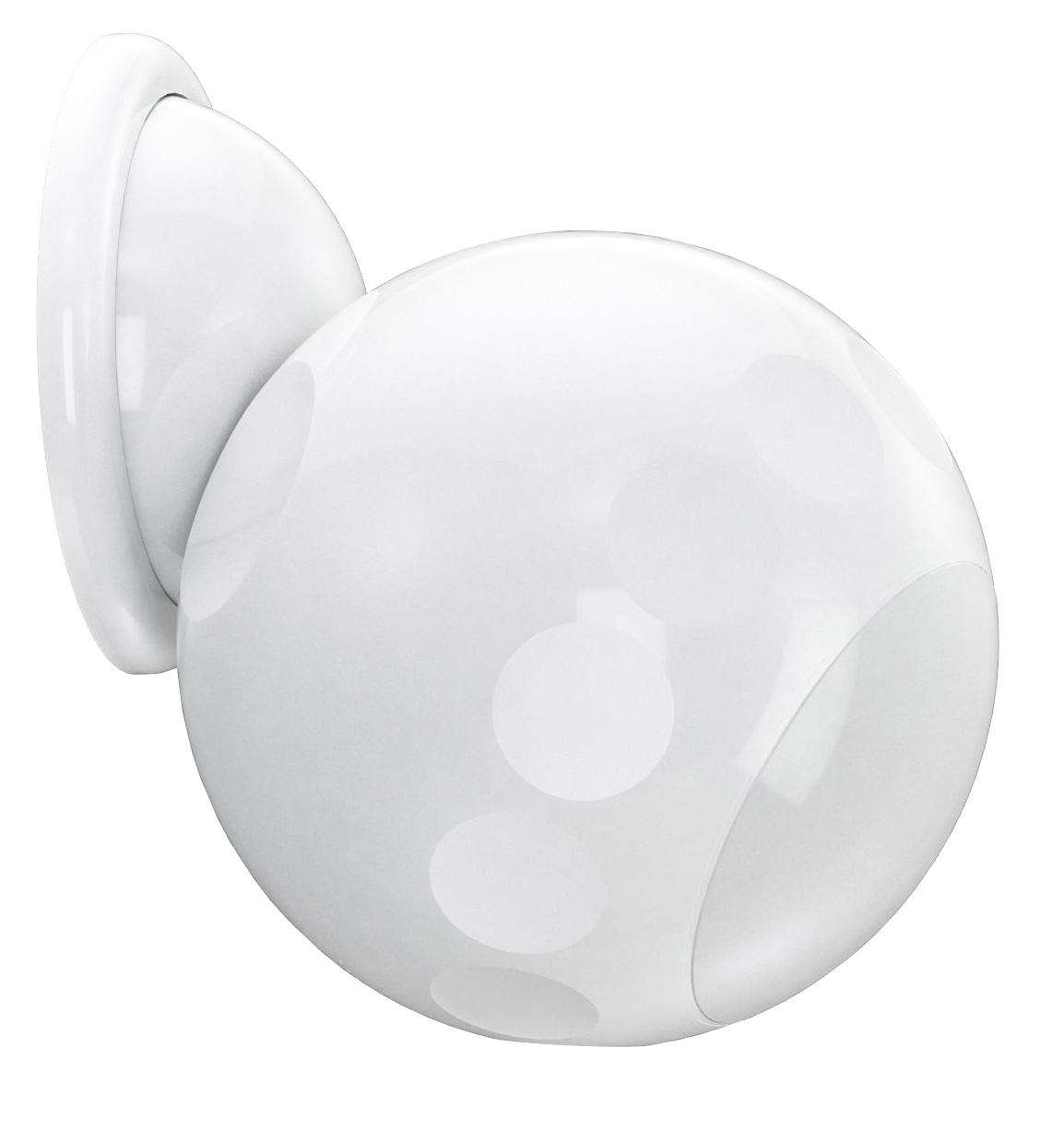
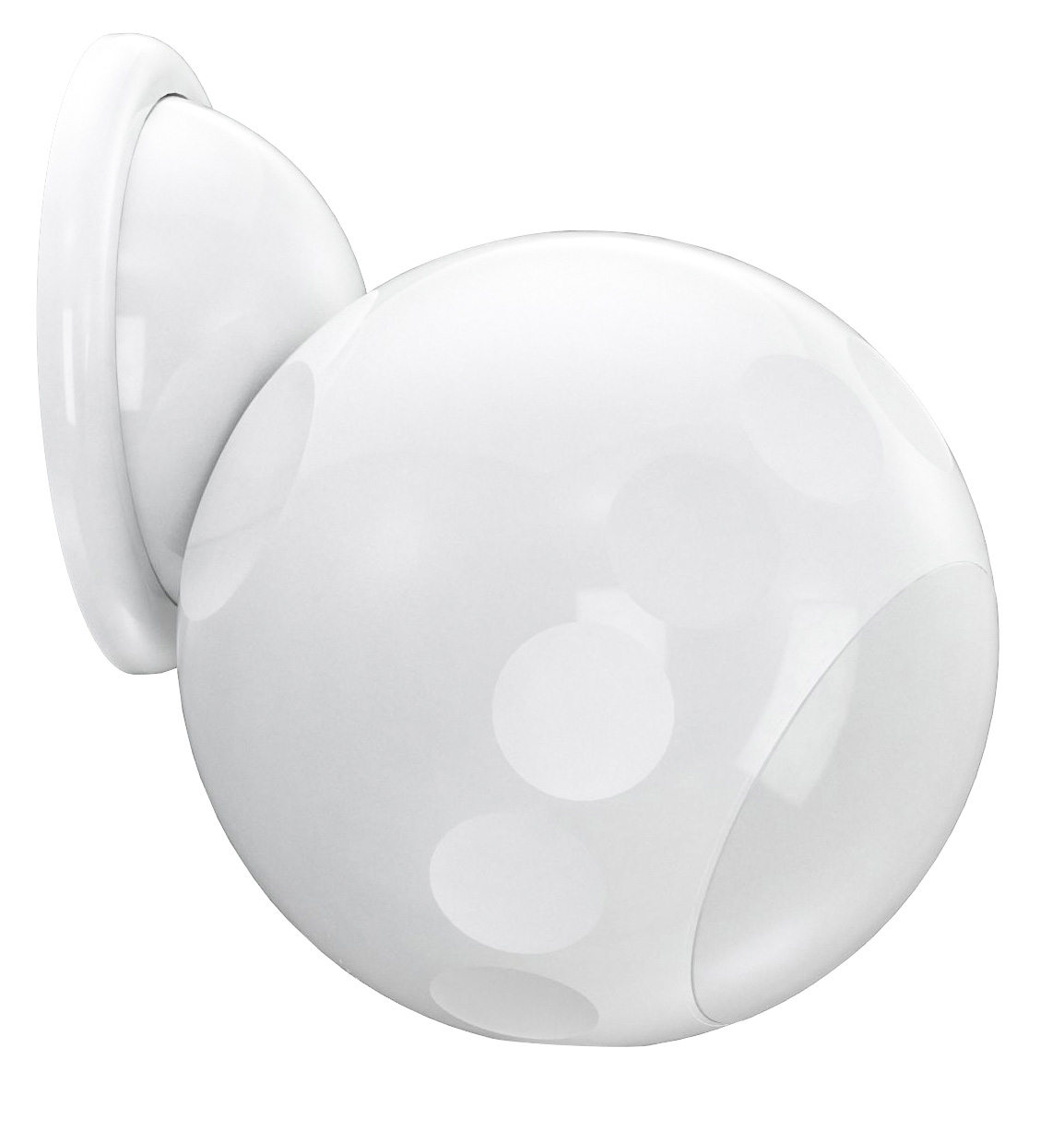
Name | Dome Z-Wave Plus Motion Detector |
|---|
Short Description | Dome™ Z-Wave Plus Motion Detector w/Light Sensor & Flexible Magnetic Mount |
|---|
Long Description | The Dome™ Home Automation DMMS1 Z-Wave Certified Motion Detector tracks motion in your home, helping you keep your family safe. When motion is detected, your Z-Wave hub will send an alert to your smartphone, set off an alarm or trigger a lighting scene. This detector can also measure light levels to ensure the lights are operated only when required. Convenient magnetic mount offers the ultimate flexibility for multi surface adaptable installation on either wall, ceiling or table top. The device comes with a CR123A battery and has a 3-year battery life, so you can always be confident that your detector has power. Extra-long Z-Wave wireless range (up to 150 ft) allows you to place it where it’s needed without worrying if the signal reaching your Z-Wave Hub. The Dome™ Home Automation DMMS1 Z-Wave Certified Motion Detector comes with a 1-year limited warranty. Measurements in inches: 2.5 x 3.5 x 6. This sensor requires a Dome™ Home Automation Hub or other Z-Wave Certified hub for operation. The Dome™ Home Automation system gives your family the ease and security you can count on. With Dome™, you’re always connected and always covered.
● Detects movement inside your home with extra wide 110 deg. coverage and responds to activity by sending an alert to your smarthome system. Adjustable sensitivity for optimum performance based on environment
● Capable of sensing current light conditions in the room helping create smart lighting scenes. Adjustable timeout for selecting delay when lights will turn off after motion is no longer detected
● Convenient magnetic mount offering ultimate installation flexibility
● Z-Wave Plus Certified. Requires a Z-Wave Certified Hub to operate. Up to 150-foot range and 3-year battery life (CR123A Battery Included)
● Works with SmartThings, Vera, Staples Connect, HomeSeer, Nexia, Piper, URC, Harmony. Not supported: Wink, DSC, ADT Pulse, 2gig, Napco, Interlogix, Honeywell (Dome is not associated with listed brands) |
|---|
Brand | Dome |
|---|
Product Identifier | DMMS1 |
|---|
OEM Version | HW: 66 FW: 3.80 |
|---|
Hardware Platform | ZM5202 |
|---|
Z-Wave Version | 6.51.06 |
|---|
Library Type | SLAVE_ROUTING |
|---|
Device Type | Notification Sensor |
|---|
Role Type | ROLE_TYPE_SLAVE_SLEEPING_REPORTING |
|---|
Manufacturer ID | 0x027A |
|---|
Product Type ID | 0x0003 |
|---|
Product ID | 0x0083 |
|---|
User Icon | 0x0C07 |
|---|
Installer Icon | 0x0C07 |
|---|
Frequency Plans | US: 916.00MHz, 908.40MHz |
|---|
Categories | Sensors |
|---|
Countries / Regions | United States of America |
|---|
Documents | Category | Description | File |
|---|
Manual_Primary_Lang | Product or Owner's Manual | |
|
|---|
Features | Feature | Values |
|---|
Color | | Sensors | Value |
|---|
Motion/No Motion (Binary) | Luminance |
| Battery Quantity | | Battery Type | |
|
|---|
Association Groups | Group Number | Maximum Nodes Supported | End Point ID | Description |
|---|
1 | 5 | 0 | Group 1 is the “Lifeline” group, which can hold five devices. The Motion Detector sends this group a Notification Report and Binary Sensor Report whenever motion is detected and when it stops. It also sends a Multilevel Sensor Report incrementally based on time (see Param 7,) or when a relative change in light level is detected (see Param 9.) Finally, the Motion Detector sends this group Battery Reports and a Device Reset Locally notification to remove itself from the Z-Wave network. | 2 | 5 | 0 | The Motion Detector sends a BASIC_SET command to Association Group 2 to directly trigger devices (like a siren, chime, etc.) when motion is detected and when it stops. Optionally, the Motion Detector can be set to only send this when ambient light levels fall below a predetermined level (see Configuration Parameters 5 and 8.) See Configuration Parameters 2, 3, 5, and 8 for more details regarding Association Group 2. | 3 | 5 | 0 | Group 3 supports up to 5 members and the Motion Detector sends it a NOTIFICATION_REPORT when motion is detected and when it stops.
| 4 | 5 | 0 | Group 4 supports up to 5 members and the Motion Detector sends it a SENSOR_BINARY_REPORT when motion is detected and when it stops. |
|
|---|
Configuration Parameters | Parameter Number | Name | Description | Format | Size | Min Value | Max Value | Default Value | Parameter Values |
|---|
3 | Basic Set Level | This parameter sets the value sent by the BASIC_SET command to Association Group 2 (for more information, see “Group 2” on page 14.) | 0 | 1 | 0 | 0 | 255 | From | To | Description |
|---|
0 | 0 | Turn Off | 1 | 99 | Dim Level | 255 | 255 | On |
| 4 | Enable/Disable Motion Detection | This setting enables or disables motion detection. | 0 | 1 | 0 | 0 | 1 | From | To | Description |
|---|
0 | 0 | Motion Detection Disabled | 1 | 1 | Motion Detection Enabled |
| 5 | Group 2 Ambient Light Threshold | If Parameter 8 is enabled, this setting sets the light level below which the Motion Detector will send BASIC_SET commands to Association Group 2 when motion is detected. For more information, see “Group 2” on page 14. | 0 | 2 | 0 | 0 | 100 | From | To | Description |
|---|
5 | 1000 | in Lux |
| 6 | Retrigger Interval | After each motion event, the Motion Detector is disabled for the amount of time set by this parameter before it can send out another “Motion Detected” Notification Report/Binary Sensor Report. This value must be lower than the value of Parameter 2, and if this parameter is reset to default settings, Parameter 2 will also be reset. | 0 | 1 | 0 | 0 | 8 | From | To | Description |
|---|
1 | 8 | in Seconds |
| 7 | Light Sensing Interval | This parameter sets the amount of time between each successive ambient light level reading that is sent. This value must be less than the Wakeup Interval Time (which is 43,200 seconds or 12 hours by default.) | 0 | 2 | 0 | 0 | 180 | From | To | Description |
|---|
60 | 3600 | in Seconds |
| 8 | Enable/Disable Group 2 Ambient Light Threshold | If this parameter is enabled, the Motion Detector will only send Basic Set commands to Associon Group 2 if the ambient light level is below the value set in Parameter 05. For more information, see “Group 2” on page 14. | 0 | 1 | 0 | 0 | 0 | From | To | Description |
|---|
0 | 0 | Group 2 Ambient Light Threshold Disabled | 1 | 1 | Group 2 Ambient Light Threshold Enabled |
| 9 | Ambient Light Sensitivity Level | This Parameter sets the minimum change in ambient light level (in lux) the Motion Detector must detect before a Multilevel Sensor Report is sent to the main controller. | 0 | 1 | 0 | 0 | 100 | From | To | Description |
|---|
0 | 255 | in Lux |
| 10 | Enable/Disable LED INDICATOR | If this parameter is enabled, the LED INDICATOR will flash everytime there motion is detected. If this is disabled, the LED INDICATOR will not flash to indicate motion events. | 0 | 1 | 0 | 0 | 1 | From | To | Description |
|---|
0 | 0 | LED Disabled | 1 | 1 | LED Enabled |
|
|
|---|
Texts | ID | Description | Value |
|---|
1 | Inclusion | Follow the instructions for your Z-Wave Certified Conto enter inclusion mode. When prompted by the controller:
1. The Motion Sensor should be within 10’ of your Z-Wave controller for the inclusion process. After successful pairing, the device can be brought to the desired location.
2. Remove the SENSOR COVER by twisting it counterclockwise.
3. Remove the BATTERY TAB.
4. Press the BUTTON quickly 3 times in a row.
5. The LED INDICATOR will flash five times indicating inclusion | 5 | Factory Reset | If needed, the Motion Detector can be reset locally by following these steps. Only do this when your Z-Wave controller is disconnected or otherwise unreachable. Beware that resetting your device will disconnect it from the system:
1. Remove the SENSOR COVER and confirm that your Motion Detector is powered up.
2. Press and hold the BUTTON for at least 10 seconds then release. A flashing LED INDICATOR indicates a successful factory reset.
3. The Motion Detector’s memory will be erased to factory settings. | 4 | Device Wake-Up | Because the Motion Detector is a battery powered device, it wakes up on regular intervals to give battery and other status updates to the controller, as well as to accept configuration settings from the controller. This helps to extend the battery life. The device can be forced to wake up to submit these reports or accept new settings immediately by simply pressing and holding the BUTTON for two seconds. The LED INDICATOR will flash once indicating successful wake up. | 2 | Exclusion | Follow the instructions for your Z-Wave Certified Conto enter exclusion mode. When prompted by the controller:
1. Remove the SENSOR COVER.
2. Press the BUTTON quickly 3 times in a row.
The LED INDICATOR will flash five times indicating exclusion/disconnection. |
|
|---|
Supported Multilevel Sensors | Multilevel Sensor Type |
|---|
General purpose | Illuminance |
|
|---|
Supports NWI | Yes |
|---|
Supports Explorer Frames | Yes |
|---|