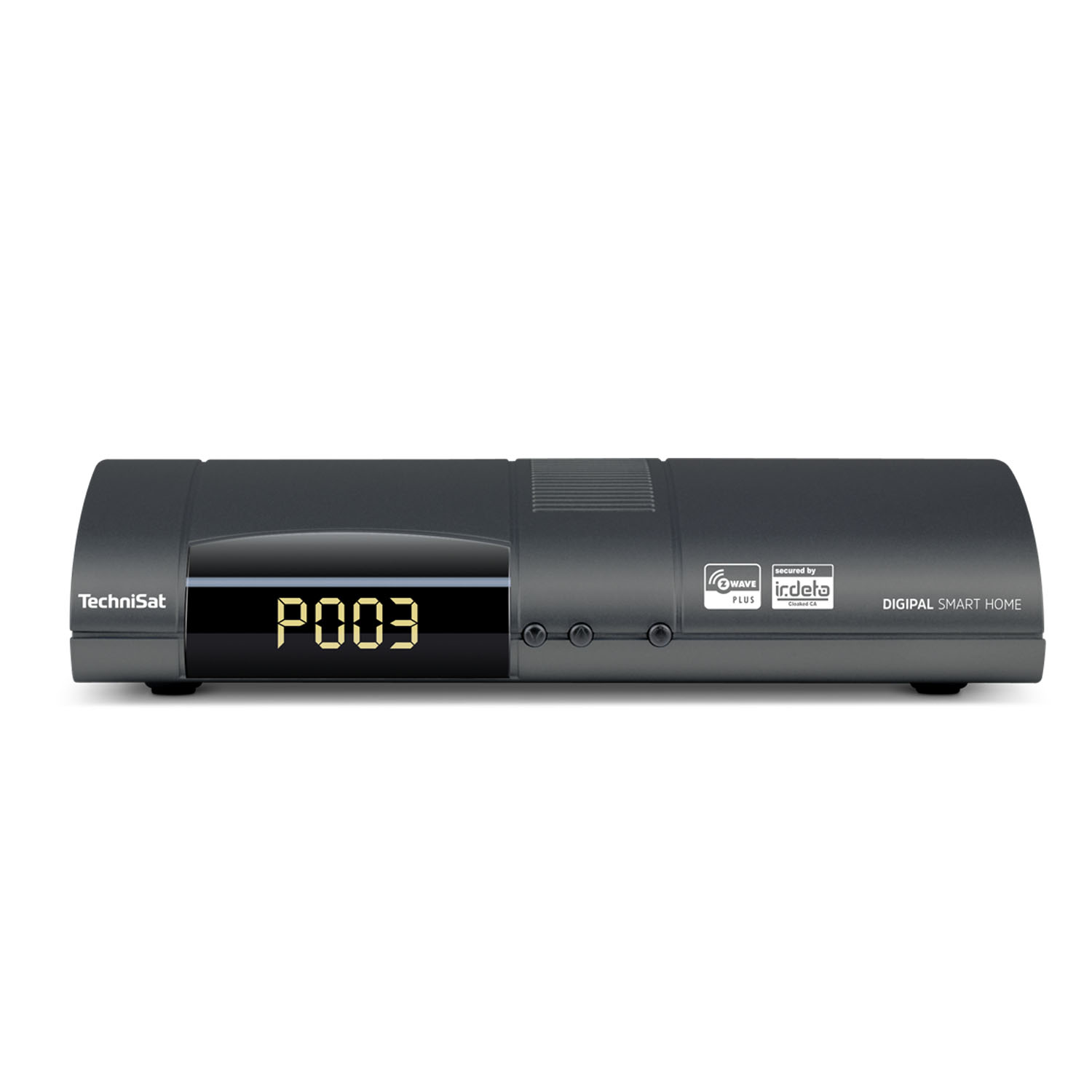
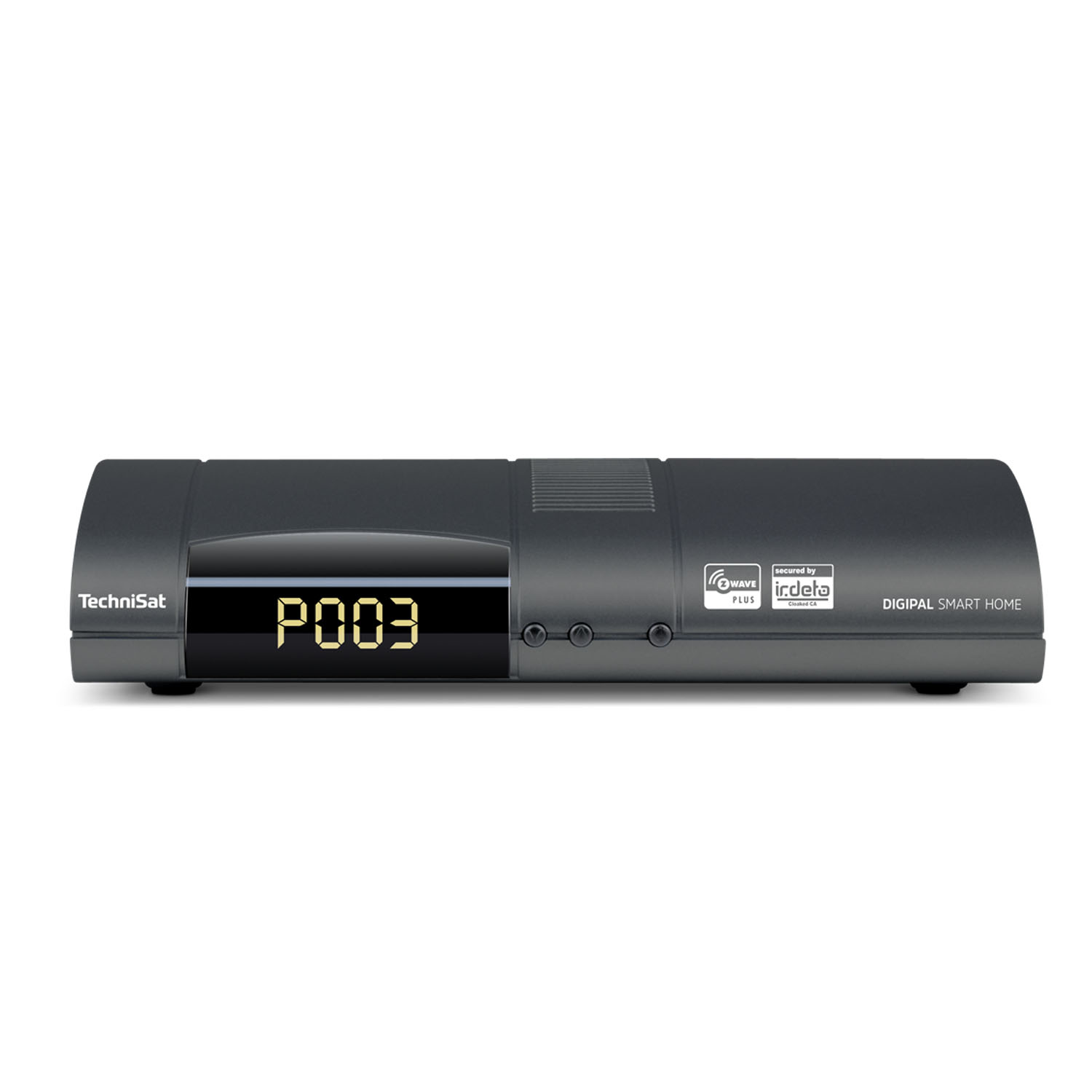
Product Recognition | |
|---|
Certification Number | ZC10-17015381 |
|---|
Name | DigiPal SMART HOME |
|---|
Short Description | Digital Multimedia Receiver with build-in Z-Wave Controller |
|---|
Long Description | Digital Multimedia Receiver including HbbTV, PVR, USB Recording, WiFi, Lan and Bluetooth connectivity. Visualisation and control of simple smart home features (like reading sensor data) or changing switching states of actuators via remote control on the big TV screen. |
|---|
Brand | TechniSat |
|---|
Product Identifier | 0000/9530 |
|---|
OEM Version | HW: 6 FW: 4.33:02.25:01.00:01.00 |
|---|
Hardware Platform | ZM5202 |
|---|
Z-Wave Version | 6.61.00 |
|---|
Library Type | CONTROLLER_BRIDGE |
|---|
Device Type | Gateway |
|---|
Role Type | ROLE_TYPE_CONTROLLER_CENTRAL_STATIC |
|---|
Manufacturer ID | 0x0299 |
|---|
Product Type ID | 0x0001 |
|---|
Product ID | 0x1644 |
|---|
User Icon | 0x0500 |
|---|
Installer Icon | 0x0500 |
|---|
Frequency Plans | EU: 869.85MHz, 868.40MHz |
|---|
Categories | All Controllers, Gateway Controller |
|---|
Countries / Regions | European Union |
|---|
Supported Command Classes | Identifier | Name | Key | Version |
|---|
COMMAND_CLASS_NETWORK_MANAGEMENT_INCLUSION | Network Management Inclusion | 0x34 | 1 | COMMAND_CLASS_POWERLEVEL | Powerlevel | 0x73 | 1 | COMMAND_CLASS_ZIP_PORTAL | Z/IP Portal | 0x61 | 1 | COMMAND_CLASS_NETWORK_MANAGEMENT_INSTALLATION_MAINTENANCE | Network Management Installation and Maintenance | 0x67 | 1 | COMMAND_CLASS_NETWORK_MANAGEMENT_PROXY | Network Management Proxy | 0x52 | 1 | COMMAND_CLASS_APPLICATION_STATUS | Application Status | 0x22 | 1 | COMMAND_CLASS_CRC_16_ENCAP | CRC16 Encapsulation | 0x56 | 1 | COMMAND_CLASS_SECURITY | Security S0 | 0x98 | 1 | COMMAND_CLASS_TRANSPORT_SERVICE_V2 | Transport Service V2 | 0x55 | 2 | COMMAND_CLASS_VERSION_V2 | Version V2 | 0x86 | 2 | COMMAND_CLASS_ZIP_V2 | Z/IP V2 | 0x23 | 2 | COMMAND_CLASS_DEVICE_RESET_LOCALLY | Device Reset Locally | 0x5A | 1 | COMMAND_CLASS_ZWAVEPLUS_INFO_V2 | Z-Wave Plus Info V2 | 0x5E | 2 | COMMAND_CLASS_ASSOCIATION_V2 | Association V2 | 0x85 | 2 | COMMAND_CLASS_ASSOCIATION_GRP_INFO | Association Group Info | 0x59 | 1 | COMMAND_CLASS_MAILBOX | Mailbox | 0x69 | 1 | COMMAND_CLASS_ZIP_GATEWAY | Z/IP Gateway | 0x5F | 1 | COMMAND_CLASS_MANUFACTURER_SPECIFIC_V2 | Manufacturer Specific V2 | 0x72 | 2 | COMMAND_CLASS_MULTI_CMD | Multi-Command | 0x8F | 1 | COMMAND_CLASS_NETWORK_MANAGEMENT_BASIC | Network Management Basic | 0x4D | 1 |
|
|---|
Controlled Command Classes | Identifier | Name | Key | Version |
|---|
COMMAND_CLASS_NETWORK_MANAGEMENT_INCLUSION | Network Management Inclusion | 0x34 | 1 | COMMAND_CLASS_POWERLEVEL | Powerlevel | 0x73 | 1 | COMMAND_CLASS_NETWORK_MANAGEMENT_PROXY | Network Management Proxy | 0x52 | 1 | COMMAND_CLASS_MULTI_CHANNEL_ASSOCIATION_V3 | Multi-Channel Association V3 | 0x8E | 3 | COMMAND_CLASS_BATTERY | Battery | 0x80 | 1 | COMMAND_CLASS_SWITCH_BINARY | Switch Binary | 0x25 | 1 | COMMAND_CLASS_BASIC | Basic | 0x20 | 1 | COMMAND_CLASS_CONFIGURATION | Configuration | 0x70 | 1 | COMMAND_CLASS_CRC_16_ENCAP | CRC16 Encapsulation | 0x56 | 1 | COMMAND_CLASS_SECURITY | Security S0 | 0x98 | 1 | COMMAND_CLASS_SENSOR_BINARY_V2 | Sensor Binary V2 | 0x30 | 2 | COMMAND_CLASS_SENSOR_MULTILEVEL_V6 | Sensor Multilevel V6 | 0x31 | 6 | COMMAND_CLASS_NOTIFICATION_V3 | Notification V3 | 0x71 | 3 | COMMAND_CLASS_TRANSPORT_SERVICE_V2 | Transport Service V2 | 0x55 | 2 | COMMAND_CLASS_VERSION_V2 | Version V2 | 0x86 | 2 | COMMAND_CLASS_WAKE_UP_V2 | Wake Up V2 | 0x84 | 2 | COMMAND_CLASS_ZWAVEPLUS_INFO_V2 | Z-Wave Plus Info V2 | 0x5E | 2 | COMMAND_CLASS_ASSOCIATION_V2 | Association V2 | 0x85 | 2 | COMMAND_CLASS_METER_V3 | Meter V3 | 0x32 | 3 | COMMAND_CLASS_ASSOCIATION_GRP_INFO | Association Group Info | 0x59 | 1 | COMMAND_CLASS_MULTI_CHANNEL_V4 | Multi-Channel V4 | 0x60 | 4 | COMMAND_CLASS_THERMOSTAT_SETPOINT | Thermostat Setpoint | 0x43 | 1 | COMMAND_CLASS_MANUFACTURER_SPECIFIC_V2 | Manufacturer Specific V2 | 0x72 | 2 | COMMAND_CLASS_NETWORK_MANAGEMENT_BASIC | Network Management Basic | 0x4D | 1 |
|
|---|
Documents | Category | Description | File |
|---|
Manual_Primary_Lang | Product or Owner's Manual | |
|
|---|
Features | Feature | Values |
|---|
Color | | Communications Connections | Value |
|---|
Ethernet (Wired) | Ethernet (Wireless/WiFi) | Bluetooth | USB (Universal Serial Bus) | HDMI (High-Definition Multimedia Interface) |
| Firmware Updatable | Value |
|---|
Updatable by Consumer by Wire |
| Communications Protocol | Value |
|---|
Manufacturer Proprietary Protocol |
|
|
|---|
Association Groups | Group Number | Maximum Nodes Supported | End Point ID | Description |
|---|
1 | 1 | 0 | Z-Wave Plus Lifeline |
|
|---|
Texts | ID | Description | Value |
|---|
23 | Controller Inclusion | Tap the ""wrench"" icon in the TechniSat CONNECT app.
Select the ""Add new device"" option.
A list of devices with additional inclusion instructions will be shown:
Tap the device you would like to add.
If your specific device is not listed, please select ""+/Generic"", to add a generic device.
Tap ""NEXT"".
Tap the round button, with the ""radio symbol"", to start the inclusion process on the controller.
The learn/inclusion mode on the device must be started within 60 seconds to add the device. | 24 | Controller Exclusion | In the TechniSat CONNECT app, go to app's ""All devices/scenes"" view.
Tap the ""vertical three dots"" icon next to the device you would like to remove.
From the opened context menu choose the ""Remove Device"" option.
Tap the round button, with the ""radio symbol"", to start the exclusion process on the controller.
The learn/exclusion mode on the device must be started within 60 seconds to remove the device. | 3 | Learn Mode (adding another controller) | In the TechniSat CONNECT app, tap the ""three horizontal lines"" icon.
Tap the ""gear"" icon button.
In the settings menu, select ""Smart Home"".
From the ""advanced Z-Wave settings"" menu select ""Central unit learn mode"", to start the ""learn mode"" on the controller. | 5 | Factory Reset | Please note, that included devices will not be reset and must be excluded previously or reset on their own. The reset can not be reverted.
In the TechniSat CONNECT app, tap the ""three horizontal lines"" icon.
Tap the ""gear"" icon button.
In the settings menu, select ""Smart Home"".
From the ""advanced Z-Wave settings"" menu select ""Reset central unit"". |
|
|---|
Supports NWI | Yes |
|---|
Supports Explorer Frames | Yes |
|---|
Radio Range Z-Wave (m) | 40 |
|---|