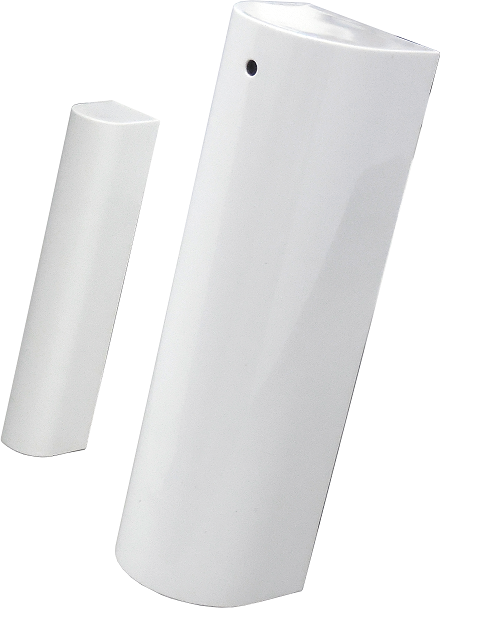
Product Recognition | |
|---|
Certification Number | ZC10-16115303 |
|---|
Name | DCH-Z112 mydlink™ Door/Window Sensor |
|---|
Short Description | The door/window sensor DCH-Z112 has door/window sensor function. |
|---|
Long Description | The door/window sensor DCH-Z112 has door/window sensor function,based on Z-Wave™ technology. |
|---|
Brand | D-Link Corporation |
|---|
Product Identifier | DCH-Z112 |
|---|
OEM Version | HW: 1 FW: 1.01 |
|---|
Hardware Platform | SD3502 |
|---|
Z-Wave Version | 6.61.00 |
|---|
Library Type | SLAVE_ENHANCED_232 |
|---|
Device Type | Notification Sensor |
|---|
Role Type | ROLE_TYPE_SLAVE_SLEEPING_REPORTING |
|---|
Manufacturer ID | 0x0108 |
|---|
Product Type ID | 0x0002 |
|---|
Product ID | 0x0034 |
|---|
User Icon | 0x0C06 |
|---|
Installer Icon | 0x0C06 |
|---|
Frequency Plans | EU: 869.85MHz, 868.40MHz |
|---|
Categories | Sensors |
|---|
Countries / Regions | European Union |
|---|
Supported Command Classes | Identifier | Name | Key | Version |
|---|
COMMAND_CLASS_POWERLEVEL | Powerlevel | 0x73 | 1 | COMMAND_CLASS_BATTERY | Battery | 0x80 | 1 | COMMAND_CLASS_SECURITY | Security S0 | 0x98 | 1 | COMMAND_CLASS_VERSION_V2 | Version V2 | 0x86 | 2 | COMMAND_CLASS_WAKE_UP_V2 | Wake Up V2 | 0x84 | 2 | COMMAND_CLASS_DEVICE_RESET_LOCALLY | Device Reset Locally | 0x5A | 1 | COMMAND_CLASS_ZWAVEPLUS_INFO_V2 | Z-Wave Plus Info V2 | 0x5E | 2 | COMMAND_CLASS_ASSOCIATION_V2 | Association V2 | 0x85 | 2 | COMMAND_CLASS_ASSOCIATION_GRP_INFO | Association Group Info | 0x59 | 1 | COMMAND_CLASS_MANUFACTURER_SPECIFIC_V2 | Manufacturer Specific V2 | 0x72 | 2 | COMMAND_CLASS_NOTIFICATION_V4 | Notification V4 | 0x71 | 4 |
|
|---|
Documents | Category | Description | File |
|---|
Manual_Primary_Lang | Product or Owner's Manual | |
|
|---|
Features | Feature | Values |
|---|
Battery Type | | Sensors | Value |
|---|
Open/Closed (Binary) |
| Battery Quantity | |
|
|---|
Association Groups | Group Number | Maximum Nodes Supported | End Point ID | Description |
|---|
1 | 1 | 0 | Z-Wave Plus Lifeline |
|
|---|
Texts | ID | Description | Value |
|---|
1 | Inclusion | There is a button on DCH-Z112.
1. Have Z-Wave™ Controller entered inclusion mode.
2. Pressing button once to enter the inclusion mode.
3. After add successful, the device will wake to receive the setting command from Z-Wave™ Controller about 20 seconds. | 2 | Exclusion | There is a button on DCH-Z112.
1. Have Z-Wave™ Controller entered exclusion mode.
2. Pressing button once to enter the exclusion mode. | 4 | Device Wake-Up | There is a button on DCH-Z112.
Press the button once, the device will awake 10 seconds. | 5 | Factory Reset | There is a button on DCH-Z112.
1. Pressing button for about 5 seconds.
2. IDs are excluded and all settings will reset to factory default.
Notice: Use this procedure only in the event that the primary controller is lost or otherwise inoperable. |
|
|---|
Supported Multilevel Sensors | Multilevel Sensor Type |
|---|
0x02 |
|
|---|
Supports NWI | Yes |
|---|
Supports Explorer Frames | Yes |
|---|
Radio Range Z-Wave (m) | 40 |
|---|