| Product Recognition | |
|---|
| Certification Number | ZC10-17075686 |
|---|
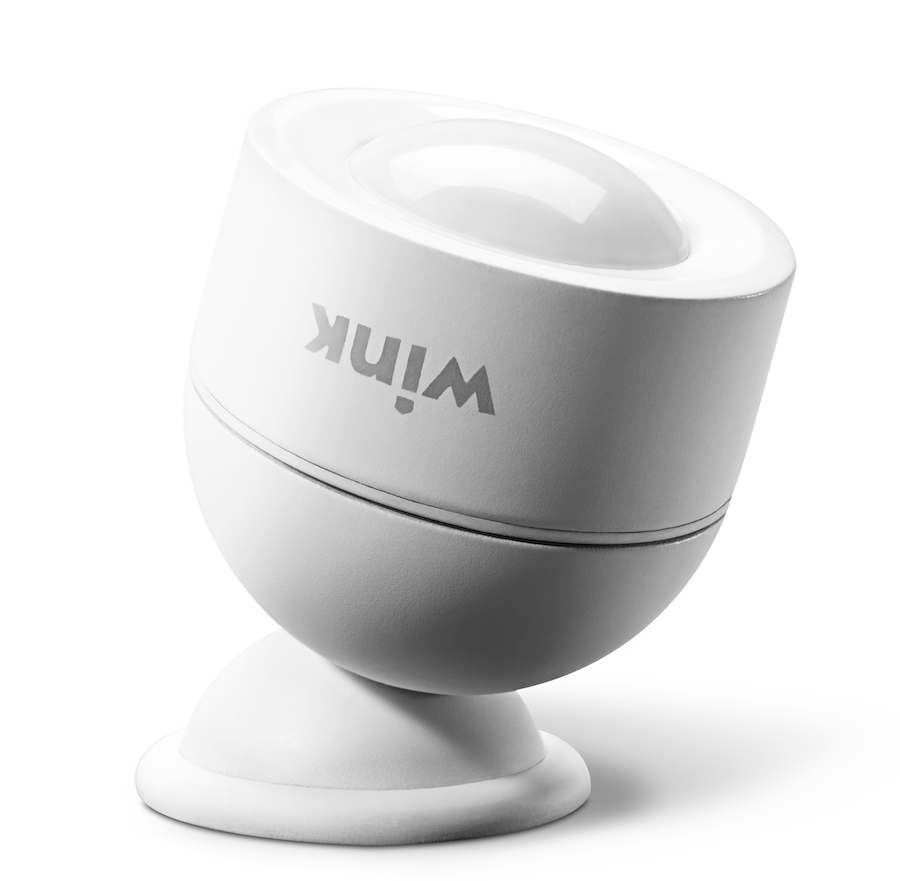
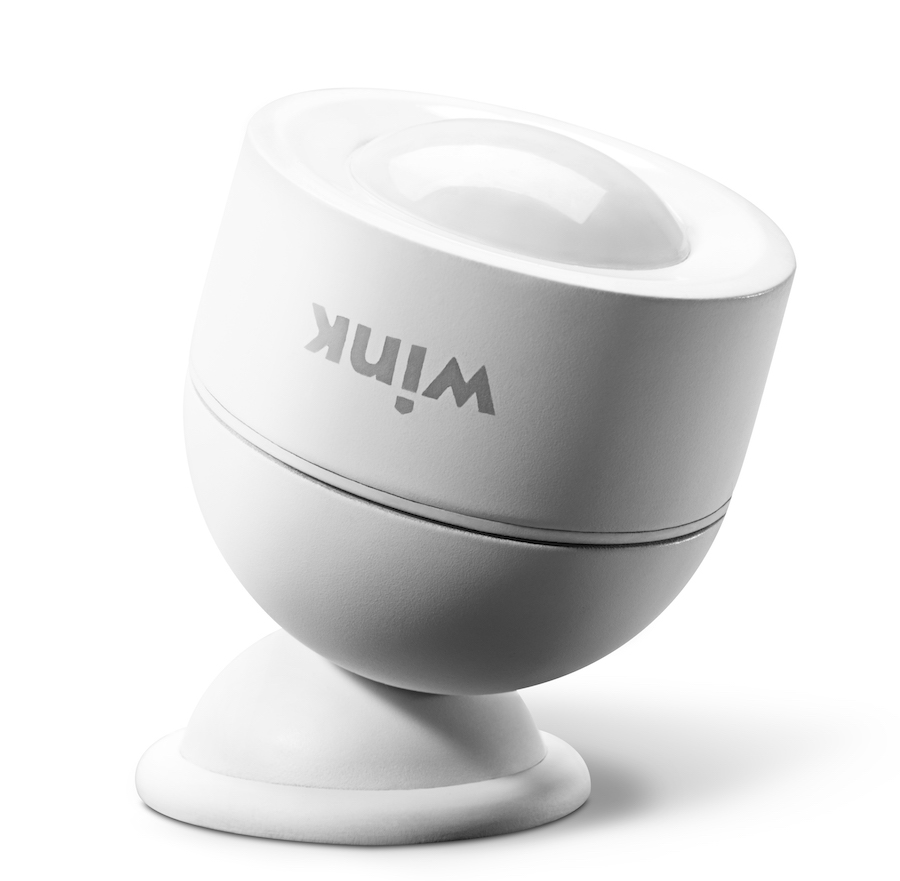
| Name | Wink Motion Sensor |
|---|
| Short Description | Z-Wave Plus passive Infrared (PIR) motion sensor with ambient light sensing capabilities and a magnetic mount. |
|---|
| Long Description | The Wink Motion Sensor is a Z-Wave Plus battery-powered device that senses motion in your home, helping you monitor activity around your home to keep your family safe. When motion is detected, your sensor will blink with a blue LED indicator and your Wink Hub or other Z-Wave Plus certified hub can send an alert to your smartphone, set off an alarm or chime, or trigger an automation such as turning on your lights.
This sensor has flexible mounting options, convenient for multi surface installation on wall, ceiling, shelf or tabletop. The sensor body design with magnetic cradle and angled facet offers easy line-of-sight perspective of the area you wish to monitor, with an extra-wide 110° coverage area, and uses a spherical magnet to hold the sensor body in place, so that it can point in any direction.
The Wink Motion Sensor offers an extra-long z-wave wireless range of up to 150 feet, and requires a Wink Hub or other Z-Wave Plus certified hub for operation. The Motion Sensor comes with a CR123A 3.0V battery and has a three-year battery life, and will send an alert to your smartphone when the device has low battery.
· Z-Wave Plus Certified
· Requires a Z-Wave Plus Certified Hub to operate
· Works with all Z-Wave Plus compatible networks
· Flexible Mounting Options
· 110° Extra-Wide Coverage Area
· Up to 150 feet range
· Three-Year Battery Life (CR123A Battery included)
· Low Battery Indication
· Measurements in millimeters: 45 x 45 x 56.2 mm (combined depth of mount and sensor) |
|---|
| Brand | Wink |
|---|
| Product Identifier | Wink Motion Sensor |
|---|
| OEM Version | HW: 66 FW: 3.80 |
|---|
| Hardware Platform | ZM5202 |
|---|
| Z-Wave Version | 6.51.06 |
|---|
| Library Type | SLAVE_ROUTING |
|---|
| Device Type | Notification Sensor |
|---|
| Role Type | ROLE_TYPE_SLAVE_SLEEPING_REPORTING |
|---|
| Manufacturer ID | 0x017F |
|---|
| Product Type ID | 0x0101 |
|---|
| Product ID | 0x0001 |
|---|
| User Icon | 0x0C07 |
|---|
| Installer Icon | 0x0C07 |
|---|
| Frequency Plans | US: 916.00MHz, 908.40MHz |
|---|
| Categories | Sensors |
|---|
| Countries / Regions | United States of America |
|---|
| Supported Command Classes | | Identifier | Name | Key | Version |
|---|
| COMMAND_CLASS_POWERLEVEL | Powerlevel | 0x73 | 1 | | COMMAND_CLASS_BATTERY | Battery | 0x80 | 1 | | COMMAND_CLASS_CONFIGURATION | Configuration | 0x70 | 1 | | COMMAND_CLASS_SENSOR_BINARY_V2 | Sensor Binary V2 | 0x30 | 2 | | COMMAND_CLASS_SENSOR_MULTILEVEL_V7 | Sensor Multilevel V7 | 0x31 | 7 | | COMMAND_CLASS_VERSION_V2 | Version V2 | 0x86 | 2 | | COMMAND_CLASS_WAKE_UP_V2 | Wake Up V2 | 0x84 | 2 | | COMMAND_CLASS_DEVICE_RESET_LOCALLY | Device Reset Locally | 0x5A | 1 | | COMMAND_CLASS_ZWAVEPLUS_INFO_V2 | Z-Wave Plus Info V2 | 0x5E | 2 | | COMMAND_CLASS_ASSOCIATION_V2 | Association V2 | 0x85 | 2 | | COMMAND_CLASS_ASSOCIATION_GRP_INFO | Association Group Info | 0x59 | 1 | | COMMAND_CLASS_MANUFACTURER_SPECIFIC_V2 | Manufacturer Specific V2 | 0x72 | 2 | | COMMAND_CLASS_NOTIFICATION_V4 | Notification V4 | 0x71 | 4 |
|
|---|
| Controlled Command Classes | | Identifier | Name | Key | Version |
|---|
| COMMAND_CLASS_BASIC_V2 | Basic V2 | 0x20 | 2 |
|
|---|
| Documents | |
|---|
| Features | | Feature | Values |
|---|
| Battery Type | | | Battery Quantity | | | Sensors | | Value |
|---|
| Motion/No Motion (Binary) | | Luminance |
| | Color | | | Supported Notification Types | |
|
|---|
| Association Groups | | Group Number | Maximum Nodes Supported | End Point ID | Description |
|---|
| 1 | 5 | 0 | Group 1 is the “Lifeline” group, which can hold five devices. The Motion Detector sends this group a Notification Report and Binary Sensor Report whenever motion is detected and when it stops. It also sends a Multilevel Sensor Report incrementally based on time (see Param 7,) or when a relative change in light level is detected (see Param 9.) Finally, the Motion Detector sends this group Battery Reports and a Device Reset Locally notification to remove itself from the Z-Wave network. | | 2 | 5 | 0 | The Motion Detector sends a BASIC_SET command to Association Group 2 to directly trigger devices (like a siren, chime, etc.) when motion is detected and when it stops. Optionally, the Motion Detector can be set to only send this when ambient light levels fall below a predetermined level (see Configuration Parameters 5 and 8.) See Configuration Parameters 2, 3, 5, and 8 for more details regarding Association Group 2. | | 3 | 5 | 0 | Group 3 supports up to 5 members and the Motion Detector sends it a NOTIFICATION_REPORT when motion is detected and when it stops.
| | 4 | 5 | 0 | Group 4 supports up to 5 members and the Motion Detector sends it a SENSOR_BINARY_REPORT when motion is detected and when it stops. |
|
|---|
| Configuration Parameters | | Parameter Number | Name | Description | Format | Size | Min Value | Max Value | Default Value | Parameter Values |
|---|
| 3 | Basic Set Level | This parameter sets the value sent by the BASIC_SET command to Association Group 2 (for more information, see “Group 2” on page 14.) | 0 | 1 | 0 | 0 | 255 | | From | To | Description |
|---|
| 255 | 255 | On | | 0 | 0 | Turn Off | | 1 | 99 | Dim Level |
| | 4 | Enable/Disable Motion Detection | This setting enables or disables motion detection. | 0 | 1 | 0 | 0 | 1 | | From | To | Description |
|---|
| 0 | 0 | Motion Detection Disabled | | 1 | 1 | Motion Detection Enabled |
| | 8 | Enable/Disable Group 2 Ambient Light Threshold | If this parameter is enabled, the Motion Detector will only send Basic Set commands to Associon Group 2 if the ambient light level is below the value set in Parameter 05. For more information, see “Group 2” on page 14. | 0 | 1 | 0 | 0 | 0 | | From | To | Description |
|---|
| 1 | 1 | Group 2 Ambient Light Threshold Enabled | | 0 | 0 | Group 2 Ambient Light Threshold Disabled |
| | 9 | Ambient Light Sensitivity Level | This Parameter sets the minimum change in ambient light level (in lux) the Motion Detector must detect before a Multilevel Sensor Report is sent to the main controller. | 0 | 1 | 0 | 0 | 100 | | From | To | Description |
|---|
| 0 | 255 | in Lux |
| | 5 | Group 2 Ambient Light Threshold | If Parameter 8 is enabled, this setting sets the light level below which the Motion Detector will send BASIC_SET commands to Association Group 2 when motion is detected. For more information, see “Group 2” on page 14. | 0 | 2 | 0 | 0 | 100 | | From | To | Description |
|---|
| 5 | 1000 | in Lux |
| | 10 | Enable/Disable LED INDICATOR | If this parameter is enabled, the LED INDICATOR will flash everytime there motion is detected. If this is disabled, the LED INDICATOR will not flash to indicate motion events. | 0 | 1 | 0 | 0 | 1 | | From | To | Description |
|---|
| 0 | 0 | LED Disabled | | 1 | 1 | LED Enabled |
| | 6 | Retrigger Interval | After each motion event, the Motion Detector is disabled for the amount of time set by this parameter before it can send out another “Motion Detected” Notification Report/Binary Sensor Report. This value must be lower than the value of Parameter 2, and if this parameter is reset to default settings, Parameter 2 will also be reset. | 0 | 1 | 0 | 0 | 8 | | From | To | Description |
|---|
| 1 | 8 | in Seconds |
| | 7 | Light Sensing Interval | This parameter sets the amount of time between each successive ambient light level reading that is sent. This value must be less than the Wakeup Interval Time (which is 43,200 seconds or 12 hours by default.) | 0 | 2 | 0 | 0 | 180 | | From | To | Description |
|---|
| 60 | 3600 | in Seconds |
|
|
|---|
| Texts | | ID | Description | Value |
|---|
| 1 | Inclusion | Follow the instructions for your Z-Wave certified Controller to enter inclusion mode.
When prompted by the Controller:
1. For proper inclusion, bring the Motion Detector within range of your Controller.
2. Pull the tab on the side of the sensor to power on, or remove then re-install the batteries.
The LED indicator will flash five times indicating inclusion. | | 2 | Exclusion | Follow the instructions for your Z-Wave certified Controller to enter exclusion mode. When prompted by the Controller:
1. Remove the cover of the Motion Detector and be sure it is powered on.
2. Press the Connect Button on the bottom of the device quickly 3 times in a row.
The LED Indicator will flash five times indicating exclusion/disconnection. | | 5 | Factory Reset | To disconnect from the Z-Wave Network and restore factory default settings:
1. Remove the cover of the Motion Detector and be sure it is powered on.
2. Hold the Connect Button for 10 seconds until the LED indicator blinks once, then release the button.
Only do this if the controller is disconnected or otherwise unreachable! | | 4 | Device Wake-Up | Because the Motion Detector is a battery powered device, it wakes up on regular intervals to give battery and other status updates to the controller, as well as to accept configuration settings from the controller. This helps to extend the battery life. The device can be forced to wake up to submit these reports or accept new settings immediately by simply pressing and holding the BUTTON for two seconds. The LED INDICATOR will flash once indicating successful wake up. |
|
|---|
| Supported Notification Types | | Notification Type | Event / State |
|---|
| Access Control | (Refer to parameters): State idle |
|
|---|
| Supported Multilevel Sensors | | Multilevel Sensor Type |
|---|
| 0x02 | | Illuminance |
|
|---|
| Supports NWI | Yes |
|---|
| Supports Explorer Frames | Yes |
|---|