Product Recognition | |
|---|
Certification Number | ZC12-20040044 |
|---|
Name | 2GIG Z-Wave Plus 700-series Programmable Thermostat |
|---|
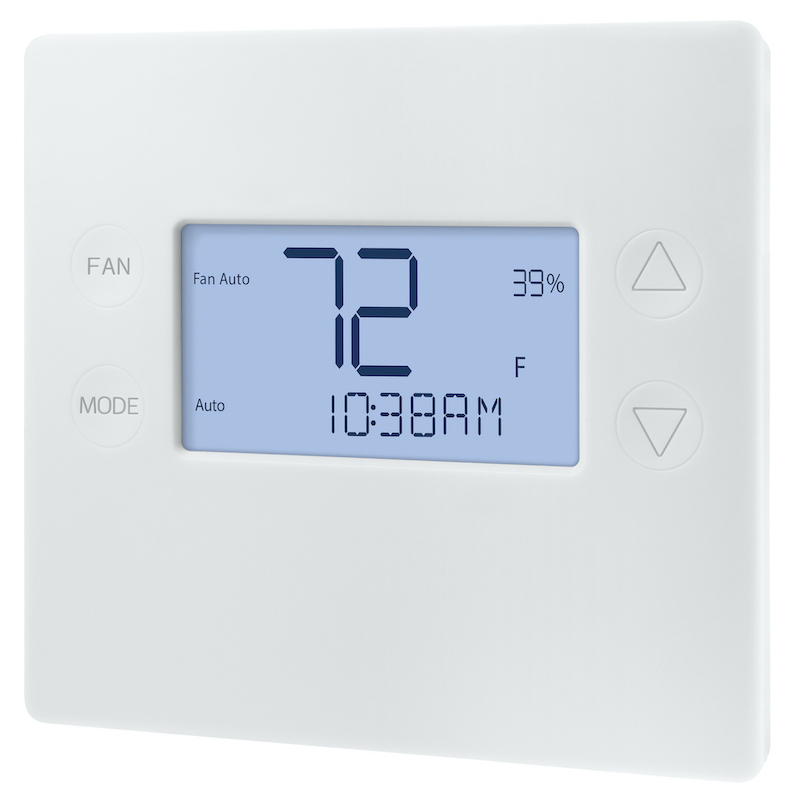
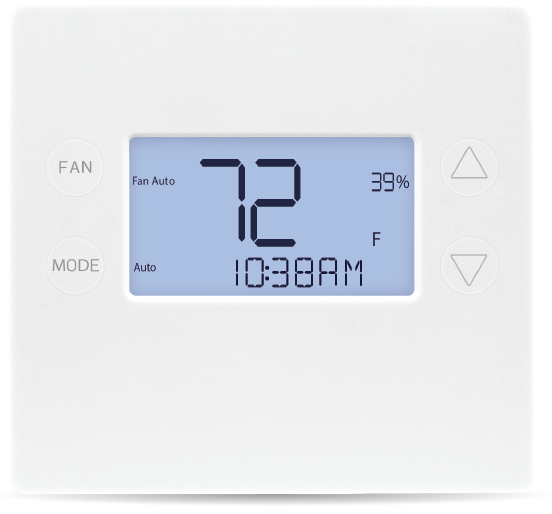
Short Description | 2GIG-STZ-1 Z-Wave Thermostat is the latest programmable, Z-Wave thermostat from Nortek, enabling users to manage the thermostat, configure programming and displaying current conditions in the home or office. |
|---|
Long Description | 2GIG-STZ-1 Z-Wave Plus Thermostat is the latest programmable, Z-Wave thermostat from Nortek, enabling end users to manage the thermostat, configure programming settings, as well as to display current conditions in the home or office. The thermostat can support up to three heat and two cool stages of heap pump and conventional HVAC systems, including humidification support. It can be powered using 24VAC or using four (4) AA batteries. Comes With S2 Security and OTA capability. |
|---|
Brand | 2GIG |
|---|
Product Identifier | 2GIG-STZ-1 |
|---|
Product Line | Z-Wave 700 programmable thermostat |
|---|
OEM Version | HW: 1 FW: 1.06:03.05 |
|---|
Hardware Platform | ZGM130 |
|---|
Z-Wave Version | 7.12.2 |
|---|
Library Type | SLAVE_ENHANCED_232 |
|---|
Device Type | Thermostat - HVAC |
|---|
Role Type | ROLE_TYPE_SLAVE_SLEEPING_LISTENING |
|---|
Manufacturer ID | 0x009B |
|---|
Product Type ID | 0x5354 |
|---|
Product ID | 0x5A31 |
|---|
User Icon | 0x1200 |
|---|
Installer Icon | 0x1200 |
|---|
Frequency Plans | US: 916.00MHz, 908.40MHz |
|---|
Categories | Thermostats |
|---|
Countries / Regions | United States of America |
|---|
Supported Command Classes | Identifier | Name | Key | Version |
|---|
COMMAND_CLASS_HUMIDITY_CONTROL_SETPOINT | Humidity Control Setpoint | 0x64 | 1 | COMMAND_CLASS_HUMIDITY_CONTROL_MODE | Humidity Control Mode | 0x6D | 1 | COMMAND_CLASS_HUMIDITY_CONTROL_OPERATING_STATE | Humidity Control Operating State | 0x6E | 1 | COMMAND_CLASS_POWERLEVEL | Powerlevel | 0x73 | 1 | COMMAND_CLASS_THERMOSTAT_OPERATING_STATE_V2 | Thermostat Operating State V2 | 0x42 | 2 | COMMAND_CLASS_MULTI_CHANNEL_ASSOCIATION_V3 | Multi-Channel Association V3 | 0x8E | 3 | COMMAND_CLASS_INDICATOR_V3 | Indicator V3 | 0x87 | 3 | COMMAND_CLASS_CLOCK | Clock | 0x81 | 1 | COMMAND_CLASS_BATTERY | Battery | 0x80 | 1 | COMMAND_CLASS_THERMOSTAT_FAN_STATE | Thermostat Fan State | 0x45 | 1 | COMMAND_CLASS_SECURITY | Security S0 | 0x98 | 1 | COMMAND_CLASS_SENSOR_MULTILEVEL_V6 | Sensor Multilevel V6 | 0x31 | 6 | COMMAND_CLASS_THERMOSTAT_FAN_MODE_V3 | Thermostat Fan Mode V3 | 0x44 | 3 | COMMAND_CLASS_THERMOSTAT_MODE_V3 | Thermostat Mode V3 | 0x40 | 3 | COMMAND_CLASS_THERMOSTAT_SETPOINT_V3 | Thermostat Setpoint V3 | 0x43 | 3 | COMMAND_CLASS_TRANSPORT_SERVICE_V2 | Transport Service V2 | 0x55 | 2 | COMMAND_CLASS_DEVICE_RESET_LOCALLY | Device Reset Locally | 0x5A | 1 | COMMAND_CLASS_ZWAVEPLUS_INFO_V2 | Z-Wave Plus Info V2 | 0x5E | 2 | COMMAND_CLASS_ASSOCIATION_V2 | Association V2 | 0x85 | 2 | COMMAND_CLASS_FIRMWARE_UPDATE_MD_V5 | Firmware Update Meta-Data V5 | 0x7A | 5 | COMMAND_CLASS_ASSOCIATION_GRP_INFO_V3 | Association Group Information V3 | 0x59 | 3 | COMMAND_CLASS_BASIC_V2 | Basic V2 | 0x20 | 2 | COMMAND_CLASS_SECURITY_2 | Security S2 | 0x9F | 1 | COMMAND_CLASS_VERSION_V3 | Version V3 | 0x86 | 3 | COMMAND_CLASS_SCHEDULE_V3 | Schedule V3 | 0x53 | 3 | COMMAND_CLASS_SUPERVISION | Supervision | 0x6C | 1 | COMMAND_CLASS_MANUFACTURER_SPECIFIC_V2 | Manufacturer Specific V2 | 0x72 | 2 |
|
|---|
S2 Classes | S2_UNAUTHENTICATED, S2_AUTHENTICATED |
|---|
Documents | Category | Description | File |
|---|
Manual_Primary_Lang | Product Manual | |
|
|---|
Features | Feature | Values |
|---|
Color | | Battery Quantity | | Firmware Updatable | Value |
|---|
Updatable by Professional/Technician |
| Thermostat Power Source | Value |
|---|
Battery | Power Stealing (hard-wired 24V) |
| Thermostat Modes | Value |
|---|
Heat | Cool | Auto | Auxiliary/Emergency Heat | Energy Save Heat | Energy Save Cool | Away |
| Thermostat HVAC Systems Supported | Value |
|---|
Heat Only | Cool Only | Humidity Control | Heat Pump |
| Battery Type | |
|
|---|
Association Groups | Group Number | Maximum Nodes Supported | End Point ID | Group Name | Description |
|---|
1 | 5 | 0 | Lifeline | Group 1 Association is the default status report channel in Z-Wave+ lifeline requirements. Group 1
Alerts notify an associated device of a thermostat generated change. Thermostat generated changes
are changes that originate at or by the thermostat. |
|
|---|
Configuration Parameters | Parameter Number | Format | Size | Min Value | Max Value | Default Value |
|---|
1 | 2 | 2 | 0 | 127 | 0 |
|
|---|
Texts | ID | Description | Value |
|---|
8 | Where to find S2 DSK on product | "Note: The S2 DSK string, pin code, and QR code are printed on a label above the LCD screen under
the faceplate." | 2 | Classic Exclusion | Removing from a Z-Wave Network
To remove the thermostat from the network, use the following steps.
1. Set your primary controller to exclude or remove mode to remove the thermostat as a node on
your network (see your controller’s user manual for detailed instructions).
2. Touch any button to take the thermostat out of sleep mode.
3. Touch and hold the MODE button for 5 seconds. SETUP will be displayed in the status display line.
5. Scroll to “Z-Wave” using buttons. Touch FAN (Select).
6. When prompted by your Z-Wave controller, select YES in the Z-Wave exclude screen.
7. Touch FAN (Select) to remove thermostat to network.
8. The display line should flash WAIT then SUCCESS if the thermostat is removed from the network.
9. If the removal operation is not successful, WAIT will flash, then FAIL will flash in status display
line. Repeat Steps three (3) through (7) to re-try. | 5 | Factory Reset Procedure | Factory Reset
WARNING: Please use this procedure only when the Z-Wave Primary Controller is
missing or otherwise inoperable.
To reset the 2GIG-STZ-1's Z-Wave parameters to Factory Settings (both Z-Wave and HVAC settings):
1. Touch and hold MODE button to go to Setup menu.
2. Touch and hold MODE and the down arrow key to enter Advanced Menu.
3. Navigate to Restore Defaults to perform a factory reset. | 1 | Classic Inclusion | "1. Set your primary controller to Include, add or Install mode, to add the thermostat as a node on
your network (see your controller’s user manual for detailed instructions).
2. Touch any button to take the thermostat out of sleep mode.
3. Touch and hold MODE button for 5 seconds. SETUP will be displayed in the status display line.
4. Scroll to “Z-Wave” using buttons. Touch FAN (Select).
5. When prompted by your Z-Wave controller, select YES in the Z-Wave Install screen.
6. Touch FAN (Select) to add thermostat to network.
7. The display line should flash WAIT and then SUCCESS if Z-Wave connection is made.
8. If Z-Wave does not connect to controller, WAIT, then FAIL will flash in status display line.
9. If thermostat fails to connect, repeat Steps three (3) through (7) to re-try connecting.
Your controller will indicate the thermostat was successfully added to its network (see your
controller’s user manual for details). Also, you can check if the thermostat was successfully added
to the network by checking the ZHID (Home ID) and ZNID (Node ID) located in the thermostat INFO
screen." | 4 | Wake-Up Procedure | Wake-Up Command Class not used in the project, no need to input wake-up procedure. |
|
|---|
Supported Multilevel Sensors | Multilevel Sensor Type |
|---|
Air temperature | Humidity |
|
|---|
Supports NWI | Yes |
|---|
Supports Explorer Frames | Yes |
|---|
Is Flirs | Yes |
|---|
Supports SmartStart | Yes |
|---|