Product Recognition | |
|---|
Certification Number | ZC10-19066549 |
|---|
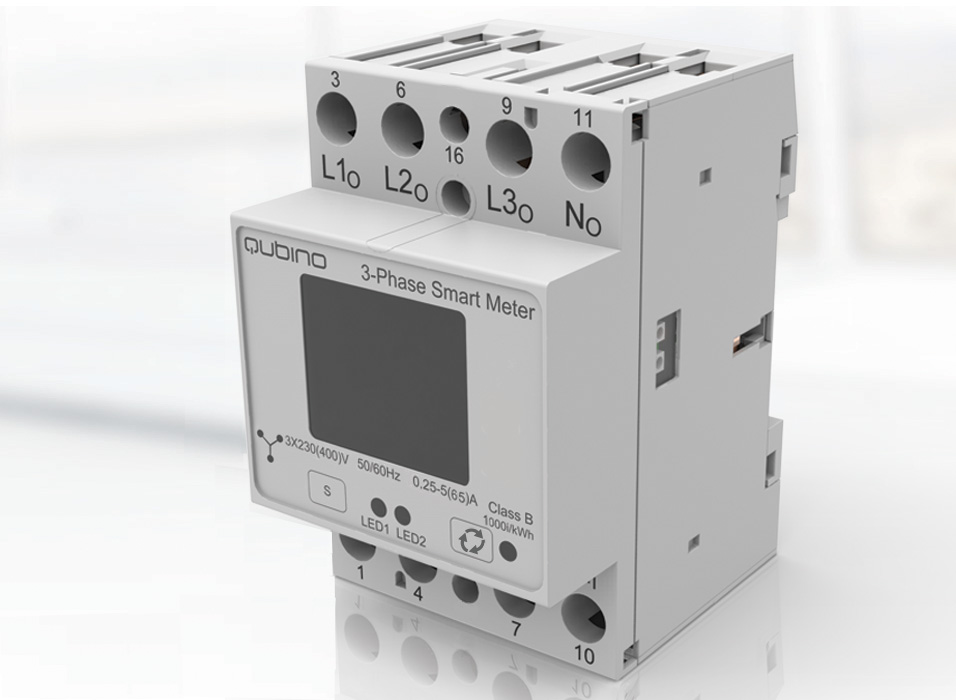
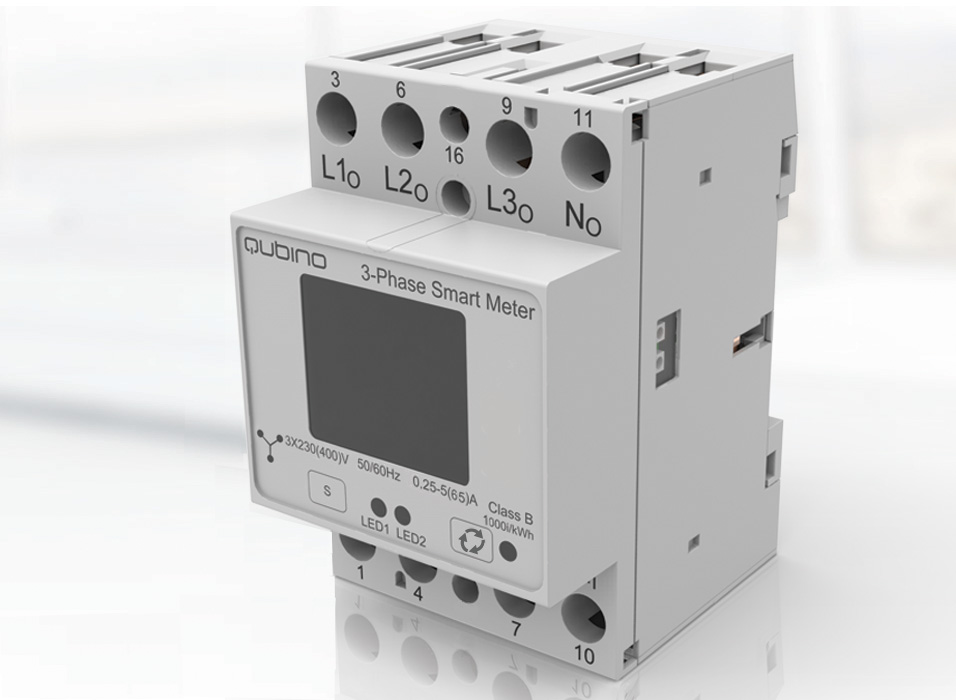
Name | 3-Phase Smart Meter |
|---|
Short Description | The 3-Phase Smart Meter is a powerful Z-Wave device for measuring energy consumption in a three-phase electrical power network of up to 3 x 65A. |
|---|
Long Description | The Qubino 3 Phase Smart Meter can be used in residential, industrial and utility applications. It measures energy directly in 2-wire networks by means of fast sampling of voltage and current signals. It calculates energy, power and power factor from the measured signals. You can control the device through the Z-Wave network.
The Qubino 3 Phase Smart Meter can operate across a wide temperature range, from a chilly -15˚C to a scorching 55˚C (5˚F–131˚F). Every device also acts as a repeater in order to improve the range and stability of the Z-Wave network. |
|---|
Brand | QUBINO |
|---|
Product Identifier | ZMNHXD1 |
|---|
OEM Version | HW: 1 FW: 1.00:01.00 |
|---|
Hardware Platform | ZM5101 |
|---|
Z-Wave Version | 6.71.03 |
|---|
Library Type | SLAVE_ENHANCED_232 |
|---|
Device Type | Whole Home Meter - Simple |
|---|
Role Type | ROLE_TYPE_SLAVE_ALWAYS_ON |
|---|
Manufacturer ID | 0x0159 |
|---|
Product Type ID | 0x0007 |
|---|
Product ID | 0x0054 |
|---|
User Icon | 0x1700 |
|---|
Installer Icon | 0x1700 |
|---|
Frequency Plans | EU: 869.85MHz, 868.40MHz |
|---|
Categories | Energy Meters |
|---|
Countries / Regions | European Union |
|---|
Supported Command Classes | Identifier | Name | Key | Version |
|---|
COMMAND_CLASS_POWERLEVEL | Powerlevel | 0x73 | 1 | COMMAND_CLASS_MULTI_CHANNEL_ASSOCIATION_V3 | Multi-Channel Association V3 | 0x8E | 3 | COMMAND_CLASS_CONFIGURATION | Configuration | 0x70 | 1 | COMMAND_CLASS_CRC_16_ENCAP | CRC16 Encapsulation | 0x56 | 1 | COMMAND_CLASS_SECURITY | Security S0 | 0x98 | 1 | COMMAND_CLASS_TRANSPORT_SERVICE_V2 | Transport Service V2 | 0x55 | 2 | COMMAND_CLASS_VERSION_V2 | Version V2 | 0x86 | 2 | COMMAND_CLASS_DEVICE_RESET_LOCALLY | Device Reset Locally | 0x5A | 1 | COMMAND_CLASS_ZWAVEPLUS_INFO_V2 | Z-Wave Plus Info V2 | 0x5E | 2 | COMMAND_CLASS_ASSOCIATION_V2 | Association V2 | 0x85 | 2 | COMMAND_CLASS_MULTI_CHANNEL_V4 | Multi-Channel V4 | 0x60 | 4 | COMMAND_CLASS_SECURITY_2 | Security S2 | 0x9F | 1 | COMMAND_CLASS_SUPERVISION | Supervision | 0x6C | 1 | COMMAND_CLASS_MANUFACTURER_SPECIFIC_V2 | Manufacturer Specific V2 | 0x72 | 2 | COMMAND_CLASS_METER_V4 | Meter V4 | 0x32 | 4 | COMMAND_CLASS_ASSOCIATION_GRP_INFO_V2 | Association Group Information V2 | 0x59 | 2 |
|
|---|
S2 Classes | S2_UNAUTHENTICATED, S2_AUTHENTICATED |
|---|
Documents | Category | Description | File |
|---|
Manual_Primary_Lang | Product or Owner's Manual | |
|
|---|
Features | Feature | Values |
|---|
Firmware Updatable | Value |
|---|
Updatable by Consumer by RF |
| Switch Load Capacity Current | | Switch Load Capacity Watts | | IP (Ingress Protection) Rated | | Supported Meter Type | | Electric Load Type | Value |
|---|
Incandescent | Fluorescent | MLV (Magnetic) | ELV (Electronic) | LED | Dimmable LED | Inductive (e.g. Motor) | Dimmable Fluorescent | Dimmable MLV (Magnetic) | Dimmable ELV (Magnetic) |
| Communications Protocol | | Neutral Wire Required | | Switch Type | | Color | |
|
|---|
Association Groups | Group Number | Maximum Nodes Supported | End Point ID | Description |
|---|
1 | 1 | 0 | Supports the following commands:
• Device Reset Locally: triggered upon request
• Meter Report: triggered according to Configuration parameters 40,42 and 43 |
|
|---|
Configuration Parameters | Parameter Number | Name | Description | Format | Size | Min Value | Max Value | Default Value | Parameter Values |
|---|
42 | Reporting on time interval | This parameter is currently valid only for Active Energy Total Import/Export (kWh), Reactive Energy Total (kvarh), Total Energy (kVAh) • Available configuration parameters (data type is 2 Byte DEC) • Default value 600 (600 seconds - 10 minutes) • 0 – reporting disabled EN. 34 • 600-32535 = 600 (600 seconds – 32535 seconds). Reporting enabled. Report is send with the time interval set by entered value. Note: Device is reporting only if there was a change of 0.1 in Energy Note: In the future will be possible to measure and report also Active Energy on PH1, PH2 and PH3. | 0 | 1 | 0 | 0 | 600 | From | To | Description |
|---|
0 | 0 | Reporting disabled | 600 | 32535 | 600-32535 = 600 (600 seconds – 32535 seconds). Reporting enabled. Report is send with the time interval set by entered value. |
| 43 | Other Values - Reporting on time interval | This parameter is valid only for Voltage (V of ph1, ph2, ph3), Current (A of ph1, ph2, ph3), Total Power Factor, Total Reactive Power (var) Available configuration parameters (data type is 2 Byte DEC) • Default value 600 (600 seconds - 10 minutes) • 0 – reporting disabled • 600-32535 = 600 (600 seconds – 32535 seconds). Reporting enabled. Report is send with the time interval set by entered value. • Note: Device is reporting only if there was a change | 0 | 2 | 0 | 0 | 600 | From | To | Description |
|---|
0 | 0 | Reporting disabled | 600 | 32535 | (600 seconds – 32535 seconds). Reporting enabled. Report is send with the time interval set by entered value. |
|
|
|---|
Texts | ID | Description | Value |
|---|
2 | Exclusion | EXCLUSION:
1. Connect the device to the power supply
2. Make sure the device is within direct range of your Z-Wave gateway (hub) or use a hand-held Z-Wave remote to perform exclusion
3. Enable add/remove mode on your Z-Wave gateway (hub)
4. Press and hold the S service button between 0.2 and 3 seconds
5. The device will be removed from your network, but custom configuration parameters will not be erased. Wait at least 30 seconds before attempting to add the device back to a network. | 1 | Inclusion | AUTOMATICALLY:
1. Enable add mode on your Z-Wave gateway (hub). Put the device in a mode, in which it can be added to a network (learn mode)
2. Automatic selection of secure/unsecure inclusion
3. The device can be automatically added to a Z-Wave network during the first 2 minutes
4. Connect the device to the power supply
5. Auto-inclusion will be initiated within 5 seconds of connection to the power supply and the device will be automatically added to your network
MANUALLY:
1. Connect the device to the power supply
2. Enable add/remove mode on your Z-Wave gateway (hub)
2. Toggle the Service button S between 0.2 and 3 seconds
3. A new multi-channel device will appear on your dashboard | 5 | Factory Reset | FACTORY RESET:
1. Connect the device to the power supply
2. Press and hold the S service button between 6 seconds and 20 seconds
3. Device will be removed from you network and the green LED start blinking
By resetting the device, all previously set parameters on the device will return to their default values, and the Home ID will be deleted. Use this reset procedure only when the main
gateway (hub) is missing or otherwise inoperable. |
|
|---|
Supported / Controlled Meter Types | Meter Type | Rate Type | Description |
|---|
Electric meter | Import | Electric Meter Consumption |
|
|---|
Supports NWI | Yes |
|---|
Supports Explorer Frames | Yes |
|---|
Radio Range Z-Wave (m) | 40 |
|---|