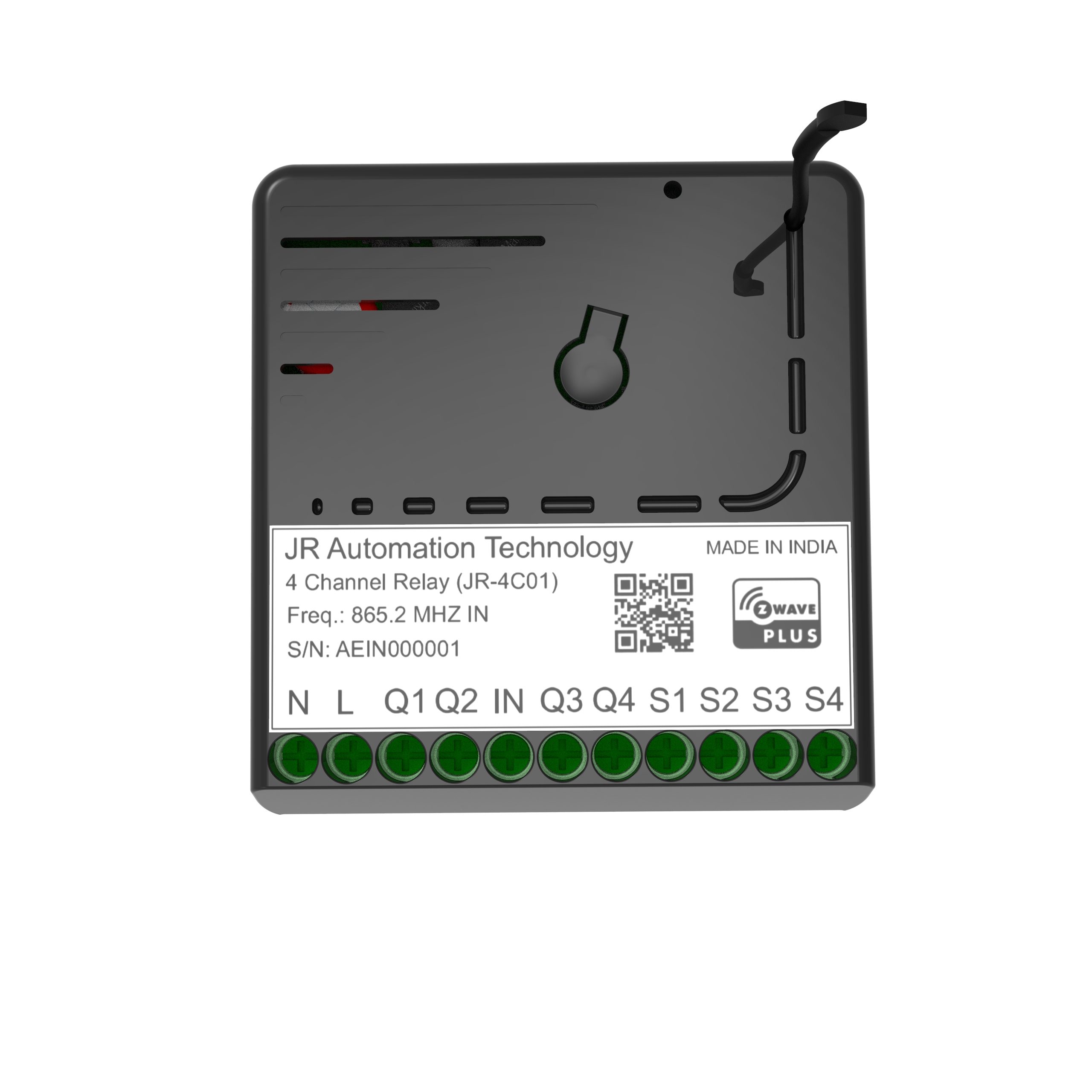
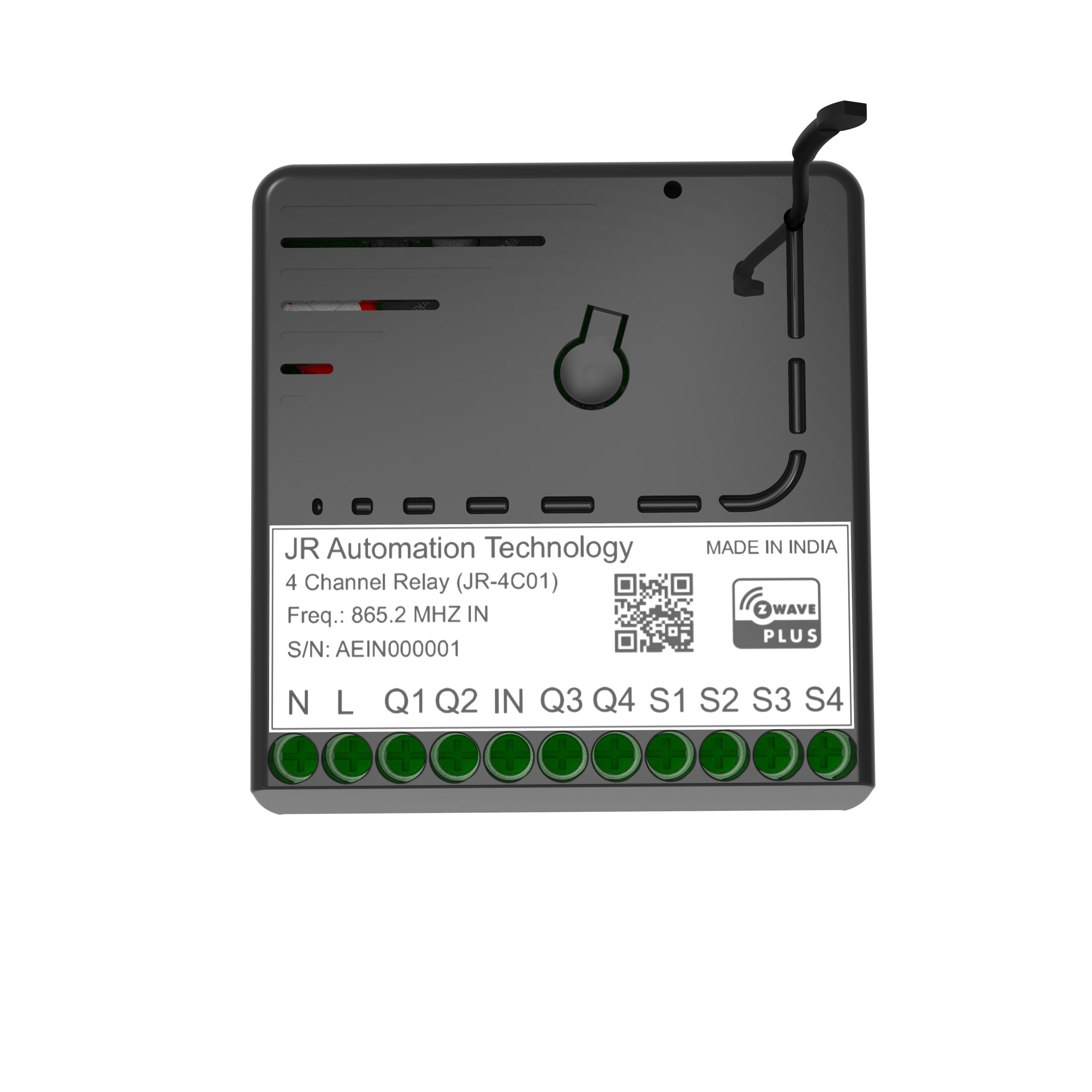
| Product Recognition | |
|---|
| Certification Number | ZC10-19066559 |
|---|
| Name | 4 CHANNEL RELAY |
|---|
| Short Description | JR automation 4 channel relay is designed for wireless home automation solution with Z-Wave technology to turn on-off load. |
|---|
| Long Description | JR automation 4 channel relay is designed for wireless home automation solution with Z-Wave technology. It communicates with all the Z- wave based controller with 2-way feedback with wireless communication. For the Indian market, it installs in all the 4 or more-module back box. It works for all type of load to turn ON and OFF like Fan, Lights, LED, Bulb and heavy-duty load (like AC, Geyser by using intermediate relays) by each of 6A load current capacity. It also works to increase the range of Z-Wave mess network as Z-Wave repeater. Due to 4 channel relays together it’s very perfect for Indian market requirement with lower cost and without any changes in the normal switchboard. The encryption mode that the switch supports is S2 Unauthenticated. |
|---|
| Brand | JR Automation Technology |
|---|
| Product Identifier | JR-4C01 |
|---|
| OEM Version | HW: 1 FW: 4.01 |
|---|
| Hardware Platform | ZM5101 |
|---|
| Z-Wave Version | 6.81.03 |
|---|
| Library Type | SLAVE_ENHANCED_232 |
|---|
| Device Type | On/Off Power Switch |
|---|
| Role Type | ROLE_TYPE_SLAVE_ALWAYS_ON |
|---|
| Manufacturer ID | 0x0426 |
|---|
| Product Type ID | 0x0003 |
|---|
| Product ID | 0x0001 |
|---|
| User Icon | 0x0700 |
|---|
| Installer Icon | 0x0700 |
|---|
| Frequency Plans | IN: 865.20MHz |
|---|
| Categories | All Lighting Devices, On/Off Switches/Devices |
|---|
| Countries / Regions | India |
|---|
| Supported Command Classes | | Identifier | Name | Key | Version |
|---|
| COMMAND_CLASS_FIRMWARE_UPDATE_MD_V4 | Firmware Update Meta-Data V4 | 0x7A | 4 | | COMMAND_CLASS_POWERLEVEL | Powerlevel | 0x73 | 1 | | COMMAND_CLASS_MULTI_CHANNEL_ASSOCIATION_V3 | Multi-Channel Association V3 | 0x8E | 3 | | COMMAND_CLASS_SWITCH_BINARY | Switch Binary | 0x25 | 1 | | COMMAND_CLASS_SECURITY | Security S0 | 0x98 | 1 | | COMMAND_CLASS_TRANSPORT_SERVICE_V2 | Transport Service V2 | 0x55 | 2 | | COMMAND_CLASS_DEVICE_RESET_LOCALLY | Device Reset Locally | 0x5A | 1 | | COMMAND_CLASS_ZWAVEPLUS_INFO_V2 | Z-Wave Plus Info V2 | 0x5E | 2 | | COMMAND_CLASS_ASSOCIATION_V2 | Association V2 | 0x85 | 2 | | COMMAND_CLASS_ASSOCIATION_GRP_INFO | Association Group Info | 0x59 | 1 | | COMMAND_CLASS_MULTI_CHANNEL_V4 | Multi-Channel V4 | 0x60 | 4 | | COMMAND_CLASS_BASIC_V2 | Basic V2 | 0x20 | 2 | | COMMAND_CLASS_SECURITY_2 | Security S2 | 0x9F | 1 | | COMMAND_CLASS_VERSION_V3 | Version V3 | 0x86 | 3 | | COMMAND_CLASS_SUPERVISION | Supervision | 0x6C | 1 | | COMMAND_CLASS_MANUFACTURER_SPECIFIC_V2 | Manufacturer Specific V2 | 0x72 | 2 |
|
|---|
| Controlled Command Classes | | Identifier | Name | Key | Version |
|---|
| COMMAND_CLASS_BASIC_V2 | Basic V2 | 0x20 | 2 |
|
|---|
| S2 Classes | S2_UNAUTHENTICATED |
|---|
| Documents | |
|---|
| Features | | Feature | Values |
|---|
| Loads Controlled | | | Neutral Wire Required | | | Color | | | Firmware Updatable | | Value |
|---|
| Updatable by Professional/Technician |
| | Electric Load Type | | Value |
|---|
| Incandescent | | Fluorescent | | LED |
| | Switch Load Capacity Current | | Value |
|---|
| 6A per one channel; 16A total |
|
|
|---|
| Association Groups | | Group Number | Maximum Nodes Supported | End Point ID | Description |
|---|
| 1 | 5 | 0 | Name: Lifeline Command: Device Reset Locally Notification Switch Binary Report | | 2 | 5 | 0 | Name: JRS-1 Command: Basic Set Send Basic Set command to the other node in this association group when active endpoint 1. | | 3 | 5 | 0 | Name: JRS-2 Command: Basic Set Send Basic Set command to the other node in this association group when active endpoint 2. | | 4 | 5 | 0 | Name: JRS-3 Command: Basic Set Send Basic Set command to the other node in this association group when active endpoint 3. | | 5 | 5 | 0 | Name: JRS-4 Command: Basic Set Send Basic Set command to the other node in this association group when active endpoint 4. |
|
|---|
| Texts | | ID | Description | Value |
|---|
| 1 | Inclusion | To add the device to the Z-Wave network:
1. Keep the device in Z-Wave range.
2. Power the device.
3. Set the main controller in (Security/non-Security Mode) add mode
(see the controller’s manual).
4. Quickly, three times press the Config Button, LED color will change
from Red to Blue.
5. Wait for the adding process to end.
6. Successful adding will be confirmed by the Z-Wave controller’s
Message and LED Colour will change to Green. | | 2 | Exclusion | To remove the device from the Z-Wave network:
1. Power the device.
2. Set the main controller into remove mode (see the controller’s
manual).
3. Quickly, three times click the Config button LED color will change to
Blue.
4. Wait for the removing process to end.
5. Successful removing will be confirmed by the Z-Wave controller’s message and Red LED color. | | 5 | Factory Reset | Reset procedure allows restoring the device back to its factory settings, which means all information about the Z-Wave controller will be deleted.
1. Press and Hold Config Button for 10 sec until White LED Indication
to start blinking.
2. Release Config button. Now you have 5sec to Reset Device
otherwise it back to Normal Mode.
3. Single Click Config Button.
4. After a few seconds, the device will be restarted, which is signaled
with the red LED indicator color.
NOTE:- Please use this procedure only when the network primary controller is missing or otherwise inoperable. | | 4 | Device Wake-Up | JR-4C01 is powered using an AC power supply unit so it is always awake. |
|
|---|
| Supports NWI | Yes |
|---|
| Supports Explorer Frames | Yes |
|---|