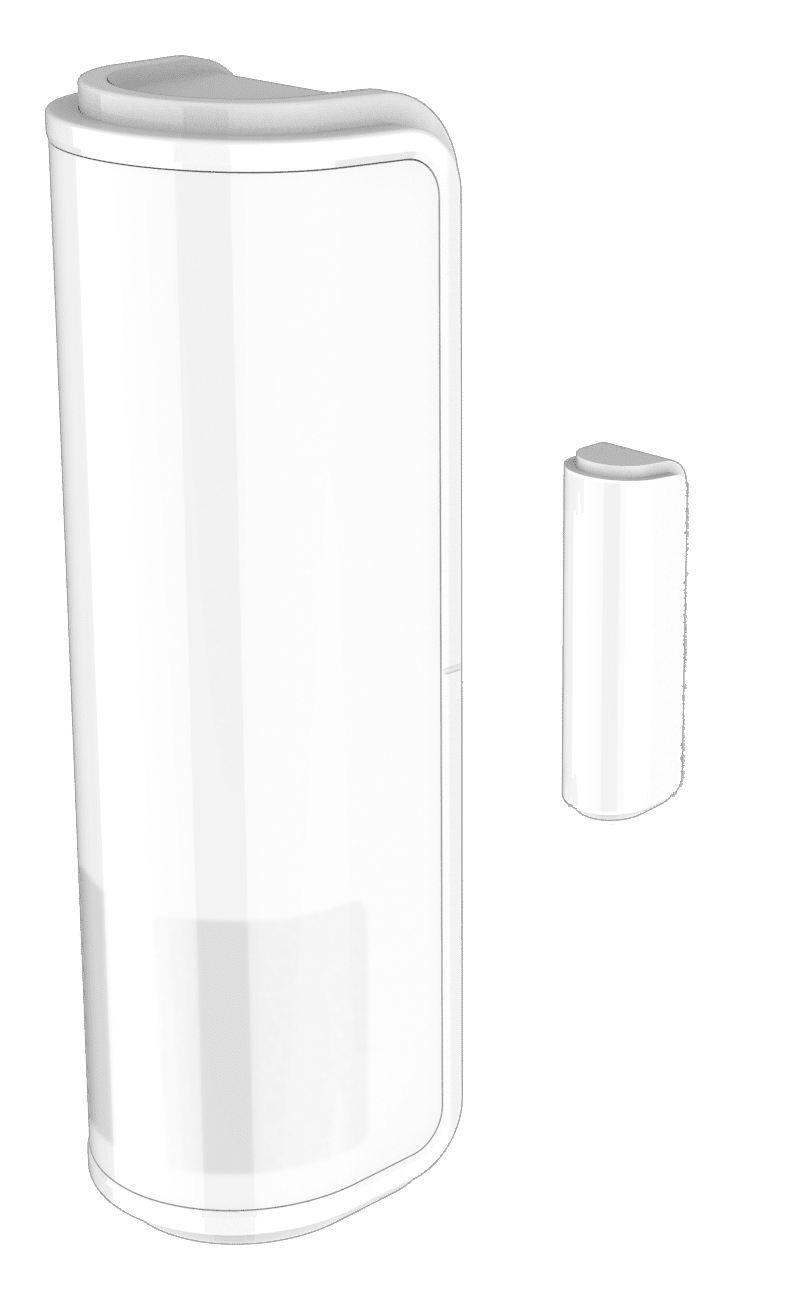
Product Recognition | |
|---|
Certification Number | ZC14-21110027 |
|---|
Name | 4 in 1 Multi-Sensor |
|---|
Short Description | The 4 in 1 multi-sensor PST10 has PIR, door/window, temperature and light sensor for combining several functionalities in one device. |
|---|
Long Description | The 4 in 1 multi-sensor PST10 has PIR, door/window, temperature and light sensor for combining several functionalities in one device.
This device is a security enabled Z-Wave Plus™ product. The encrypted Z-Wave Plus™ messages support PST10 to |
|---|
Brand | Philio |
|---|
Product Identifier | PST10-IN |
|---|
Product Line | Philio Z-Wave Products |
|---|
OEM Version | HW: 01 FW: 01.01:01.01 |
|---|
Hardware Platform | ZGM130S037HGN2 / ZGM130S037HGN1 |
|---|
Z-Wave Version | 7.15.1 |
|---|
Library Type | END_NODE_ENHANCED_232 |
|---|
Device Type | Notification Sensor DT |
|---|
Role Type | ROLE_TYPE_SLAVE_SLEEPING_REPORTING |
|---|
Manufacturer ID | 0x013C |
|---|
Product Type ID | 0x0002 |
|---|
Product ID | 0x0085 |
|---|
User Icon | 0x0C07 |
|---|
Installer Icon | 0x0C07 |
|---|
Frequency Plans | IN: 865.20MHz |
|---|
Categories | Sensors, Security Systems |
|---|
Countries / Regions | India |
|---|
Supported Command Classes | Identifier | Name | Key | Version |
|---|
COMMAND_CLASS_CONFIGURATION_V4 | Configuration V4 | 0x70 | 4 | COMMAND_CLASS_SENSOR_MULTILEVEL_V11 | Multilevel Sensor V11 | 0x31 | 11 | COMMAND_CLASS_NOTIFICATION_V8 | Notification V8 | 0x71 | 8 | COMMAND_CLASS_ASSOCIATION_V2 | Association V2 | 0x85 | 2 | COMMAND_CLASS_ASSOCIATION_GRP_INFO_V3 | Association Group Information (AGI) V3 | 0x59 | 3 | COMMAND_CLASS_BATTERY | Battery | 0x80 | 1 | COMMAND_CLASS_DEVICE_RESET_LOCALLY | Device Reset Locally | 0x5A | 1 | COMMAND_CLASS_FIRMWARE_UPDATE_MD_V5 | Firmware Update Meta Data V5 | 0x7A | 5 | COMMAND_CLASS_INDICATOR_V3 | Indicator V3 | 0x87 | 3 | COMMAND_CLASS_MANUFACTURER_SPECIFIC_V2 | Manufacturer Specific V2 | 0x72 | 2 | COMMAND_CLASS_MULTI_CHANNEL_ASSOCIATION_V3 | Multi Channel Association V3 | 0x8E | 3 | COMMAND_CLASS_VERSION_V3 | Version V3 | 0x86 | 3 | COMMAND_CLASS_WAKE_UP_V2 | Wake Up V2 | 0x84 | 2 | COMMAND_CLASS_ZWAVEPLUS_INFO_V2 | Z-Wave Plus Info V2 | 0x5E | 2 | COMMAND_CLASS_SECURITY | Security 0 | 0x98 | 1 | COMMAND_CLASS_SECURITY_2 | Security 2 | 0x9F | 1 | COMMAND_CLASS_SUPERVISION | Supervision | 0x6C | 1 | COMMAND_CLASS_TRANSPORT_SERVICE_V2 | Transport Service V2 | 0x55 | 2 | COMMAND_CLASS_POWERLEVEL | Powerlevel | 0x73 | 1 |
|
|---|
S2 Classes | S2_AUTHENTICATED, S2_UNAUTHENTICATED |
|---|
Documents | Category | File |
|---|
Manual_English | |
|
|---|
Features | Feature | Values |
|---|
Battery Type | | Color | | Firmware Updatable | Value |
|---|
Updatable by Consumer by RF |
|
|
|---|
Association Groups | Group Number | Maximum Nodes Supported | End Point ID | Group Name | Profile |
|---|
1 | 1 | 0 | lifeline | 0x0001 | 2 | 5 | 0 | rootdevice | 0x0002 |
|
|---|
Configuration Parameters | Parameter Number | Name | Description | Format | Size | Min Value | Max Value | Default Value |
|---|
1 | Basic Set Level | Setting the BASIC cmd value. | 1 | 1 | 0 | 0 | 0x63 | 2 | Auto Report Door/Window State | Interval time door/window. | 1 | 1 | 0 | 0 | 0x0C | 3 | PIR Sensitivity | PIR sensitivity settings. | 1 | 1 | 0 | 0 | 0x63 | 4 | Operation Mode | Operation mode. | 3 | 1 | 0 | 0 | 0x31 | 5 | Customer Function | Customer function switch. | 3 | 1 | 0 | 0 | 0x03 | 6 | PIR Re-Detect Interval Time | PIR re-detect time.10 s tick | 1 | 1 | 0 | 0 | 0x06 | 7 | Turn Off Light Time | Delay time PIR detected. | 1 | 1 | 0 | 0 | 0x07 | 8 | Auto Report Battery Time | Interval time battery level. | 1 | 1 | 0 | 0 | 0x0C | 9 | Auto Report LightSensor Time | Interval time illumination. | 1 | 1 | 0 | 0 | 0x0C | 10 | Auto Report Temperature Time | Interval time temperature. | 1 | 1 | 0 | 0 | 0x0C | 11 | Auto Report Tick Interval | Interval time report tick. | 1 | 1 | 0 | 0 | 0x1E |
|
|---|
Texts | ID | Description | Value |
|---|
8 | Where to find S2 DSK on product | 1. Product has a DSK string, you can key in first five digit to increment smart start process, or you can scan QR code.
2. SmartStart enabled products can be added into a Z-Wave network by scanning the Z-Wave QR Code present on the product with a control | 1 | Classic Inclusion | 1. Have Z-WaveTM Controller entered inclusion mode.
2. Pressing tamper key three times within 2 seconds to enter the inclusion mode.
3. After add successful, the device will wake to receive the setting command from Z-WaveTM Controller about 20 seconds. | 2 | Classic Exclusion | 1. Have Z-WaveTM Controller entered exclusion mode.
2. Pressing tamper key three times within 2 seconds to enter the exclusion mode.
Node ID has been excluded. | 4 | Wake-Up Procedure | After the device adding to the network, it will wake-up once per day in default. When it wake-up it will broadcast the “Wake Up Notification” message to the network, and wake-up 10 seconds for receive the setting commands.
The wake-up interval minimum se | 5 | Factory Reset Procedure | Notice: Use this procedure only in the event that the primary controller is lost or otherwise inoperable.
1. Pressing button four times and keep about 5 seconds.
2. IDs are excluded and all settings will reset to factory default. |
|
|---|
Supported Notification Types | Notification Type | Event / State |
|---|
Home Security | Motion sensor status: Motion detection |
|
|---|
Supported Multilevel Sensors | Multilevel Sensor Type |
|---|
Air temperature | Illuminance |
|
|---|
Supports NWI | Yes |
|---|
Supports Explorer Frames | Yes |
|---|
Supports SmartStart | Yes |
|---|
Radio Range Z-Wave (m) | 40 |
|---|