Product Recognition | |
|---|
Certification Number | ZC10-16045050 |
|---|
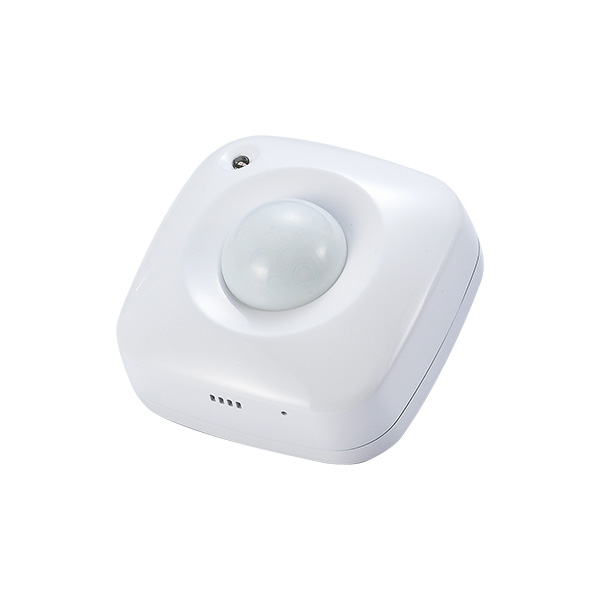
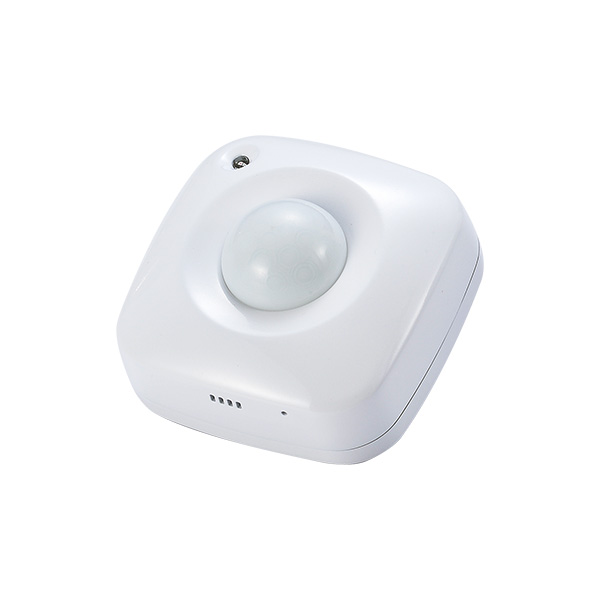
Name | 4in1 PIR Sensor |
|---|
Short Description | This sensor monitors movement, and send Z-Wave TM signal when movement is detected inside the building. With Temperature, Humidity & Light sensor built inside, it will send the signal out when temperature, humidity & Lightness changed. |
|---|
Long Description | * Includes Motion, Temperature, Humidity, and Light sensor
* 360 degree detection (suitable for ceiling fixture)
* Compact Size: 59*59*41mm
* 2*AAA Battery
* Low Battery Detection
* LED Status Indicator
* 100feet line of sight |
|---|
Brand | Vision |
|---|
Product Identifier | ZP3111EU-5 |
|---|
OEM Version | HW: 1 FW: 5.01:10.01 |
|---|
Hardware Platform | ZM5202 |
|---|
Z-Wave Version | 6.51.06 |
|---|
Library Type | SLAVE_ENHANCED_232 |
|---|
Device Type | Notification Sensor |
|---|
Role Type | ROLE_TYPE_SLAVE_SLEEPING_REPORTING |
|---|
Manufacturer ID | 0x0109 |
|---|
Product Type ID | 0x2021 |
|---|
Product ID | 0x2101 |
|---|
User Icon | 0x0C07 |
|---|
Installer Icon | 0x0C07 |
|---|
Frequency Plans | US: 916.00MHz, 908.40MHz |
|---|
Categories | Sensors |
|---|
Countries / Regions | United States of America |
|---|
Controlled Command Classes | Identifier | Name | Key | Version |
|---|
COMMAND_CLASS_BASIC | Basic | 0x20 | 1 |
|
|---|
Documents | Category | Description | File |
|---|
Manual_Primary_Lang | Product or Owner's Manual | |
|
|---|
Association Groups | Group Number | Maximum Nodes Supported | End Point ID | Description |
|---|
1 | 5 | 0 | Lifeline
COMMAND_CLASS_BASIC_SET
COMMAND_CLASS_BATTERY_REPORT
COMMAND_CLASS_DEVICE_RESET_LOCALLY_NOTIFICATION
COMMAND_CLASS_NOTIFICATION_REPORT
COMMAND_CLASS_SENSOR_MULTILEVEL_V7
|
|
|---|
Texts | ID | Description | Value |
|---|
5 | Factory Reset | Remove cover to trigged tamper switch, LED flash once & send out Alarm Report. Press Program Switch 10 times within 10 seconds, ZP3111 will send the “Device Reset Locally Notification” command and reset to the factory default. (Remark: This is to be used only in the case of primary controller being inoperable or otherwise unavailable.) | 1 | Inclusion | To add the ZP3111 to theZ-Wave network (inclusion), place the Z-Wave primary controller into inclusion mode. Press the Program Switch of ZP3111 for sending the NIF. After sending NIF, Z-Wave will send the auto inclusion, otherwise, ZP3111 will go to sleep after 20 seconds. | 2 | Exclusion | To remove the ZP3111 from the Z-Wave network (exclusion), place the Z-Wave primary controller into “exclusion” mode, and following its instruction to delete the ZP3111 to the controller. Press the Program Switch of ZP3111 once to be excluded. | 4 | Device Wake-Up | Use “Wake Up” command to set up the awaking time (from 10 minutes to 1 week) and send the wake up notification to controller |
|
|---|
Supports NWI | Yes |
|---|
Supports Explorer Frames | Yes |
|---|
Radio Range Z-Wave (m) | 40 |
|---|