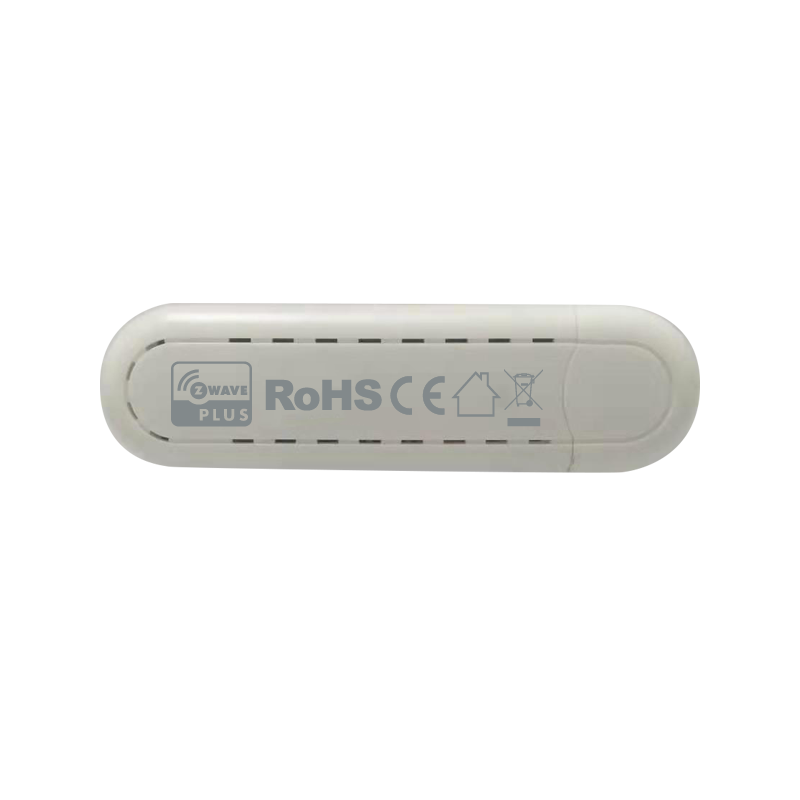
Product Recognition | |
|---|
Certification Number | ZC12-21050232 |
|---|
Name | 700_STICK |
|---|
Short Description | This is a Z-Wave USB stick controller |
|---|
Long Description | The Stick is a USB v2.0 full speed low power CDC-ACM compliant Z-Wave adapter in a thumb drive form factor. The Stick can act as a Z-Wave Controller when it’s connected to a host like PC, MAC or Gateway (some in the market) etc. With a certain program installed on the PC, it can add or remove devices in or from a network |
|---|
Brand | Hank |
|---|
Product Identifier | HKZW-STICK02 |
|---|
Product Line | 5P |
|---|
OEM Version | HW: 0 FW: ERROR |
|---|
Hardware Platform | ZGM130 |
|---|
Z-Wave Version | 7.15.1 |
|---|
Library Type | CONTROLLER_BRIDGE |
|---|
Device Type | Hardware Device |
|---|
Role Type | ROLE_TYPE_N/A_-_HARDWARE_DEVICE |
|---|
Frequency Plans | US: 916.00MHz, 908.40MHz |
|---|
Categories | All Controllers, Computer Controller Interfaces |
|---|
Countries / Regions | United States of America |
|---|
Documents | Category | Description | File |
|---|
Manual_Primary_Lang | Product Manual | |
|
|---|
Features | Feature | Values |
|---|
Controller Supports Multiple Networks | | Communications Protocol | | Firmware Updatable | Value |
|---|
Updatable by Professional/Technician |
| Communications Connections | Value |
|---|
USB (Universal Serial Bus) |
| Color | |
|
|---|
Texts | ID | Description | Value |
|---|
3 | Learn Mode (adding another controller) | Follow the instructions in the host application that this product is used with. | 23 | Controller Inclusion | Follow the instructions in the host application that this product is used with. | 24 | Controller Exclusion | Follow the instructions in the host application that this product is used with. | 5 | Factory Reset Procedure | Follow the instructions in the host application that this product is used with. | 1 | Classic Inclusion | 1) Open the cover.
2) Place the device within the direct range of your Z-Wave controller.
3) Set the main controller in add mode (see the controller’s manual).
4) Click the Z-button once or triple click the Z-button quickly, the LED indicator should blink fast.
5) Wait for the adding process to end.
6) Successful adding will be confirmed by the Z-Wave controller’s message. | 2 | Classic Exclusion | 1) Open the cover.
2) Place the device within the direct range of your Z-Wave controller.
3) Set the main controller remove mode (see the controller’s manual).
4) Triple click the Z-button quickly, the LED indicator should blink fast.
5) Wait for the removing process to end.
6) Successful adding will be confirmed by the Z-Wave controller’s message. | 4 | Wake-Up Procedure | Press and hold the Z button for more than 5 seconds and release. | 6 | Other Special Features | None |
|
|---|
Supports NWI | Yes |
|---|
Supports Explorer Frames | Yes |
|---|
Radio Range Z-Wave (m) | 40 |
|---|