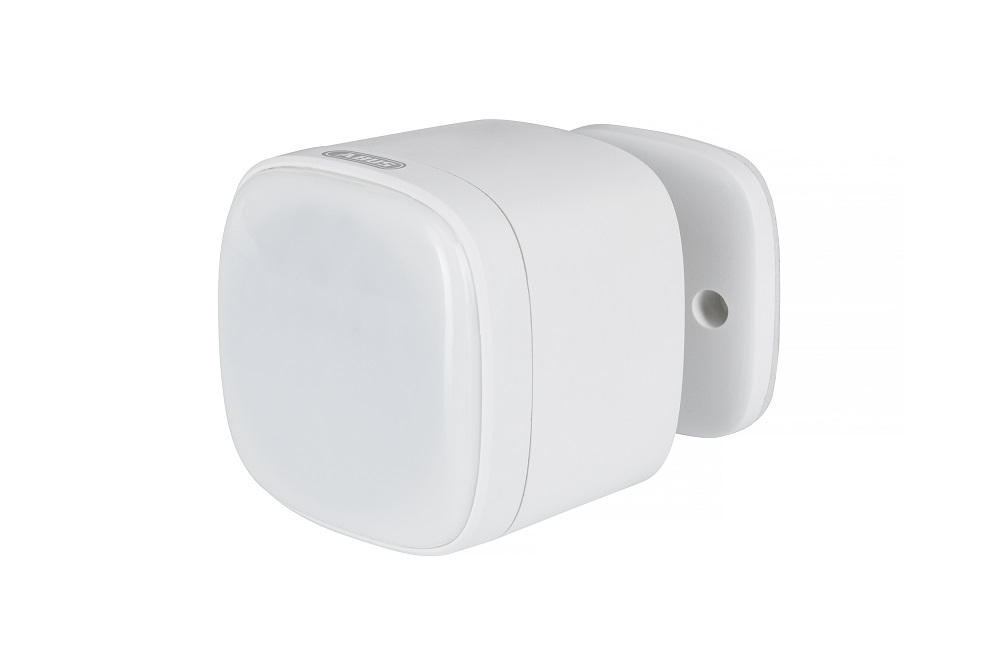
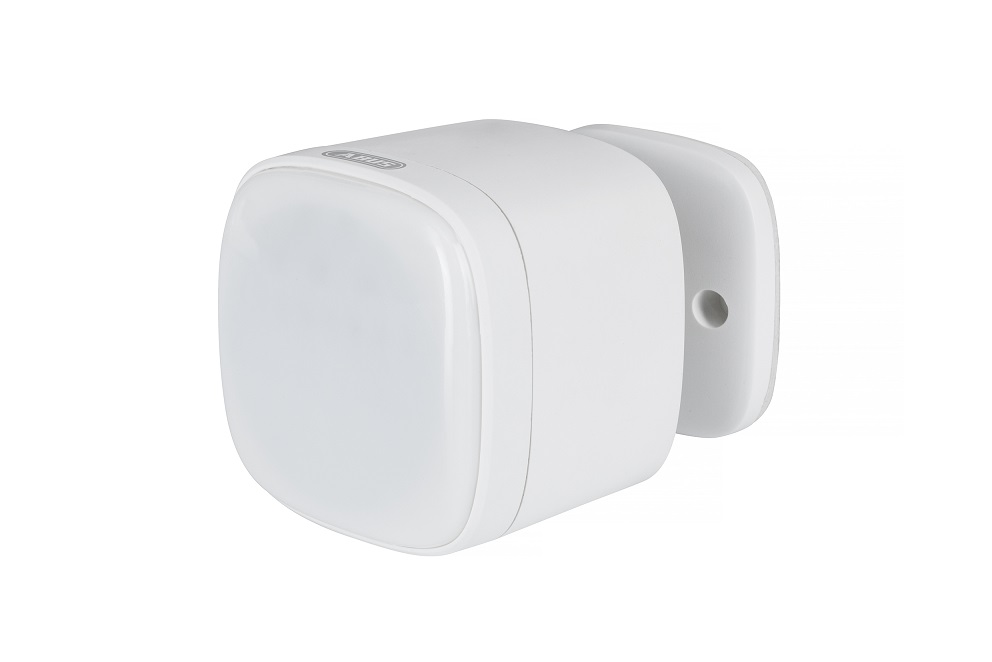
Product Recognition | |
|---|
Certification Number | ZC10-19016351 |
|---|
Name | ABUS Z-Wave Multisensor |
|---|
Short Description | The ABUS Z-Wave Multisensor includes 4 sensors in one device: motion sensor, thermometer, hygrometer and light sensor. |
|---|
Long Description | The ABUS Z-Wave Multisensor includes 4 sensors in one device: motion sensor, thermometer, hygrometer and light sensor. Thanks to battery operation, the Multisensor can be installed very easily (alternative operation via USB). The Multisensor also provides extensive configuration options like the transmission interval and sensitivity of the motion detector and much more. |
|---|
Brand | ABUS |
|---|
Product Identifier | SHBW10000 |
|---|
OEM Version | HW: 3 FW: 2.02 |
|---|
Hardware Platform | ZM5101 |
|---|
Z-Wave Version | 6.81.00 |
|---|
Library Type | SLAVE_ENHANCED |
|---|
Device Type | Notification Sensor |
|---|
Role Type | ROLE_TYPE_SLAVE_SLEEPING_REPORTING |
|---|
Manufacturer ID | 0x0403 |
|---|
Product Type ID | 0x0002 |
|---|
Product ID | 0x0001 |
|---|
User Icon | 0x0C07 |
|---|
Installer Icon | 0x0C07 |
|---|
Frequency Plans | EU: 869.85MHz, 868.40MHz |
|---|
Categories | Sensors |
|---|
Countries / Regions | European Union |
|---|
Supported Command Classes | Identifier | Name | Key | Version |
|---|
COMMAND_CLASS_FIRMWARE_UPDATE_MD_V4 | Firmware Update Meta-Data V4 | 0x7A | 4 | COMMAND_CLASS_SENSOR_MULTILEVEL_V5 | Sensor Multilevel V5 | 0x31 | 5 | COMMAND_CLASS_POWERLEVEL | Powerlevel | 0x73 | 1 | COMMAND_CLASS_BATTERY | Battery | 0x80 | 1 | COMMAND_CLASS_CONFIGURATION | Configuration | 0x70 | 1 | COMMAND_CLASS_SECURITY | Security S0 | 0x98 | 1 | COMMAND_CLASS_TRANSPORT_SERVICE_V2 | Transport Service V2 | 0x55 | 2 | COMMAND_CLASS_VERSION_V2 | Version V2 | 0x86 | 2 | COMMAND_CLASS_WAKE_UP_V2 | Wake Up V2 | 0x84 | 2 | COMMAND_CLASS_DEVICE_RESET_LOCALLY | Device Reset Locally | 0x5A | 1 | COMMAND_CLASS_ZWAVEPLUS_INFO_V2 | Z-Wave Plus Info V2 | 0x5E | 2 | COMMAND_CLASS_ASSOCIATION_V2 | Association V2 | 0x85 | 2 | COMMAND_CLASS_ASSOCIATION_GRP_INFO | Association Group Info | 0x59 | 1 | COMMAND_CLASS_NOTIFICATION_V8 | Notification V8 | 0x71 | 8 | COMMAND_CLASS_SECURITY_2 | Security S2 | 0x9F | 1 | COMMAND_CLASS_SUPERVISION | Supervision | 0x6C | 1 | COMMAND_CLASS_MANUFACTURER_SPECIFIC_V2 | Manufacturer Specific V2 | 0x72 | 2 |
|
|---|
Controlled Command Classes | Identifier | Name | Key | Version |
|---|
COMMAND_CLASS_BASIC | Basic | 0x20 | 1 |
|
|---|
S2 Classes | S2_UNAUTHENTICATED |
|---|
Documents | Category | Description | File |
|---|
Manual_Primary_Lang | Product or Owner's Manual | |
|
|---|
Features | Feature | Values |
|---|
Sensors | Value |
|---|
Motion/No Motion (Binary) | Air Temperature | Luminance | Humidity |
| Supported Notification Types | | Battery Quantity | | Firmware Updatable | Value |
|---|
Updatable by Consumer by RF |
| Battery Type | |
|
|---|
Association Groups | Group Number | Maximum Nodes Supported | End Point ID | Description |
|---|
1 | 5 | 0 | Z-Wave Plus Lifeline 1. Notification Report. Sensor will send Notification Report when Motion Detection Unknown Location and (Event inactive). 2. Multilevel Sensor Report Sensor will send Multilevel Sensor Report (Temperature, humidity, luminance) interval of 2 hours. 3. Battery Report. Sensor will send Battery Report when the battery level is low and the battery report’s value is 0xFF. 4. Device Reset Locally. | 2 | 5 | 0 | Send Basic Set when PIR trigger |
|
|---|
Configuration Parameters | Parameter Number | Name | Format | Size | Min Value | Max Value | Default Value | Parameter Values |
|---|
10 | Low Battery Power Level | 0 | 1 | 0 | 0 | 10 | From | To | Description |
|---|
10 | 50 | Low Battery Power Level of alarm threshold values |
| 104 | The interval time of sending the battery level reporting. | 0 | 4 | 0 | 0 | 86400 | From | To | Description |
|---|
0 | 0 | the battery level reporting is disabled | 1 | 2678400 | The interval time of sending the battery level reporting is 1 seconds to 31 days = 2678400 seconds |
| 100 | Set 101 ~ 104 to default | 0 | 1 | 0 | 0 | 0 | From | To | Description |
|---|
0 | 0 | Set 101 ~ 104 to default |
| 101 | The interval time of sending the temperature reporting | 0 | 4 | 0 | 0 | 7200 | From | To | Description |
|---|
0 | 0 | the temperature reporting is disabled | 1 | 2678400 | The interval time of sending the temperature reporting is 1 seconds to 31 days = 2678400 seconds |
| 110 | Enable 111 ~ 114 temperature/humidity/luminance/ battery level change reporting. | 0 | 1 | 0 | 0 | 0 | From | To | Description |
|---|
0 | 0 | Disabled | 1 | 0 | Enabled |
| 111 | Configuration temperature change threshold. | 0 | 2 | 0 | 0 | 10 | From | To | Description |
|---|
1 | 500 | the temperature change threshold value(unit 0.1℃) |
| 113 | Configuration luminance change threshold. | 0 | 2 | 0 | 0 | 150 | From | To | Description |
|---|
-32767 | -1 | luminance change threshold is 32767 to 65528 | 0 | 32766 | luminance change threshold is 0 to 32766 |
| 114 | Configuration battery level change threshold. | 0 | 1 | 0 | 0 | 10 | From | To | Description |
|---|
1 | 100 | battery level change threshold value(unit)% |
| 102 | The interval time of sending the humidity reporting. | 0 | 4 | 0 | 0 | 7200 | From | To | Description |
|---|
0 | 0 | the humidity reporting is disabled | 1 | 2678400 | The interval time of sending the humidity reporting is 1 seconds to 31 days = 2678400 seconds |
| 103 | The interval time of sending the luminance reporting. | 0 | 4 | 0 | 0 | 7200 | From | To | Description |
|---|
0 | 0 | the luminance reporting is disabled | 1 | 2678400 | The interval time of sending the luminance reporting is 1 seconds to 31 days = 2678400 seconds |
|
|
|---|
Texts | ID | Description | Value |
|---|
2 | Exclusion | A.) Click the - (Remove) button in your Z-Wave App and follow the further instructions.
B.) Press the Button on the device once. The App will show if the Remove device process was successful. Repeat the exclusion process from step A if it was not successful. | 1 | Inclusion | A.) Click the + (Add) button in your Z-Wave App and follow the further instructions
b.) Press the Button on the device once. The App will show if the Add device process was successful. The Status LED will light up for 2 seconds. Repeat the inclusion process from step A if it was not successful. | 4 | Device Wake-Up | Short press button for 3 times (within 1.5 Sec) then the sensor sending wake up notification to gateway, wake up for 10 seconds. | 5 | Factory Reset | 1. Keep pressing the Button on the device for more than 5 seconds (the flash interval of the Status LED is now accelerated)
2. The device is now restored to factory settings
Note:
1, This procedure should only be used if the primary gateway is not capable of acting.
2, If the multi-sensor is set to the factory setting, the status is set to ""not included"", the association settings and possible configurations are reset to default. |
|
|---|
Supported Notification Types | Notification Type | Event / State |
|---|
Light sensor | (Refer to parameters): State idle | Light sensor | Light detection status: Light detected | Light sensor | Light color transition detected |
|
|---|
Supported Multilevel Sensors | Multilevel Sensor Type |
|---|
Air temperature | General purpose | Illuminance | Humidity |
|
|---|
Supports NWI | Yes |
|---|
Supports Explorer Frames | Yes |
|---|
Supports SmartStart | Yes |
|---|
Radio Range Z-Wave (m) | 40 |
|---|