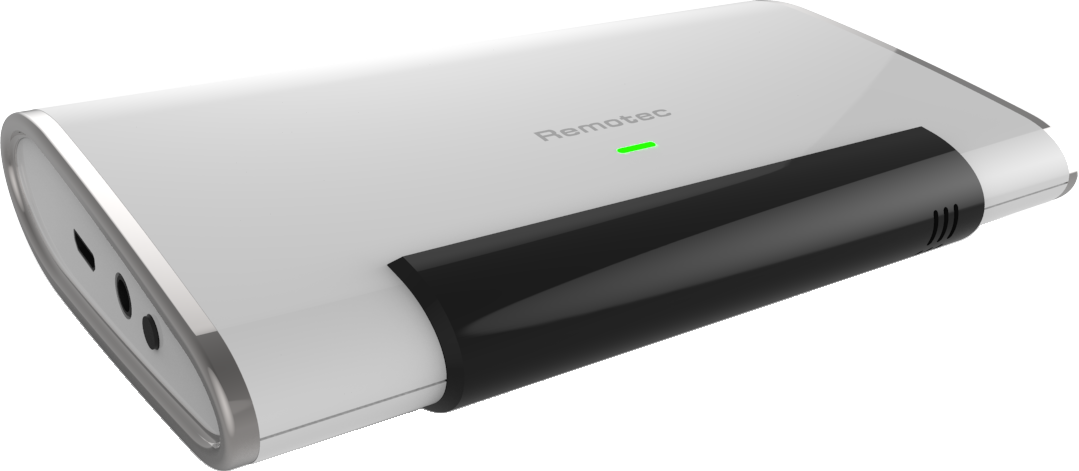
Product Recognition | |
|---|
Certification Number | ZC10-17055619 |
|---|
Name | AC MASTER |
|---|
Short Description | ZXT-600 AC Master -- Make your Infrared controlled air conditioner to be smart comfort control companion. |
|---|
Long Description | ZXT-600 AC Master is a Z-Wave plus certified IR Bridge for split air conditioner control by receiving Z-Wave command and translating to Infrared command and flawlessly work with any Z-Wave compliant gateway.
With its over 250 brands built-in code library and ever-green up to date cloud IR database supporting advanced code learning search, ZXT-600 can easily set up and smart control most of AC brands and models actively worldwide by Z-Wave gateway.
The battery powered device will allow you to mount it anywhere you want such as wall, ceiling or put it on table and never compromise on the form factor. By supporting OTA function, gateway can enable ZXT-600 to update firmware if newest available. |
|---|
Brand | Remotec |
|---|
Product Identifier | ZXT-600US |
|---|
OEM Version | HW: 3 FW: 0.21:00.32:171.01 |
|---|
Hardware Platform | ZM5202 |
|---|
Z-Wave Version | 6.61.00 |
|---|
Library Type | SLAVE_ENHANCED_232 |
|---|
Device Type | Thermostat - HVAC |
|---|
Role Type | ROLE_TYPE_SLAVE_SLEEPING_LISTENING |
|---|
Manufacturer ID | 0x5254 |
|---|
Product Type ID | 0x0100 |
|---|
Product ID | 0x8490 |
|---|
User Icon | 0x1200 |
|---|
Installer Icon | 0x1200 |
|---|
Frequency Plans | US: 916.00MHz, 908.40MHz |
|---|
Categories | Thermostats, Infrared Devices |
|---|
Countries / Regions | United States of America |
|---|
Supported Command Classes | Identifier | Name | Key | Version |
|---|
COMMAND_CLASS_POWERLEVEL | Powerlevel | 0x73 | 1 | COMMAND_CLASS_THERMOSTAT_FAN_MODE_V4 | Thermostat Fan Mode V4 | 0x44 | 4 | COMMAND_CLASS_BATTERY | Battery | 0x80 | 1 | COMMAND_CLASS_APPLICATION_STATUS | Application Status | 0x22 | 1 | COMMAND_CLASS_BASIC | Basic | 0x20 | 1 | COMMAND_CLASS_SECURITY | Security S0 | 0x98 | 1 | COMMAND_CLASS_SENSOR_MULTILEVEL_V7 | Sensor Multilevel V7 | 0x31 | 7 | COMMAND_CLASS_THERMOSTAT_MODE_V3 | Thermostat Mode V3 | 0x40 | 3 | COMMAND_CLASS_THERMOSTAT_SETPOINT_V3 | Thermostat Setpoint V3 | 0x43 | 3 | COMMAND_CLASS_VERSION_V2 | Version V2 | 0x86 | 2 | COMMAND_CLASS_DEVICE_RESET_LOCALLY | Device Reset Locally | 0x5A | 1 | COMMAND_CLASS_ZWAVEPLUS_INFO_V2 | Z-Wave Plus Info V2 | 0x5E | 2 | COMMAND_CLASS_ASSOCIATION_V2 | Association V2 | 0x85 | 2 | COMMAND_CLASS_ASSOCIATION_GRP_INFO_V3 | Association Group Information V3 | 0x59 | 3 | COMMAND_CLASS_FIRMWARE_UPDATE_MD_V3 | Firmware Update Meta-Data V3 | 0x7A | 3 | COMMAND_CLASS_MANUFACTURER_SPECIFIC_V2 | Manufacturer Specific V2 | 0x72 | 2 |
|
|---|
Documents | Category | Description | File |
|---|
Manual_Primary_Lang | Product or Owner's Manual | |
|
|---|
Features | Feature | Values |
|---|
Thermostat Modes | Value |
|---|
Heat | Cool | Auto | Resume | Fan Only | Dry Air | Away |
| Firmware Updatable | Value |
|---|
Updatable by Consumer by RF |
| Battery Type | | Color | | Sensors | |
|
|---|
Association Groups | Group Number | Maximum Nodes Supported | End Point ID | Description |
|---|
1 | 1 | 0 | Association Group #1 (max. 1 node) is default to associate with the primary controller (Gateway/Hub/Controller) for AC Master Status change report, refer to below for report details:
a) Current Room Temperature (report in precision of 0.5°C or 1°F)
(It will be according to Configuration Parameter 39 setting to decide the trigger level)
b) Current Battery Level (Only apply in Low Battery Warning happened)
c) Device Reset Locally Notification (Only report when the AC Master has been triggered the RESET TO DEFAULT)
|
|
|---|
Configuration Parameters | |
|---|
Texts | ID | Description | Value |
|---|
5 | Factory Reset | Press and Hold “PROG” button for 3 seconds on AC Master, the Green Indicator will light up. DO NOT Release the “PROG” Button until Green Indicator flashes TWICE.
Remark : Only perform When the device is missing or inoperable in your primary controller | 1 | Inclusion | Step 1: Refer to your primary controller to enter into the Inclusion Mode
Step 2: When it is prompted to enter it, please triple click the “PROG” button within 1 second.
Step 3: Successful - Green Indicator flashes TWICE then stay off
Unsuccessful : Red Indicator flashes TWICE then stay off | 2 | Exclusion | Step 1: Refer to your primary controller to enter into the Exclusion Mode
Step 2: When it is prompted to enter it, please triple click the “PROG” button within 1 second.
Step 3: Successful - Green Indicator flashes TWICE then stay off
Unsuccessful : Red Indicator flashes TWICE then stay off |
|
|---|
Supported Multilevel Sensors | Multilevel Sensor Type |
|---|
Target temperature |
|
|---|
Supports NWI | Yes |
|---|
Supports Explorer Frames | Yes |
|---|
Is Flirs | Yes |
|---|