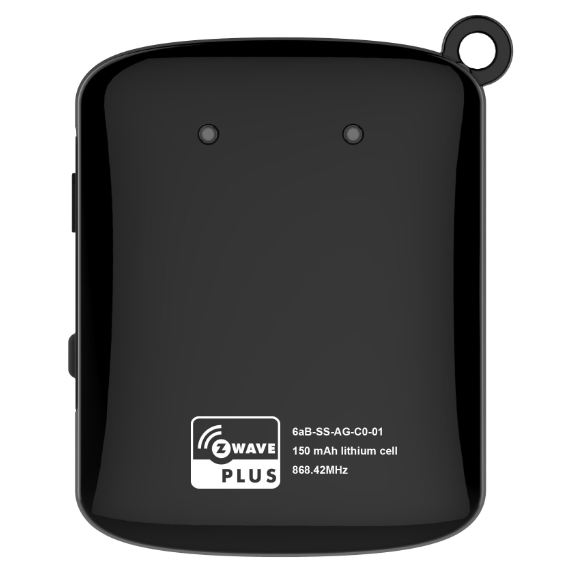
Product Recognition | |
|---|
Certification Number | ZC10-17025451 |
|---|
Name | Arrival Sensor |
|---|
Short Description | Arrival Sensor lets you stay connected with the people who matter most to you. |
|---|
Description | Arrival Sensor lets you stay connected with the people who matter most to you. By placing the sensor on your keychain, in a purse, in a glove compartment, or around a pet’s collar, you can receive notifications when a person, pet, or car arrives and leaves home |
|---|
Brand | LEEDARSON |
|---|
Identifier | 6aB-SS-AG-C0 |
|---|
OEM Version | HW: 1 FW: 2.08 |
|---|
Hardware Platform | ZM5101 |
|---|
Z-Wave Version | 6.51.09 |
|---|
Library Type | SLAVE_ENHANCED_232 |
|---|
Device Type | Notification Sensor |
|---|
Role Type | ROLE_TYPE_SLAVE_SLEEPING_REPORTING |
|---|
Manufacturer ID | 0x0300 |
|---|
Product Type ID | 0x0003 |
|---|
Product ID | 0x0002 |
|---|
User Icon | 0x0C06 |
|---|
Installer Icon | 0x0C06 |
|---|
Frequency Plans | EU: 869.85MHz, 868.40MHz |
|---|
Categories | Sensors |
|---|
Countries / Regions | European Union |
|---|
Supported Command Classes | Identifier | Name | Key | Version |
|---|
COMMAND_CLASS_POWERLEVEL | Powerlevel | 0x73 | 1 | COMMAND_CLASS_BATTERY | Battery | 0x80 | 1 | COMMAND_CLASS_CONFIGURATION | Configuration | 0x70 | 1 | COMMAND_CLASS_VERSION_V2 | Version V2 | 0x86 | 2 | COMMAND_CLASS_WAKE_UP_V2 | Wake Up V2 | 0x84 | 2 | COMMAND_CLASS_DEVICE_RESET_LOCALLY | Device Reset Locally | 0x5A | 1 | COMMAND_CLASS_ZWAVEPLUS_INFO_V2 | Z-Wave Plus Info V2 | 0x5E | 2 | COMMAND_CLASS_ASSOCIATION_V2 | Association V2 | 0x85 | 2 | COMMAND_CLASS_ASSOCIATION_GRP_INFO | Association Group Info | 0x59 | 1 | COMMAND_CLASS_NOTIFICATION_V5 | Notification V5 | 0x71 | 5 | COMMAND_CLASS_FIRMWARE_UPDATE_MD_V2 | Firmware Update Meta-Data V2 | 0x7A | 2 | COMMAND_CLASS_MANUFACTURER_SPECIFIC_V2 | Manufacturer Specific V2 | 0x72 | 2 |
|
|---|
Documents | Category | Description | File |
|---|
Manual_Primary_Lang | Product or Owner's Manual | |
|
|---|
Features | Feature | Values |
|---|
Battery Quantity | | Firmware Updatable | Value |
|---|
Updatable by Manufacturer |
| Battery Type | | Supported Notification Types | |
|
|---|
Association Groups | Group Number | Maximum Nodes Supported | End Point ID | Description |
|---|
1 | 5 | 0 | 1, Configure Notification Status for 0xFF (default) send Notification when send Heartbeat and TimeEnd.
2, Configuration parameter 0x0A: Send Battery Report (0xFF) when Battery lower than 10%.
|
|
|---|
Configuration Parameters | Parameter Number | Name | Description | Format | Size | Min Value | Max Value | Default Value | Parameter Values |
|---|
10 | Low Battery Power Level of alarm threshold values | Low Battery Power Level of alarm threshold values: the value range are 10~50 for percentage, so the Battery Low Power level can setting 10%~50%. | 0 | 1 | 0 | 0 | 10 | From | To | Description |
|---|
10 | 50 | Battery Low Power level can setting 10%~50% |
| 254 | Configuration Lock function | Configuration Lock function: when it was lock then the other parameters value cannot change unless this parameter. | 0 | 1 | 0 | 0 | 0 | From | To | Description |
|---|
0 | 0 | unlock | 1 | 1 | lock |
| 255 | Reset | Reset the Z-wave network or configuration parameter. | 0 | 4 | 0 | 0 | 0 | From | To | Description |
|---|
143165576 | 143165576 | Reset to factory configuration and removed the Z-wave network. | -2013265920 | -2013265920 | Reset Configuration parameter toConfiguration parameter default value. |
|
|
|---|
Texts | ID | Description | Value |
|---|
1 | Inclusion | 1. Set the Z-Wave network main controller into learning mode.
2. Triggering this action button.
3. If the add for inclusion is successful, the LED will blink less than 5 seconds and then keep on 3 seconds. Otherwise, the LED will blink 8 seconds and then turn off, in which case you need to repeat the process from step 2. | 5 | Factory Reset | Press and hold more than 5 seconds,led will keep on until the Z-Button is released; Arrival Sensor will send “Device_Reset_Locally” to the main controller and exclude from the Z-Wave network when the Z-Button is released, this procedure will reset the Sensor to factory default.
Please use this procedure only when the network primary controller is missing or otherwise inoperable. | 2 | Exclusion | 1. Set the Z-Wave network main controller into learning mode.
2. Triggering this action button.
3. If the remove for exclusion, the LED will turn off within 1 second. Otherwise, the LED will blink 8 seconds and then turn off, in which case you need to repeat the process from step 2. | 4 | Device Wake-Up | Press the study key three times then the Arrival sensor sending Wake Up Notification to Gateway to report it was wake up. Please make sure the Arrival Sensor is added to the Z-wave network. |
|
|---|
Supported Notification Types | Notification Type | Event / State |
|---|
Heat Alarm | (Refer to parameters): State idle | Clock | (Refer to parameters): State idle |
|
|---|
Supports NWI | Yes |
|---|
Supports Explorer Frames | Yes |
|---|
Radio Range Z-Wave (m) | 40 |
|---|