| Product Recognition | |
|---|
| Certification Number | ZC10-17055592 |
|---|
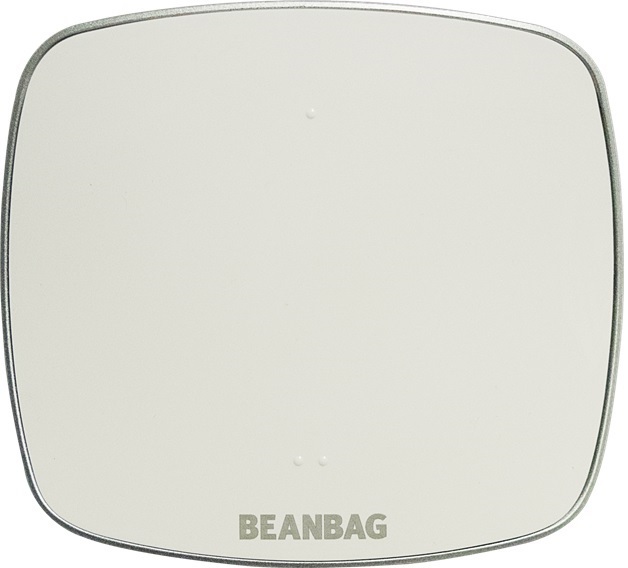
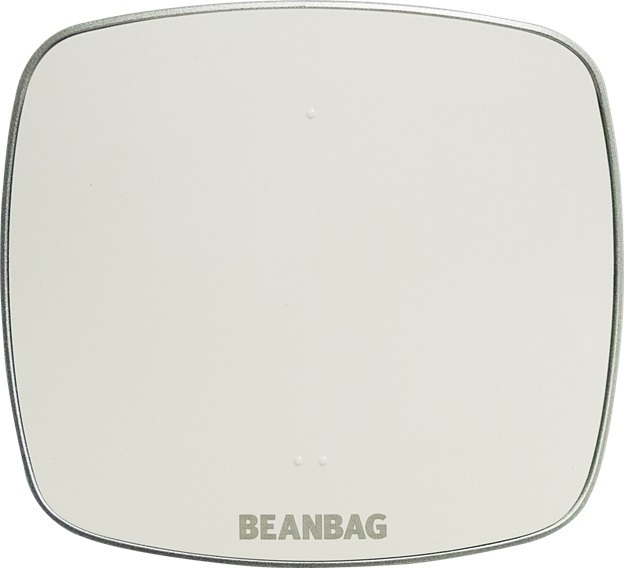
| Name | Beanbag Thermostat Receiver |
|---|
| Short Description | The Beanbag Receiver is mains powered wireless two-channel programmable thermostat / programmer, which controls the space heating and hot water system. It also provides a boost facility for Beanbag heat and hot water. |
|---|
| Long Description | The Beanbag receiver is a wireless two-channel thermostat / programmer, which can be used to control the heating and hot water system. Channel 1 is used for heating with Channel 2 being used for heating or hot water. Contact rating is 3A 230V AC, 1 A reactive. The receiver is mains powered 230V AC 50Hz only. A 7 day schedule facility is possible; each day can have different times and temperatures. TPI control is provided for Gas, Oil or Electrical Boilers with 3, 6 or 9 cycles per hour respectively. A one day override (on or off) facility is provided for heating and hot water. Thermostat failsafe is covered with the provision of a backup temperature sensor. The receiver is wall mounted using a plate with an optional facia plate; it is push on / pull off with the provision of a safety cover to ensure no mains access when removed. An optional surface wiring plate is also provided. Enclosure protection is to IP30 with an operating temperature range of 0⁰C to 40⁰C. |
|---|
| Brand | Beanbag |
|---|
| Product Identifier | MAX10Z-737 |
|---|
| OEM Version | HW: 2 FW: 2.00 |
|---|
| Hardware Platform | ZM5202 |
|---|
| Z-Wave Version | 6.61.00 |
|---|
| Library Type | SLAVE_ENHANCED_232 |
|---|
| Device Type | Thermostat - HVAC |
|---|
| Role Type | ROLE_TYPE_SLAVE_ALWAYS_ON |
|---|
| Manufacturer ID | 0x0059 |
|---|
| Product Type ID | 0x0014 |
|---|
| Product ID | 0x0001 |
|---|
| User Icon | 0x1200 |
|---|
| Installer Icon | 0x1200 |
|---|
| Frequency Plans | EU: 869.85MHz, 868.40MHz |
|---|
| Categories | Thermostats, All Lighting Devices, On/Off Switches/Devices, HVAC |
|---|
| Countries / Regions | European Union |
|---|
| Supported Command Classes | | Identifier | Name | Key | Version |
|---|
| COMMAND_CLASS_POWERLEVEL | Powerlevel | 0x73 | 1 | | COMMAND_CLASS_MULTI_CHANNEL_ASSOCIATION_V3 | Multi-Channel Association V3 | 0x8E | 3 | | COMMAND_CLASS_ALARM | Alarm | 0x71 | 1 | | COMMAND_CLASS_SCHEDULE | Schedule | 0x53 | 1 | | COMMAND_CLASS_THERMOSTAT_OPERATING_STATE | Thermostat Operating State | 0x42 | 1 | | COMMAND_CLASS_THERMOSTAT_MODE | Thermostat Mode | 0x40 | 1 | | COMMAND_CLASS_SENSOR_MULTILEVEL | Sensor Multilevel | 0x31 | 1 | | COMMAND_CLASS_SWITCH_BINARY | Switch Binary | 0x25 | 1 | | COMMAND_CLASS_BASIC | Basic | 0x20 | 1 | | COMMAND_CLASS_CONFIGURATION | Configuration | 0x70 | 1 | | COMMAND_CLASS_VERSION_V2 | Version V2 | 0x86 | 2 | | COMMAND_CLASS_DEVICE_RESET_LOCALLY | Device Reset Locally | 0x5A | 1 | | COMMAND_CLASS_ZWAVEPLUS_INFO_V2 | Z-Wave Plus Info V2 | 0x5E | 2 | | COMMAND_CLASS_ASSOCIATION_V2 | Association V2 | 0x85 | 2 | | COMMAND_CLASS_ASSOCIATION_GRP_INFO | Association Group Info | 0x59 | 1 | | COMMAND_CLASS_MULTI_CHANNEL_V4 | Multi-Channel V4 | 0x60 | 4 | | COMMAND_CLASS_THERMOSTAT_SETPOINT | Thermostat Setpoint | 0x43 | 1 | | COMMAND_CLASS_FIRMWARE_UPDATE_MD_V2 | Firmware Update Meta-Data V2 | 0x7A | 2 | | COMMAND_CLASS_MANUFACTURER_SPECIFIC_V2 | Manufacturer Specific V2 | 0x72 | 2 |
|
|---|
| Controlled Command Classes | | Identifier | Name | Key | Version |
|---|
| COMMAND_CLASS_TIME | Time | 0x8A | 1 |
|
|---|
| Documents | |
|---|
| Features | | Feature | Values |
|---|
| Switch Type | | | Switch Load Capacity Current | | | Loads Controlled | | | Thermostat Modes | | | Color | | | Neutral Wire Required | | | Firmware Updatable | | Value |
|---|
| Updatable by Consumer by RF |
| | Thermostat HVAC Systems Supported | | | Sensors | |
|
|---|
| Association Groups | | Group Number | Maximum Nodes Supported | End Point ID | Description |
|---|
| 1 | 1 | 0 | Z-Wave Plus Lifeline |
|
|---|
| Configuration Parameters | | Parameter Number | Name | Description | Format | Size | Min Value | Max Value | Default Value | Parameter Values |
|---|
| 3 | Button override duration | When local override is initiated by user using the buttons on the device, the device will remain in manual override for the duration defined in this parameter. After this duration or any further updated information received over ZWave will cancel this override. | 0 | 1 | 0 | 0 | 60 | | From | To | Description |
|---|
| 10 | 120 | in minutes. |
| | 4 | Relay State on Power (Switch endpoint only) | Relay state on every power up (For Binary Switch endpoint 2). 0: Relay OFF 1: Relay ON | 0 | 1 | 0 | 0 | 0 | | From | To | Description |
|---|
| 0 | 1 | Boolean. |
| | 5 | Dynamic endpoint 2 device type | Dynamic endpoint 2 device type 0: Thermostat 1: Binary Switch | 0 | 1 | 0 | 0 | 0 | | From | To | Description |
|---|
| 0 | 1 | Value 0 = Thermostat, 1 = Binary Switch |
| | 6 | Time sync | Time sync (minutes past midnight, in 2 minute intervals) | 0 | 1 | 0 | 0 | 65 | | From | To | Description |
|---|
| 60 | 120 | in 2 minutes steps. |
| | 7 | Heating TPI Cycle | Heating TPI Cycle 1: 3 cycles per hour 2: 6 cycles per hour 3: 9 cycles per hour 4: 12 cycles per hour | 0 | 1 | 0 | 0 | 2 | | From | To | Description |
|---|
| 1 | 4 | Value 1 = 3 cycles per hour, 2 = 6 cycles per hour, 3 = 9 cycles per hour and 4 = 12 cycles per hour |
|
|
|---|
| Texts | | ID | Description | Value |
|---|
| 5 | Factory Reset | Long press the bottom button (located underside the unit) for around 4 Sec until the Network indicator LED turns red then release the button.
This function should only be used in case of primary controller is missing or inoperable. | | 6 | Additional Special Features | 1. The product supports dynamic endpoint configuration for Thermostat or Switch at endpoint 2.
2. Learning algorithm used to track the temperature in case if primary sensor is not communicating. | | 2 | Exclusion | 1. Put network controller in Exclusion mode.
2. Hold the button on the top of the Beanbag Receiver for more than 2 seconds until the Network Indicator LED turns red then release the button to put the Beanbag Receiver into Learn Mode.
3. Beanbag Receiver will indicate success with flashing white Network LED (3Sec ON and 30Sec OFF). | | 1 | Inclusion | 1. Put network controller in Inclusion mode.
2. Hold the button on the top of the Beanbag Receiver for more than 2 seconds until the Network Indicator LED turns red then release the button to put the Beanbag Receiver into Learn Mode.
3. Beanbag Receiver will indicate success with sold white Network LED. |
|
|---|
| Supported Multilevel Sensors | | Multilevel Sensor Type |
|---|
| Air temperature |
|
|---|
| Supports NWI | Yes |
|---|
| Supports Explorer Frames | Yes |
|---|