Product Recognition | |
|---|
Certification Number | ZC12-20090117 |
|---|
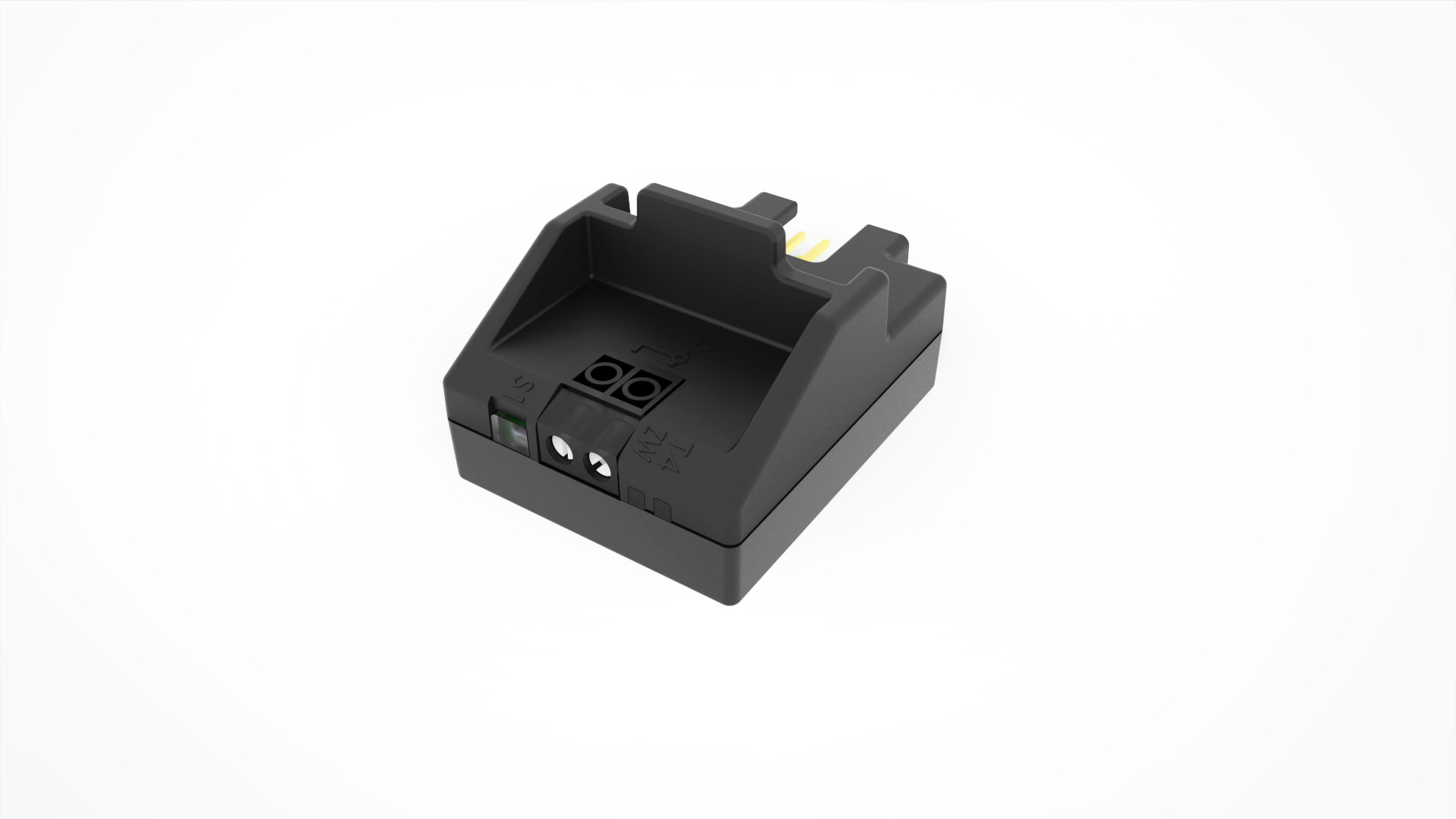
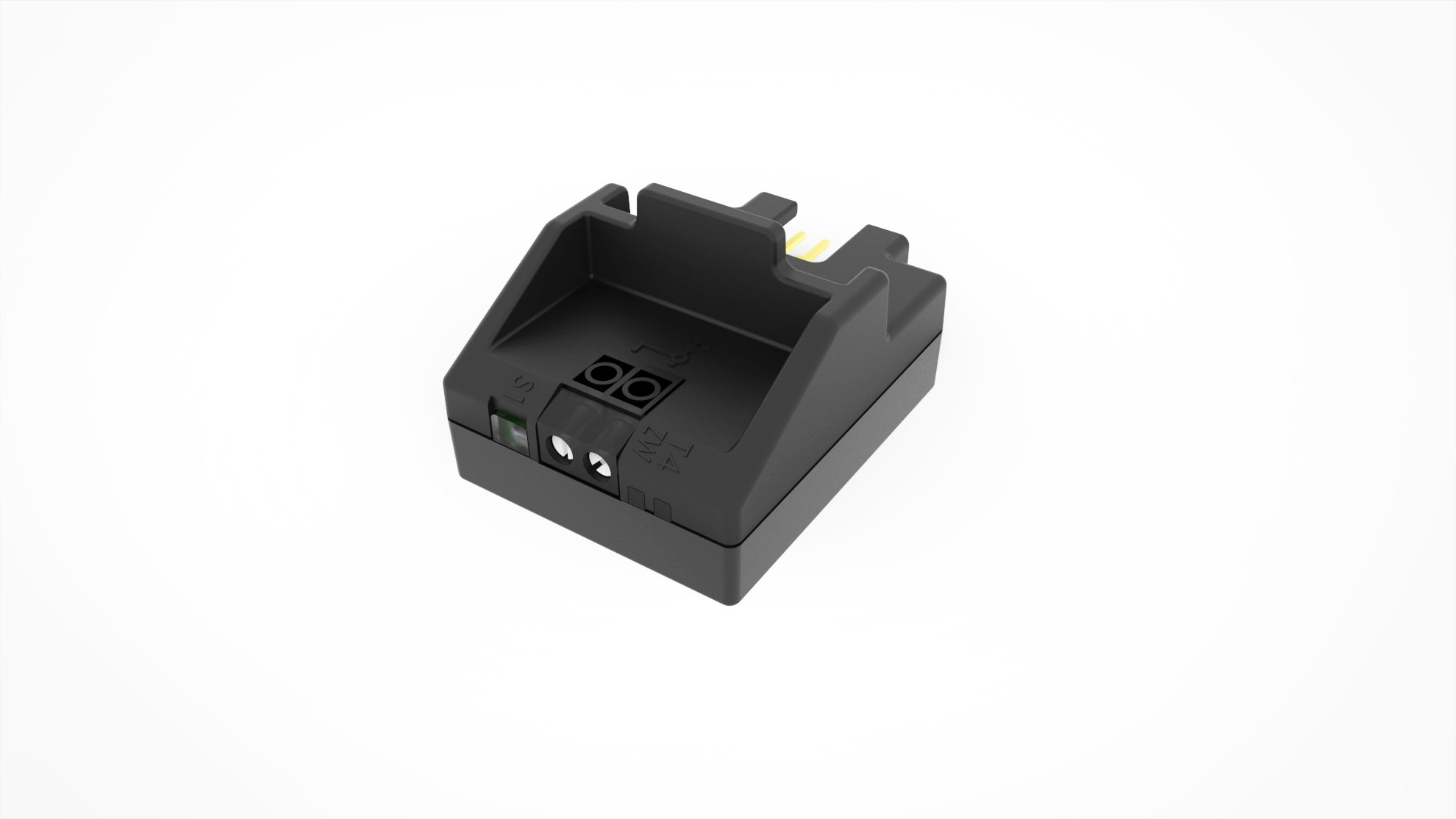
Name | BusT4-Z-Wave interface |
|---|
Short Description | The IBT4ZWAVE accessory is a device that – by means of Z-Wave communication – allows for controlling themovement and status of Gate&Door-type Nice automations compatible with the BUS T4 (Opera) protocol. |
|---|
Long Description | The IBT4ZWAVE accessory is a device that – by means of Z-Wave communication – allows for controlling themovement and status of Gate&Door-type Nice automations compatible with the BUS T4 (Opera) protocol.Main features:• Compatible with Nice Gate&Door control units equipped with BUS T4 connector,• Allows to control the gate in Step-By-Step mode and control its status,• Equipped with two LEDs that inform about the device status,• Does not require additional power supply,• Compatible with Z-Wave and Z-Wave Plus controllers,• Supports Z-Wave network Security Modes: S0 with AES-128 encryption and S2 with PRNG-based encryption. |
|---|
Brand | NICE |
|---|
Product Identifier | IBT4ZWAVE |
|---|
Product Line | IBT4ZWAVE |
|---|
OEM Version | HW: 1 FW: 7.00 |
|---|
Hardware Platform | ZGM130 |
|---|
Z-Wave Version | 7.13.1 |
|---|
Library Type | SLAVE_ENHANCED_232 |
|---|
Device Type | Multilevel Switch |
|---|
Role Type | ROLE_TYPE_SLAVE_ALWAYS_ON |
|---|
Manufacturer ID | 0x0441 |
|---|
Product Type ID | 0x2400 |
|---|
Product ID | 0x4000 |
|---|
User Icon | 0x1E00 |
|---|
Installer Icon | 0x1E00 |
|---|
Frequency Plans | RU: 869.00MHz |
|---|
Categories | Motor Control |
|---|
Countries / Regions | Russian Federation |
|---|
Supported Command Classes | Identifier | Name | Key | Version |
|---|
COMMAND_CLASS_CONFIGURATION_V4 | Configuration V4 | 0x70 | 4 | COMMAND_CLASS_POWERLEVEL | Powerlevel | 0x73 | 1 | COMMAND_CLASS_PROTECTION_V2 | Protection V2 | 0x75 | 2 | COMMAND_CLASS_MULTI_CHANNEL_ASSOCIATION_V3 | Multi-Channel Association V3 | 0x8E | 3 | COMMAND_CLASS_INDICATOR_V3 | Indicator V3 | 0x87 | 3 | COMMAND_CLASS_APPLICATION_STATUS | Application Status | 0x22 | 1 | COMMAND_CLASS_SECURITY | Security S0 | 0x98 | 1 | COMMAND_CLASS_TRANSPORT_SERVICE_V2 | Transport Service V2 | 0x55 | 2 | COMMAND_CLASS_DEVICE_RESET_LOCALLY | Device Reset Locally | 0x5A | 1 | COMMAND_CLASS_ZWAVEPLUS_INFO_V2 | Z-Wave Plus Info V2 | 0x5E | 2 | COMMAND_CLASS_ASSOCIATION_V2 | Association V2 | 0x85 | 2 | COMMAND_CLASS_FIRMWARE_UPDATE_MD_V5 | Firmware Update Meta-Data V5 | 0x7A | 5 | COMMAND_CLASS_SWITCH_MULTILEVEL_V4 | Switch Multilevel V4 | 0x26 | 4 | COMMAND_CLASS_ASSOCIATION_GRP_INFO_V3 | Association Group Information V3 | 0x59 | 3 | COMMAND_CLASS_NOTIFICATION_V8 | Notification V8 | 0x71 | 8 | COMMAND_CLASS_BASIC_V2 | Basic V2 | 0x20 | 2 | COMMAND_CLASS_SECURITY_2 | Security S2 | 0x9F | 1 | COMMAND_CLASS_VERSION_V3 | Version V3 | 0x86 | 3 | COMMAND_CLASS_SUPERVISION | Supervision | 0x6C | 1 | COMMAND_CLASS_MANUFACTURER_SPECIFIC_V2 | Manufacturer Specific V2 | 0x72 | 2 |
|
|---|
S2 Classes | S2_UNAUTHENTICATED, S2_AUTHENTICATED |
|---|
Documents | Category | Description | File |
|---|
Manual_Primary_Lang | Product Manual | |
|
|---|
Association Groups | Group Number | Maximum Nodes Supported | End Point ID | Group Name | Profile | Description |
|---|
1 | 1 | 0 | Lifeline | 0x0001 | Lifeline. Reports the device status to the Z-Wave gateway. |
|
|---|
Configuration Parameters | Parameter Number | Name | Description | Format | Size | Min Value | Max Value | Default Value | Parameter Values |
|---|
31 | Alarm configuration - 2nd slot | This parameter determines to which alarm frames and how the device should react. The parameters consist of 4 bytes, three most significant bytes are set according to the official Z-Wave protocol specification. Default value [0x05, 0xFF, 0x00, 0x00](Water Alarm, any notification, no action). The 4 bytes must be converted to a single decimal value to be entered in the gateway sending the configuration parameter value. Example: Event: Home Security (0x07) Status: Motion Detected (0x08) Parameter: None (0x00) Action: Open (0x01) = 0x07080001 which is 117964801 decimal to be entered in the gateway. | 2 | 4 | 0 | 4294967042 | 100597760 | From | To | Description |
|---|
256 | 65535 | Event/State Parameters | 16777216 | 4294967042 | [MSB] – Notification Type | 65536 | 16777215 | Notification Status | 0 | 255 | [LSB] – action |
|
|
|---|
Texts | ID | Description | Value |
|---|
8 | Where to find S2 DSK on product | If your controller is capable of QR scanning, scan the QR code placed on the label on the device and bottom of the box. | 1 | Classic Inclusion | 01. Set the Z-Wave gateway into adding mode (see the Z-Wave gateway’s manual)02. On the IBT4ZWAVE press and release the S1 button 3 times S103. LEDs on the IBT4ZW AVE will start slow flashing alternately04. If you are adding in Security S2 Authenticated, input the underlined partof the DSK (label on the box)DSK: XXXXX-XXXXX-XXXXX-XXXXXXXXXX-XXXXX-XXXXX-XXXXX05. When the adding process ends, the LEDs on the IBT4ZWAVE will show adding and antenna status (Table 1 in manual) | 2 | Classic Exclusion | 01. Set the Z-Wave gateway into remove mode (see the Z-Wave gateway’s manual)02. On the IBT4ZWAVE press and release the S1 button 3 times S103. LEDs on the IBT4ZW AVE will start slow flashing alter nately04. Wait for the removing process to end | 5 | Factory Reset Procedure | 01. Press and hold the S1 button03. Wait 3 seconds04. LEDs will show adding and antenna status (Table 1 in manual) for 3 seconds05. LEDs will turn off for 3 seconds06. LEDs will show selected antenna (Table 2 in manual) for 3 seconds07. When both LEDs light up simultaneously, release the button08. Press and release the S1 button09. Both LEDs will flash once at the end of the procedure |
|
|---|
Supported Notification Types | Notification Type | Event / State |
|---|
Access Control | Barrier operation (open/close) force has been exceeded | Access Control | Barrier Safety beam obstacle status: Barrier safety beam obstacle | Access Control | Barrier control status: Barrier associated with non Z-Wave remote control | System | HW status: System hardware failure (manufacturer proprietary failure code provided) |
|
|---|
Supports NWI | Yes |
|---|
Supports Explorer Frames | Yes |
|---|
Supports SmartStart | Yes |
|---|
Radio Range Z-Wave (m) | 40 |
|---|