Product Recognition | |
|---|
Certification Number | ZC10-19076580 |
|---|
Name | Button |
|---|
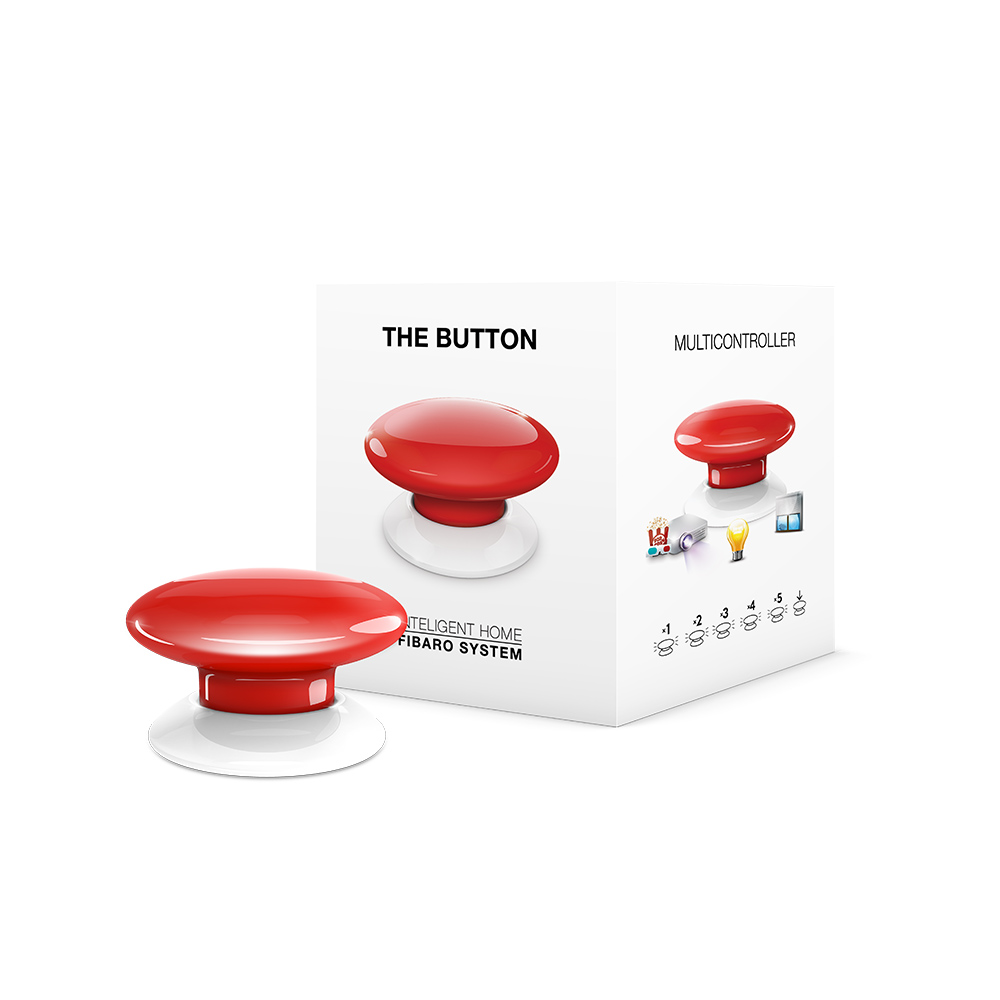
Short Description | FIBARO Button is a compact, battery-powered, Z-Wave scene controller. |
|---|
Long Description | FIBARO Button is a compact, battery-powered, Z-Wave Plus compatible device. It allows you to control devices through the Z-Wave network and run various scenes defined in FIBARO System.
Different actions may be triggered with one to five clicks or by holding the button down. In Panic Button mode, each press of the button results in triggering the Fibaro Alarm.
With its small design and wireless communication, the FIBARO Button can be conveniently mounted on any surface and in any position or location at home, e.g. beside the bed or under the desk. |
|---|
Brand | FIBARO |
|---|
Product Identifier | FGPB-101 |
|---|
OEM Version | HW: 1 FW: 3.02 |
|---|
Hardware Platform | ZM5101 |
|---|
Z-Wave Version | 6.51.09 |
|---|
Library Type | SLAVE_ENHANCED_232 |
|---|
Device Type | Wall Controller |
|---|
Role Type | ROLE_TYPE_SLAVE_PORTABLE |
|---|
Manufacturer ID | 0x010F |
|---|
Product Type ID | 0x0F01 |
|---|
Product ID | 0xB000 |
|---|
User Icon | 0x1600 |
|---|
Installer Icon | 0x1600 |
|---|
Frequency Plans | KR: 920.90MHz, 921.70MHz, 923.10MHz |
|---|
Categories | All Lighting Devices, Lighting Accessories |
|---|
Countries / Regions | Republic of Korea |
|---|
Supported Command Classes | Identifier | Name | Key | Version |
|---|
COMMAND_CLASS_SENSOR_ALARM | Sensor Alarm | 0x9C | 1 | COMMAND_CLASS_POWERLEVEL | Powerlevel | 0x73 | 1 | COMMAND_CLASS_MULTI_CHANNEL_ASSOCIATION_V3 | Multi-Channel Association V3 | 0x8E | 3 | COMMAND_CLASS_BATTERY | Battery | 0x80 | 1 | COMMAND_CLASS_CONFIGURATION | Configuration | 0x70 | 1 | COMMAND_CLASS_CRC_16_ENCAP | CRC16 Encapsulation | 0x56 | 1 | COMMAND_CLASS_SECURITY | Security S0 | 0x98 | 1 | COMMAND_CLASS_VERSION_V2 | Version V2 | 0x86 | 2 | COMMAND_CLASS_WAKE_UP_V2 | Wake Up V2 | 0x84 | 2 | COMMAND_CLASS_DEVICE_RESET_LOCALLY | Device Reset Locally | 0x5A | 1 | COMMAND_CLASS_ZWAVEPLUS_INFO_V2 | Z-Wave Plus Info V2 | 0x5E | 2 | COMMAND_CLASS_ASSOCIATION_V2 | Association V2 | 0x85 | 2 | COMMAND_CLASS_ASSOCIATION_GRP_INFO | Association Group Info | 0x59 | 1 | COMMAND_CLASS_NOTIFICATION_V5 | Notification V5 | 0x71 | 5 | COMMAND_CLASS_CENTRAL_SCENE_V3 | Central Scene V3 | 0x5B | 3 | COMMAND_CLASS_FIRMWARE_UPDATE_MD_V3 | Firmware Update Meta-Data V3 | 0x7A | 3 | COMMAND_CLASS_MANUFACTURER_SPECIFIC_V2 | Manufacturer Specific V2 | 0x72 | 2 |
|
|---|
Controlled Command Classes | Identifier | Name | Key | Version |
|---|
COMMAND_CLASS_BASIC | Basic | 0x20 | 1 | COMMAND_CLASS_SWITCH_MULTILEVEL_V3 | Switch Multilevel V3 | 0x26 | 3 |
|
|---|
Documents | Category | Description | File |
|---|
Manual_Primary_Lang | Product or Owner's Manual | |
|
|---|
Features | Feature | Values |
|---|
Battery Type | | Battery Quantity | | Firmware Updatable | Value |
|---|
Updatable by Consumer by RF |
| Supported Notification Types | | Z-Wave Scene Type | |
|
|---|
Association Groups | Group Number | Maximum Nodes Supported | End Point ID | Description |
|---|
2 | 5 | 0 | On/Off is assigned to clicking the button
and is used to turn on/off associated devices.
| 3 | 5 | 0 | Dimmer is assigned to holding the button and is used to change level of associated devices.
| 4 | 5 | 0 | Alarm is assigned to clicking and/or holding the button (triggers are defined in parameter 30) and is used to send alarm frames to associated devices.
| 1 | 1 | 0 | Lifeline reports the device status and allows for assigning single device only (main controller by default).
|
|
|---|
Configuration Parameters | Parameter Number | Name | Description | Format | Size | Min Value | Max Value | Default Value | Parameter Values |
|---|
10 | Key Pressed 1 time – command sent to 2nd association group | This parameter defines commands sent to devices associated in 2nd association group after a single click. 0 - no action 1 - SWITCH ON 2 - SWITCH OFF 3 - SWITCH ON/OFF – alternately | 0 | 1 | 0 | 0 | 3 | From | To | Description |
|---|
0 | 0 | no action | 1 | 1 | SWITCH ON | 2 | 2 | SWITCH OFF | 3 | 3 | SWITCH ON/OFF – alternately |
| 11 | Key Pressed 1 time – value of SWITCH ON command sent to 2nd association group | This parameter defines value of SWITCH ON command sent to devices in 2nd association group after a single click. 1-255- sent value NOTE Setting parameters 11, 13, 15, 21, 23 and 25 to appropriate value will result in: 1-99 - forcing level of associated devices 255 - setting associated devices to the last remembered state or turning them on | 0 | 2 | 0 | 0 | 255 | From | To | Description |
|---|
1 | 99 | forcing level of associated devices | 255 | 255 | setting associated devices to the last remembered state or turning them on |
| 3 | Associations in Z-Wave network security mode | This parameter defines how commands are sent in specified association groups: as secure or non-secure. Parameter is active only in Z-Wave network security mode. It does not apply to 1st „Lifeline” group. 1 - 2nd group sent as secure 2 - 3rd group sent as secure 4 - 4th group sent as secure NOTE Values of parameter 3 may be combined, e.g. 1+2=3 means that 2nd & 3rd group are sent as secure. | 0 | 1 | 0 | 0 | 7 | From | To | Description |
|---|
1 | 1 | 2nd group sent as secure | 2 | 2 | 3rd group sent as secure | 4 | 4 | 4th group sent as secure |
| 23 | Key Pressed 2 times – value of SWITCH ON command sent to 3rd association group | This parameter defines value of SWITCH ON command sent to devices in 3rd association group after a double click. | 0 | 2 | 0 | 0 | 99 | From | To | Description |
|---|
1 | 99 | forcing level of associated devices | 255 | 255 | setting associated devices to the last remembered state or turning them on |
| 24 | Key Pressed 3 times – command sent to 3rd association group | This parameter defines commands sent to devices associated in 3rd association group after a triple click. | 0 | 1 | 0 | 0 | 0 | From | To | Description |
|---|
0 | 0 | no action | 1 | 1 | SWITCH ON | 2 | 2 | SWITCH OFF | 3 | 3 | SWITCH ON/OFF – alternately |
| 25 | Key Pressed 3 times – value of SWITCH ON command sent to 3rd association group | This parameter defines value of SWITCH ON command sent to devices in 3rd association group after a triple click. | 0 | 2 | 0 | 0 | 255 | From | To | Description |
|---|
1 | 99 | forcing level of associated devices | 255 | 255 | setting associated devices to the last remembered state or turning them on |
|
|
|---|
Texts | ID | Description | Value |
|---|
4 | Device Wake-Up | The Button needs to be woken up to receive information about the new configuration from the controller, like parameters and associations.
1) Click the Button 4 times to wake it up. | 1 | Inclusion | 1) Place the Button within the direct range of your Z-Wave controller.
2) Set the main controller in (security/non-security) add mode (see the controller’s manual).
3) Click the Button at least six times.
4) Wait for the adding process to end.
5) Successful adding will be confirmed by the Z-Wave controller’s message. | 2 | Exclusion | 1) Place the Button within the direct range of your Z-Wave controller.
2) Set the main controller in remove mode (see the controller’s manual).
3) Click the Button at least six times.
4) Wait for the removing process to end.
5) Successful removing will be confirmed by the Z-Wave controller’s message. | 5 | Factory Reset | Reset procedure allows to restore the device back to its factory settings, which means all information about the Z-Wave controller and user configuration will be deleted. In order to reset the device:
1) Click the Button exactly five times.
2) Press and hold the Button for at least 5 seconds.
Resetting the device is not the recommended way of removing the device from the Z-Wave network. Use reset procedure only if the primary controller is missing or inoperable. Certain device removal can be achieved by the procedure of removing. |
|
|---|
Supported Notification Types | Notification Type | Event / State |
|---|
Home Security | (Refer to parameters): State idle | Home Security | Sensor status: Intrusion (location provided) | Home Security | Sensor status: Intrusion | Home Security | Cover status: Tampering, product cover removed | Home Security | Tampering, invalid code | Home Security | Glass breakage (location provided) | Home Security | Glass breakage | Home Security | Motion sensor status: Motion detection (location provided) | Home Security | Motion sensor status: Motion detection | Home Security | Tampering, product moved | Home Security | Impact detected | Home Security | Unknown event/state |
|
|---|
Supports NWI | Yes |
|---|
Supports Explorer Frames | Yes |
|---|
Radio Range Z-Wave (m) | 40 |
|---|