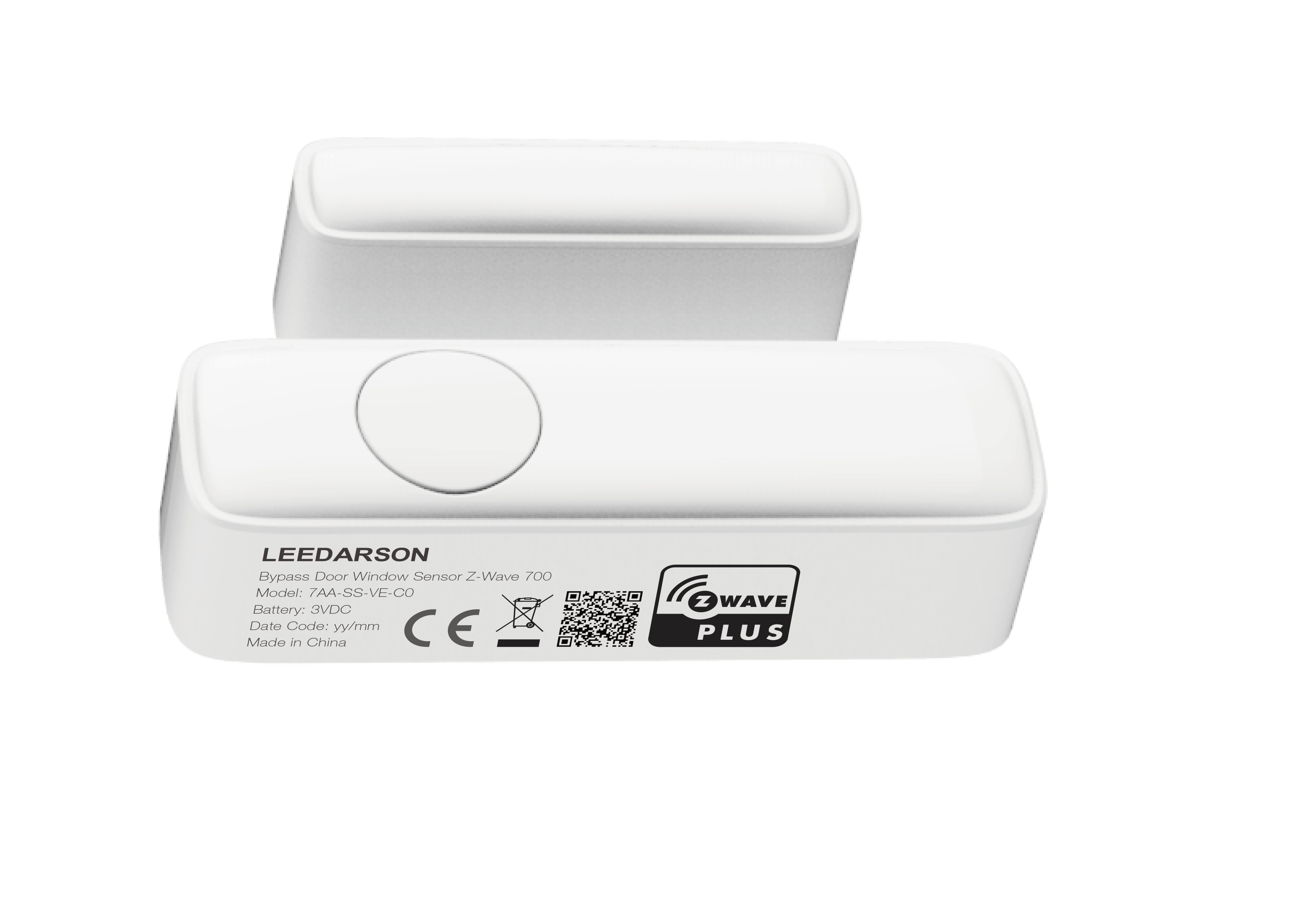
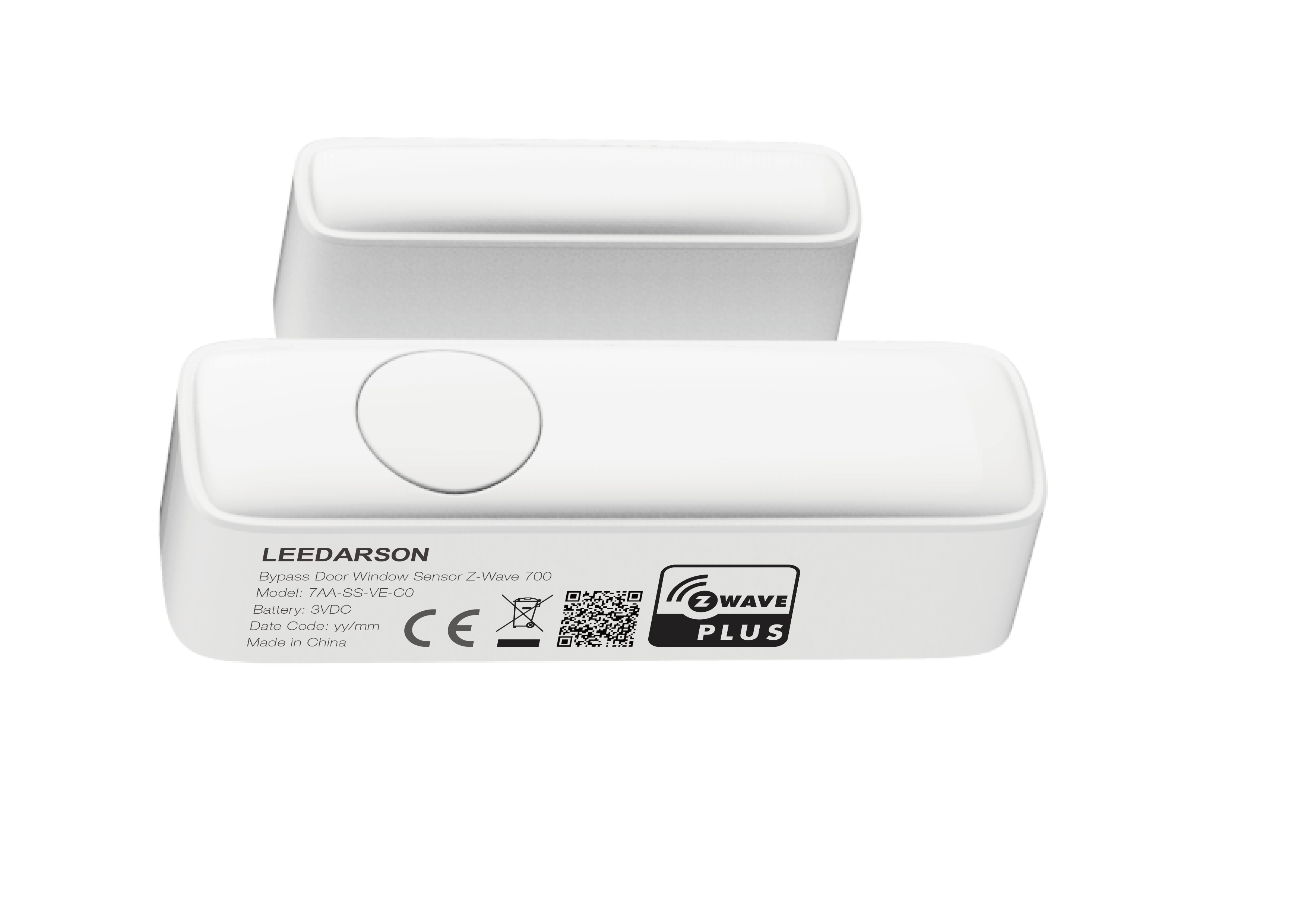
Product Recognition | |
|---|
Certification Number | ZC12-20030038 |
|---|
Name | Bypass Door Window Sensor Z-Wave 700 |
|---|
Short Description | Bypass Door Window Sensor Z-Wave 700 |
|---|
Long Description | the door window sensor lets you know when door or windows is opened and can trigger different actions in response to that open action (or close action). |
|---|
Brand | LEEDARSON |
|---|
Product Identifier | 7AA-SS-VE-C0 |
|---|
Product Line | Security |
|---|
OEM Version | HW: 1 FW: 1.33 |
|---|
Hardware Platform | ZGM130 |
|---|
Z-Wave Version | 7.12.2 |
|---|
Library Type | SLAVE_ENHANCED_232 |
|---|
Device Type | Notification Sensor |
|---|
Role Type | ROLE_TYPE_SLAVE_SLEEPING_REPORTING |
|---|
Manufacturer ID | 0x0300 |
|---|
Product Type ID | 0x0300 |
|---|
Product ID | 0x0041 |
|---|
User Icon | 0x0c06 |
|---|
Installer Icon | 0x0c06 |
|---|
Frequency Plans | EU: 869.85MHz, 868.40MHz |
|---|
Categories | Sensors |
|---|
Countries / Regions | European Union |
|---|
Supported Command Classes | Identifier | Name | Key | Version |
|---|
COMMAND_CLASS_CONFIGURATION_V4 | Configuration V4 | 0x70 | 4 | COMMAND_CLASS_POWERLEVEL | Powerlevel | 0x73 | 1 | COMMAND_CLASS_MULTI_CHANNEL_ASSOCIATION_V4 | Multi-Channel Association V4 | | 0 | COMMAND_CLASS_INDICATOR_V3 | Indicator V3 | 0x87 | 3 | COMMAND_CLASS_BATTERY | Battery | 0x80 | 1 | COMMAND_CLASS_SECURITY | Security S0 | 0x98 | 1 | COMMAND_CLASS_TRANSPORT_SERVICE_V2 | Transport Service V2 | 0x55 | 2 | COMMAND_CLASS_WAKE_UP_V2 | Wake Up V2 | 0x84 | 2 | COMMAND_CLASS_DEVICE_RESET_LOCALLY | Device Reset Locally | 0x5A | 1 | COMMAND_CLASS_ZWAVEPLUS_INFO_V2 | Z-Wave Plus Info V2 | 0x5E | 2 | COMMAND_CLASS_ASSOCIATION_V2 | Association V2 | 0x85 | 2 | COMMAND_CLASS_FIRMWARE_UPDATE_MD_V5 | Firmware Update Meta-Data V5 | 0x7A | 5 | COMMAND_CLASS_ASSOCIATION_GRP_INFO_V3 | Association Group Information V3 | 0x59 | 3 | COMMAND_CLASS_NOTIFICATION_V8 | Notification V8 | 0x71 | 8 | COMMAND_CLASS_SECURITY_2 | Security S2 | 0x9F | 1 | COMMAND_CLASS_VERSION_V3 | Version V3 | 0x86 | 3 | COMMAND_CLASS_CENTRAL_SCENE_V3 | Central Scene V3 | 0x5B | 3 | COMMAND_CLASS_SUPERVISION | Supervision | 0x6C | 1 | COMMAND_CLASS_MANUFACTURER_SPECIFIC_V2 | Manufacturer Specific V2 | 0x72 | 2 |
|
|---|
S2 Classes | S2_UNAUTHENTICATED, S2_AUTHENTICATED |
|---|
Documents | Category | Description | File |
|---|
Manual_Primary_Lang | Product Manual in English | |
|
|---|
Association Groups | Group Number | Maximum Nodes Supported | End Point ID | Group Name | Profile | Description |
|---|
1 | 5 | 0 | Lifeline | 0x0001 | New Group 1 is a Lifeline group | 2 | 5 | 0 | On/Off control | 0x7107 | New Group 2 is a On/Off control function |
|
|---|
Configuration Parameters | Parameter Number | Name | Description | Format | Size | Min Value | Max Value | Default Value | Parameter Values |
|---|
2 | 7210OP | 7210OP Set the average magnetic field in ut Range: 0x00000001-0x00004B00 or 0x00000001-0x0002EE00 | 2 | 4 | 1 | 19200 | 640 | From | To | Description |
|---|
1 | 19200 | the average magnetic field. 0x00000001 means that the magnetic field is 1 ut, 0x0002EE00 means that the magnetic field is 192000 ut |
| 3 | 7210PolHyst | Set the offset about magnetic field Range: 0x00000001-0x00002300 or 0x00000001-0x00015E00 | 2 | 4 | 1 | 8960 | 200 | From | To | Description |
|---|
1 | 8960 | the offset of the magnetic field. 0x00000001 means that the magnetic field is 1 ut, 0x0002EE00 means that the magnetic field is 89600 ut |
| 10 | LowBatPrecent | This parameter defines a battery level as the “low battery”. Range: 0x05-0x32 | 2 | 1 | 5 | 50 | 10 | From | To | Description |
|---|
5 | 50 | 0x0A defines the low battery level. 0x05 means that device will send a low level alarm report when the battery levle is less than 5%. 0x32 means that device will send a low level alarm report when the battery levle is less than 50%. |
| 254 | LockConfig | Enable/Disable configuration set 0 – Enable. 1 – Disable. | 1 | 1 | 0 | 1 | 0 | From | To | Description |
|---|
0 | 1 | parameter 0xFE disable/enable the configuration set function. value 0 means that any configuration set will be disabled, value 1 means that configuration set will be enbale,you can change the values of the configration parameters |
| 1 | 7210Range | Set the range about magnetic field Range: 0-the range of parameter 0x02 is 0x00000001-0x00004B00, the range of parameter 0x03 is 0x00000001-0x00002300. 1- the range of parameter 0x02 is 0x00000001-0x0002EE00, the range of parameter 0x03 is 0x00000001-0x00015E00. | 1 | 1 | 0 | 1 | 0 | From | To | Description |
|---|
0 | 1 | 0-the range of parameter 0x02 is 0x00000001-0x00004B00 and the range of parameter 0x03 is 0x00000001-0x00002300. 1- the range of parameter 0x02 is 0x00000001-0x0002EE00 and the range of parameter 0x03 is 0x00000001-0x00015E00. |
|
|
|---|
Texts | ID | Description | Value |
|---|
8 | Where to find S2 DSK on product | on the side of product | 2 | Classic Exclusion | 1. Power on your Door Sensor, and let the Z-Wave primary controller into remove/exclusion mode.
2. Trigger this action.
3. LED will flash red during the exclusion, and then solid red for 2 seconds to indicate that the exclusion is successful, otherwise the LED will solid green for 2 seconds in which you need to repeat the process form step 2. | 17 | Dynamic Capabilities | pls chekc the user manual on page 9 | 5 | Factory Reset Procedure | Reset Contact Sensor to factory default.
NOTE:
1. Triggering this action, the red LED will be accelerate blink in 5 seconds. After 5 seconds, the red LED will remain on until the key is released. Contact Sensor will send “Device_Reset_Locally” to the main controller and exclude from the Z-Wave network when the button is released, this procedure will reset the sensor to factory default.
2. Please use this procedure only when the network primary controller is missing or otherwise inoperable.
3. When not in the network, triggering this action, the red LED will be accelerate blink in 5 seconds. After 5 seconds, the red LED will remain on until the key is released, this procedure will reset the sensor to factory default. | 1 | Classic Inclusion | 1. Power on your Door Sensor, set your Z-Wave controller into add/inclusion mode.
2. Trigger this action
3. LED will flash green during the inclusion, and then solid green for 2 seconds to indicate the inclusion is successful, otherwise the LED will solid red for 2 seconds in which you need to repeat the process form step 2 | 4 | Wake-Up Procedure | Power on: In the network: Send Battery report and Wake up notification, the LED will solid green within 1 second.
Not in the network: Only the LED will blink red for three times and then off.
Short press button one time : In the network: Send Wake up notification, and green LED will fast blink when sending data, and turn off once send completed. But if it don’t receive ack from gateway, the green led will blink for 10 seconds.
Not in the network: NOP |
|
|---|
Supported Notification Types | Notification Type | Event / State |
|---|
Access Control | Door state: Window/door is open | Access Control | Door state: Window/door is closed | Home Security | (Refer to parameters): State idle | Home Security | Cover status: Tampering, product cover removed | Power Management | (Refer to parameters): State idle | Power Management | Battery maintenance status: Replace battery soon | Power Management | Battery maintenance status: Replace battery now |
|
|---|
Supports NWI | Yes |
|---|
Supports Explorer Frames | Yes |
|---|
Supports SmartStart | Yes |
|---|
Radio Range Z-Wave (m) | 40 |
|---|