| Product Recognition | |
|---|
| Certification Number | ZC10-16055081 |
|---|
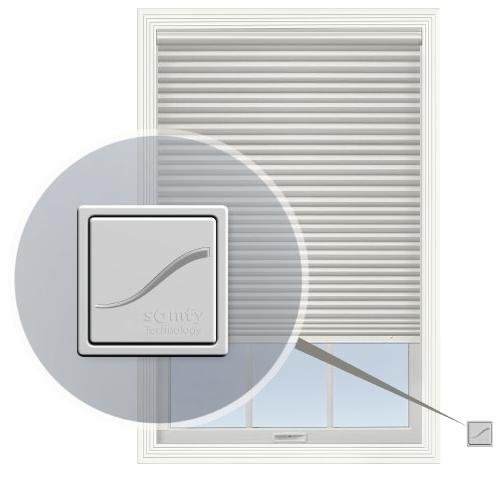
| Name | Cellular Shade Radio Z-Wave |
|---|
| Short Description | Automated custom window treatment for simplified, convenient lighting control featuring Z-Wave controlled motorized lift. |
|---|
| Long Description | Enjoy the comfort, convenience and energy efficiency of beautiful custom motorized window treatments featuring Z-Wave protocol for easy integration. Lighting control has never been more simple. Window treatments can be automated using your favorite Z-Wave certified gateway or security system, or controlled by a remote control. Raise or lower the shades to control just the right amount of light, privacy and solar heat. Shades can be fully open, fully closed or anywhere in between, it’s up to you. In addition, some systems will also report back the state of the battery charge on battery operated versions. |
|---|
| Brand | Graber |
|---|
| Product Identifier | CSZ1 |
|---|
| OEM Version | HW: 255 FW: 187.65:1.09 |
|---|
| Hardware Platform | ZM5202 |
|---|
| Z-Wave Version | 6.61.00 |
|---|
| Library Type | SLAVE_ENHANCED_232 |
|---|
| Device Type | Window Covering - Pos/End Aware |
|---|
| Role Type | ROLE_TYPE_SLAVE_SLEEPING_LISTENING |
|---|
| Manufacturer ID | 0x026E |
|---|
| Product Type ID | 0x4353 |
|---|
| Product ID | 0x5A31 |
|---|
| User Icon | 0x1A00 |
|---|
| Installer Icon | 0x1A00 |
|---|
| Frequency Plans | US: 916.00MHz, 908.40MHz |
|---|
| Categories | Window Covering |
|---|
| Countries / Regions | United States of America |
|---|
| Documents | |
|---|
| Features | | Feature | Values |
|---|
| Battery Type | | | Color | | | Firmware Updatable | | Value |
|---|
| Updatable by Manufacturer |
| | Switch Load Capacity Current | | | Switch Type | | Value |
|---|
| Push Button with Indicator |
| | Window Covering Control Features | | | Battery Quantity | |
|
|---|
| Association Groups | | Group Number | Maximum Nodes Supported | End Point ID | Description |
|---|
| 1 | 1 | 0 | Lifeline (primary controller)
SWITCH MULTILEVEL REPORT after movement
BATTERY STATUS after movement or critical status
DEVICE RESET LOCALLY
|
|
|---|
| Texts | | ID | Description | Value |
|---|
| 1 | Inclusion | 1. Put Primary Controller into
Inclusion Mode
2. Press and Hold Shade Programming Button for >2seconds | | 2 | Exclusion | 1. Put Primary Controller into
Exclusion Mode
2. Press and Hold Shade Programming Button for >2seconds | | 5 | Factory Reset | Please use this procedure only when the network primary controller is missing or otherwise inoperable
Press and hold the button on the shade for approximately 15 seconds (the LED will stop flashing when complete) | | 4 | Device Wake-Up | The Wakeup command class should be configured by a hub when the remote is joined to a Z-Wave network. A WAKE_UP_INTERVAL_SET command should configure the NodeID at a minimum. The Wakeup interval can be configured to any value from 6 minutes to 25 hours. Recommendation is to leave the interval at the default of 12 hours to maximize battery life. The remote will wake up every WakeUpInterval and send a WakeUp Notification command as well as a battery report to the NodeID assigned with the Interval Set command. The WakeUp Notification will be sent within a few minutes of power being applied to the remote and then once every Wake Up Interval. A Wakeup Interval Capabilities command will inform the hub of the default, minimum, maximum and step size of the Wake Up interval. |
|
|---|
| Supports NWI | Yes |
|---|
| Supports Explorer Frames | Yes |
|---|
| Is Flirs | Yes |
|---|