Product Recognition | |
|---|
Certification Number | ZC10-18106288 |
|---|
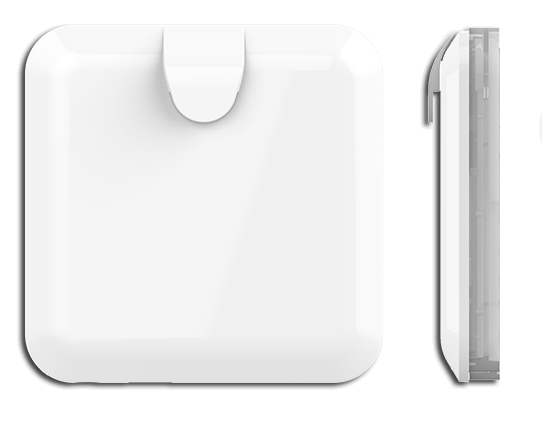
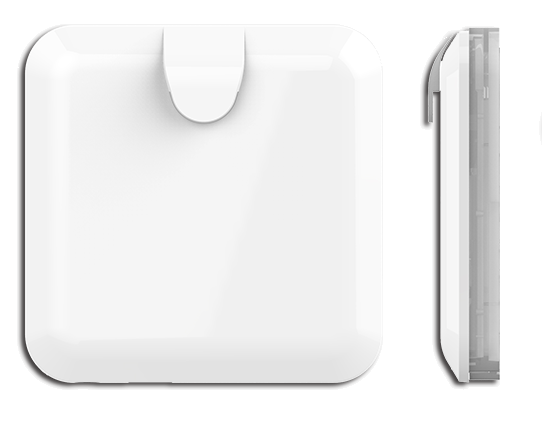
Name | Control Center Gateway |
|---|
Short Description | PSC03 Gateway is a control center (gateway) , based on Z-Wave technology. |
|---|
Long Description | PSC03 Gateway is a control center (gateway) , based on Z-Wave technology. It is used to control different single devices and actions combining device functions within the network. |
|---|
Brand | Philio Technology |
|---|
Product Identifier | PSC03 |
|---|
OEM Version | HW: 1 FW: 6.01:02.81:08.12 |
|---|
Hardware Platform | SD3503 |
|---|
Z-Wave Version | 6.81.01 |
|---|
Library Type | CONTROLLER_BRIDGE |
|---|
Device Type | Gateway |
|---|
Role Type | ROLE_TYPE_CONTROLLER_CENTRAL_STATIC |
|---|
Manufacturer ID | 0x013c |
|---|
Product Type ID | 0x0003 |
|---|
Product ID | 0x0054 |
|---|
User Icon | 0x0500 |
|---|
Installer Icon | 0x0500 |
|---|
Frequency Plans | EU: 869.85MHz, 868.40MHz |
|---|
Categories | All Controllers, Gateway Controller, Network Devices |
|---|
Countries / Regions | European Union |
|---|
Supported Command Classes | Identifier | Name | Key | Version |
|---|
COMMAND_CLASS_POWERLEVEL | Powerlevel | 0x73 | 1 | COMMAND_CLASS_INCLUSION_CONTROLLER | Inclusion Controller | 0x74 | 1 | COMMAND_CLASS_CRC_16_ENCAP | CRC16 Encapsulation | 0x56 | 1 | COMMAND_CLASS_SECURITY | Security S0 | 0x98 | 1 | COMMAND_CLASS_TRANSPORT_SERVICE_V2 | Transport Service V2 | 0x55 | 2 | COMMAND_CLASS_VERSION_V2 | Version V2 | 0x86 | 2 | COMMAND_CLASS_DEVICE_RESET_LOCALLY | Device Reset Locally | 0x5A | 1 | COMMAND_CLASS_ZWAVEPLUS_INFO_V2 | Z-Wave Plus Info V2 | 0x5E | 2 | COMMAND_CLASS_ASSOCIATION_V2 | Association V2 | 0x85 | 2 | COMMAND_CLASS_ASSOCIATION_GRP_INFO_V3 | Association Group Information V3 | 0x59 | 3 | COMMAND_CLASS_SECURITY_2 | Security S2 | 0x9F | 1 | COMMAND_CLASS_SUPERVISION | Supervision | 0x6C | 1 | COMMAND_CLASS_MANUFACTURER_SPECIFIC_V2 | Manufacturer Specific V2 | 0x72 | 2 |
|
|---|
Controlled Command Classes | Identifier | Name | Key | Version |
|---|
COMMAND_CLASS_SENSOR_MULTILEVEL_V5 | Sensor Multilevel V5 | 0x31 | 5 | COMMAND_CLASS_MULTI_CHANNEL_ASSOCIATION_V3 | Multi-Channel Association V3 | 0x8E | 3 | COMMAND_CLASS_BATTERY | Battery | 0x80 | 1 | COMMAND_CLASS_SWITCH_BINARY | Switch Binary | 0x25 | 1 | COMMAND_CLASS_BASIC | Basic | 0x20 | 1 | COMMAND_CLASS_CRC_16_ENCAP | CRC16 Encapsulation | 0x56 | 1 | COMMAND_CLASS_SECURITY | Security S0 | 0x98 | 1 | COMMAND_CLASS_VERSION_V2 | Version V2 | 0x86 | 2 | COMMAND_CLASS_WAKE_UP_V2 | Wake Up V2 | 0x84 | 2 | COMMAND_CLASS_ZWAVEPLUS_INFO_V2 | Z-Wave Plus Info V2 | 0x5E | 2 | COMMAND_CLASS_ASSOCIATION_V2 | Association V2 | 0x85 | 2 | COMMAND_CLASS_MULTI_CHANNEL_V4 | Multi-Channel V4 | 0x60 | 4 | COMMAND_CLASS_ASSOCIATION_GRP_INFO_V3 | Association Group Information V3 | 0x59 | 3 | COMMAND_CLASS_METER | Meter | 0x32 | 1 | COMMAND_CLASS_NOTIFICATION_V8 | Notification V8 | 0x71 | 8 | COMMAND_CLASS_SECURITY_2 | Security S2 | 0x9F | 1 | COMMAND_CLASS_MANUFACTURER_SPECIFIC_V2 | Manufacturer Specific V2 | 0x72 | 2 |
|
|---|
S2 Classes | S2_UNAUTHENTICATED, S2_AUTHENTICATED, S2_ACCESS_CONTROL |
|---|
Documents | Category | Description | File |
|---|
Manual_Primary_Lang | Product or Owner's Manual | |
|
|---|
Features | Feature | Values |
|---|
Communications Connections | Value |
|---|
Ethernet (Wireless/WiFi) |
| Firmware Updatable | Value |
|---|
Updatable by Consumer via Internet |
| Supported Notification Types | Value |
|---|
Smoke Alarm | Water Alarm | Access Control | Home Security |
| Sensors | Value |
|---|
Motion/No Motion (Binary) | Air Temperature | Luminance | Humidity | Open/Closed (Binary) |
|
|
|---|
Association Groups | Group Number | Maximum Nodes Supported | End Point ID | Description |
|---|
1 | 1 | 0 | Z-Wave Plus Lifeline |
|
|---|
Texts | ID | Description | Value |
|---|
24 | Controller Exclusion | The primary controller can exclude devices from the Z-Wave network. During exclude the relationship between the device and the controller. No communication could happen after successful exclusion, between the device and other devices in the original network.
Please click ""Exclude"".
It will show count down time, and gateway will be in exclusion mode, include/exclude led will start flash in fast mode. Please send ""Node Info"" from device before count down time end.
If success, it will show device which was added in gateway on screen, but if device wasn't added into gateway before, it will show nothing on screen.
(Please check your user document, the detail in 3.1) | 5 | Factory Reset | Reset the Z-Wave controller. It will reset the Z-Wave controller and will be assign a new Z-Wave home id.
Please click ""Reset Gateway"", it will show ""Reset"" message
If this controller is the primary controller for your network, resetting it will result in the nodes in your network being orphaned and it will be necessary after the reset to exclude and re-include all of the nodes in the network. If this controller is being used as a secondary controller in the network, use this procedure to reset this controller only in the event that the network primary controller is missing or otherwise inoperable.
(Please check your user document, the detail in 3.1.3) | 23 | Controller Inclusion | Communication between two Z-Wave devices only works if both belong to the same wireless network. Joining a network is called inclusion and is initiated by a controller. The controller needs to be turned into the inclusion mode.
Please click ""Include"", it will show ""Include"" message.
(Please check your user document, the detail in 3.1) | 3 | Learn Mode (adding another controller) | The gateway can join another Z-Wave network and will be a slave device. If the gateway is included in other network, it can receive (replication) the latest network information from SUC again.
But the gateway can’t use this function if the gateway is the SIS and others nodes are included in the network
Please click ""Learn"". It will show learn message (the count down time and the gateway’s DSK).
(Please check your user document, the detail in 3.1.4) |
|
|---|
Supports NWI | Yes |
|---|
Supports Explorer Frames | Yes |
|---|
Radio Range Z-Wave (m) | 40 |
|---|