Product Recognition | |
|---|
Certification Number | ZC10-19076673 |
|---|
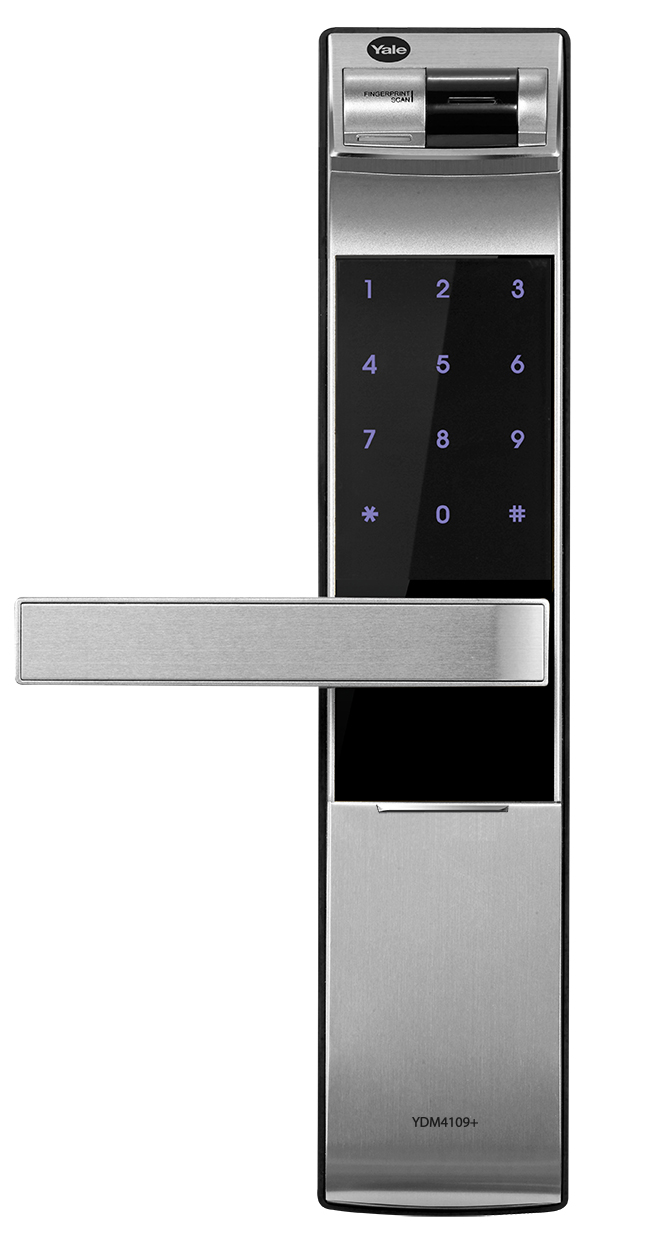
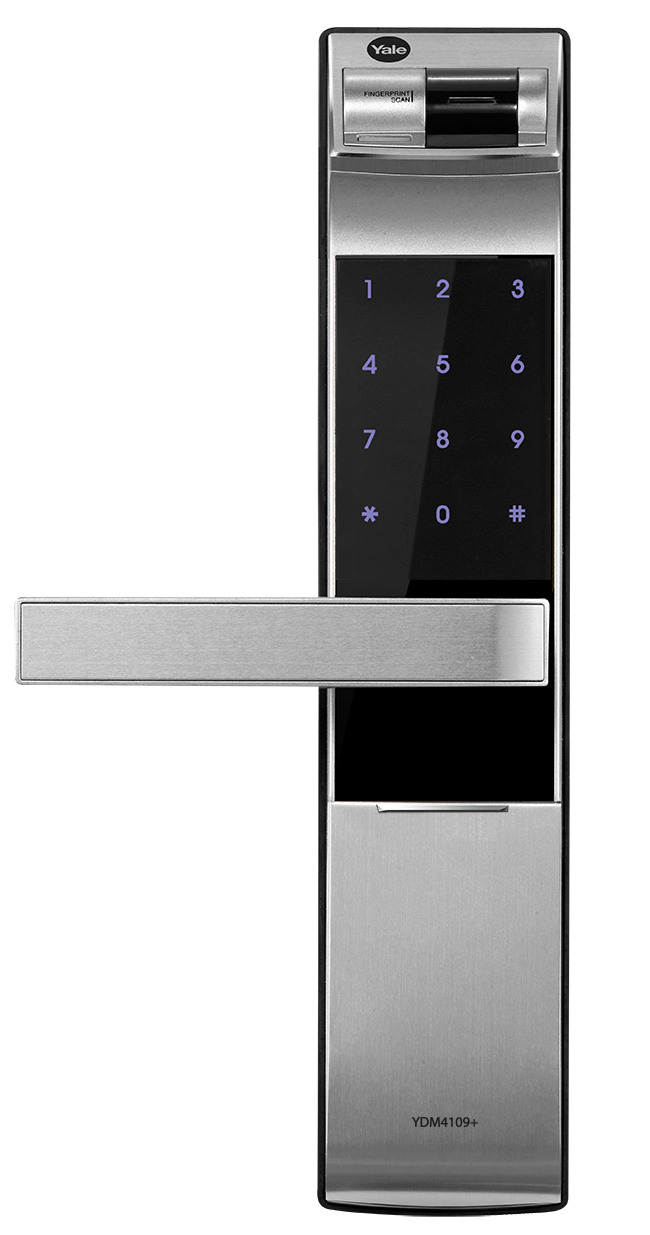
Name | Digital Door Lock |
|---|
Short Description | Digital Doorlock with RF connection built in and optional Z-Wave connection available |
|---|
Long Description | Digital Doorlock by Yale
Manufacturer: iRevo, ASSA ABLOY
The Yale Digital Door Lock Collection, Smarter Solution for your home, High tech Fingerprint Digital Door Lock with strong features
Features:
One touch Fingerprint Verification Method (Progressive Scan)
Automatic Locking
Voice Guide Feature
Smart Touchpad
Scramble code
Emergency Mechanical Key
Anti-panic egress with Safe handle
Automatic Alarm (Break-in/Damage)
Low-battery alarm and emergency power supply terminal
Technical details:
Mortise Lock Type
Fingerprint: Up to 20
Mechanical Keys: 2 Keys
Pin Code: 6-12 digits
Colour: Black
Outside Trim Dimensions : 28.5mm X 68.6mm X 320.7mm
Thickness : Suitable for 40-80mm thick wooden doors
Backset : 60mm |
|---|
Brand | Yale |
|---|
Product Identifier | YDM4109+ |
|---|
OEM Version | HW: 32 FW: 33.17:17.16 |
|---|
Hardware Platform | ZM5202 |
|---|
Z-Wave Version | 6.71.03 |
|---|
Library Type | SLAVE_ENHANCED_232 |
|---|
Device Type | Door Lock - Keypad |
|---|
Role Type | ROLE_TYPE_SLAVE_SLEEPING_LISTENING |
|---|
Manufacturer ID | 0x0129 |
|---|
Product Type ID | 0xC700 |
|---|
Product ID | 0x0005 |
|---|
User Icon | 0x0300 |
|---|
Installer Icon | 0x0300 |
|---|
Frequency Plans | IN: 865.20MHz |
|---|
Categories | Locks, Security Add-Ons |
|---|
Countries / Regions | India |
|---|
Supported Command Classes | Identifier | Name | Key | Version |
|---|
COMMAND_CLASS_POWERLEVEL | Powerlevel | 0x73 | 1 | COMMAND_CLASS_USER_CODE | User Code | 0x63 | 1 | COMMAND_CLASS_DOOR_LOCK_V2 | Door Lock V2 | 0x62 | 2 | COMMAND_CLASS_ALARM | Alarm | 0x71 | 1 | COMMAND_CLASS_BATTERY | Battery | 0x80 | 1 | COMMAND_CLASS_TIME_PARAMETERS | Time Parameters | 0x8B | 1 | COMMAND_CLASS_CONFIGURATION | Configuration | 0x70 | 1 | COMMAND_CLASS_SECURITY | Security S0 | 0x98 | 1 | COMMAND_CLASS_TIME_V2 | Time V2 | 0x8A | 2 | COMMAND_CLASS_TRANSPORT_SERVICE_V2 | Transport Service V2 | 0x55 | 2 | COMMAND_CLASS_VERSION_V2 | Version V2 | 0x86 | 2 | COMMAND_CLASS_DEVICE_RESET_LOCALLY | Device Reset Locally | 0x5A | 1 | COMMAND_CLASS_ZWAVEPLUS_INFO_V2 | Z-Wave Plus Info V2 | 0x5E | 2 | COMMAND_CLASS_ASSOCIATION_V2 | Association V2 | 0x85 | 2 | COMMAND_CLASS_ASSOCIATION_GRP_INFO | Association Group Info | 0x59 | 1 | COMMAND_CLASS_DOOR_LOCK_LOGGING | Door Lock Logging | 0x4C | 1 | COMMAND_CLASS_SECURITY_2 | Security S2 | 0x9F | 1 | COMMAND_CLASS_SUPERVISION | Supervision | 0x6C | 1 | COMMAND_CLASS_MANUFACTURER_SPECIFIC_V2 | Manufacturer Specific V2 | 0x72 | 2 | COMMAND_CLASS_SCHEDULE_ENTRY_LOCK_V3 | Schedule Entry Lock V3 | 0x4E | 3 |
|
|---|
S2 Classes | S2_ACCESS_CONTROL |
|---|
Documents | Category | Description | File |
|---|
Manual_Primary_Lang | Product or Owner's Manual | |
|
|---|
Features | Feature | Values |
|---|
Communications Connections | Value |
|---|
Bluetooth | Manufacturer Proprietary |
| Door Lock Type | | Color | | Battery Type | | Battery Quantity | | Supported Notification Types | Value |
|---|
Access Control | Home Security | Power Management | Emergency Alarm |
|
|
|---|
Association Groups | Group Number | Maximum Nodes Supported | End Point ID | Description |
|---|
1 | 1 | 0 | Z-Wave Plus Lifeline |
|
|---|
Configuration Parameters | Parameter Number | Name | Description | Format | Size | Min Value | Max Value | Default Value | Parameter Values |
|---|
5 | English Language | Set the language of the Door Lock interface | 0 | 1 | 0 | 0 | 2 | From | To | Description |
|---|
1 | 1 | Korean Language | 2 | 2 | English Language | 3 | 3 | Chinese Language | 6 | 6 | Taiwanese Language |
|
|
|---|
Texts | ID | Description | Value |
|---|
1 | Inclusion | To include:
1. Touch keypad with palm
2. Enter User code(Normal Mode only. Enter Master code if operating Master Mode.)
3. Press 'I' button [Registration] from the inside of battery cover.
4. Press 9,#,1,# on the keypad (by sequence)
5. Wait until 'Ding dong dang' melody play then press 'I' button | 2 | Exclusion | To exclude:
1. Touch keypad with palm
2. Enter User code(Normal Mode only. Enter Master code if operating Master Mode.)
3. Press 'I' button [Registration] from the inside of battery cover.
4. Press 9,#,3,# on the keypad (by sequence)
5. Wait until 'Ding dong dang' melody play then press 'I' button | 5 | Factory Reset | To reset to factory defaults:
※ Please use this procedure only when the network primary controller is missing or otherwise inoperable. (User code or master code remains the same. Only network settings reset to factory defaults.)
1. Touch keypad with palm
2. Enter User code(Normal Mode only. Enter Master code if operating Master Mode.)
3. Press 'I' button [Registration] from the inside of battery cover.
4. Press 9,#,9,# on the keypad (by sequence)
5. Wait until 'Ding dong dang' melody play then press 'I' button | 4 | Device Wake-Up | The lock is always in 'Wake up status'.
However, touch with palm to begin and end action. |
|
|---|
Supported Notification Types | Notification Type | Event / State |
|---|
Access Control | (Refer to parameters): State idle | Home Security | (Refer to parameters): State idle | Power Management | (Refer to parameters): State idle | Emergency Alarm | (Refer to parameters): State idle |
|
|---|
Supports NWI | Yes |
|---|
Supports Explorer Frames | Yes |
|---|
Is Flirs | Yes |
|---|
Radio Range Z-Wave (m) | 40 |
|---|