
| Product Recognition | |
|---|
| Certification Number | ZC10-16075143 |
|---|
| Name | Dome Door/Window Sensor |
|---|
| Short Description | Dome Door/Window Sensor |
|---|
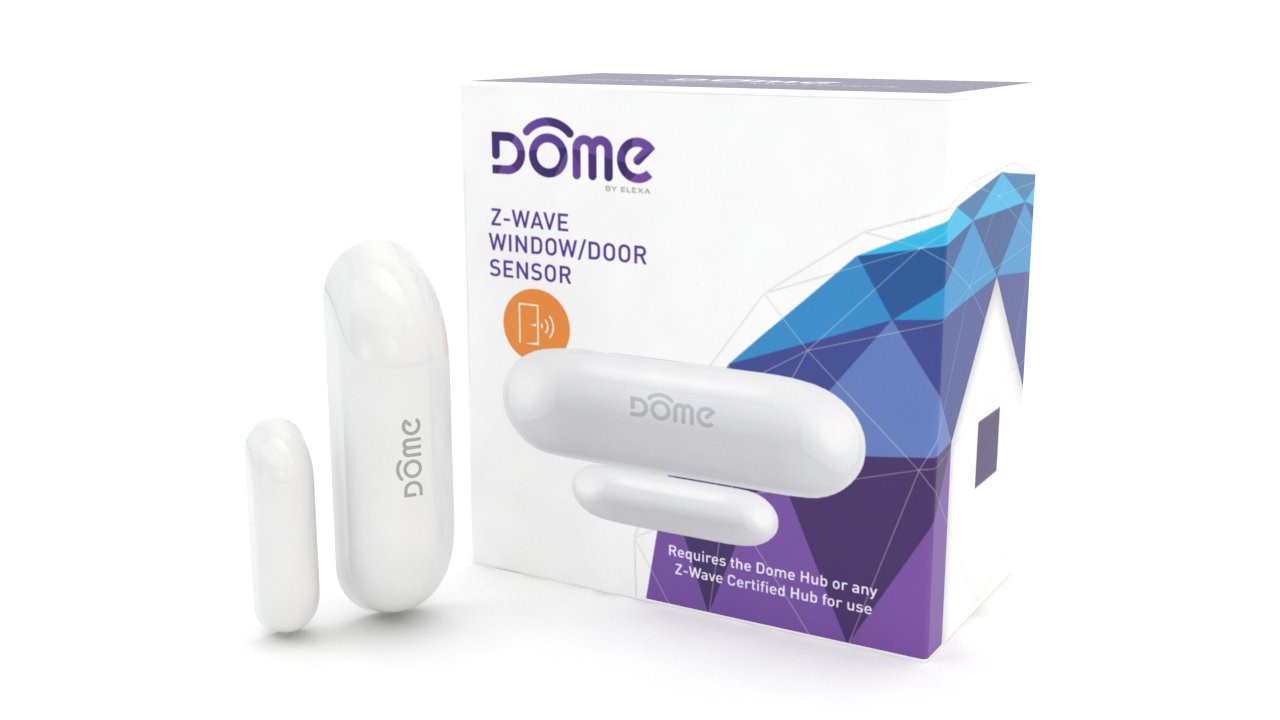
| Long Description | The Dome Home Automation DMWD1 Door/Window Sensor does more than just monitor if a door or window is opened at your home. With a Z-Wave Certified Hub, this sensor can respond to real-time events by sending alerts to your smartphone when the garage door is left open or by turning on the basement lights automatically when you open the door to go downstairs. Your Hub can even alert you when cabinets containing dangerous cleaning supplies, prescription medication or alcohol are opened to keeping your family safe. A Z-Wave Certified Hub, such as Dome Hub is required to operate the Door/Window Sensor. Most functionality is also available when used with other compatible hubs. Extra-long wireless range (up to 150 ft) allows you to easily keep track of doors, windows and cabinets at your home. There is a 3-year battery life, so you can always be confident that your sensor has power. The sensor measures 2.75 in long x 0.8 in high x 0.8 in wide and the magnet measures 1.6 in long x 0.5 in high x 0.5 in wide. Dome DMWD1 Door/Window Sensor comes with a 1-year limited warranty. Dome Home Automation system gives your family peace of mind and security you can count on. With Dome, you’re always connected and always covered.
• Monitors if doors/windows are open or closed, can send you reminders if you left your garage door open
• Works with exterior or interior doors, garage doors, patio doors, windows, cabinets, safes, closet door, baby gates and other openings
• Z-Wave Plus Certified. Requires a Dome Home Automation Hub or other Z-Wave Certified Hub to operate
• Up to 150-foot range and 3-year battery life (CR14250 Battery Included)
• Tested to work with SmartThings, Vera, Staples Connect, HomeSeer, Nexia, Piper, URC, Harmony. Not supported by Wink, DSC, ADT Pulse, 2Gig, Napco, Interlogix, Honeywell (Dome is not associated with listed brands) |
|---|
| Brand | Dome |
|---|
| Product Identifier | DMWD1 |
|---|
| OEM Version | HW: 65 FW: 3.61 |
|---|
| Hardware Platform | ZM5202 |
|---|
| Z-Wave Version | 6.51.06 |
|---|
| Library Type | SLAVE_ROUTING |
|---|
| Device Type | Notification Sensor |
|---|
| Role Type | ROLE_TYPE_SLAVE_SLEEPING_REPORTING |
|---|
| Manufacturer ID | 0x021F |
|---|
| Product Type ID | 0x0003 |
|---|
| Product ID | 0x1082 |
|---|
| User Icon | 0x0C06 |
|---|
| Installer Icon | 0x0C06 |
|---|
| Frequency Plans | US: 916.00MHz, 908.40MHz |
|---|
| Categories | Sensors |
|---|
| Countries / Regions | United States of America |
|---|
| Controlled Command Classes | | Identifier | Name | Key | Version |
|---|
| COMMAND_CLASS_BASIC | Basic | 0x20 | 1 |
|
|---|
| Documents | |
|---|
| Features | | Feature | Values |
|---|
| Battery Quantity | | | Battery Type | | | Color | | | Sensors | | Value |
|---|
| Open/Closed (Binary) |
|
|
|---|
| Association Groups | | Group Number | Maximum Nodes Supported | End Point ID | Description |
|---|
| 1 | 5 | 0 | Group 1 is the “Lifeline” group, which can hold five members, typically including the main Z-Wave controller. The Door/Window Sensor sends this group a Notification Report and a Binary Sensor Report when it is opened or closed. It also sends this group a Battery Report in response to Battery Get commands. | | 2 | 5 | 0 | The Door/Window Sensor sends a Basic Set command to association Group 2 (or the Control Group) to directly trigger devices (like a light, chime, etc.) in response to events. Then, after a preset delay, a BASIC_SET(0x00) command is sent to reset the device (e.g. turn off the light.) The value of the Basic Set command (e.g. brightness of the lamp,) and the delay time before the BASIC_SET(0x00) is sent is configured using configuration parameters 1 and 2 respectively. | | 3 | 5 | 0 | Group 3 supports up to 5 members and the Door/Window Sensor sends it a NOTIFICATION_REPORT when the door either opens or closes. | | 4 | 5 | 0 | Group 4 supports up to 5 members and the Door/Window Sensor sends it a SENSOR_BINARY_REPORT when the door either opens or closes. |
|
|---|
| Configuration Parameters | | Parameter Number | Name | Description | Format | Size | Min Value | Max Value | Default Value | Parameter Values |
|---|
| 2 | BASIC_SET Level | This parameter sets the value sent by the BASIC_SET command to Association Group 2 (for more information, see “Association Groups”.) | 0 | 1 | 0 | 0 | 99 | | From | To | Description |
|---|
| 0 | 0 | Off/Cancel Alarm/Etc. | | 255 | 255 | On (for Binary Switch) | | 1 | 99 | Dim Level (for Multilevel Switch) |
|
|
|---|
| Texts | | ID | Description | Value |
|---|
| 2 | Exclusion | If using the Dome Hub, open the App, navigate to the side menu tap “Device Settings,” select the device you wish to remove, and press “Delete Device.”
If using a 3rd party controller, follow the controller manufacturer’s instructions to enter exclusion mode.
When prompted by the controller:
1. Remove the SENSOR COVER from the rest of the sensor.
2. Press the Connect button quickly 3 times in a row.
A red LED will flash five times indicating exclusion/disconnection. | | 1 | Inclusion | If using the Dome Hub, open the App, navigate to the side menu and tap “Add New Device” The App will guide you through the inclusion process.
If using a 3rd party controller, follow the controller manufacturer’s instructions to enter inclusion mode.
When prompted by the controller:
1. Remove the SENSOR COVER.
2. Remove the BATTERY TAB.
3. Press the BUTTON quickly 3 times in a row.
A red LED will flash five times indicating inclusion. | | 4 | Device Wake-Up | Because the Door/Window Sensor is a battery powered device, it wakes up on regular intervals to give battery and other status updates to the controller, as well as to accept configuration settings from the controller (as opposed to always remaining online and draining its battery.) The device can be forced to wake up (to submit these reports or accept new settings immediately) by simply pressing and holding the BUTTON for two seconds. | | 3 | Learn Mode (adding another controller) | 1. Remove the SENSOR COVER.
2. Remove the BATTERY TAB.
3. Press the BUTTON quickly 3 times in a row.
A red LED will flash five times indicating inclusion. | | 5 | Factory Reset | If needed, the Door/Window Sensor can be reset locally by following these steps. Only do this when your Z-Wave controller is disconnected or otherwise unreachable. Beware that resetting your device will disconnect it from the system:
1. Remove the SENSOR COVER and confirm that your Door/Window Sensor is powered up.
2. Press and hold the BUTTON for at least 10 seconds then release. A flashing light indicates a successful factory reset.
3. The Door/Window Sensor’s memory will be erased to factory settings. |
|
|---|
| Supported Multilevel Sensors | | Multilevel Sensor Type |
|---|
| 0x02 |
|
|---|
| Supports NWI | Yes |
|---|
| Supports Explorer Frames | Yes |
|---|